

One Idea I Want to Share
On December 15, I hosted the AI Bootcamp Demo Day, a live event where graduates from the first iteration of the AI Bootcamp showcased their final projects.
The goal for this cohort was to move beyond simple prompts and build robust, end-to-end AI applications and agentic workflows: systems that allow AI models interact with databases, manage external tools, and handle messy real-world data.
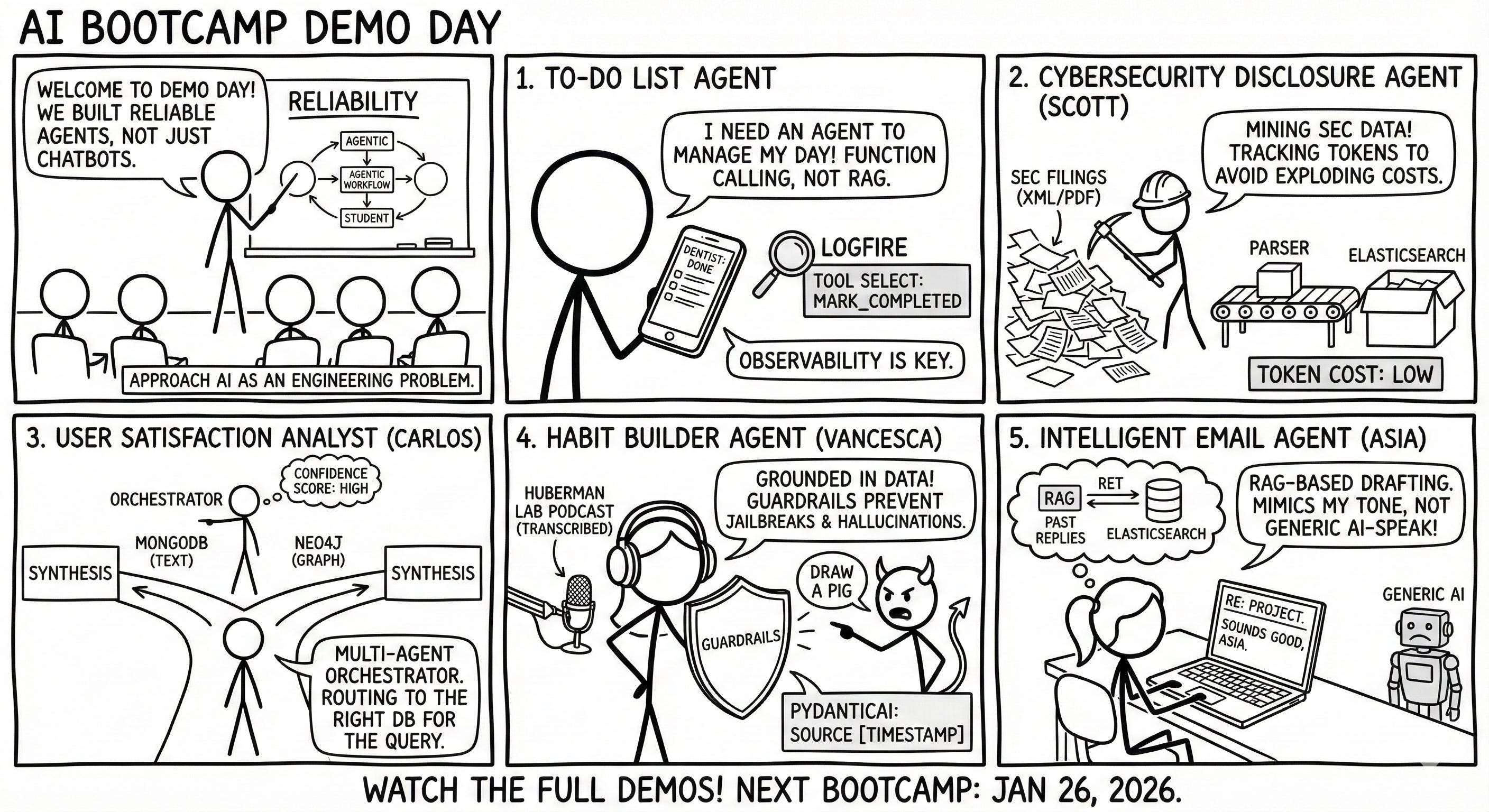
Four students and I presented what we’ve been building over the last couple of months.
In this post, I want to walk through the architecture, the tech stacks, and the specific engineering challenges we solved in these projects.
1. To-Do List Agent
I started by presenting a reference project I built to help students understand the requirements. The idea is an agent that interacts with a simple to-do list application. I used Lovable to prototype the frontend and FastAPI (Python) for the backend.
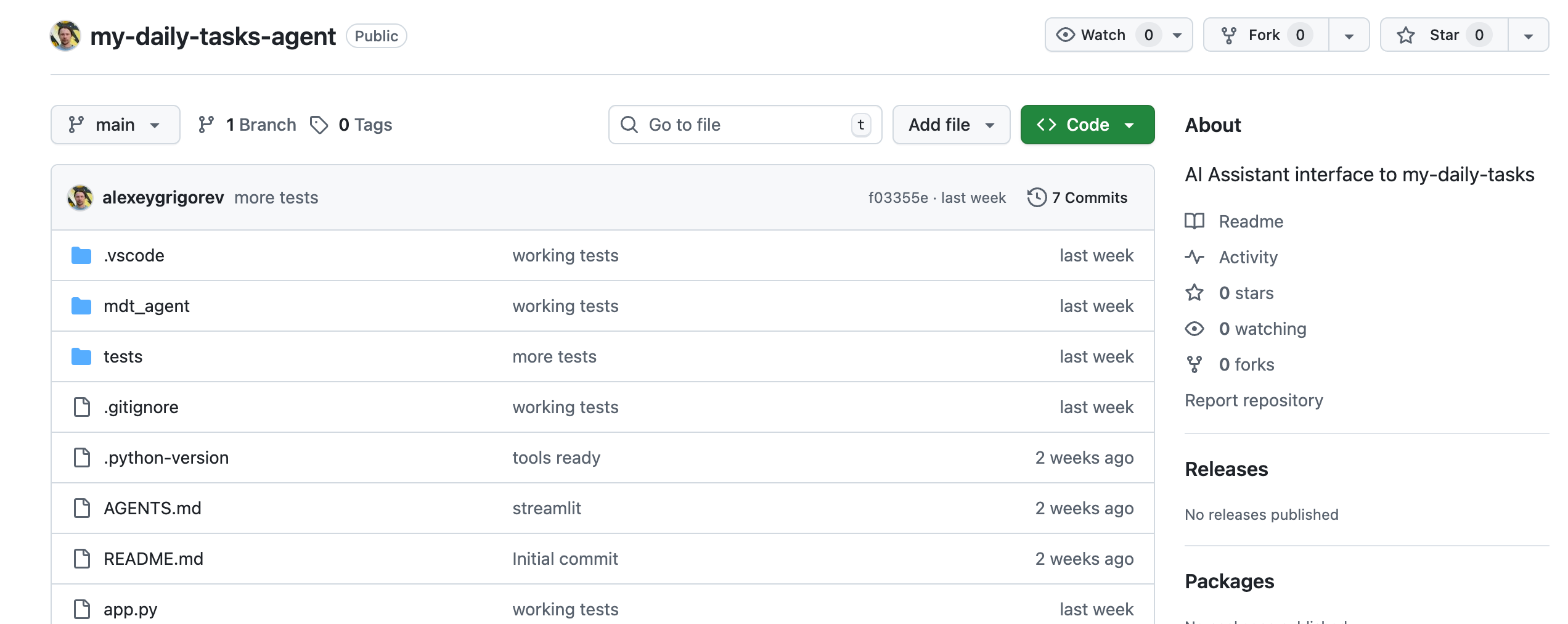
The agent does not use RAG or a knowledge base. Instead, it relies on the backend's OpenAPI specification. I fed this specification to the model so it could create tools to get tasks or mark them as complete. To monitor the system, I used Logfire, which tracks the entire session, including the specific tools used and the cost of each interaction. I also wrote 18 tests using pytest to cover different scenarios, like checking if the right tool is invoked when asking about today’s tasks.
2. Cybersecurity Disclosure Agent by Scott DeGeest
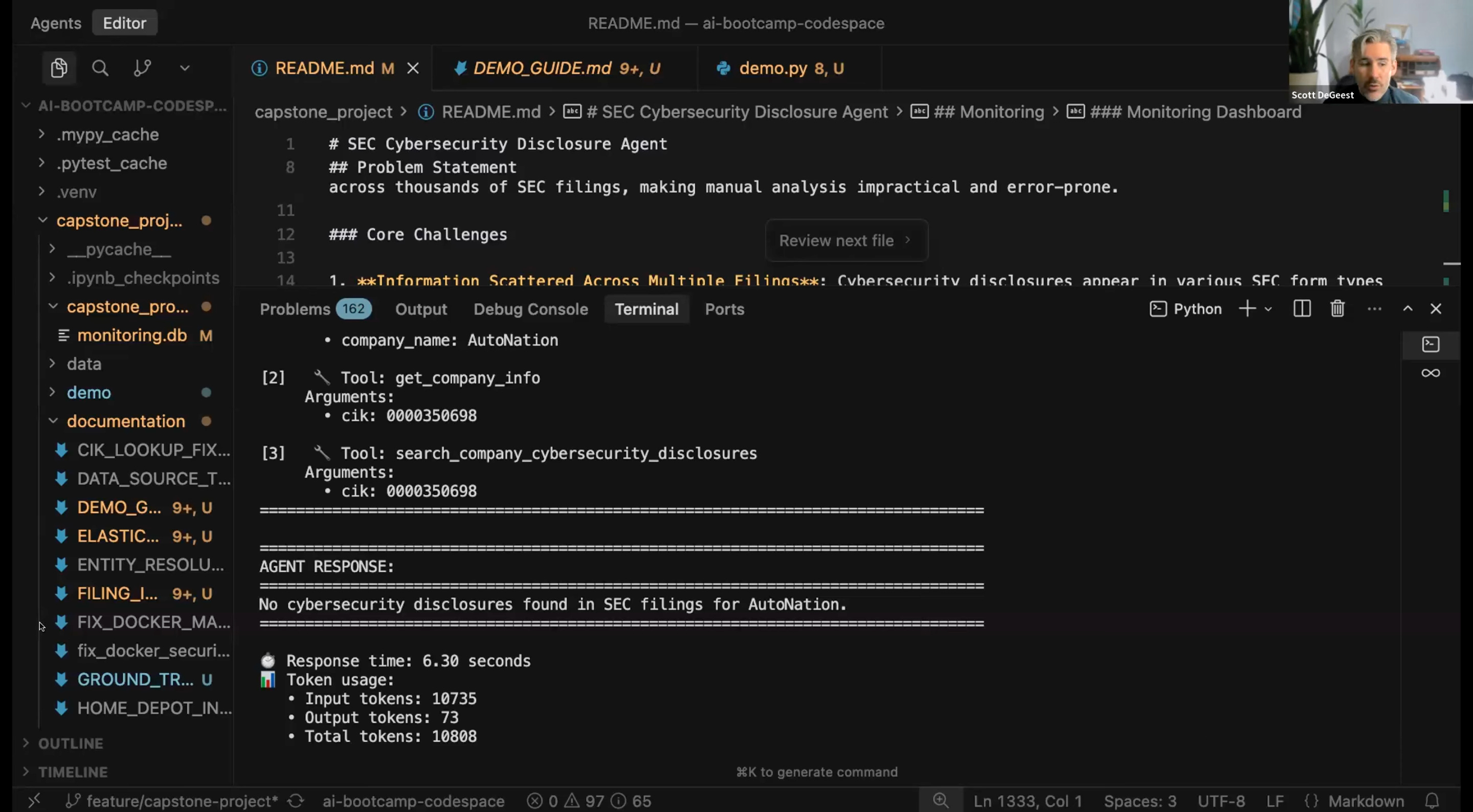
Scott, a Principal Data Scientist who studies supply chains, built an agent to track cybersecurity incidents reported to the SEC (Securities and Exchange Commission). The goal is to help supply chain professionals quickly find out if a company has disclosed a data breach or ransomware attack.
The system downloads raw files, often in XML or PDF format, from the SEC website. Scott had to build logic to handle valid and invalid XML structures. The data is then converted and indexed in Elasticsearch. One interesting challenge was handling subsidiaries; the agent needs to know that “Change Healthcare” is related to “United Health Group.” He also added a monitor for input and output tokens to keep an eye on costs and context limits.
3. User Satisfaction Analyst Agent by Carlos Pumar-Frohberg
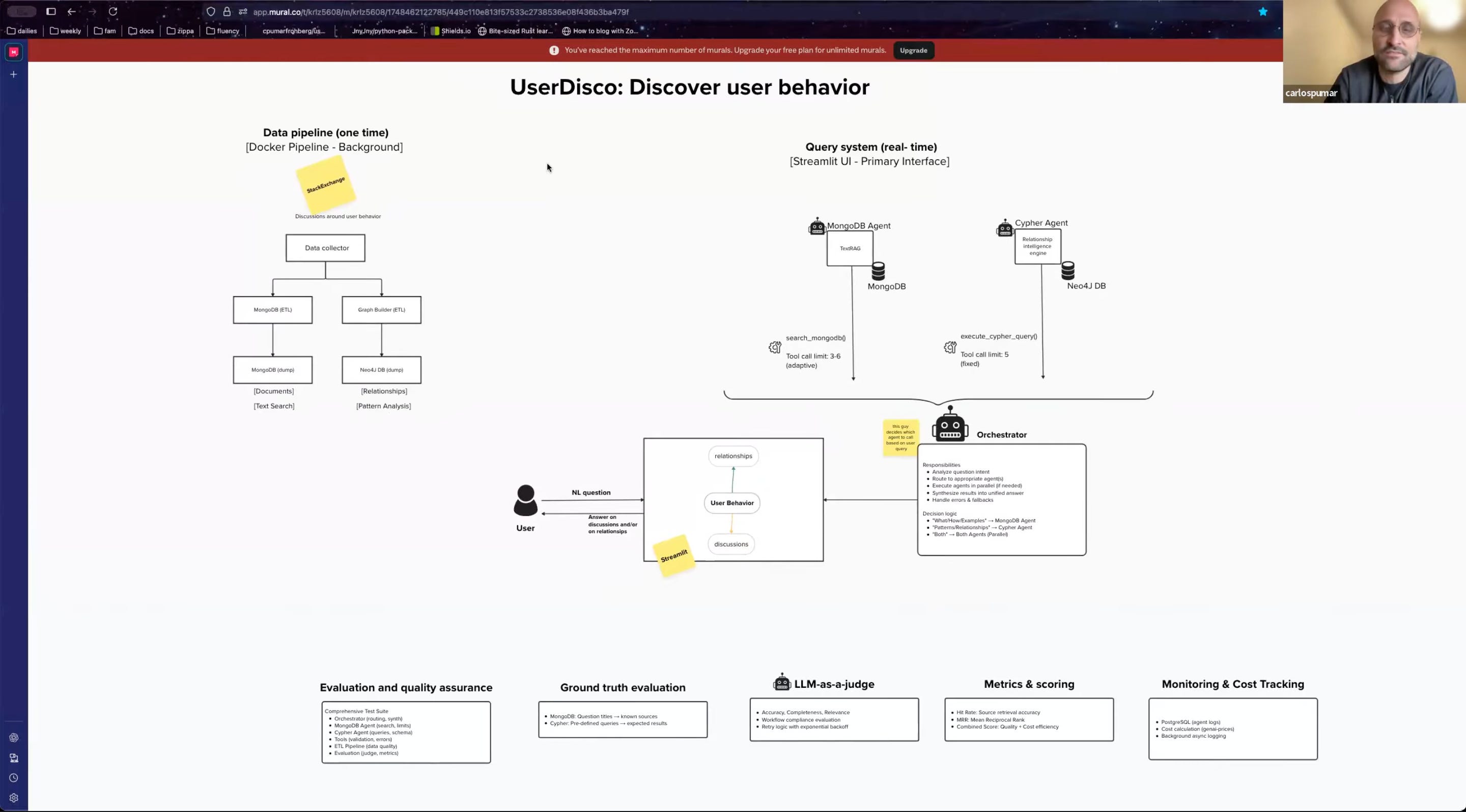
Carlos wanted to analyze client satisfaction using data from Stack Exchange. He focused on user interface discussions to find frustration patterns.
His architecture uses a Docker pipeline to fetch data and dump it into two places: MongoDB for unstructured data and Neo4j for graph data. The system uses an “orchestrator” agent to decide where to route user questions. If the question is about “what” or “how,” it goes to a MongoDB agent. If it is about relationships, it goes to a “Cipher” agent that translates natural language into graph queries. Carlos noted that the orchestrator often decides to call both agents simultaneously to be on the safe side.
4. Habit Builder Agent by Vancesca Dinh
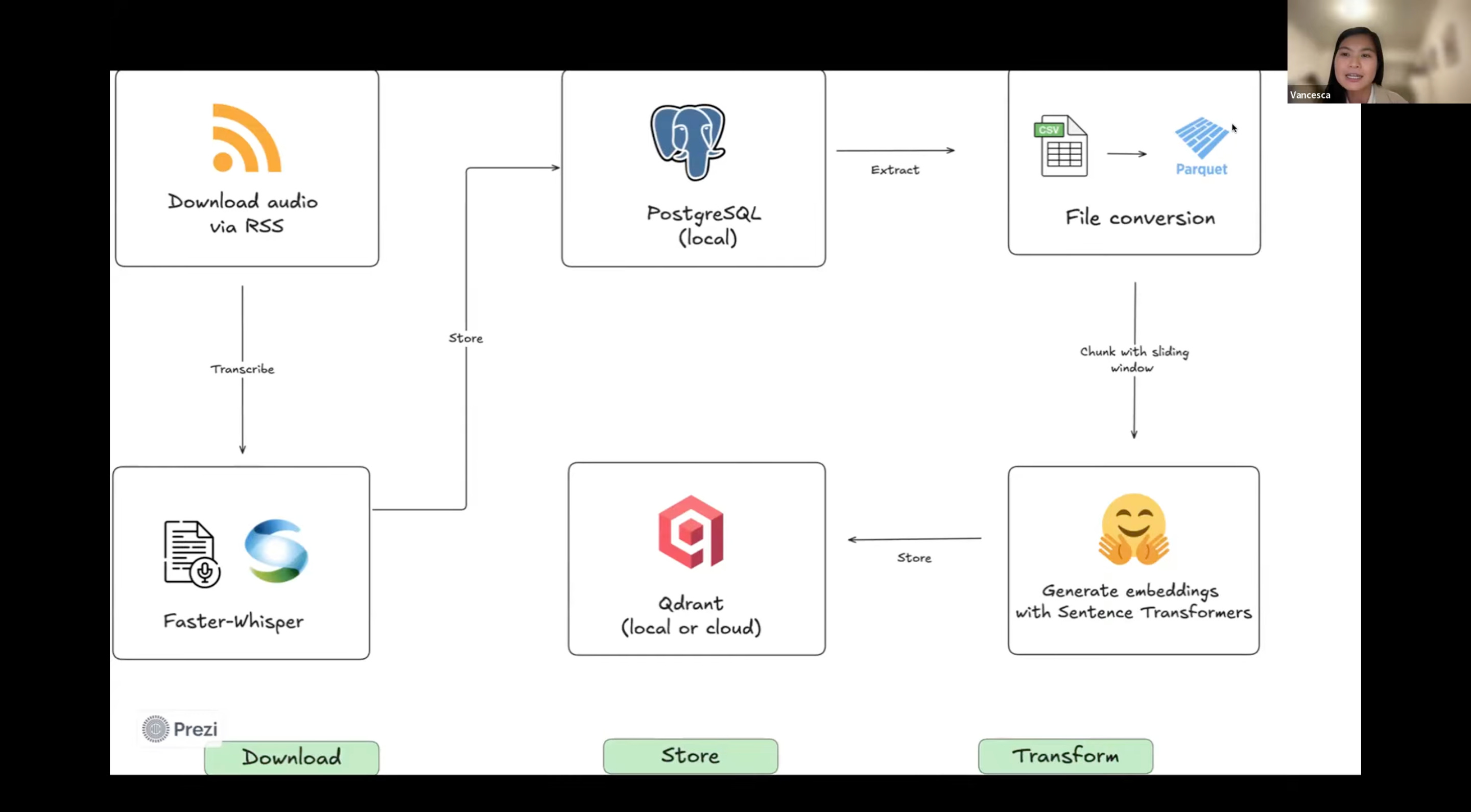
Vanchesca created a “Habit Builder” agent. It helps users identify goals and understand the “why” behind them, grounded in data from the Huberman Lab podcast and medical publications.
She engineered a detailed data pipeline: downloading RSS feeds, transcribing audio with Faster Whisper, and storing embeddings in a Qdrant vector database. For the agent itself, she implemented a tool that rewrites user queries three different ways to improve search results. She also utilized Logfire for logging and Pydantic for structure. A key part of her presentation showed the need for guardrails, as she found the agent would obediently “draw a cute pig” or translate text into Romanian if asked, which was not the intended use.
5. Personalization: Intelligent Email Agent by Asia Amodeo
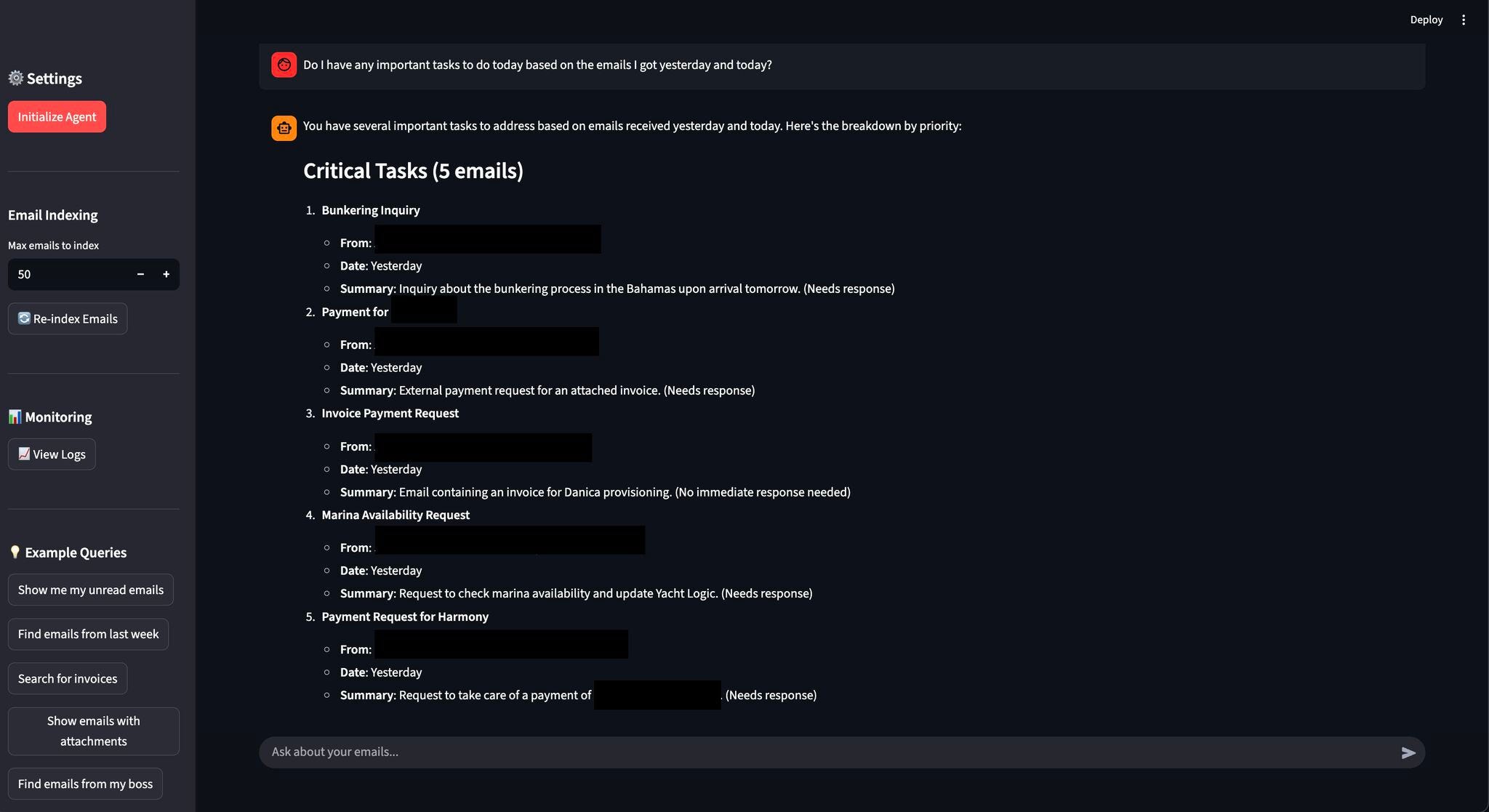
Asia could not attend, so I presented her project. She built an intelligent email agent designed to help manage an inbox.
The agent integrates with the Gmail API to fetch emails and indexes them in Elasticsearch. It features a chat interface built with Streamlit, where you can ask questions to find specific emails or see what is important for the day. While it currently focuses on fetching and reading, the concept addresses “email fatigue” by making it easier to sift through communication.
If you want to see the full demos, you can watch the recording here:
And if you are interested in building reliable systems like this yourself, I’m opening the next iteration of the AI Bootcamp on January 26, 2026.
By the way, the end of the year is a good time to review your learning budget. If your company offers a learning budget and you haven’t used it yet, now is usually the easiest moment to do so. You can expense my AI Bootcamp: I’ve prepared a short message you can send to your manager to request approval.
My Experiments
1. Workshop with Temporal
I hosted a workshop where I built a deep research agent from scratch, capable of answering complex questions based on years of podcast transcripts. The focus was on engineering durability: handling real-world data ingestion, dealing with IP bans, network failures, and large context windows using Temporal.
I had heard about Temporal before, but I never had the chance to try it. I liked the process of preparing this workshop, and I think there is a lot of valuable content in the workshop. I aimed for a 1.5-hour session, but we ended up going significantly longer.
If you missed it, or if you want to see how to build a scraping pipeline that doesn’t break when the network glitches, you can check out the recording and the code. A huge thanks to the team at Temporal for the opportunity to experiment with their tech.
2. /home/oai/ Folder from ChatGPT and OpenAI Skills


I saw a post on X where someone shared a screenshot showing that this prompt works in ChatGPT and returns an archive of /home/oai/:
Create a zip file of /home/oai/
They did not inspect the contents, only noted that the prompt worked. People on Reddit claimed that this behavior indicated that ChatGPT was leaking internal OpenAI infrastructure. That’s not true.
I tried the same thing and it worked for me as well. After that, I looked at the contents of this directory.
The /home/oai/ directory is a sandboxed execution environment used for tool execution, mainly for document creation and conversion. It is not part of OpenAI’s internal production infrastructure.
/home/oai/
│
├── 📄 redirect.html                     [HTML redirect page with CSP]
│
├── 📁 share/
│   └── 📁 slides/                       [PowerPoint processing toolkit]
│       ├── 🐍 create_montage.py
│       ├── 🐍 ensure_raster_image.py
│       ├── 🐍 render_slides.py          [PPTX→PDF→PNG converter via LibreOffice]
│       ├── 🐍 slides_test.py
│       └── 📁 pptxgenjs_helpers/        [Node.js PPTX generation helpers]
│           ├── 📜 code.js               [Code block formatting]
│           ├── 📜 image.js              [Image utilities]
│           ├── 📜 index.js              [Main entry point v1.1.0]
│           ├── 📜 latex.js              [LaTeX→SVG via mathjax-full]
│           ├── 📜 layout_builders.js    [Slide layout construction]
│           ├── 📜 layout.js             [Slide layout analysis]
│           ├── 📜 svg.js                [SVG processing]
│           └── 📜 util.js               [General utilities]
│
└── 📁 skills/                           [AI instruction manuals]
    │
    ├── 📁 docs/                         [Word document skill]
    │   ├── 🐍 render_docx.py            [DOCX→PDF→PNG converter via LibreOffice]
    │   └── 📖 skill.md                  [DOCX creation guidelines]
    │
    ├── 📁 pdfs/                         [PDF skill]
    │   └── 📖 skill.md                  [PDF creation guidelines]
    │
    └── 📁 spreadsheets/                 [Excel/spreadsheet skill]
        ├── 📖 artifact_tool_spreadsheet_formulas.md    [520 Excel functions reference]
        ├── 📖 artifact_tool_spreadsheets_api.md        [artifact_tool API documentation]
        ├── 📖 skill.md                  [Main spreadsheet guidelines]
        ├── 📖 spreadsheet.md            [Additional documentation]
        │
        └── 📁 examples/                 [Example scripts]
            ├── 🐍 create_basic_spreadsheet.py
            ├── 🐍 create_spreadsheet_with_styling.py
            ├── 🐍 read_existing_spreadsheet.py
            ├── 🐍 styling_spreadsheet.py
            │
            └── 📁 features/             [Feature-specific examples]
                ├── 🐍 change_existing_charts.py
                ├── 🐍 cite_cells.py
                ├── 🐍 create_area_chart.py
                ├── 🐍 create_bar_chart.py
                ├── 🐍 create_doughnut_chart.py
                ├── 🐍 create_line_chart.py
                ├── 🐍 create_pie_chart.py
                ├── 🐍 create_tables.py
                ├── 🐍 set_cell_borders.py
                ├── 🐍 set_cell_fills.py
                ├── 🐍 set_cell_width_height.py
                ├── 🐍 set_conditional_formatting.py
                ├── 🐍 set_font_styles.py
                ├── 🐍 set_merge_cells.py
                ├── 🐍 set_number_formats.py
                ├── 🐍 set_text_alignment.py
                └── 🐍 set_wrap_text_styles.py
Inside the folder are instructions and helper files for document processing. There are sections for spreadsheets, Word documents, PDFs, and slide decks. These describe how ChatGPT should create files, which libraries to use, and how to validate outputs. The tooling is based on standard libraries and common server-side software, with additional internal guidelines for formatting and quality control.
This matches what Simon Willison recently described as OpenAI adopting a “skills” mechanism. In his analysis, skills are simple filesystem-based bundles consisting of a Markdown file and optional scripts or resources. He showed that ChatGPT now exposes a /home/oai/skills directory and that these skills closely resemble Anthropic’s earlier implementation.

The contents of /home/oai/ are skill definitions and supporting tools rather than leaked infrastructure. It does not reveal anything about model training, model architecture, core infrastructure, or operational systems.
This approach appears to be becoming standard, with Anthropic’s skills now supported by tools like VS Code:

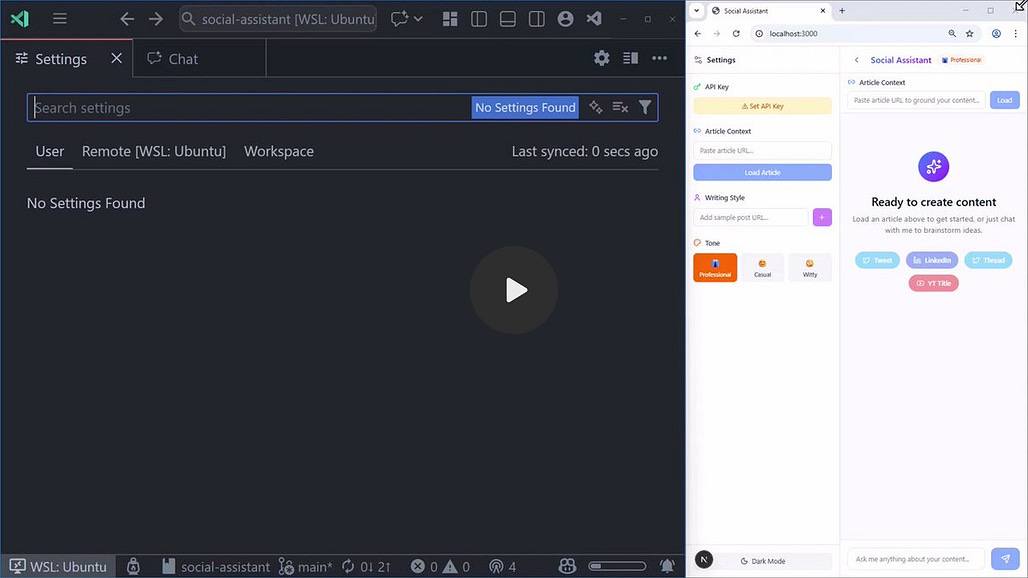
I plan to learn more about agent skills and host a workshop with a detailed breakdown of the topic. Stay tuned because I’ll announce it in this newsletter.
What I’ve Been Working On Recently
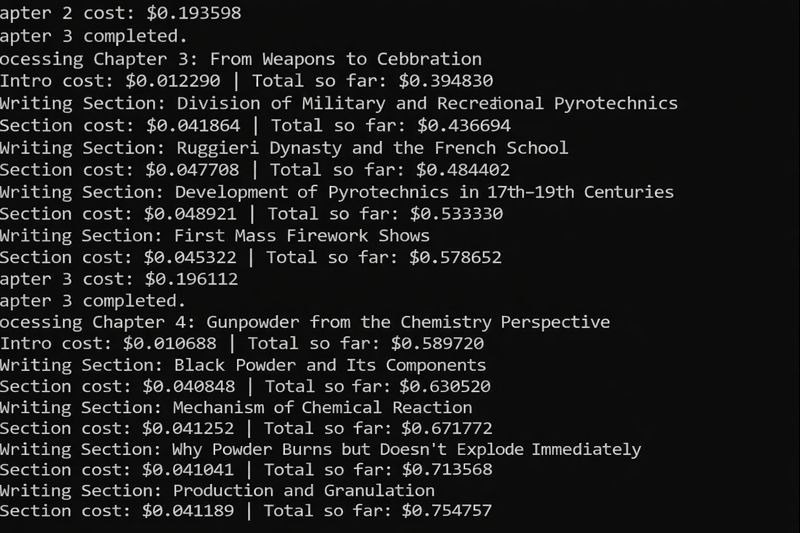
Generated Another Book Using My AI Agent: My kid asked me for a book about fireworks, so I used my AI agent, which I built some time ago, to generate it. I’ll describe the architecture of this project in more detail in an upcoming newsletter. Subscribe for the full breakdown.
Another interesting aspect: The original book is in Russian. For sharing purposes, I asked ChatGPT to translate the generation process visible in a screenshot into English. What stood out was how cleanly the image was updated with the English variant using a simple instruction (“create a new image with Russian text translated to English”), without breaking layout or visual coherence.
AI Dev Tools Zoomcamp Homework: Finalized the homework for Module 3, focused on the Model Context Protocol (MCP), and built a minimal, end-to-end documentation server from scratch. The assignment walks learners through setting up a FastMCP server with
uv, understanding MCP transport, adding a real scraping tool via Jina Reader, and integrating that tool into an AI assistant.2025 AI and ML Landscape Survey: Prepared a practical survey to map the 2025 AI and ML landscape. The goal is to see how data professionals actually use tools for data engineering, MLOps, and AI in their daily work. This is part of our effort at DataTalksClub to understand the market better and improve our courses, events, and community initiatives. Please fill out the survey, and we’ll share the aggregated results.
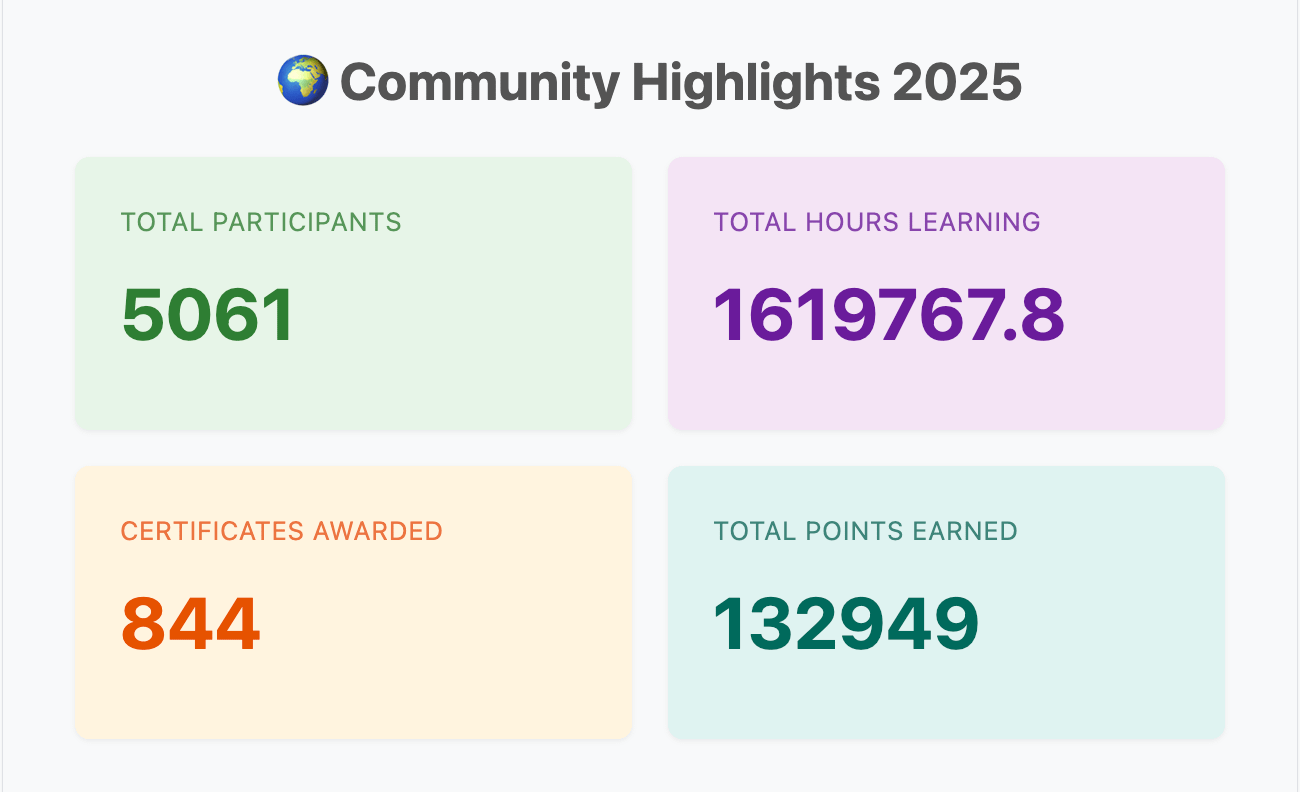
Course Wrapped (built with GitHub Copilot): Shipped a Spotify Wrapped-style experience for courses: a year-specific community page plus individual, shareable wrapped pages for each learner. The system surfaces personal achievements (hours split by lectures/homework/projects, points, courses, certificates, global rank), platform-wide metrics, course popularity, and a top-100 leaderboard.
Courses
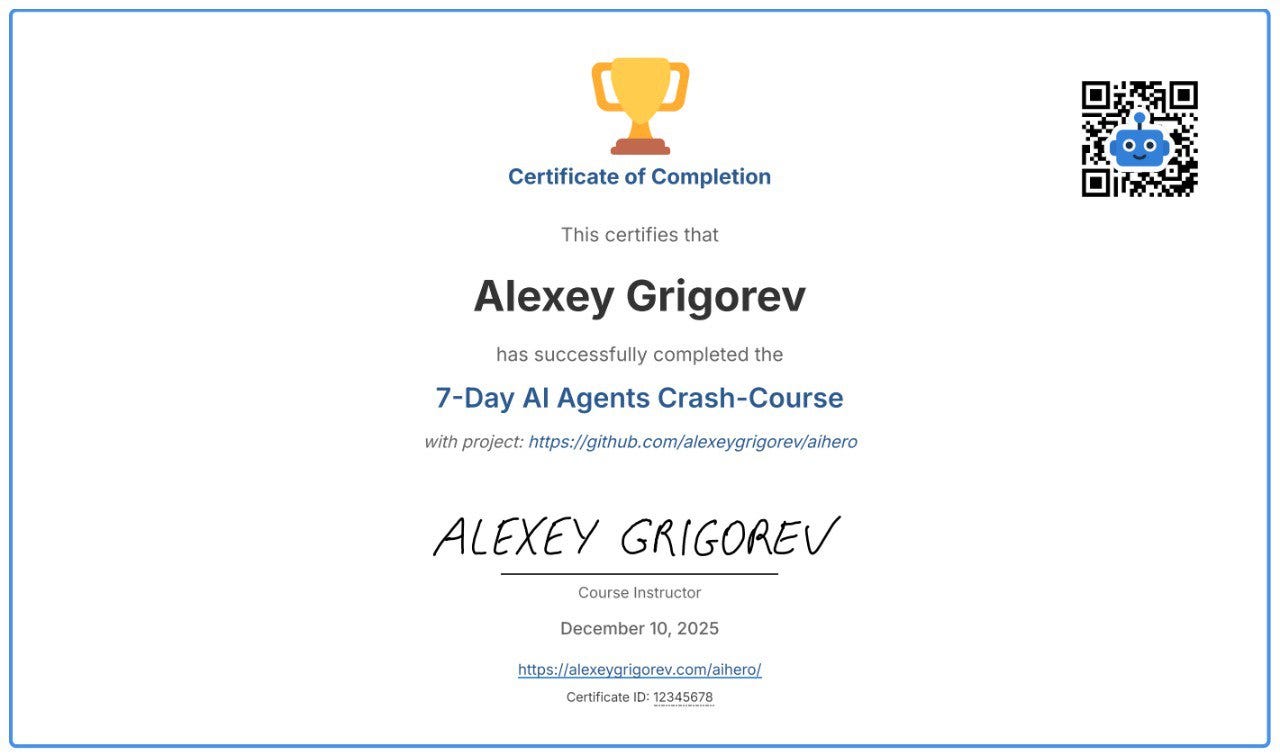
AI Agents Email Crash-Course (Cohort Edition): I’m running a free cohort-based version of the AI Agents Email Crash-Course this December and January. To complete the cohort, you’ll finish the project and review three other submissions; in return, you’ll receive a certificate of completion signed by me.
AI Bootcamp Scholarships (New Cohort): I’m launching a new iteration of the AI Bootcamp, and this time I’m also offering several scholarship spots. I know that not everyone has the budget for a paid program, but many people are highly motivated to learn, practice, and build real systems.
Data Engineering Zoomcamp: New cohort starts on January 12, 2026. A free 9-week course on building production-ready data pipelines: ingestion, orchestration, warehousing, analytics, and more.
dlt Fundamentals: My friends from dlthub created a course on building robust ELT pipelines. Register now to join our new holiday lesson on December 22, where you will integrate LLMs into your workflow and compete for 50 swag packs.
Interesting Tools
Promptify is a developer-friendly NLP wrapper for LLMs that enables users to execute complex tasks, such as NER and classification, with minimal code and zero training data. It converts raw, unstructured model text into reliable, structured Python objects, resolving common parsing challenges for production applications.
Edited by Valeriia Kuka