

One Thing I Want to Share This Week
DataTalks.Club community has grown to more than 88,000 people and lives across many Slack channels. Moderating a community at this scale is time-consuming.
We also run “shameless-promotion” channels, and as the community grew, I introduced rules and message templates for posting there. I had to manually delete messages that violated the rules and send DMs explaining the reasons to those people. It quickly became impractical because it required a lot of manual steps
That is what pushed me to build an automation tool that could delete messages violating the rules and send a direct message explaining why.
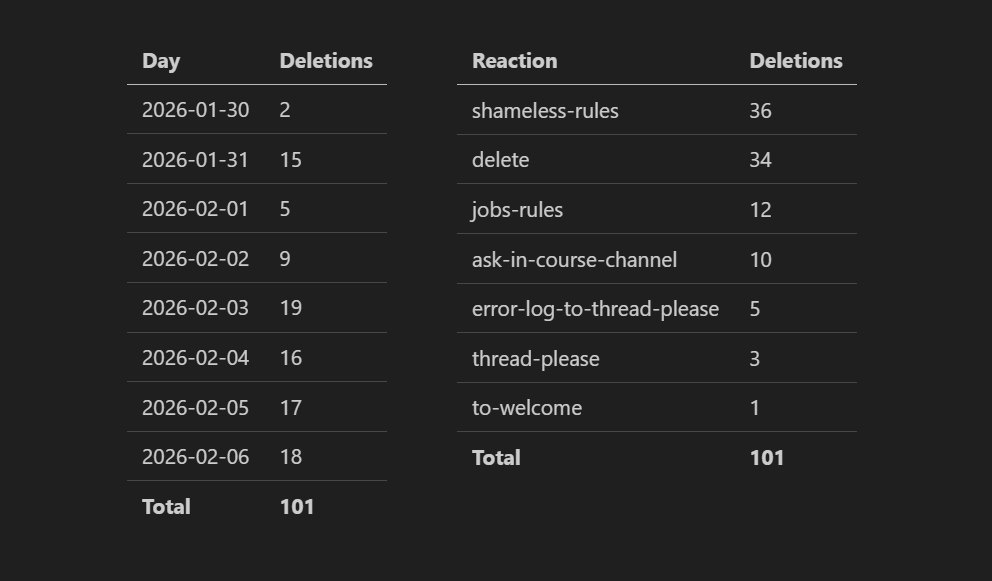
That is why I built the AuTomator bot back in June 2022 and kept adding features as new needs came up. Recently, the bot broke, and I fixed it using Claude Code, which saved me at least two hours of debugging.
In this post, I walk through how the bot is built and how I used AI to diagnose and fix it.
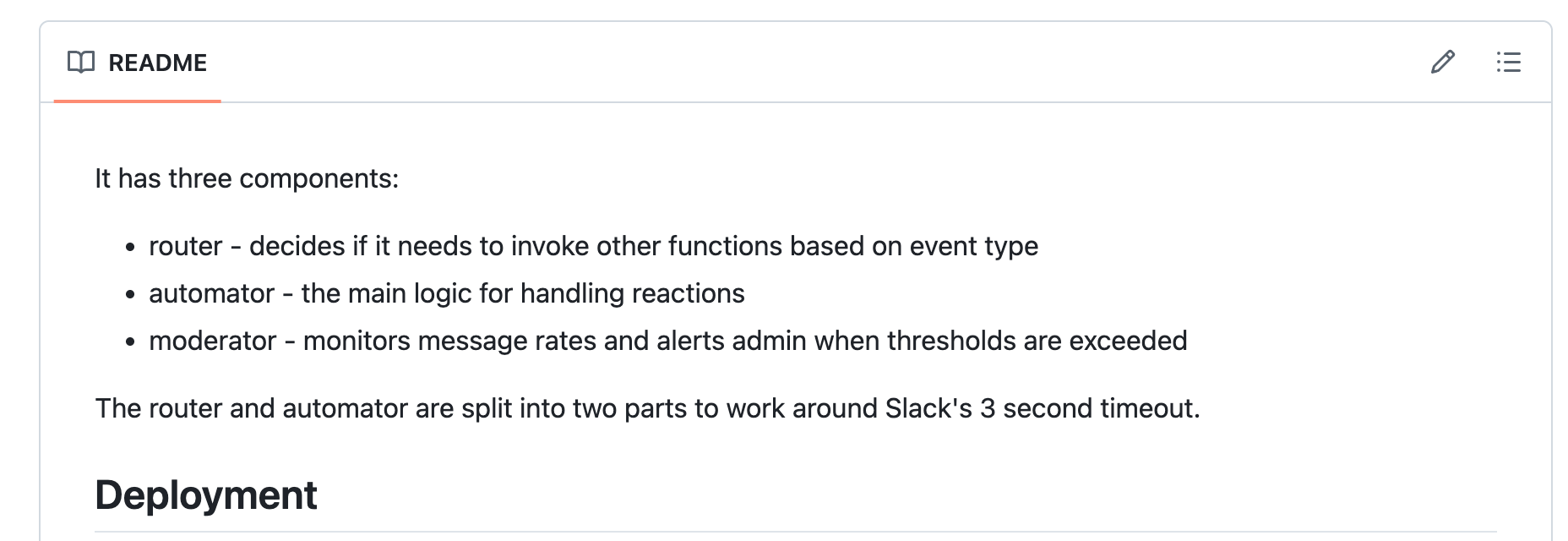
How the AuTomator Works
AuTomator bot is a backend running on AWS Lambda.
It is split into three Lambdas, each with a clear responsibility.
1. Router: Routes Slack events to the automator or moderator
The router checks incoming emoji reactions to see whether they were added by an admin. If so, it forwards the event to the automator.
The router exists for a purely technical reason: Slack enforces a strict time limit on how quickly reaction events must be acknowledged. By keeping the router lightweight and delegating all real work to the automator, the system avoids timeouts and dropped events.
2. Automator: Acts based on the emoji reaction by the admin
The automator is responsible for actually doing something when a reaction emoji is added.
The bot has a predefined list of emojis and the actions they represent. This is configured in a YAML file, and adding a new reaction is fairly straightforward.
When I react to a message with one of these emojis, the automator looks up what that reaction means and runs the corresponding action. This can be deleting a message, reposting it in a thread, or asking an AI to generate a reply. For example, when I add an :ask-ai: reaction, the automator replies in the thread with an AI-generated answer.
In some cases, the automator also contacts the author of the original message. For example, if I add a :shameless-rules: reaction, the automator deletes the message and sends the author a direct message explaining that the post violated the community rules and was removed.
3. Moderator: watches message activity and helps the admin react quickly
The moderator is a new Lambda that I implemented with GitHub Copilot. It is not deployed yet and still needs real-world testing.
Its role is to monitor message activity over time and spot simple patterns, like someone posting too many messages in a short period. When that happens, it sends an alert to an admin and includes action buttons directly in Slack.
These buttons allow the admin to delete recent messages, deactivate the user, or ignore the alert without leaving Slack. I’ll need to review Copilot’s work and check whether the moderator actually works as intended.
Fixing the bot with Claude Code
In addition to my Moderator experiment, Claude helped me fix the AuTomator when it stopped working. One of the messages didn’t get deleted after I added a reaction.
Under normal circumstances, fixing this would have meant spending several hours on:
Opening CloudWatch
Searching through logs
Trying to reconstruct what broke and why
Manually fixing and redeploying
I didn’t have that time because I was preparing for a family trip. So I handed the task to Claude Code that successfully fixed the issue.
I asked it to fetch the last two hours of logs and figure out what was wrong.
It found 2 problems
GROQ_API_KEY was missing for ask-ai reactions
Error when deleting messages that contain curly braces
While I was looking for the new key, it fixed the curly braces issue. Then I gave it the key, and it updated the environment variables for the lambda.
Done. It was fixed while I was packing and getting ready to leave.
All of this happened without opening a browser or clicking through the AWS console.
For me, urgent maintenance, operational tasks, and situations where execution matters more than careful design are where Claude Code fits most. And for slower and more interactive coding, I prefer tools like Cursor, Google Antigravity, or GitHub Copilot.
What I’ve Been Working On Recently
AI Engineering Buildcamp
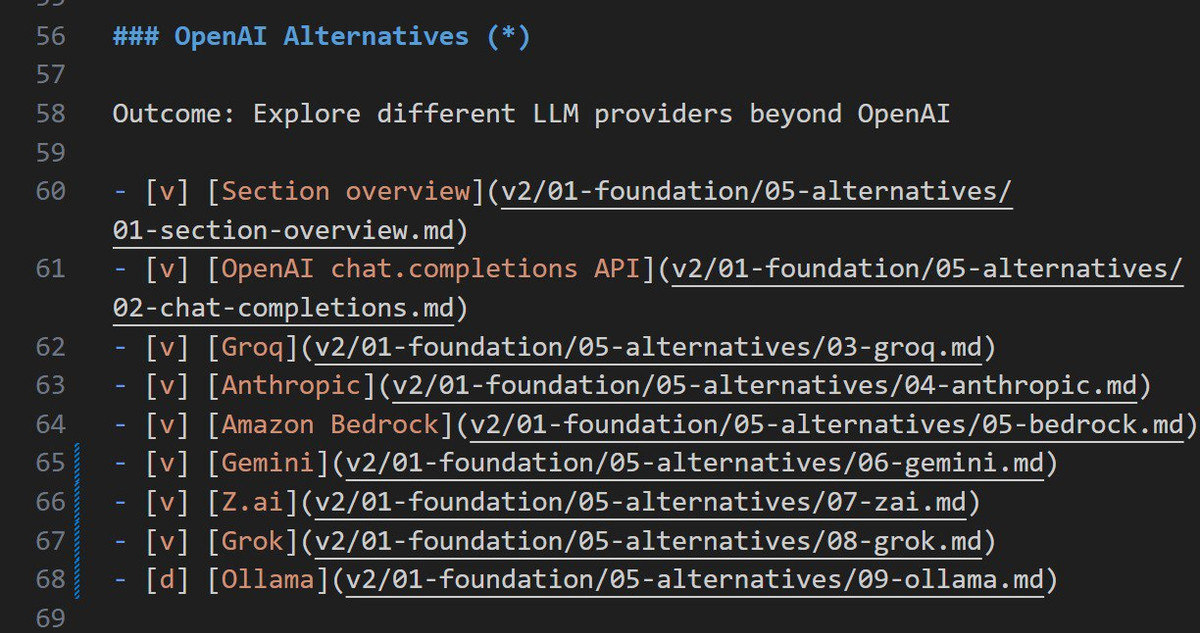
We wrapped up Module 1 of the AI Engineering Buildcamp, which I fully reworked and re-recorded. I shifted the focus from high-level introductions to concrete engineering decisions. The module now covers RAG fundamentals using real documentation, structured output as a first-week topic, working with streaming and partial responses, and a new, extended section on alternatives to OpenAI.
A New Project for AI Engineering Buildcamp
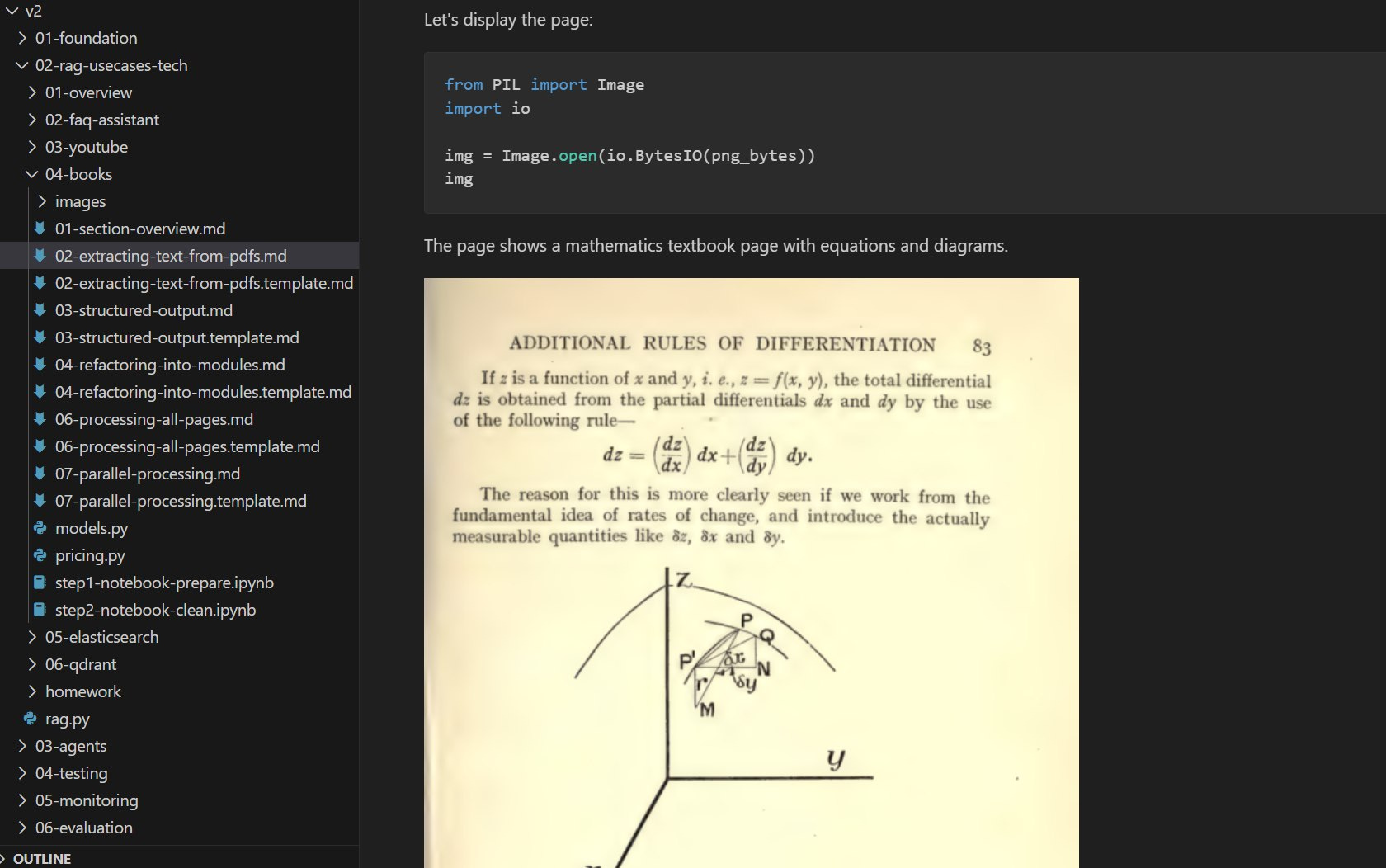
I also started working on a completely new project that will be part of the AI Engineering Buildcamp. It focuses on extracting structured information from a mathematics textbook published in the 1920s. The book has partial digitization and OCR, but the quality is poor.
The project walks through how to reliably extract usable, structured data from scanned PDFs using modern LLM-based tools. This topic is especially relevant right now because, while analyzing AI engineer take-home assignments, I keep seeing document extraction from PDFs come up repeatedly.
In-Person Events
This year at DataTalksClub, we are putting more emphasis on offline events.
![GenAI transforming Engineering: Agents and Guardrails [IN-PERSON!]](https://substackcdn.com/image/fetch/$s_!1aly!,f_auto,q_auto:good,fl_progressive:steep/https%3A%2F%2Fsubstack-post-media.s3.amazonaws.com%2Fpublic%2Fimages%2Fae14a7fc-48ee-4c13-a8a5-f766744842e7_1536x864.webp "GenAI transforming Engineering: Agents and Guardrails [IN-PERSON!]")
On February 17, we are hosting an in-person meetup at Zalando in Berlin, focused on agents and guardrails in real engineering systems. I will talk about how modern code agents are structured and what actually matters in practice, and Zalando engineers will share how they built a guardrailed internal support agent for incident triage and stakeholder Q&A. There will be pizza, drinks, and time to talk after the sessions!
![Hands-On Data Engineering: From Zero to Billion-Row Analytics [IN-PERSON!]](https://substackcdn.com/image/fetch/$s_!PEc6!,f_auto,q_auto:good,fl_progressive:steep/https%3A%2F%2Fsubstack-post-media.s3.amazonaws.com%2Fpublic%2Fimages%2Ff4757beb-b1fd-4004-b8ac-8f5b82786de6_3072x1728.webp "Hands-On Data Engineering: From Zero to Billion-Row Analytics [IN-PERSON!]")
A few weeks later, on March 10, I’ll host a hands-on data engineering workshop at Exasol Xperience 2026. We will work through a full, realistic pipeline using Exasol Personal on AWS, ingest and clean more than 1 billion rows of NHS prescription data, and finish with an AI-powered analytics dashboard for fast exploration.
Members of the DataTalksClub community can attend the conference for free using the code EXA-VIP-RDTC.
DataTalksClub Workshops
We have two free upcoming workshops that I’ll host.
“What’s Your Agent GPA?” focuses on evaluating AI agents. We will build two versions of the same agent using Snowflake Managed MCP and then compare them end-to-end using TruLens. You’ll understand how agents choose tools, how tool descriptions affect behavior, and how to measure whether one version is actually better than another.
dltHub is returning to Data Engineering Zoomcamp with a new workshop. The focus is on production workflows: using LLMs to speed up pipeline development, validating data and schemas via the dlt dashboard and MCP, and running dlt reliably in production.
Special Project: AI Engineer Role Research
Even though more and more “AI Engineer” job titles are appearing in 2026, the role itself is still poorly defined and varies widely across companies.
I decided to start my own research on how the AI engineer role is defined, how interviews are conducted, and how take-home assignments are evaluated today.
To ground this in real data, I analyzed more than 1,500 job descriptions and numerous public repositories. I’m also collecting input from recent candidates and people who already work in this position.
If you recently interviewed for AI Engineer role or work on this position and want to share your experience, please ping me at alexey@datatalks.club.
I’ll share the results of my analysis in a three-part live event series on Zoom:
1. Defining the AI Engineer Role
📅 Tue, Feb 24, 2026 · 🕖 5:00 PM CET
How companies describe the role, how AI engineers differ from ML researchers, and what day-to-day work typically involves.
2. AI Engineering Interviews
📅 Tue, Mar 3, 2026 · 🕖 5:00 PM CET
Real interview questions, how candidates are expected to explain architectural and model decisions, and the kinds of coding and system design tasks that appear in practice.
3. AI Engineering Take-Home Assignments
📅 Mon, Mar 9, 2026 · 🕖 6:00 PM CET
Review real take-home assignments from late 2025 and early 2026, discuss what reviewers actually evaluate, and walk through an end-to-end document processing task.
My Experiment: Certificate Automation
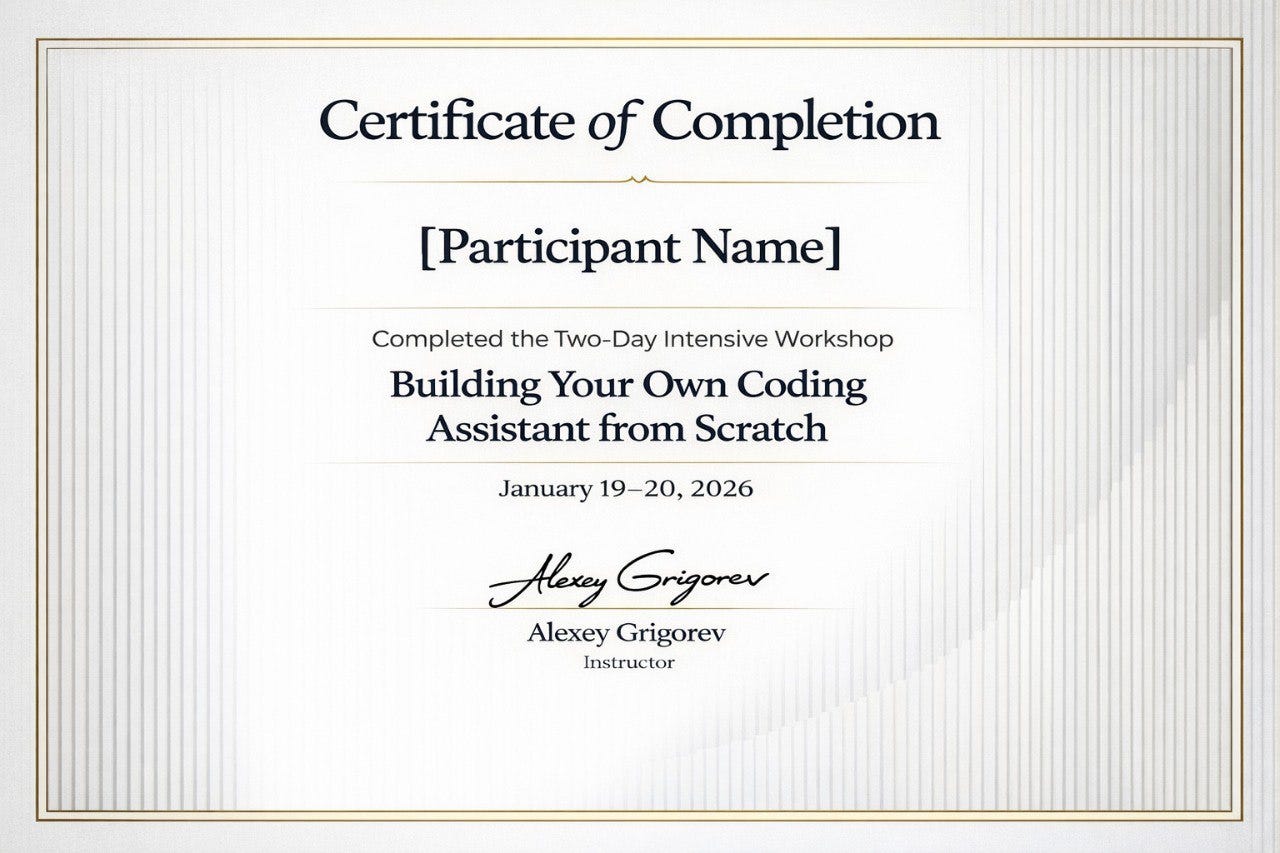
After running a two-day workshop in Berlin, I needed to generate and host shareable certificates. I started by asking ChatGPT to generate a certificate image. I liked the result, but I needed something editable, so the next step was to turn that image into an HTML and CSS template where names could be swapped programmatically.
I used Claude Code to translate the reference image into a template. Getting to a usable result took a lot of iteration. I had to repeatedly review and correct layout details, spacing, and typography until the template was good enough for production. Even then, it wasn’t a faithful copy of the original image.
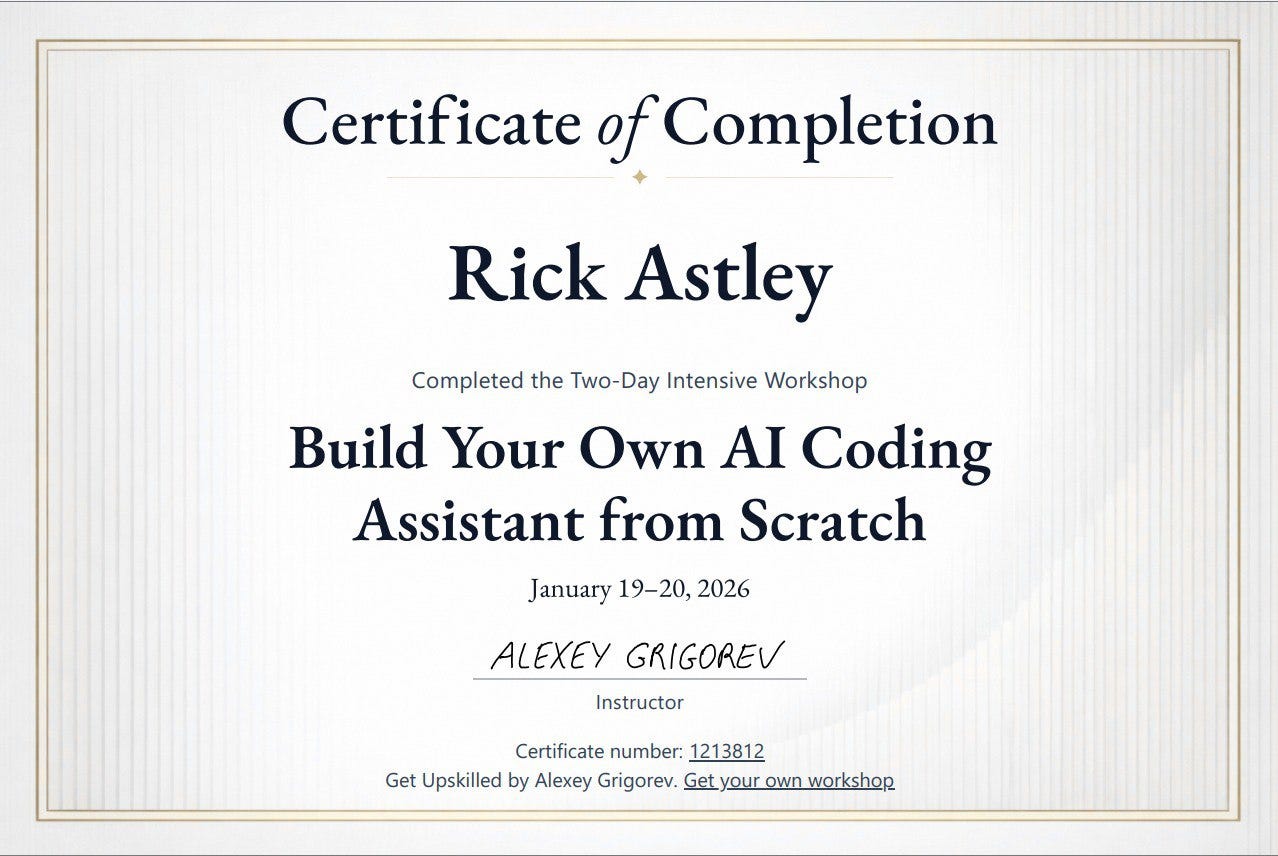
I tried to automate this further by using Gemini as an evaluator for Claude’s output, but that approach did not work well. The evaluation feedback was inconsistent, and the similarity scores overestimated visual quality, making them unreliable.
I’ll write about this project in a more detail in the next newsletter editions. Subscribe to stay tuned!
Interesting Resources
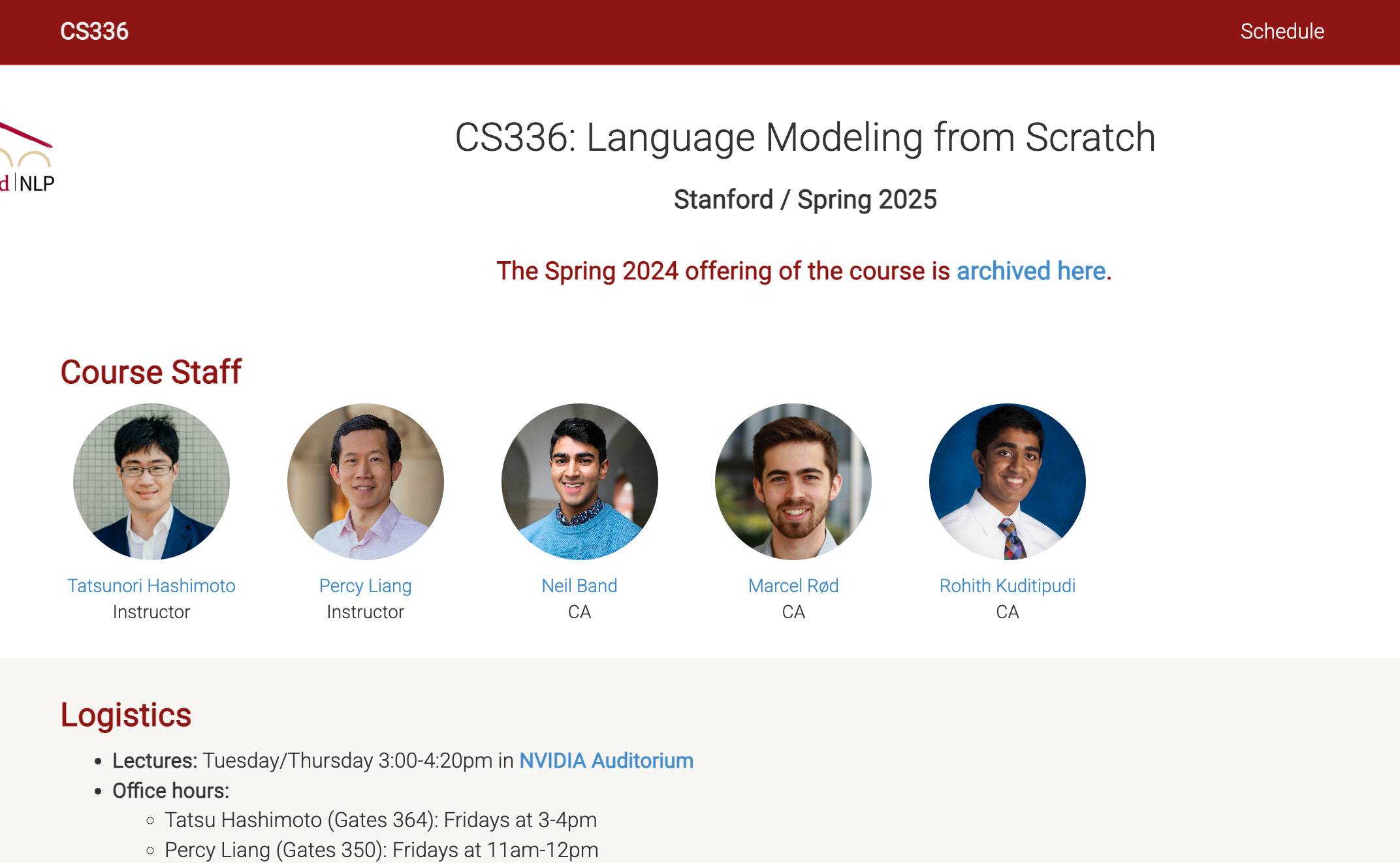
CS336: Language Modeling from Scratch: an implementation-heavy course from Stanford University that walks through building a language model end to end, from data processing and tokenization to training, systems optimization, scaling laws, and alignment. The publicly available materials include Python-based lecture scripts and slide decks, five substantial programming assignments with public leaderboards, detailed handouts, example and starter code, and a full course schedule.
planning-with-files: a Claude Code skill that turns long, complex tasks into a file-based workflow using persistent Markdown files. Instead of keeping plans, progress, and errors in the model’s context, it stores them on disk, which helps prevent goal drift, forgotten decisions, and repeated mistakes. It is especially useful for multi-step work, research, and agent-driven projects that span many tool calls or sessions.
CLAUDE_CODEX_SKILL: a workflow that shows how to use the OpenAI Codex CLI for deep, non-interactive debugging using a file-based question and answer workflow. You write a detailed problem description and full code context into a file, then let Codex analyze it and produce a structured written analysis. It is especially useful for subtle bugs, spec-driven logic, and situations where standard chat-based prompting is insufficient.
Edited by Valeriia Kuka
nice to know about au-tomator that you used in slack Alexey, just got the big picture but curious to know its internals, will check the code in my free time. Do write about what inspired you to start DTC, what was the first course you started and how it grew over the last few years.