

When preparing personal plans for AI Shipping Labs members, I often get the question, “What should I build for my portfolio?” There are too many options, and no clear way to pick one.
In this newsletter, I want to share a repeatable process for selecting your next portfolio project. We focus on the AI Engineering roles, but it will also work for any role in engineering or data.
Why Building a Portfolio Project in the First Place
First of all, an active portfolio that you usually store on your GitHub profile raises your chances of getting hired, because most hiring managers look at it. Additionally, it helps others notice your work, leading to collaboration, freelance offers, and conversations you wouldn’t have otherwise. You can think of it as your landing page that presents you and your skills without requiring you to talk about yourself.
Types of Portfolio Projects
I divide all the projects into several categories, and I think this categorization may also help you better understand what could become your portfolio project.
1) Role-targeted projects
Role-targeted projects are the projects that you build to get hired for a specific role. You pick a domain, research the companies in it, and build something that speaks to their work.
In this post, we’ll focus on role-targeted projects, and the framework I describe here gives you a way to find ideas for them. But it’s also helpful to know about other project types I collected below.
2) Personal projects
These are the kinds of projects that solve the problems that you yourself regularly face and want to build a solution for them.
Most personal projects might not be directly related to the field you’re applying to. And, individually, they aren’t strong portfolio pieces. But together they show that you notice problems and build tools to solve them.
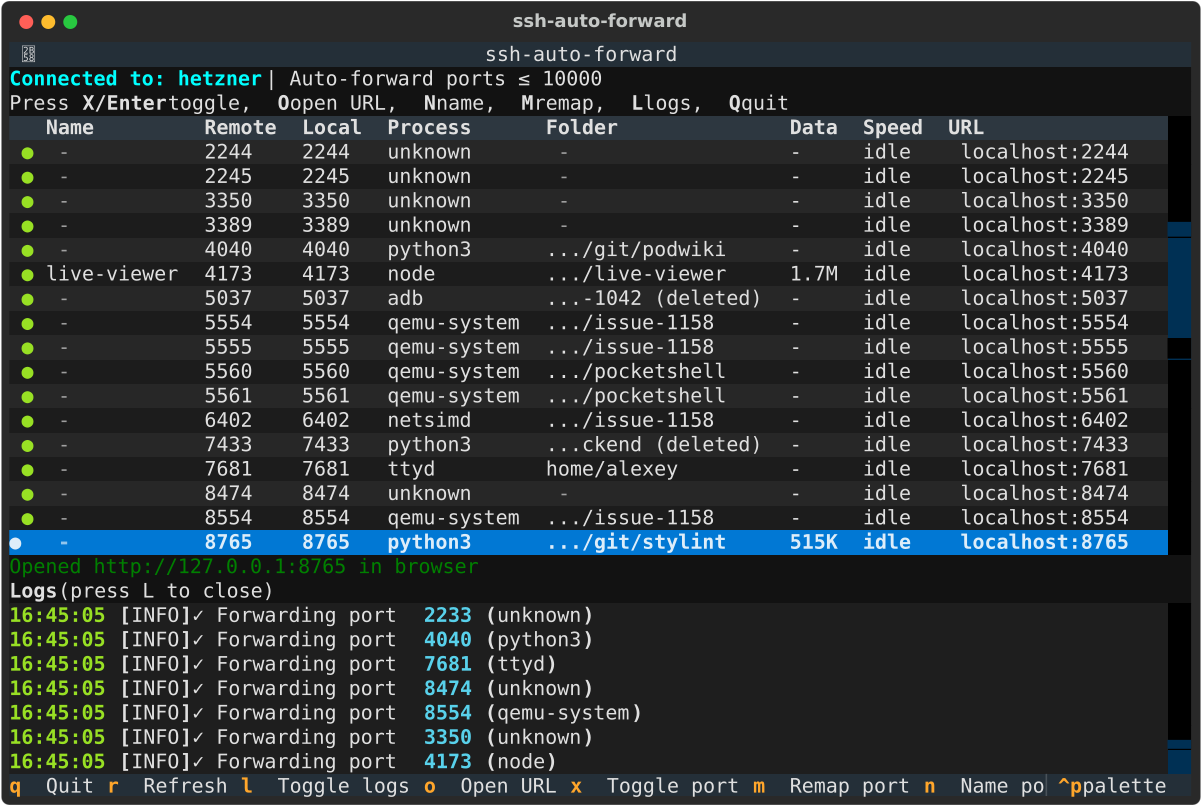
I have many such projects. When something in my work or life is annoying, and I see a fix, I build it. For example, I have a tool called ssh-autoforward that helps me manage my remote servers. It scans the remote ports and forwards a port the moment it opens
3) Take-home assignments
When a company gives you a take-home assignment as part of an interview, the code you produce is yours. That’s why take-home assignments can become portfolio projects, too.
This is especially fair when the company doesn’t pay you for the interview. Publish it, say it was part of an interview process, and show how you code.
4) Hackathon, community, and open-source projects
Any project that you created in public or contributed to can also become your portfolio project. It can be your hackathon contribution, community work, or contributions to open-source projects.
The strongest signal for hiring managers is that other people saw, reviewed, or used your work’s product, meaning it serves others, not just you.
Now that we’ve covered why you should have a portfolio and what to fill it with, let’s move to the framework itself and cover each step separately.
The Project-Selection Framework
There are two broad job search strategies that you can use.
Spray-and-Pray Strategy
The first one is more chaotic, less controllable, and less efficient. It’s called spray-and-pray. You apply to every job you can find and hope someone responds. You don’t have any selection criteria or filters to select job offerings you want to apply for. You spread your effort, and that strategy doesn’t guarantee you meaningful results.
Portfolio Strategy with Domain-Based Selection
The second option is more focused. You think about which domains and companies you want to work for and use it as a North Star that guides you through the skills you need to pick up and projects to build. It doesn’t mean you stop applying to other jobs. You still can, but you have a direction that you’re putting your efforts into. And it also means your project starts to have a narrower scope, and you can tune it later and add details.
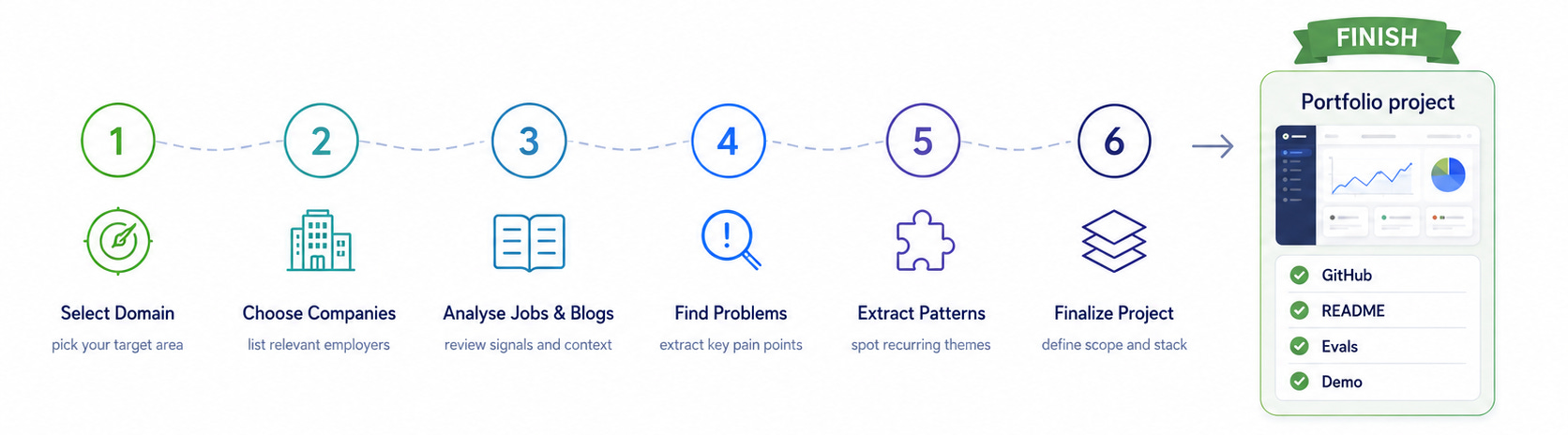
And here are the 6 steps that describe the project selection process:
Pick a domain where you want to work.
Find the companies in that domain that are (were) hiring for the role you’re applying to.
Analyze their job descriptions and engineering blog posts.
Extract the problems they solve.
Find problems that are common across several companies in the domain.
Pick one problem and design a project around it, choosing a technology stack that matches what those companies use.
How to Run this Framework
You can run this framework on your own, but I’d recommend using an AI assistant to speed up your research.
Here’s what you need if you want to use AI:
An AI assistant, like ChatGPT, Gemini, Grok, or a coding agent, like Codex or Claude Code. A coding agent can create and move files, so you keep the research organized as you go. With a chat assistant, you’ll need to manage the files yourself.
Time to read about the companies that you’ll collect. The agent can do the first pass quickly, but you still need to go through the sites, job descriptions, and blogs by hand so you understand the problems, not just the list.
Now let’s go through the framework step by step.
Step 1: Start from the domain
Start by choosing a domain where you might want to work.
This is what makes the project-selection process different from the spray-and-pray strategy. Instead of applying to every role you can find, you choose a domain first and use it to guide your research, skill selection, and project ideas.
It is also better than targeting only one company. One opening can close before you finish the project. A single company may also have a very specific problem that does not transfer well to other interviews. But when several companies in the same domain address the same problem, a single portfolio project can become relevant to many conversations.
The domain does not have to be one you already know well. Existing domain knowledge helps, especially if you are switching careers, but interest is enough to start.
Step 2: Find companies in the domain
Once you have a domain, list 5 to 10 companies that hire for the role you want to be hired for or work on problems where this role is relevant.
Current and past openings are useful, but they are not the only source. A company can still help with your research if it has engineering blogs, case studies, product pages, or publicly available technical material. At this stage, you are trying to understand what companies in the domain build and what problems appear across the market.
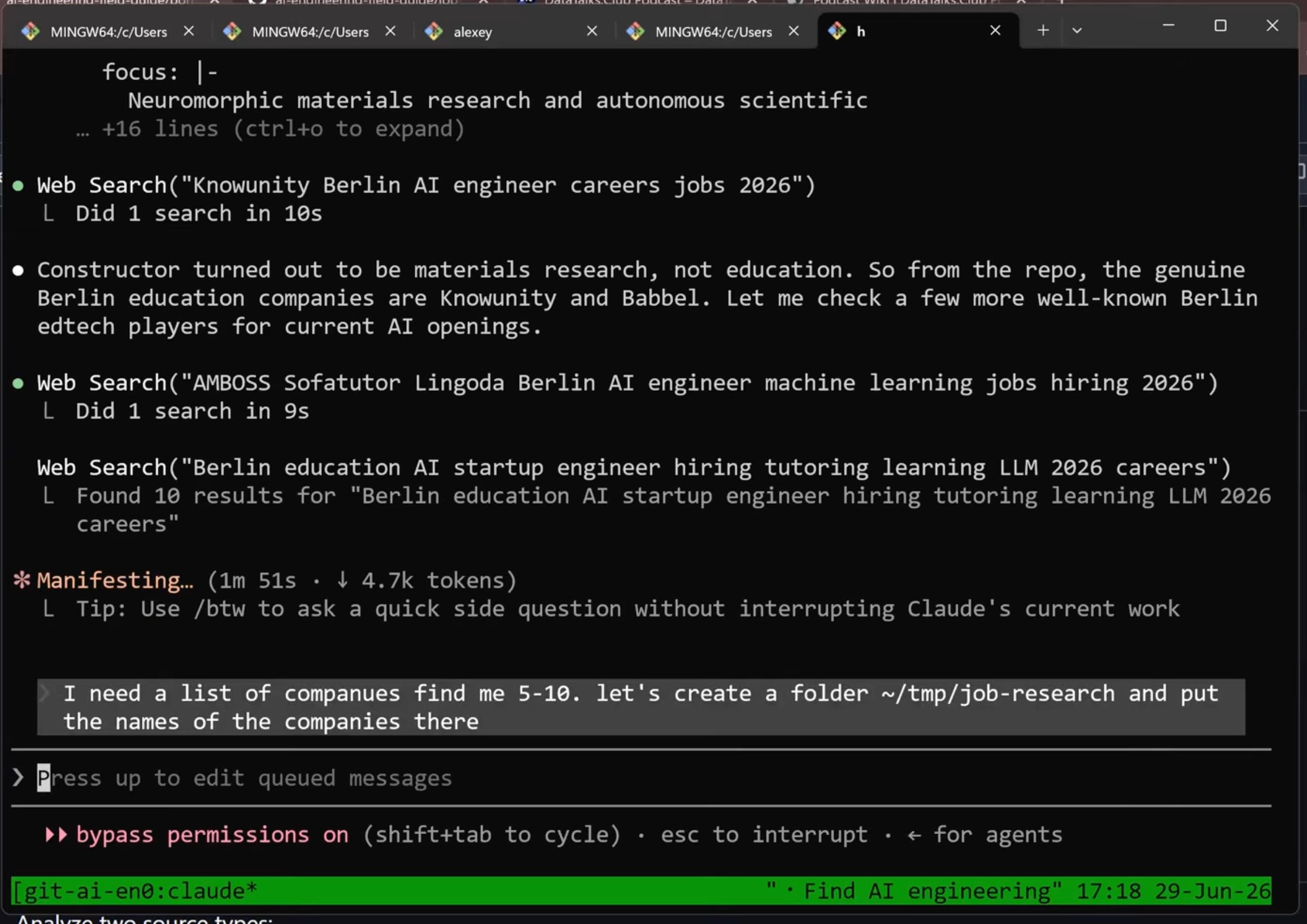
This is where you can use your AI assistant to combine your job-market data with live online search. That makes the method easier for someone else to repeat.
The request looks like this:
I want to choose a portfolio project, and I’m interested in [domain]. Find companies that work in this domain and hire [role]. Use online search to find which companies are currently hiring in [domain]. I want to target [name the role] roles related to [domain].
Step 3: Analyze job descriptions and tech blogs
After you have a list of companies, the next step is to understand what they work on.
Use two sources: job descriptions and engineering blogs.
Job descriptions show what a company expects an engineer to do. They usually include responsibilities, team context, and required skills. From them, you can infer what the company is building and what kind of work it expects you to handle.
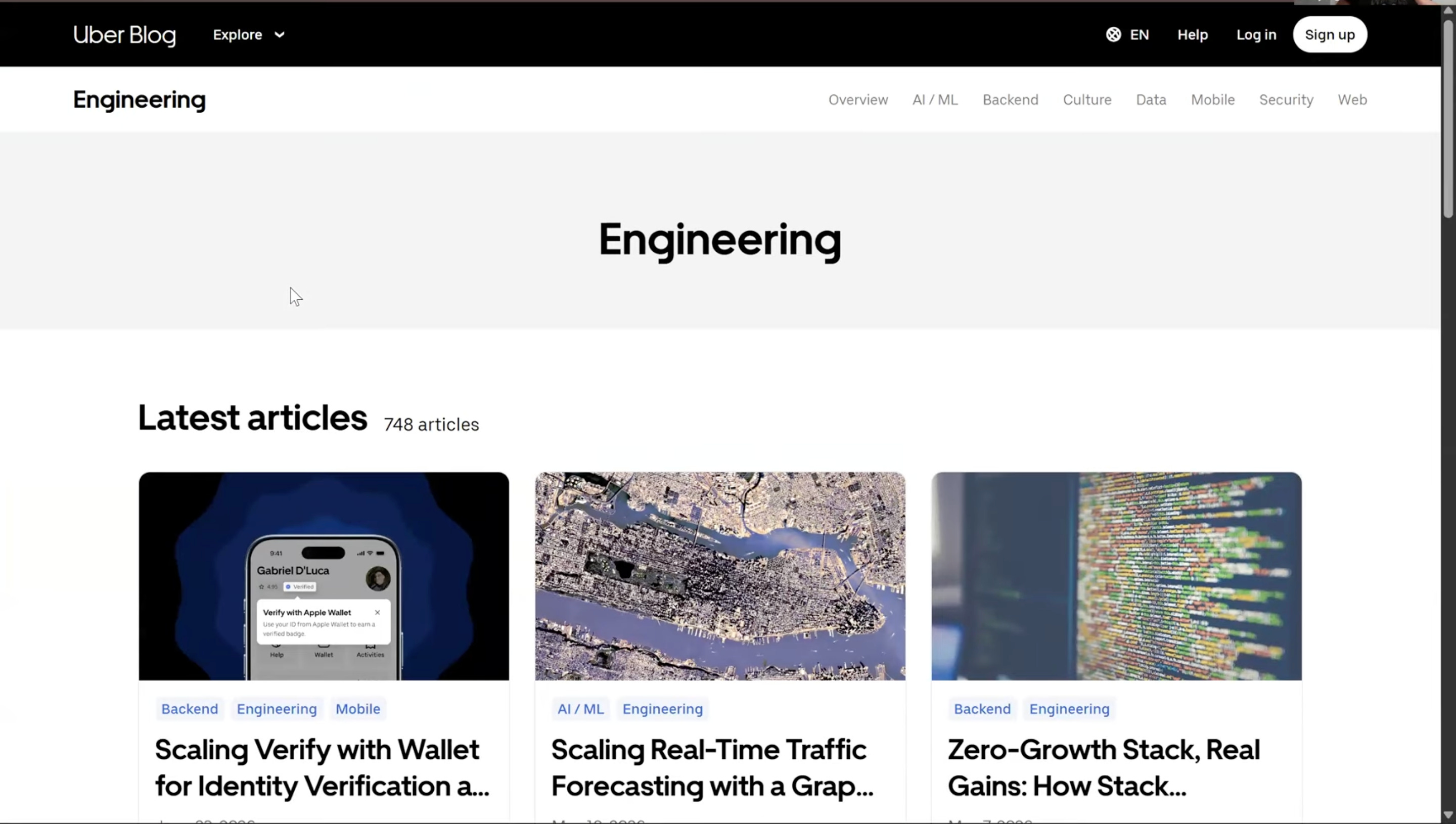
Engineering blogs show what teams have already built and what problems they had to solve. In education, for example, a blog post about an AI conversation partner can reveal problems around dialogue quality, learner feedback, grounding, evaluation, or latency. That kind of detail is useful because it gives you material for portfolio project ideas.
Ask the agent to find relevant job descriptions and engineering blog posts for each company on the list, and to split them into two files:
For all these companies, find potentially relevant job descriptions, engineering blog posts, or technical case studies. Put the job descriptions in one file and the engineering blogs or case studies in another.
When you go through the job descriptions, do not fixate on the list of technologies. Use the tech stack as a clue, not as the project idea.
Focus on what the company does and what problem it solves with those technologies.
Once you have the job descriptions and blog posts, extract the problems from them.
Step 4: Extract problems
Next, turn the source material into a list of problems. But don’t jump to solutions yet.
At this stage, you only want to understand that there are people facing this problem, what input they have, and what they want to get as a result of interacting with your solution.
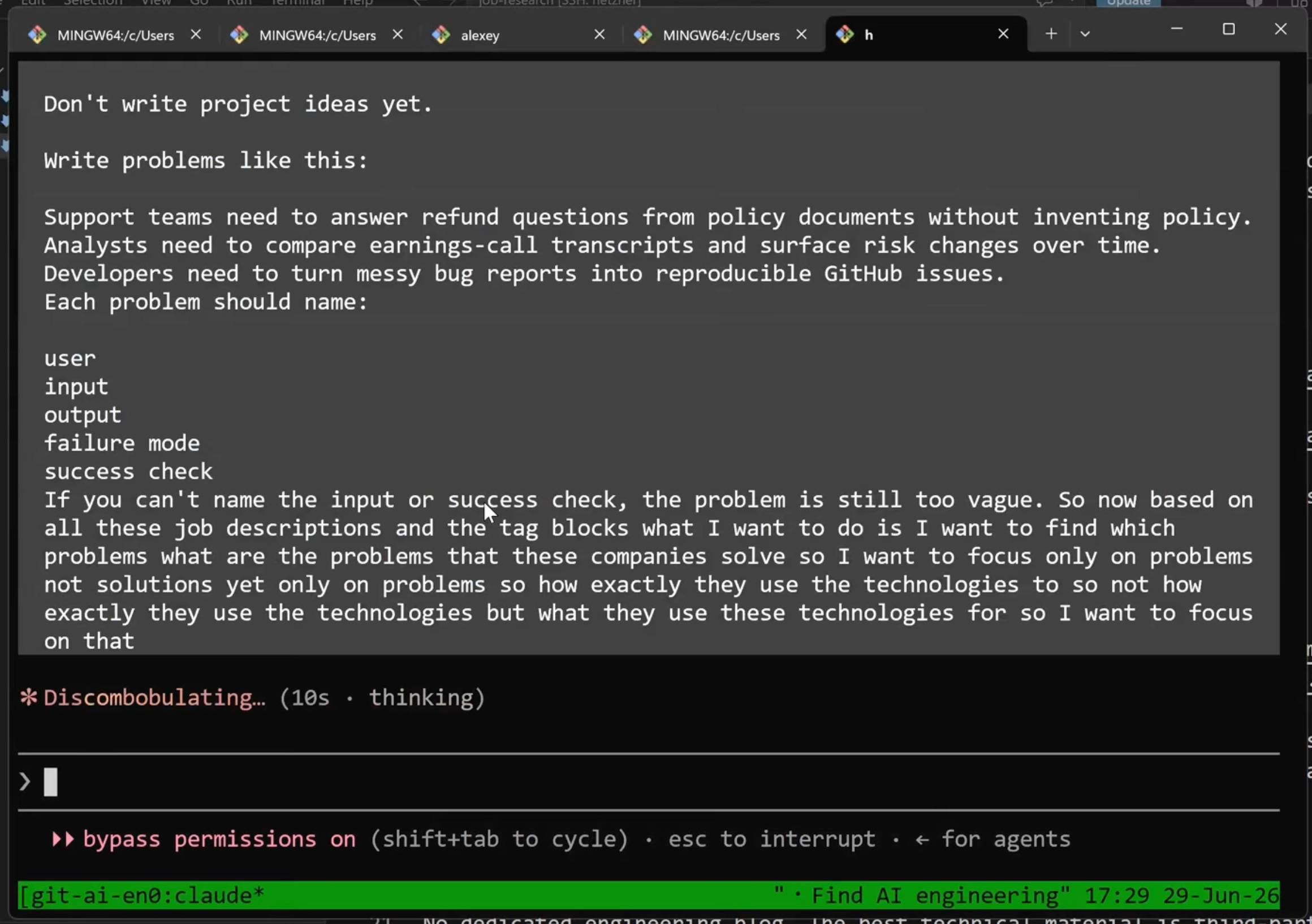
Point the agent at the job descriptions and engineering blogs it produced, and ask it to extract the problems. Don’t forget to ask it to specify sources for each problem it finds:
Based on these job descriptions and engineering blogs, find the problems these companies solve. Focus only on problems, not solutions. Do not focus on how they use the technologies. Focus on what they use the technologies for.
Include sources. For each problem, say whether it comes from a job description, engineering blog, case study, or another source. Explain exactly where it appears and provide more context.
Step 5: Find problems shared across companies
A single-company problem is narrow. A problem that several companies care about is usually a better portfolio target than one that appears only once.
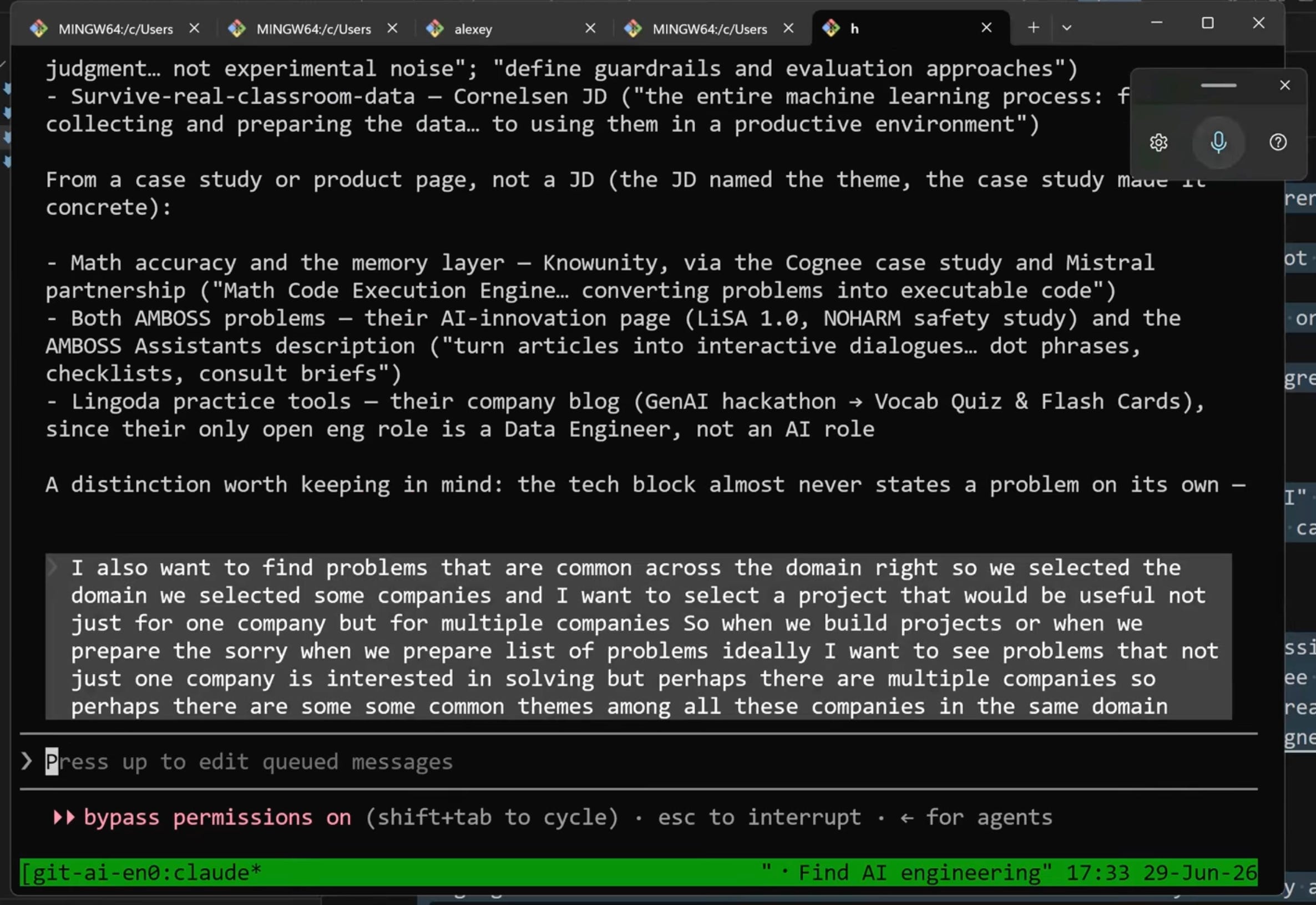
Ask the agent to group the per-company problems into themes that appear across more than one company:
Find problems that are common across the domain. Show problems that more than one company is interested in solving, or common themes among these companies.
Step 6: Pick a problem and choose technologies
Now you have a list of shared problems. The next step is to pick one and turn it into a project.
Create project candidates
Start by generating several possible projects from one theme. This gives you options before you commit.
You can use this prompt:
Create about five possible projects from the problem list.
Use this format:
Project: what this project is about?
User: who’s the user?
Input: which data do we need?
Output: what will it produce?
Why it fits: why should I focus on this project?
Pick one project and choose technologies that match the target companies
Pick one project from your list and choose technologies that target companies already use, so the project reads as domain-relevant when you discuss it in an interview.
Ask the agent for the stack:
Suggest a technology stack for this project that mirrors what these companies actually use. Map each technology to the company or source it comes from.
The agent suggests technologies based on the data it found, but the final decision is yours.
Don’t try to learn too many new tools in one project. Pick a small set, build the project, and make it usable.
Once you have the project and stack, you are ready to build.
Where to go from here
You now have the full framework. From here, you can start building.
But here are a few more things that deserve extra attention, and I think it’s important to note them to you.
Add evaluations and monitoring
For an AI engineering portfolio or most data professionals, evaluations matter more than any other feature.
A project that generates output but never checks whether the output is correct is still incomplete.
Use an AI assistant to help you build faster, but be deliberate about these parts:
An evaluation harness that scores the output against the criteria that matter for the problem
Logging or monitoring, so you can inspect what the system did
Tests, so the core pieces stay correct as you change the project
A README that a hiring manager can skim quickly
Make the README scannable
Most hiring managers won’t read your code. They will skim the project page first and decide whether to look for more information. Optimize for that.
The README should explain, in a minute or less:
What you built
Who it is for
What input it takes
What output it produces
How you evaluate whether it works
Why the technology choices make sense
Ask friends or colleagues to read the README and tell you what they understood. If they cannot explain the project back to you, rewrite it.
The code still matters. If someone opens a random file, it should look like the work you did and put effort into. But the README is where most people will decide whether the project is worth a closer look.
Make the project usable
A project that runs and produces results is stronger than one that is technically complete but never used. Get it to a state where you can feed it real input, run it end-to-end, and get useful output back.
Keep building in the same direction
One project is a start. You can build more projects by using your initial shortlist of project candidates.
When working on a new project, slightly vary the focus or stack while still aiming at the same domain.
For example, one project can use OpenAI, the next one – Anthropic. Another can use a knowledge graph approach based on a case study. Over time, you build a small portfolio that shows the range of your skills and the tools you can work with, based on real market data rather than random choices.
By the time you interview, you will have projects to talk about. When the interviewer asks what you built, you can explain the domain, problem, input, output, evaluation approach, and why you chose the stack.
Build a habit
Landed your new job? Congratulations! However, don’t stop building. Actively look for new project ideas and consistently build a habit. This will keep your skills sharp and your approach hands-on. Over time, starting new projects will become increasingly straightforward as you refine your process and build upon your existing foundation.
This article is based on a workshop I recently did at AI Shipping Labs. Check our website if you want to see more details (free with signup).
What I’ve Been Working on Recently
1) Podwiki: A Wiki from Five Years of Podcasts
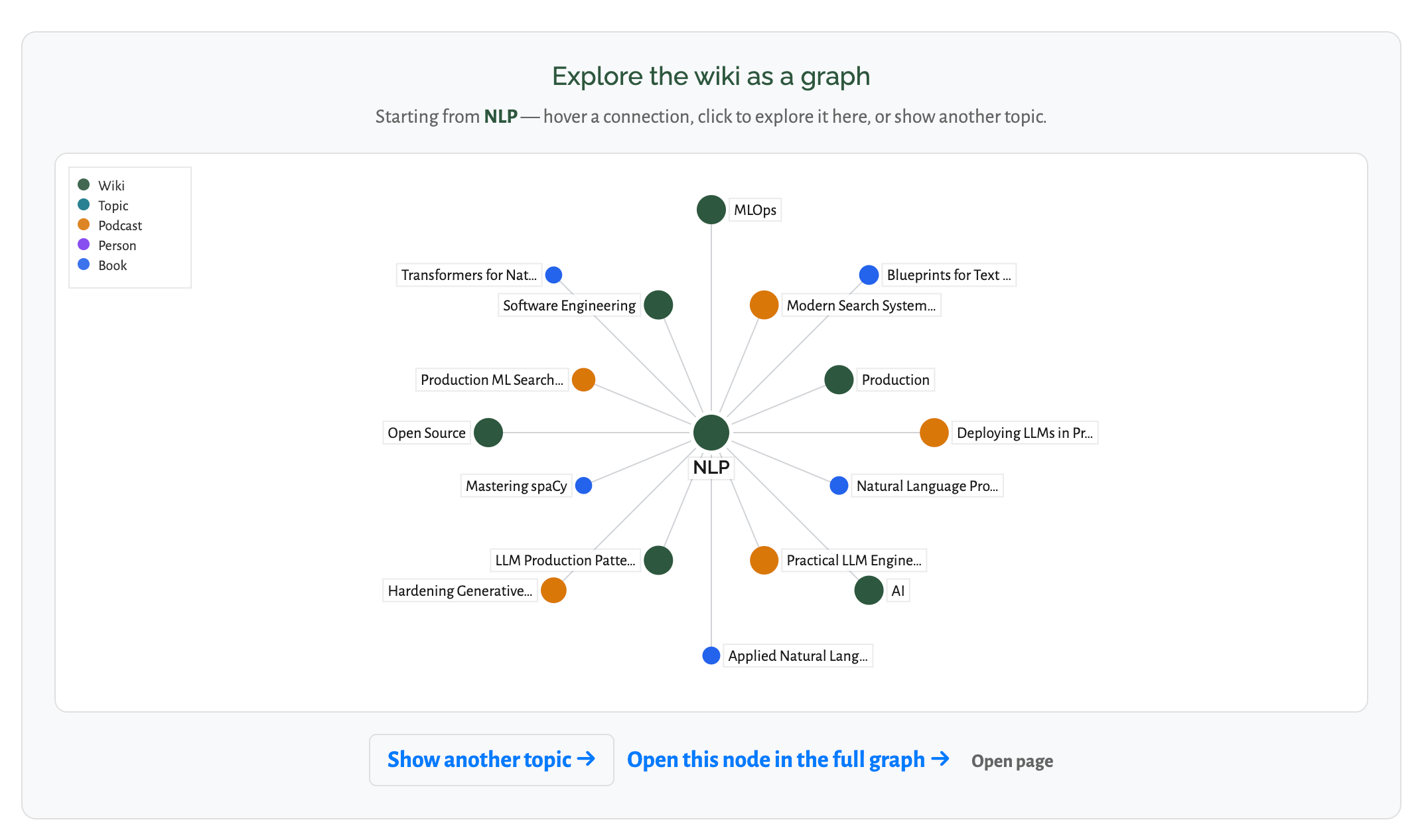
I’ve been working on something I call Podwiki: a Wikipedia-style resource built from all the podcasts I’ve recorded over the last five years.
I gave the task to Codex and used the goal feature. It worked on the project for about two days and processed a lot of material. It also burned through the limits quickly, so I had to reset them several times. The result is still in progress, but it already looks useful: a large, structured knowledge base from years of podcast conversations.
2) AI Shipping Labs: New Sprint and Small Improvements
We also launched a new sprint in AI Shipping Labs.
To prepare for it, I worked on a set of small product improvements. Nothing huge individually, but the kind of polishing work that makes the experience smoother for members once a new sprint starts.
3) AI Dev Tools Zoomcamp New Cohort

We opened registration for the next cohort of AI Dev Tools Zoomcamp. The live cohort starts on August 31, 2026.
The course is still free, and the materials are also available in self-paced mode. But the live cohort offers the full structure: graded homework, a leaderboard, peer review, and a certificate. The self-paced version is better if you just want to go through the materials on your own, but it does not include scoring, peer review, leaderboard, or certificate.
One small but important improvement: registration is now hosted directly on the course management platform rather than in Airtable.
4) Trying Fable for Codebase Audits
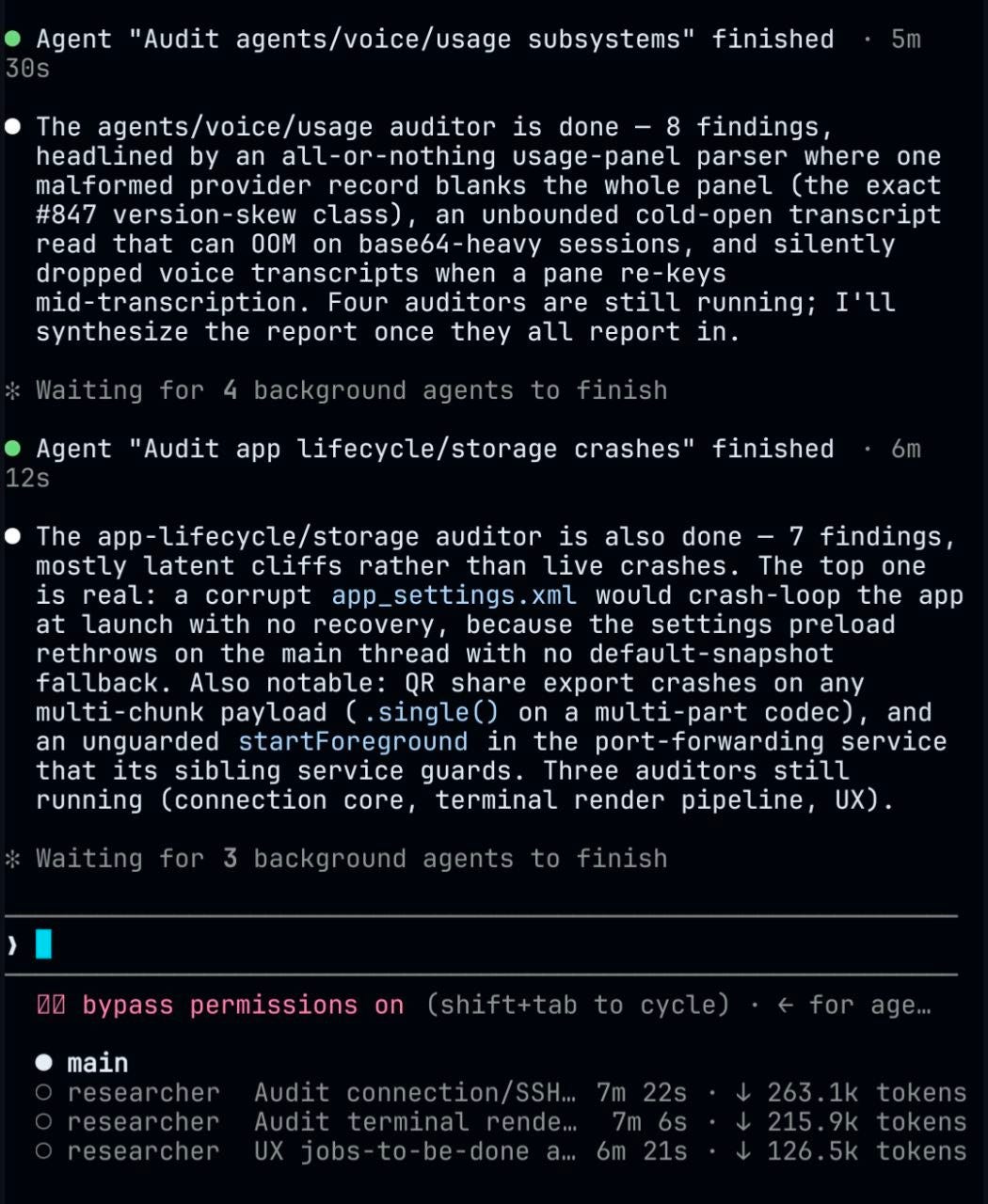
I’ve also been trying Fable while I have access to it.
One use case I’m exploring is codebase audits. I used it to run several parallel audit agents over a codebase, and the results were interesting. Two auditors finished with 15 findings between them, including issues such as an all-or-nothing usage-panel parser, an unbounded transcript read that could run out of memory, and a corrupt settings file that could cause the app to crash-loop at launch. Three more auditors were still running at that point.
This is the kind of task where parallel agents can be useful: not writing the whole system, but inspecting different parts of an existing codebase and surfacing problems that are easy to miss.
5) New Course Concept: Product Shipping Zoomcamp
I also spent time thinking through a new course concept: Product Shipping Zoomcamp.
The idea is an end-to-end product development course in which students take an idea from concept to a deployed, improved, measured, publicly launched, and peer-reviewed product. The key design decision is that community and build-in-public start in Module 1, not at the end. Students should not disappear for weeks, build something alone, and only show it when it is finished. They should get feedback, share progress, and improve the product throughout the course.
If this kind of course sounds interesting, leave a comment with what you would want to see in it.
Resource: Ship Production Code 2x Faster With AI
If you want to go deeper into AI-assisted software development, we recently published a DataTalksClub workshop with Mihail Eric on shipping production code faster with AI.
The workshop goes beyond basic vibe coding and focuses on a more structured development process. Mihail walks through his RAPID framework for using AI in real codebases: onboarding to legacy systems, analyzing the architecture, constraining agents with sufficient context, preventing scope creep with PRD templates, and coordinating multiple agents without losing control over code quality.
Edited by Valeriia Kuka
That's really great,
I would recommend these add-ons to have in Product Shipping Zoom camp:
1. Please cover complex and high level concepts in great depth rather than making it extremely beginner friendly, as now with A.I everybody could catch up with no time, so it would be much better to put in most of your real world experience from system design and production and deployment principles.
2. last but not the least testing is increasingly becoming more and more a required skill so please have a separate module on it.
Thanks for the article. Great Work!
Product Zoomcamp is such a great idea, nowadays people can build things with codex and cc, but this is why product taste is getting more important than ever before, would be more than happy to see the launch of the course!