

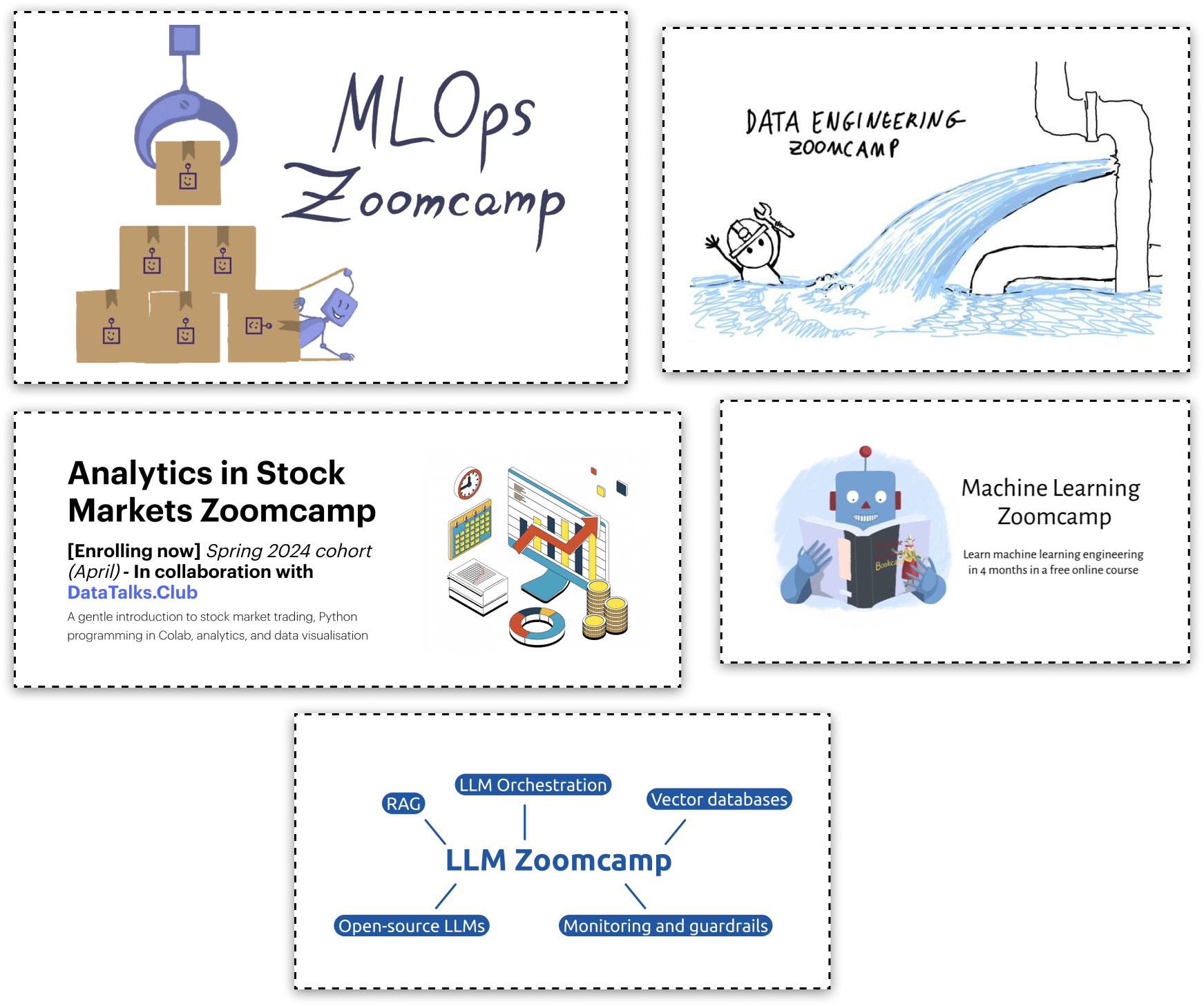
At DataTalks.Club, we run free courses like ML Zoomcamp, Data Engineering Zoomcamp, MLOps Zoomcamp, and LLM Zoomcamp. Since 2021, we’ve been launching new cohorts every year, and with each new cohort, the same questions kept coming up.
To deal with that, we created an FAQ.
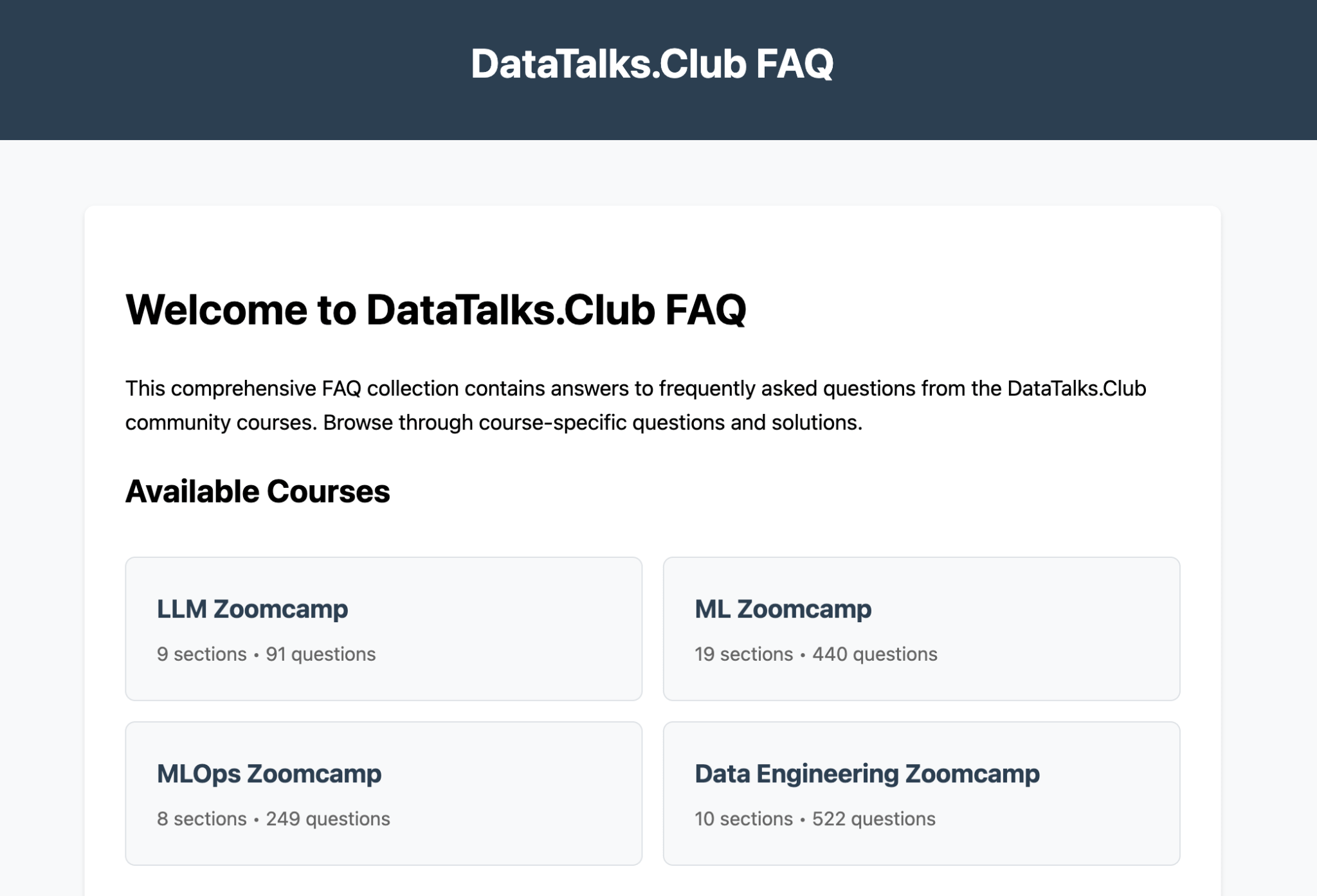
The first version was a shared Google Docs FAQ. It worked well at first, but as the content grew, its limitations became clearer, so we eventually moved to a proper FAQ website (here’s its source repo).
In this post, I’ll show how that system evolved:
How we started with shared Google Docs
How Alex Litvinov built a RAG-powered Slack bot to answer questions automatically
How I migrated the FAQ to a Git-based static website using a parsing and cleanup pipeline
How Fred Pearce built a GitHub Actions workflow for community contributions
How the agent decides whether a proposal is a new entry, an update, or a duplicate
How I use Claude Code to review and fix the pull requests created by the bot
This project also gives a broader view of retrieval-augmented generation (RAG). It is often framed as a way to answer questions over documents, but the same pattern is useful anywhere you need to search a large body of information and act on what you find. So the same pattern is useful for workflows like routing support tickets, finding similar products or articles, generating study materials, or maintaining an FAQ like this one.
How We Started with Shared Google Docs
At our free DataTalks.Club courses, every year, each new cohort brings anywhere from 5,000 to 25,000 students, depending on the course.
Most of the course communication happens in Slack. And every time a new cohort starts, the same questions come up again:
Can I still join?
How do I set this up on Windows?
Where do I submit homework?
What should I do if something breaks?
Answering these questions over and over on Slack isn’t an efficient way to support a large learning community.
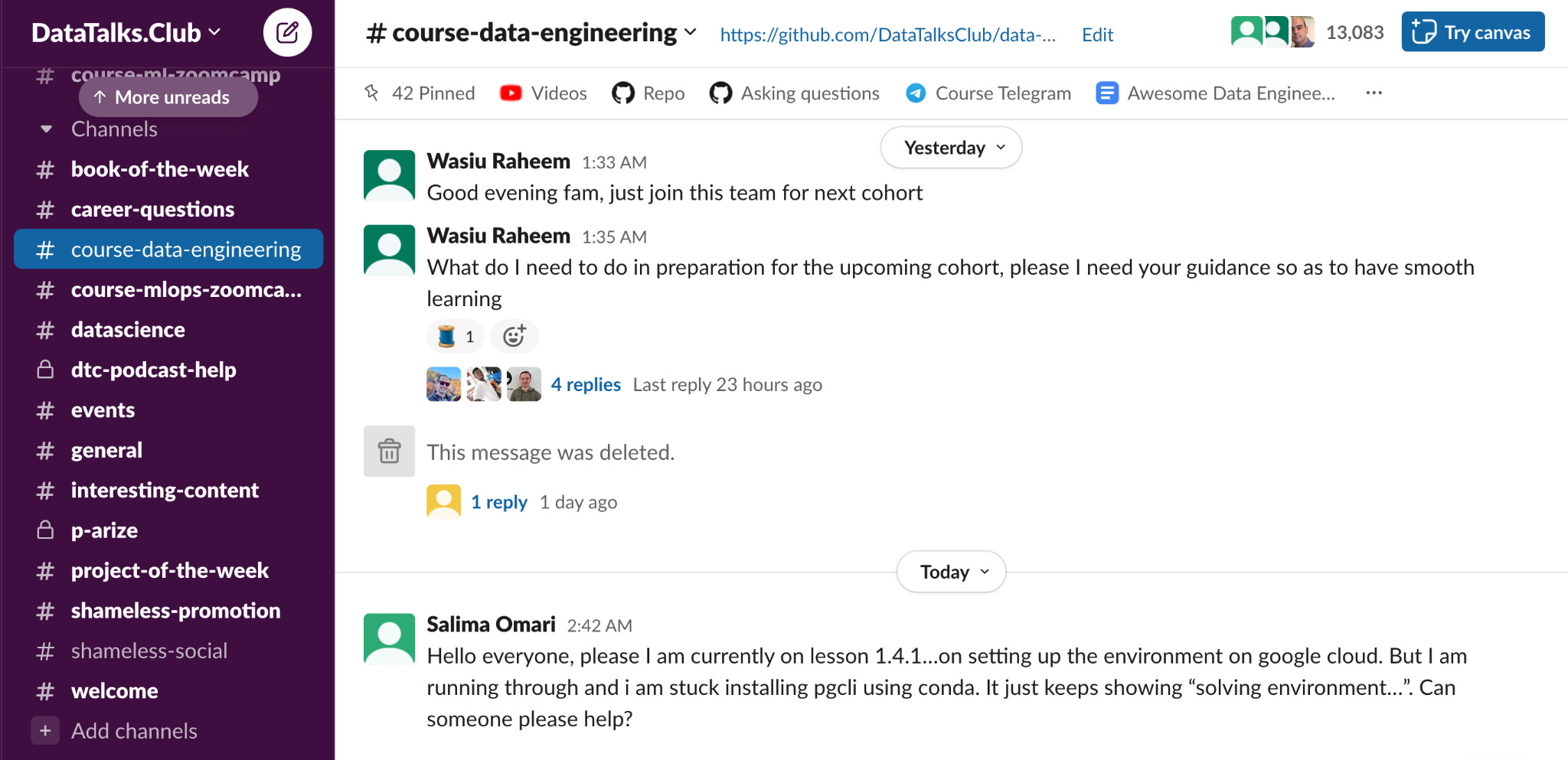
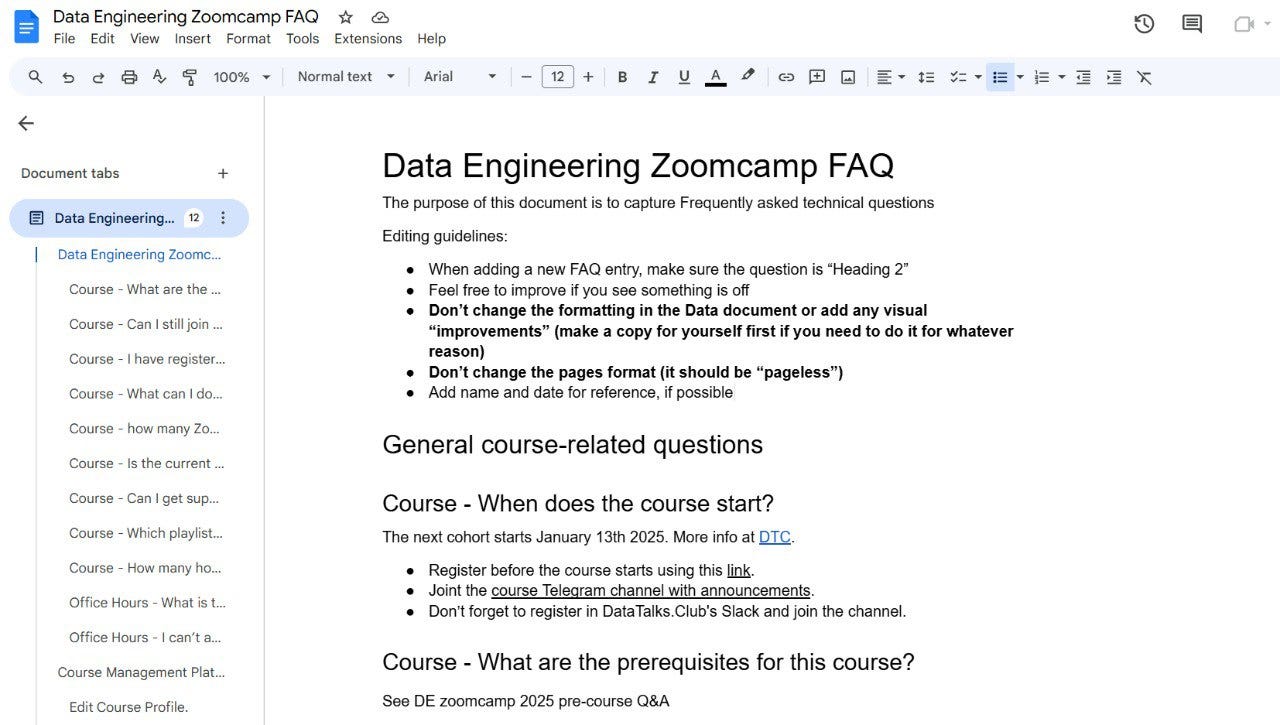
So our first solution was simple: a shared Google Docs FAQ for each course. It was just a regular document with a defined structure, nothing fancy, but students could check whether their question had already been answered and add new entries themselves. That made contributions very easy and helped the FAQ grow over time.
To encourage people to contribute, we also added a small gamification element. Our courses already have leaderboards, where students earn points for homework and other activities. At some point, we added one extra point per homework for contributing something useful to the FAQ. Many students contributed without that incentive, but the extra point helped keep the FAQ fresh.
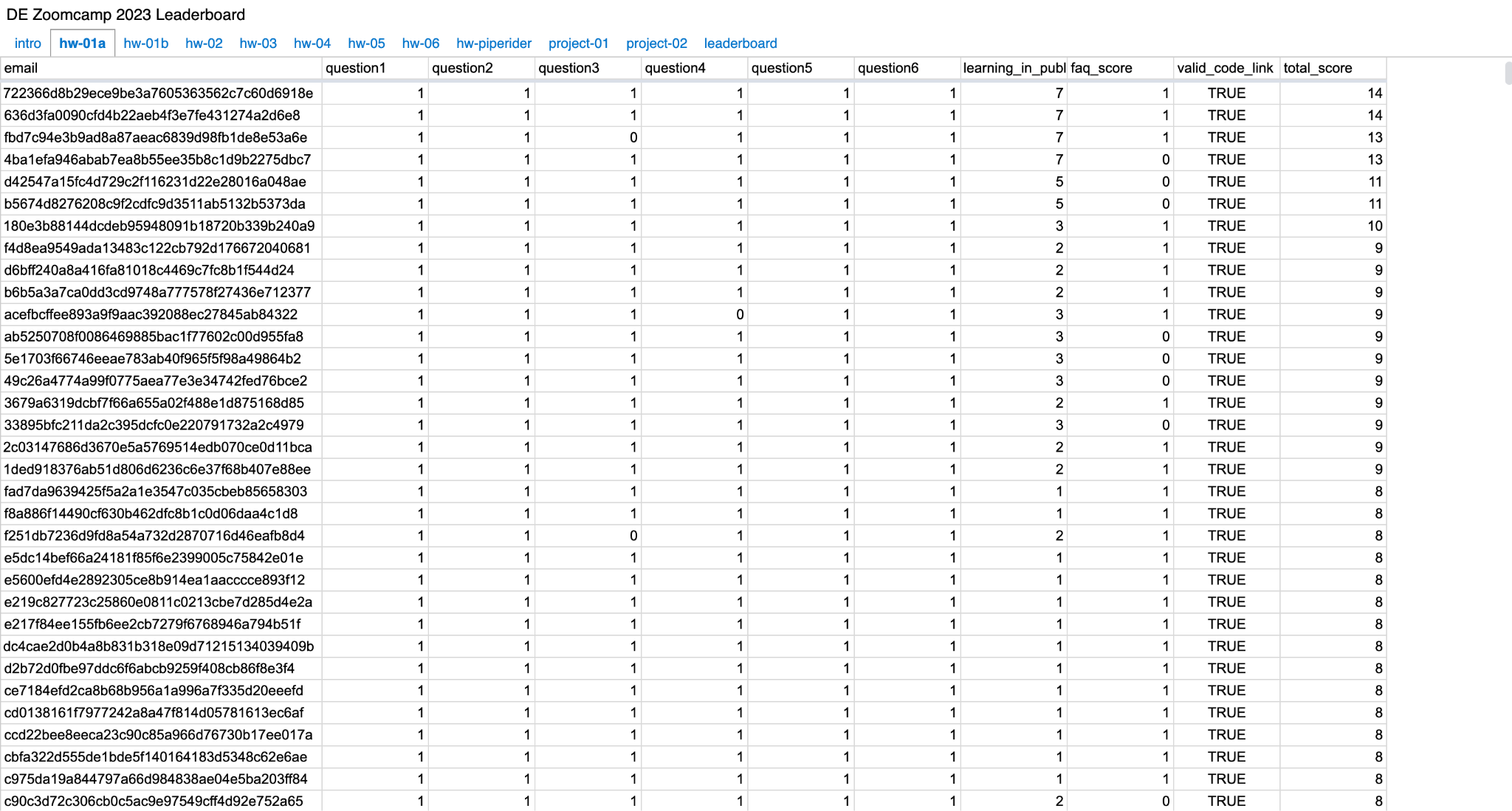
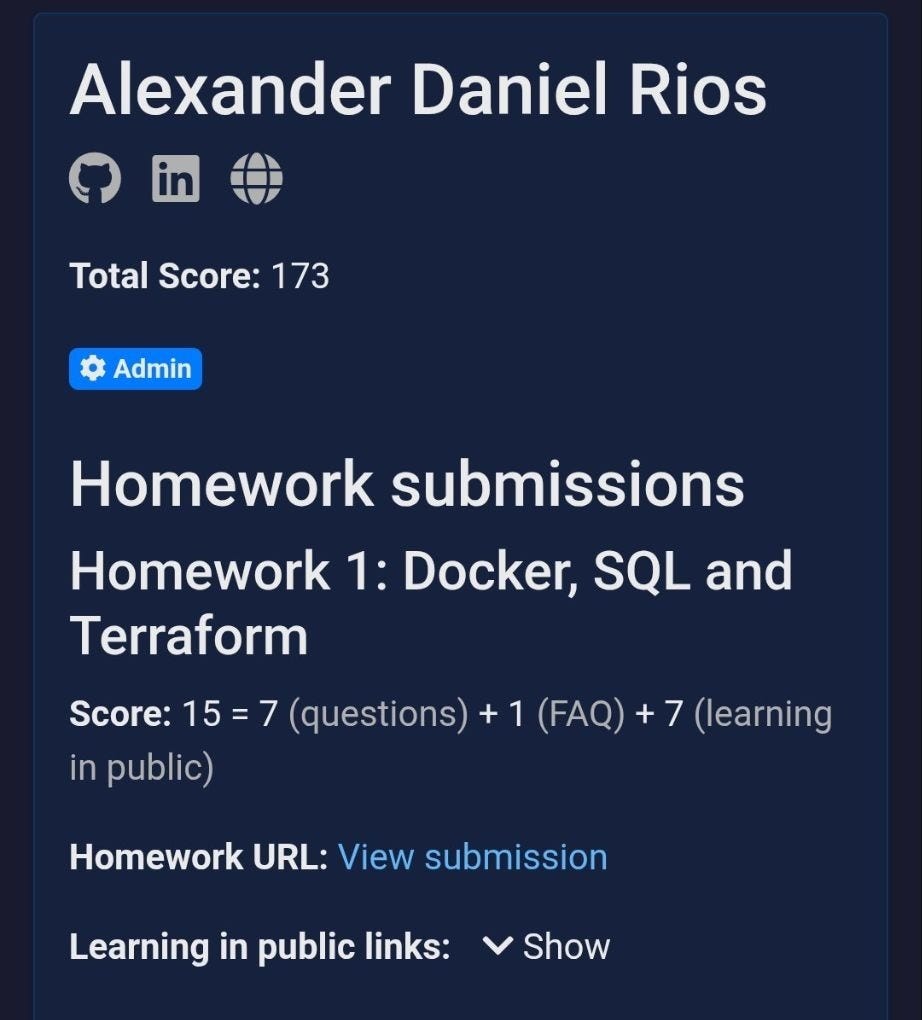
This setup was easy and frictionless, but over time, its limitations became obvious. Open Google Docs meant no real moderation, and vandalism happened more than once.
The FAQ also became too large to work well as a simple shared document. Across all Zoomcamps, it eventually grew to around 1,300 entries, with the Data Engineering Zoomcamp FAQ alone reaching roughly 500. Students asked questions at very different levels: about the course overall, specific modules, and homework within each module. At that scale, expecting people to read the whole document before asking in Slack was no longer realistic.
That is what led to the next stage: building a RAG-powered Slack bot that could answer questions automatically.
Alex Litvinov’s Slack Bot
One of our community members, Alex Litvinov, built a Slack bot to make the FAQ more usable in practice.
At that point, the main problem was helping students find the right one when they needed it, without expecting them to manually search through hundreds of FAQ entries.
The bot solved that by bringing the FAQ directly into Slack. Instead of opening a large Google Doc and scrolling through it, students could ask a question in the course channel and receive an automatic answer.
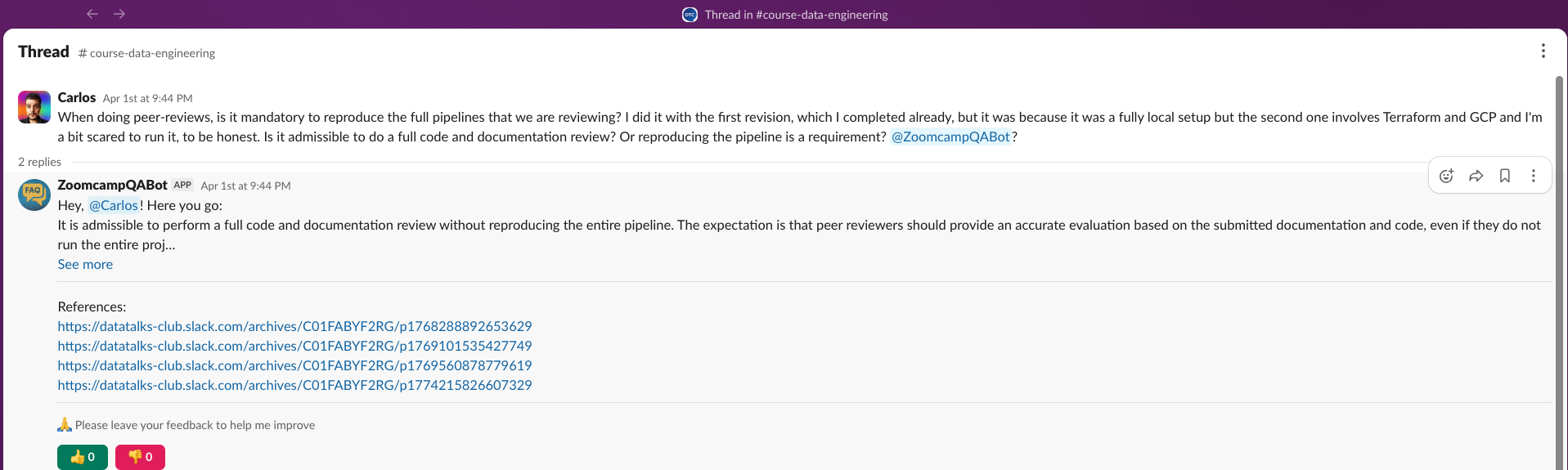
The bot is still running today, and it pulls data from several sources:
FAQ documents: question-answer pairs from each course FAQ
Slack history: past questions and answers from course channels
GitHub repositories: course notebooks, code, and other materials
YouTube subtitles: transcripts from course lectures
Each source is chunked according to its structure:
FAQ content is split into question-answer pairs.
Slack threads are treated as a single document consisting of the original question and the discussion.
GitHub content is organized by file.
This produces more semantically complete chunks, which improves retrieval quality.
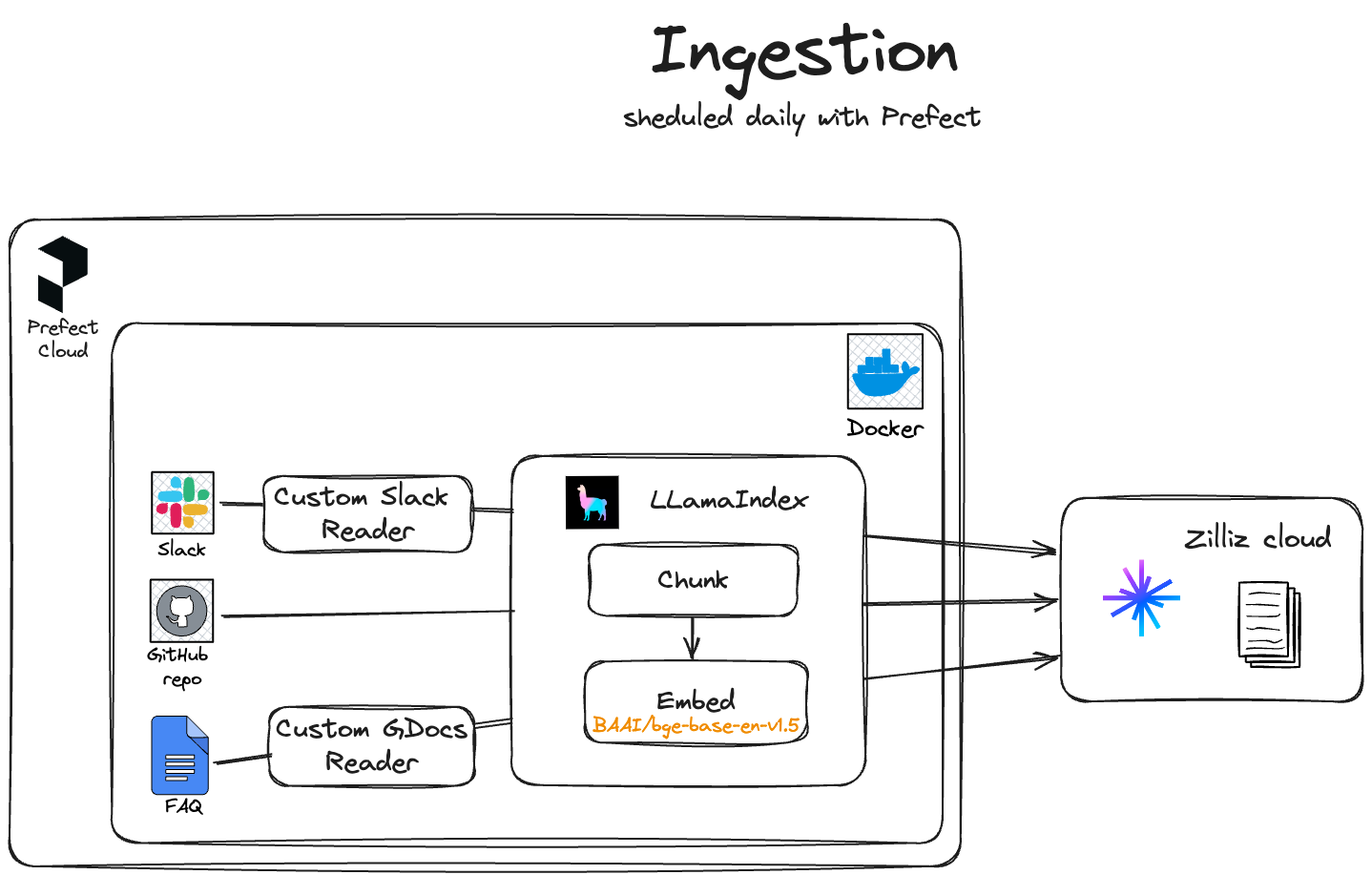
The ingestion pipeline is scheduled to run daily with Prefect and runs inside Docker. Slack and Google Docs are pulled in through custom readers, then passed through LlamaIndex, which handles chunking and embedding. For embeddings, the bot uses BAAI/bge-base-en-v1.5, and the processed documents are stored in Zilliz Cloud.
The rest of the stack includes:
LlamaIndex for the RAG pipeline
Milvus locally and Zilliz Cloud in production for vector storage
Cohere Rerank for reranking
GPT-4o-mini for answer generation
Slack Bolt with Socket Mode for Slack integration
Upstash Redis for caching embeddings, which gives roughly a 5x speedup during ingestion
LangSmith for observability
Fly.io for hosting
The bot maintains separate query engines for each course, and routes each question to the appropriate engine based on the Slack channel ID. For each query, it retrieves 20 candidate documents, applies time weighting to prefer more recent Slack answers, and then reranks the results to the top 4 before passing them to the LLM. That time-weighting matters because some answers depend on deadlines, cohort-specific logistics, or temporary course instructions.
You can see the full code here.
This was a big improvement over the original Google Docs workflow. The Slack bot made the FAQ much easier to use. At the same time, the setup still depended on Google Docs as the source of truth, which still had maintenance problems: moderation, structure, and the fragility of an open document that anyone could edit.
At some point, the Google Docs FAQ was vandalized again, and Alex’s bot started having parsing issues. Those problems pushed me to make time to move the FAQ out of Google Docs and into a dedicated website with proper moderation and a better reading experience.
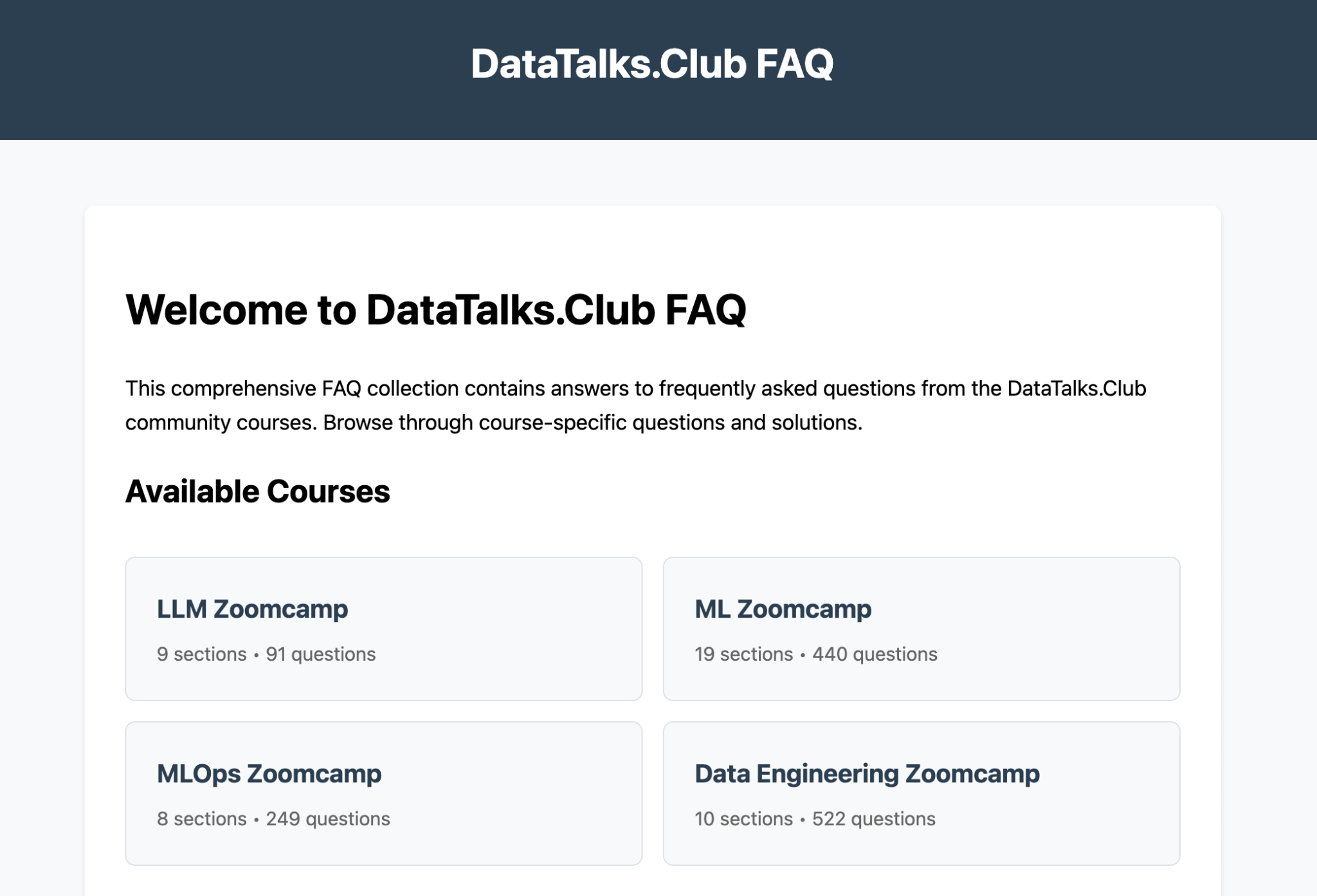
How I Migrated the FAQ to a Static Website
1) Parsing the Google Docs
I already had code for parsing Google Docs into JSON. I originally wrote it for LLM Zoomcamp, where RAG is one of the course topics, and the FAQ made a useful dataset for experimentation.
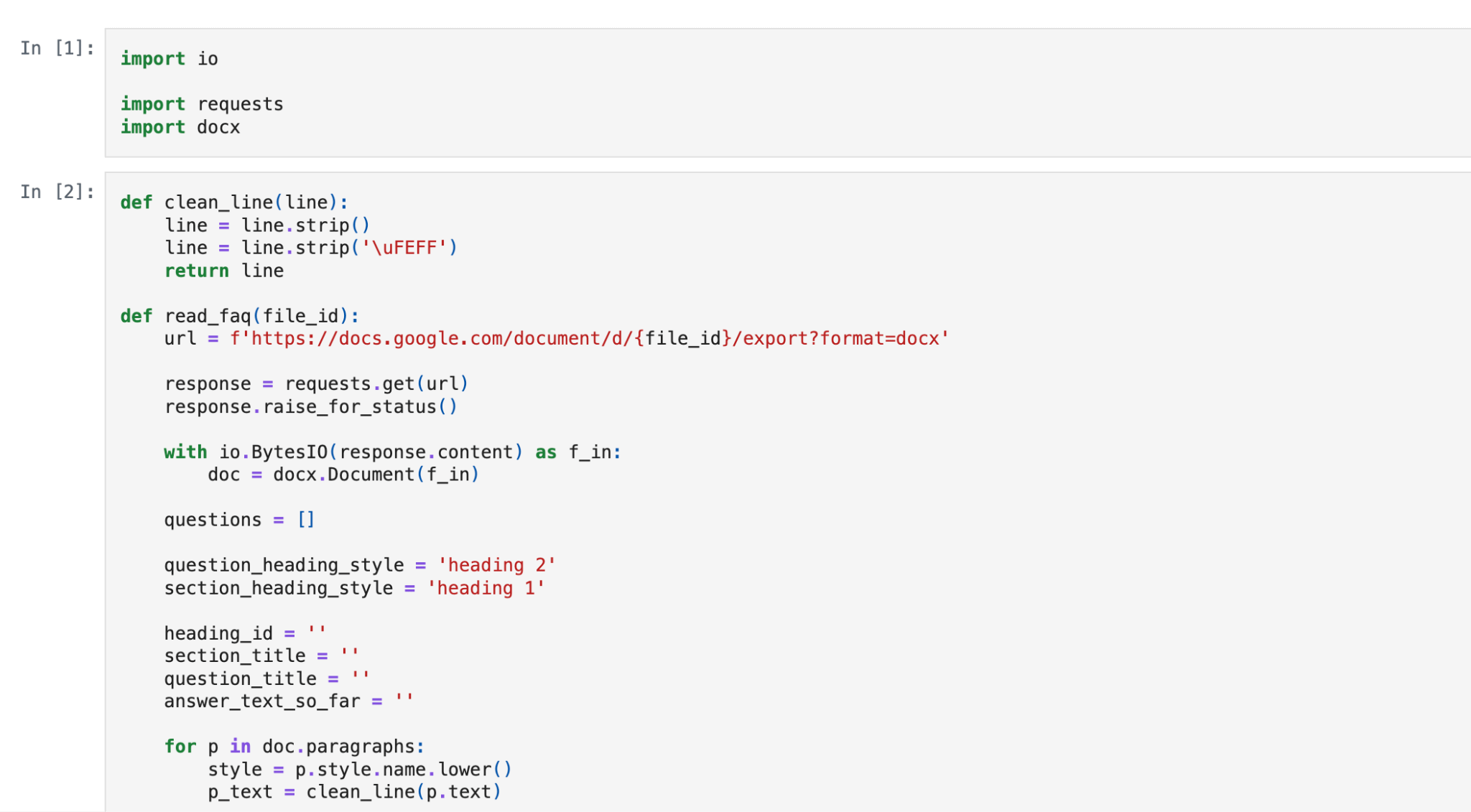
The parsing pipeline looks like this:
Download the Google Doc as a DOCX file
Use Python’s docx module to extract the content
Use document headers to detect where questions end and answers begin
Output JSON records with fields like text, section, and question
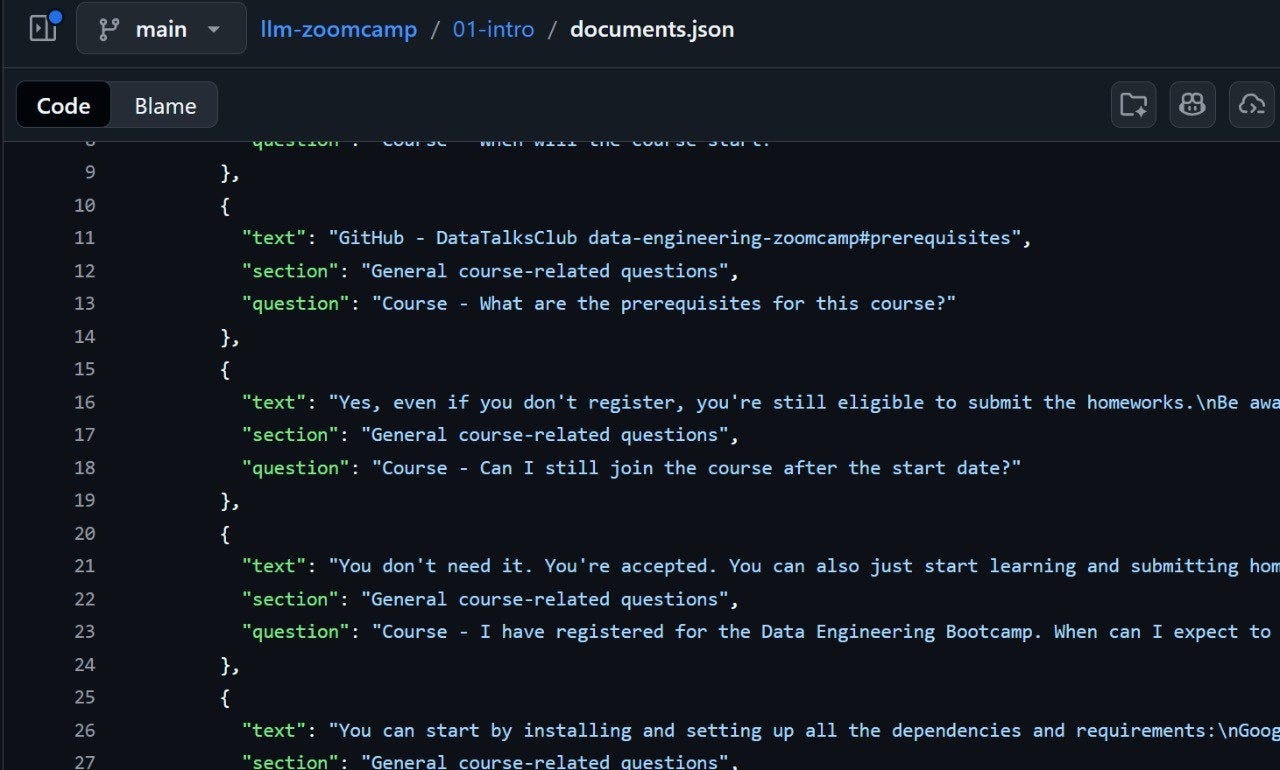
You can find the notebook here. The code is not polished because it was written as a one-off notebook rather than a reusable production pipeline, but it was sufficient to extract the data.
2) Clining Up the Content with GPT-4o
Getting the text out was only half of the work. The extracted content still needed a lot of cleanup because formatting was inconsistent:
Some answers had grammar issues.
In some places, code appeared as screenshots instead of actual code blocks.
Cleaning all of that by hand would have taken too long, so I wrote a small script that sent the extracted entries to GPT-4o with instructions to standardize formatting, fix grammar, and turn code screenshots into proper code blocks. After a few evenings of running and checking the process, I had a much cleaner dataset ready to be turned into website content.
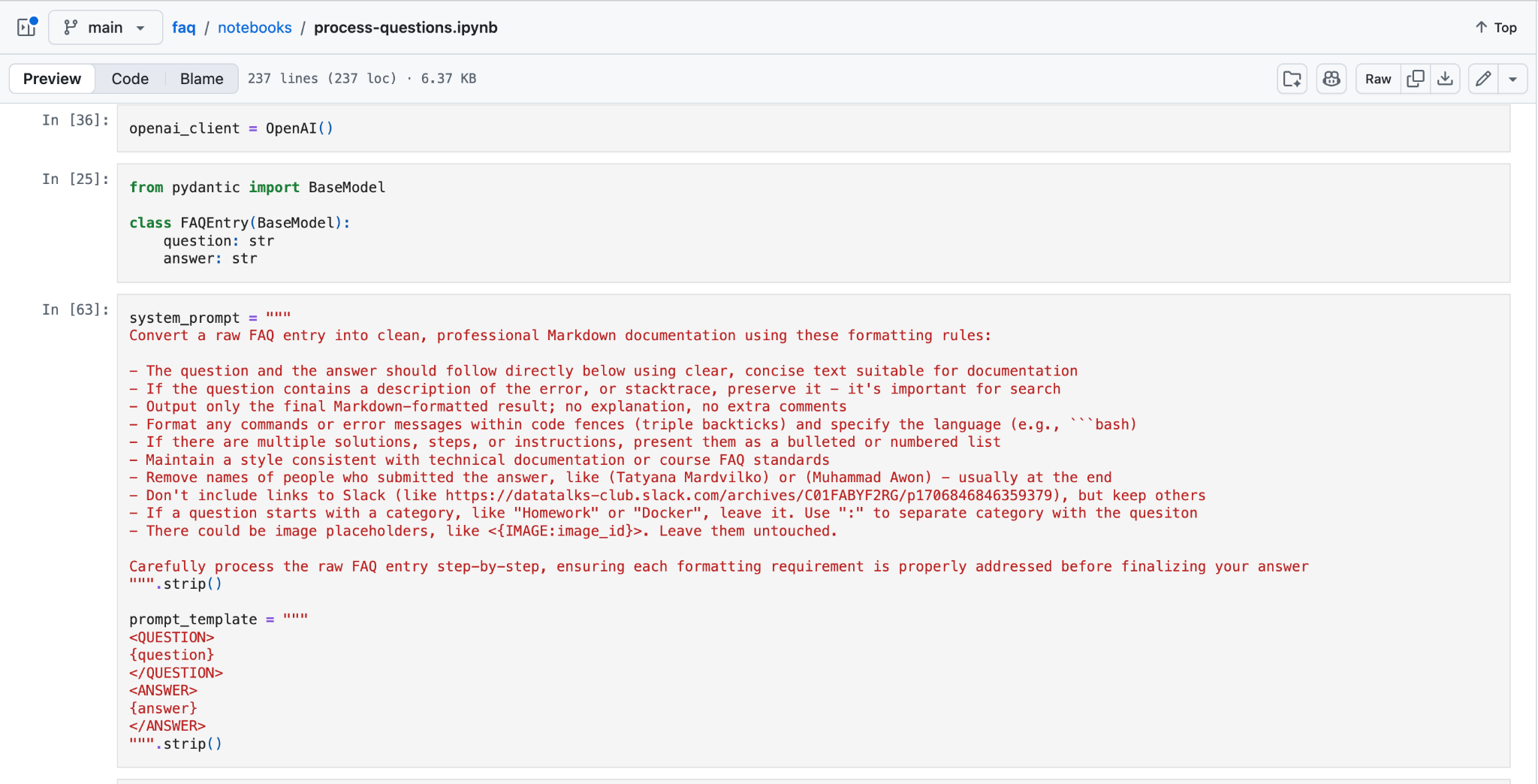
3) Structuring the Content
Once the content was cleaned up, I reorganized it into a more structured format.
Instead of one large document per course, the new repository is organized like this:
course
module
individual question
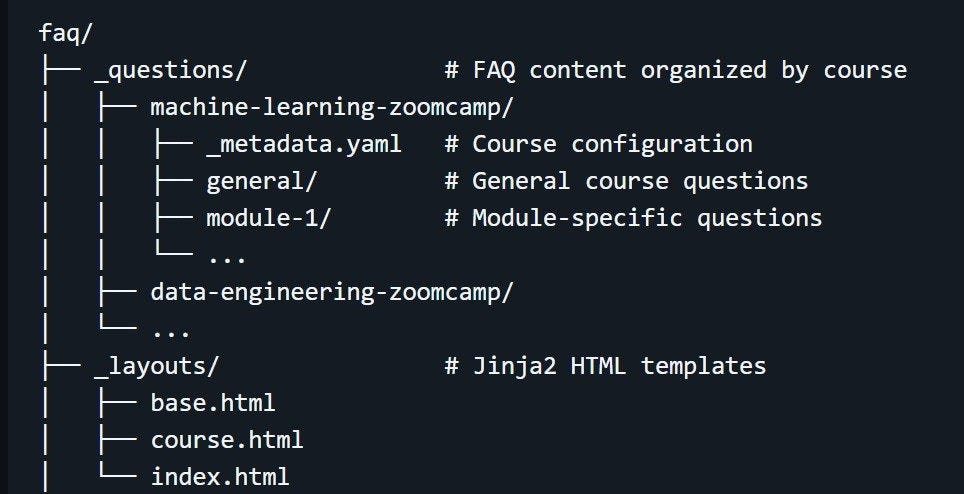
general or module-1, with a _metadata.yaml file for course-level configuration and Jinja2 templates in _layouts for generating the site pages.Each FAQ entry became its own Markdown file with frontmatter metadata. That metadata includes things like the FAQ ID, the question text, and the sort order, while the file body contains the answer itself.
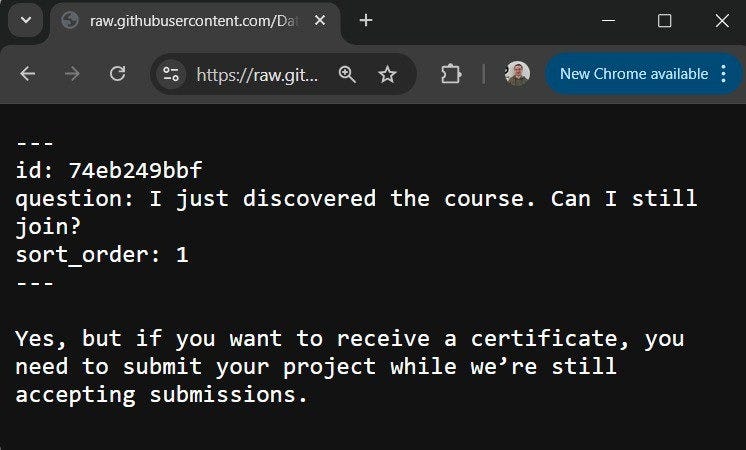
This structure made the FAQ much easier to maintain. Questions could now be reviewed, updated, moved, or reordered independently. It also made the content much more suitable for version control, automated processing, and static site generation.
You can find the full cleanup notebook here.
4) Building the Website
Once the content was in structured Markdown, the next step was turning it into a website.
The obvious choice for a GitHub-hosted site was Jekyll, so I tried that first. It broke almost immediately.
The Data Engineering Zoomcamp includes an Analytics Engineering module that uses dbt, and dbt models are written in Jinja. That becomes a problem inside Jekyll, because Jekyll uses Liquid as its own template engine and tries to interpret the same {{ ... }}, double-curly-brace syntax.
For example, a dbt snippet like this caused Jekyll to treat {{ ref(’stg_trips’) }} as a template expression and fail:
select *

from {{ ref(’stg_trips’) }}

where date >= ‘{{ var(”start_date”) }}’
I spent an evening trying different escaping tricks, but I couldn’t get it to handle these cases reliably.
So instead of fighting Jekyll, I wrote a custom static site generator.
That sounds heavier than it really was. By then, coding assistants already existed, so I used GitHub Copilot to help write the first version, and then adjusted it for the structure of the FAQ repository.
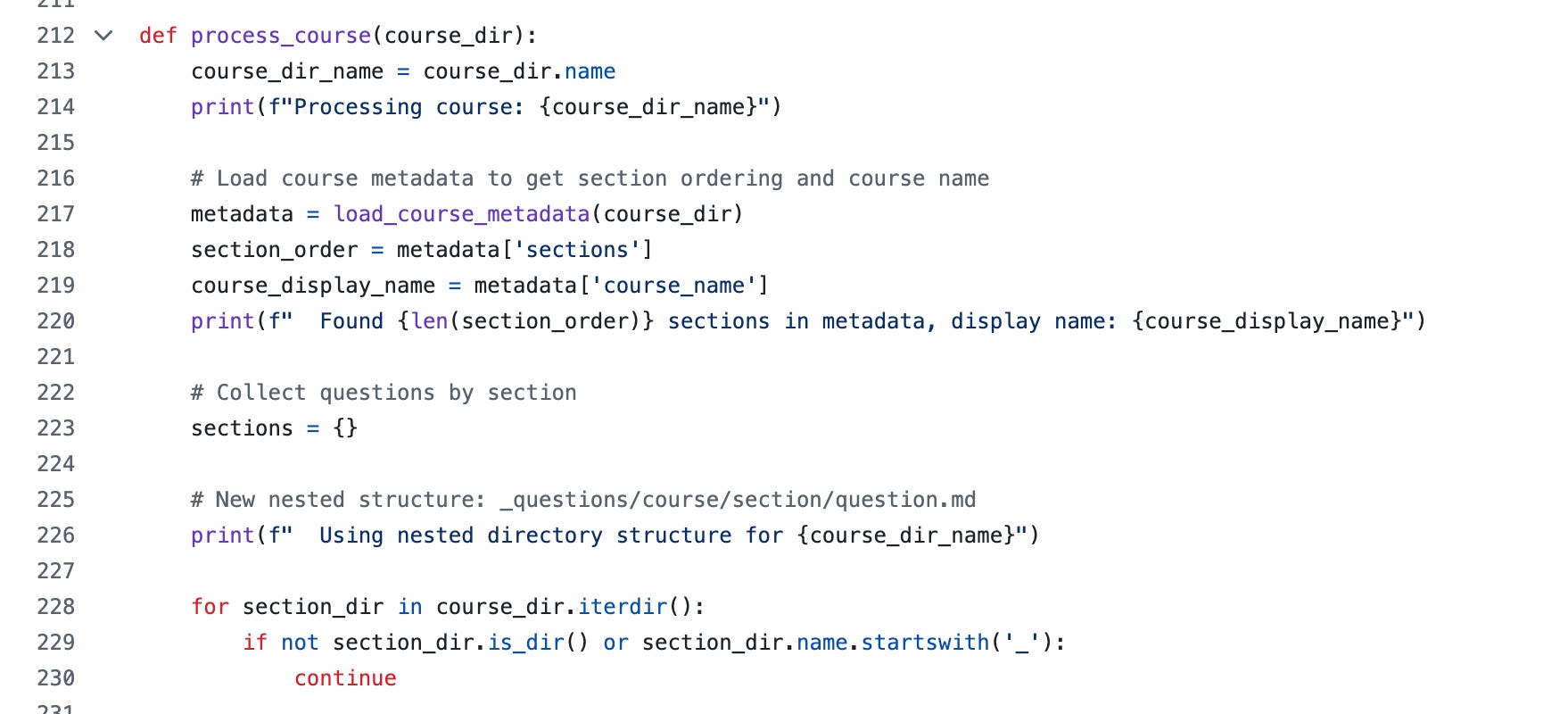
The generator is a Python script that reads the Markdown files from _questions, parses their YAML frontmatter, converts the Markdown into HTML, and renders the final pages with Jinja2 templates.
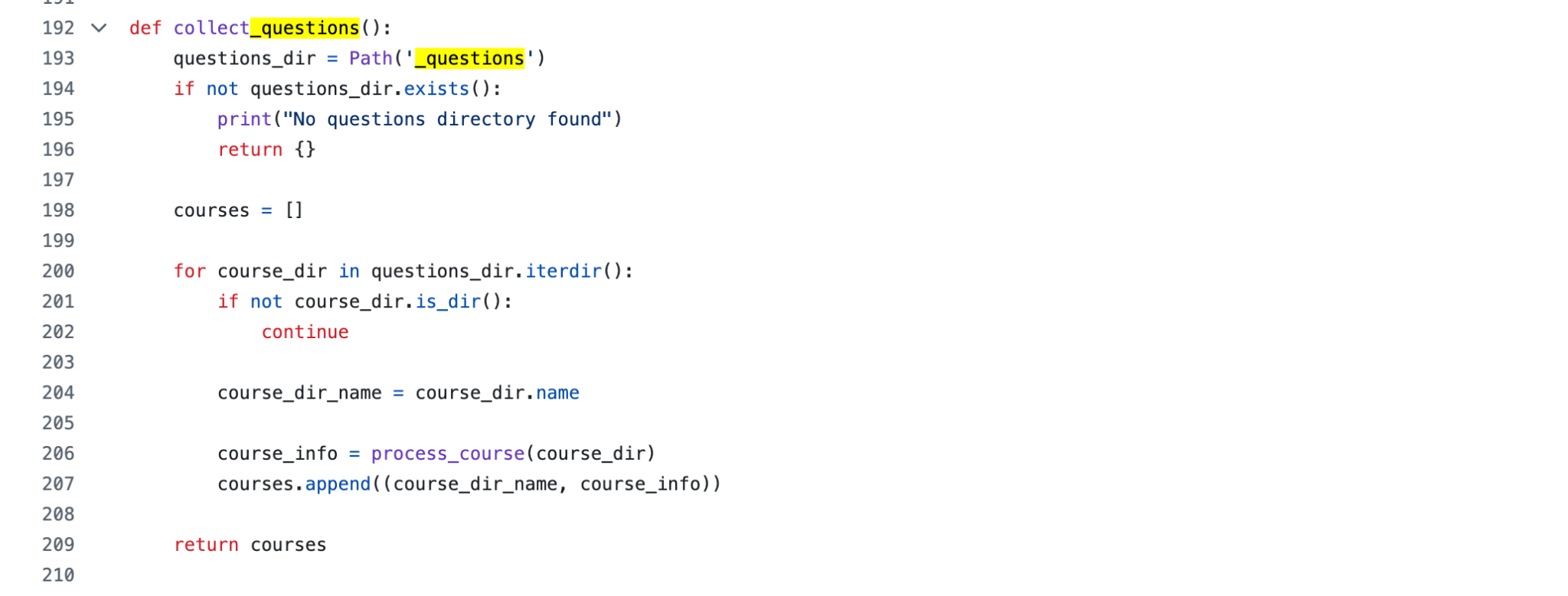
The generator also handles some project-specific details. It copies CSS assets and images into the output directory, renders one page per course plus an index page, and passes metadata such as course names, section structure, and generation time into the templates.
This gave me a setup that matched the FAQ structure much better:
Markdown files as the source of truth
frontmatter for metadata such as question ID and sort order
Jinja2 templates in
_layoutsstatic HTML pages generated into
_site
You can find the generator code here.
The downside is that the generator is specific to this project. It’s not a general-purpose tool that I can easily reuse elsewhere, and I still have to maintain it myself. But the scope is narrow, so in practice, that has been manageable.
This approach also works well with GitHub Pages as it exists today. GitHub Pages no longer has to be a Jekyll-only workflow. As long as GitHub Actions produces static HTML in the right place, a custom generator works fine. A few years ago, that would have been much less practical.
JSON Export
One useful side effect of writing my own generator is that I could make it export JSON too, not just HTML. That became important later, because the FAQ was no longer only a website for humans to read. It also became something other tools could consume programmatically.
The generator produces a courses.json index file that lists all available courses, and a separate JSON file for each course. Each FAQ entry includes the same core fields used in the site itself:
idcoursesectionquestionanswer
This made the FAQ much easier to reuse. Instead of treating the website as the only interface, I could expose the same content as a structured dataset that other tools could index directly.
For example, you can fetch the JSON files and load them into minsearch in just a few lines:
import requests
from minsearch import Index

base_faq_url = ‘https://datatalks.club/faq’
courses_index_url = f’{base_faq_url}/json/courses.json’
courses_index = requests.get(courses_index_url).json()

documents = []

for course in courses_index:
   course_url = f”{base_faq_url}/{course[’path’]}”
   documents.extend(requests.get(course_url).json())

index = Index(
   text_fields=[’section’, ‘question’, ‘answer’],
   keyword_fields=[’course’]
)
index.fit(documents)
That was useful for more than convenience. By exporting JSON, the FAQ stayed close to its internal structure as a collection of records that could be indexed, searched, and reused in other systems.
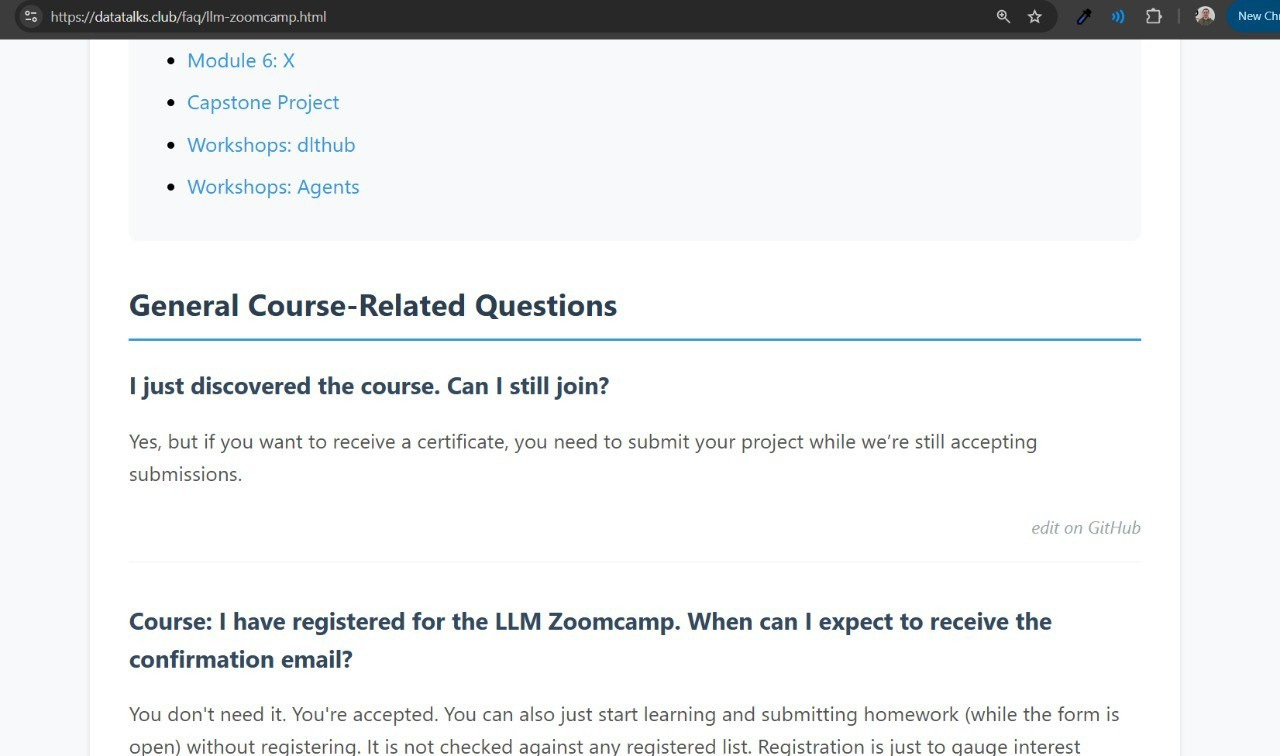
At that point, the FAQ had become much more robust than the original Google Docs version. It had proper structure, lived in Git, rendered as a static website, and could also be consumed programmatically.
The FAQ Automation Bot
Moving to a website solved the moderation problem, but introduced a new problem: while reading the FAQ became better, contributing to it became much harder. With Google Docs, anyone could open the file and start typing. But contributing to a GitHub repo means you need to fork, edit markdown, open a pull request – that creates a lot of friction for a student who just want to add a contribution.
I wanted to keep the ease of contribution we had with Google Docs while still using the repository as the source of truth. That is how the FAQ Automation Bot came to be.
The idea behind the bot is like that: a student opens a GitHub issue with the faq-proposal label and fills in three things:
course
question
answer
From there, the automation takes over. GitHub Actions triggers the FAQ automation workflow based on the FAQ Automation Bot:
It loads the existing FAQ entries for that course
It searches for similar entries in the current FAQ
It sends the proposal, the retrieved results, and the course section metadata to the LLM
the LLM returns a structured decision
Based on that decision, the workflow either creates a new FAQ file, updates an existing one, or closes the issue as a duplicate
If a file change is needed, the bot opens a pull request
A human reviews and merges it
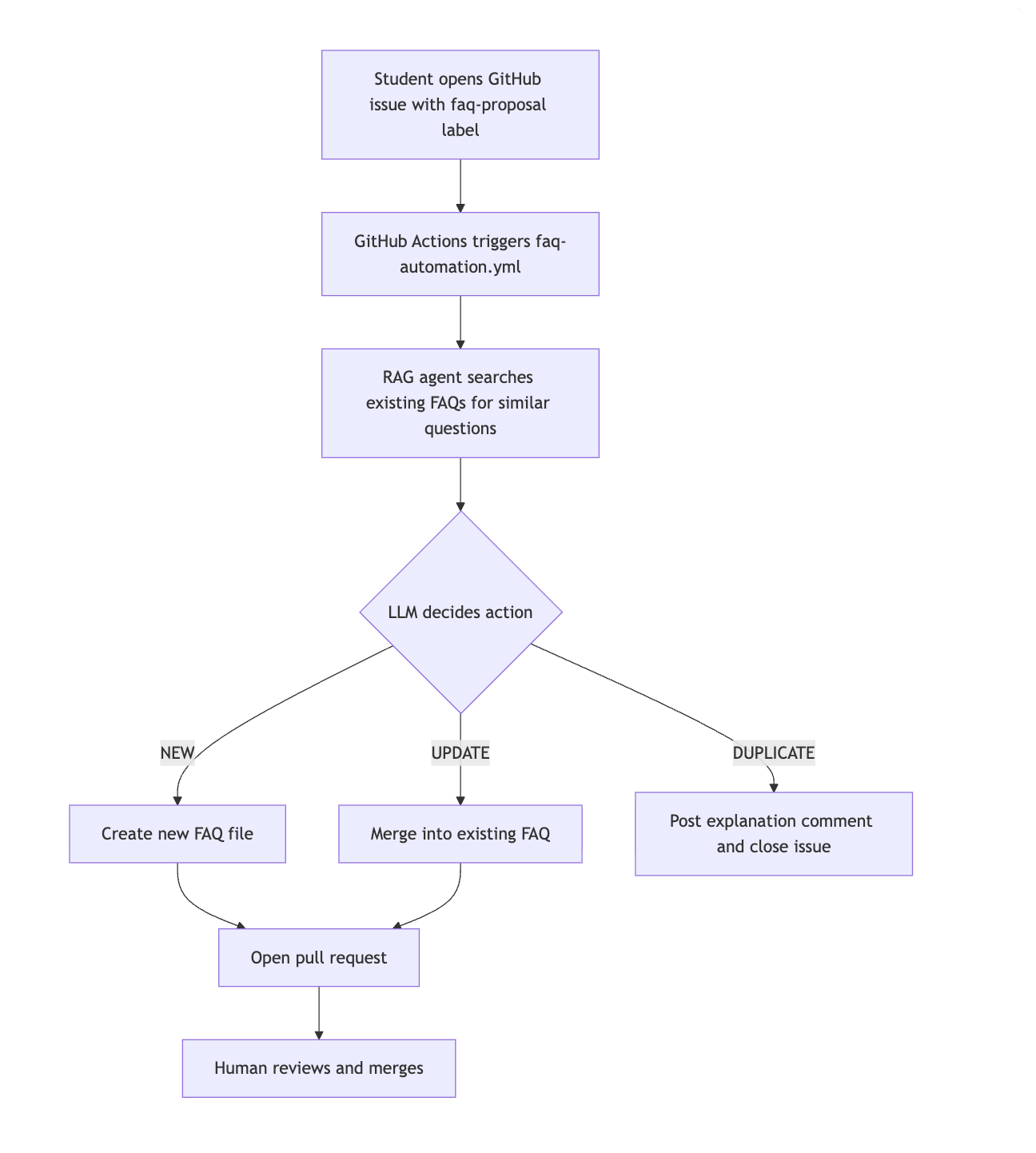
So the student interacts with a simple issue form, while the system handles the repetitive repository work in the background.
How the Agent Works
The core behind the FAQ Automation Bot is RAG agent.
Here’s how it works:
It starts by loading the current FAQ entries and course metadata from the repository.
Then it builds a search index with minsearch, using section, question, and answer as text fields, and course and section_id as keyword fields.
When a new proposal comes in, the agent does not send it to the model in isolation. It first searches the existing FAQ for similar entries, keeps the relevant matches, and then builds a prompt from three pieces:
The new proposal
The top matching FAQ entries
The section metadata for that course
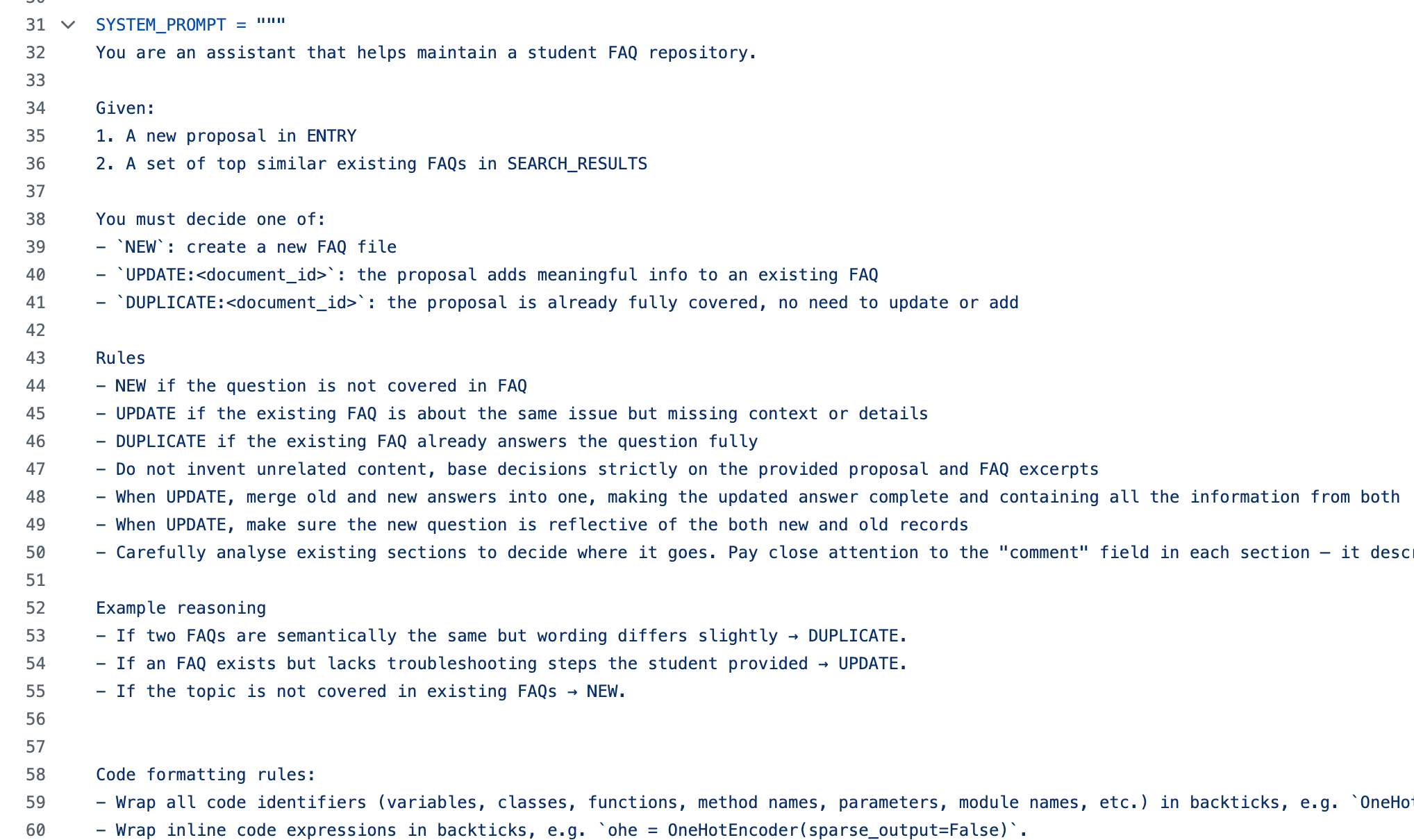
That prompt is then sent to the model together with instructions about how the repository should be maintained.
The Decision Model
The model returns a structured Pydantic object, FAQDecision, rather than free-form text. That object includes:
action:NEW, UPDATE, orDUPLICATErationale: short explanation of the decisiondocument_id: the FAQ entry to act onsection_id: where the content belongssection_rationale: why that section was chosenorder: where the entry should appear inside the sectionquestion: the final normalized question textproposed_content: the answer text for a new or updated entryfilename_slug: filename for new entrieswarnings: optional notes about possible problems
You can find the code for the RAG agent here.
Broader View on RAG
What I find interesting here is that retrieval is doing more than helping answer questions. It is also helping maintain the knowledge base itself.
The same retrieval step can be used to:
Find the most relevant existing entries
Detect when a proposal is already covered
Merge new information into an older answer
Place content into the right section
Keep the FAQ structure consistent as it grows
The agent uses a lightweight model by default, gpt-5-nano, so this kind of triage stays cheap enough to run routinely. But the system is still human-in-the-loop. Nothing gets merged automatically without review.
Building the Bot
I wrote the first version as a notebook. It was enough to prove that the decision logic worked, but it was still a prototype, not something you would want to run on every GitHub issue.
The project became much more practical during Hacktoberfest, when Fred Pearce picked it up and built the GitHub Actions orchestration around it. That is what turned the idea into a usable workflow for the community: issue events could trigger the automation, and the result could be turned into a pull request automatically.
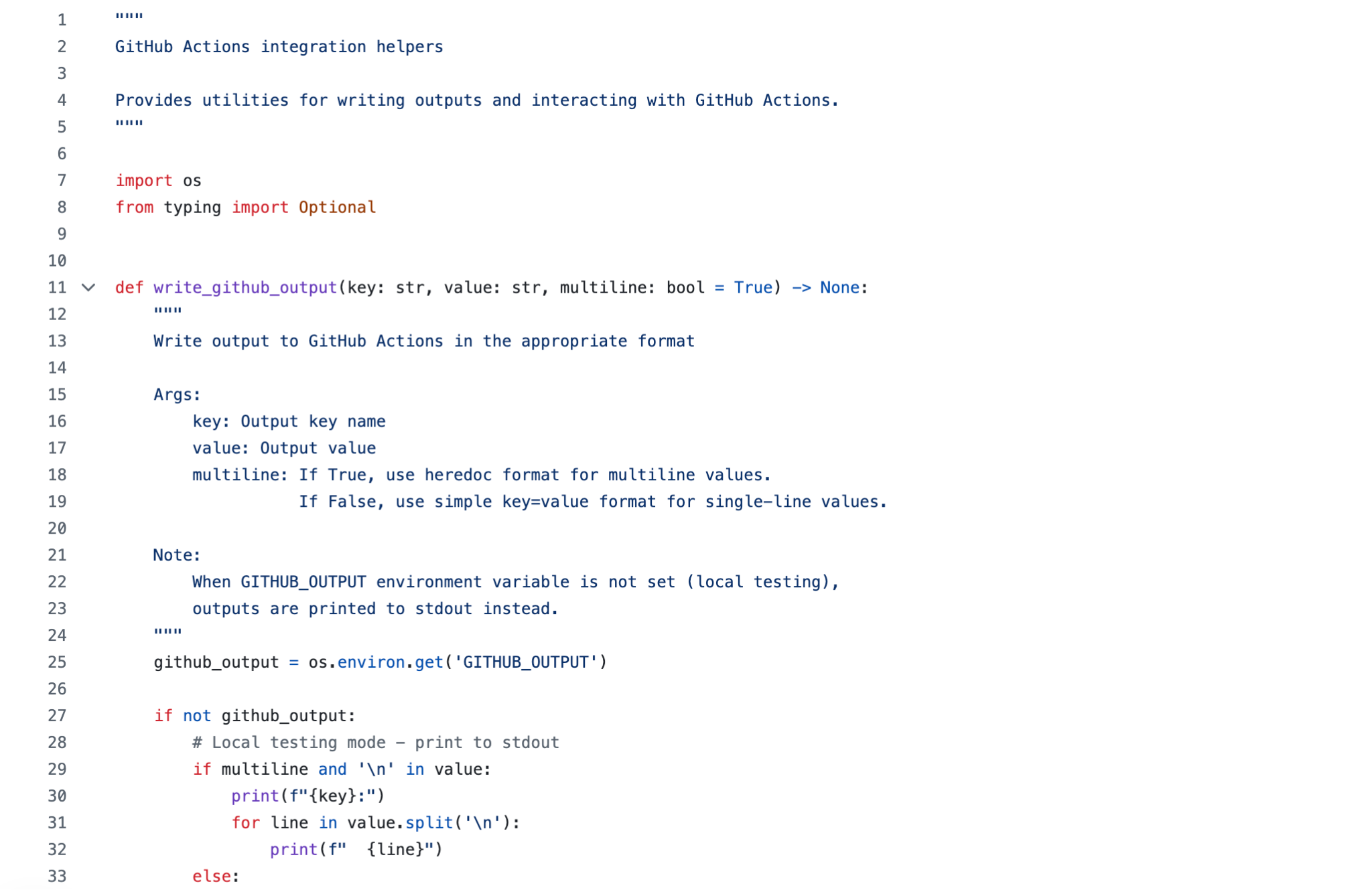
The repository got a proper automation layer around the agent:
a GitHub Actions workflow to react to FAQ proposal issues
a structured GitHub issue template for course, question, and answer
Python helpers for passing outputs between workflow steps
a CLI for running the automation logic
tests and documentation so the system was easier to maintain
So from the student’s side, the process stayed simple: fill out the FAQ proposal form with the course, question, and answer. From the repository side, that issue now becomes the input to an automated workflow that retrieves similar FAQ entries, runs the triage agent, and either prepares a pull request or closes the issue with feedback.
The contribution guides are in the repository’s CONTRIBUTING.md file.
Reviewing Pull Requests with Claude Code
The bot makes mistakes, which is not very surprising. A typical one is putting a question about Kestra, which belongs in the workflow orchestration module, into the general section. Another is merging a proposal into the wrong FAQ because the retrieved match looked similar on the surface, but was actually about a different problem.
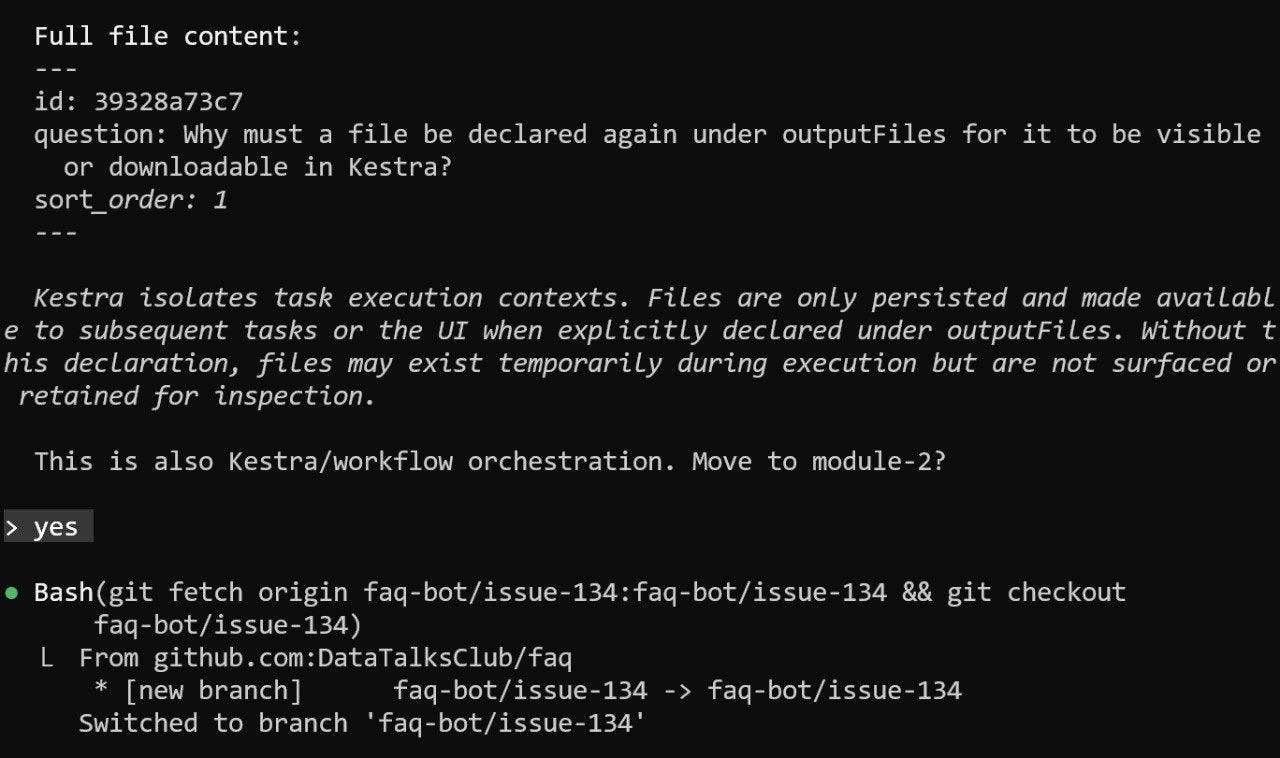
general to module-2, where workflow orchestration topics belong.Fixing these mistakes manually was tedious. For each pull request, I had to check out the branch, edit the Markdown, push the change, and repeat the process for the next one. That is a lot of overhead for small corrections. I made some fixes here and there, but it wasn’t sustainable for managing the queue.
So I started batching them instead. I let the pull requests pile up for a bit, then open a Claude Code session and go through them one by one.
The workflow looks like this:
List the open pull requests with gh pr list
Pick the next one and show Claude what changed
Explain the correction, for example: move this to module-2 or merge it into the existing FAQ about X
Claude checks out the branch, makes the edit, and pushes it
I review the result, merge the pull request, delete the branch, and move on
What I like about this workflow is that it keeps the review process focused. I only look at one pull request at a time, instead of trying to keep the whole queue in my head. And once Claude has seen a few similar corrections in the same session, it often starts suggesting the same kind of fix on later pull requests without needing as much guidance.
Why Keep a Human in the Loop
I could try to encode more of these corrections directly into the bot, but that would add complexity to the GitHub Actions workflow and make the agent logic more elaborate.
Using Claude Code for review is a simpler trade-off:
Nothing gets merged without human review
Fixing mistakes is faster than redesigning the automation around every edge case
I can clean up other repository issues at the same time, such as duplicates or stale entries
The bot itself stays cheap to run, because it uses a smaller model for triage and I only use a stronger model during review
Feeding the Mistakes Back
The next step is to use those review sessions as training material for the workflow itself.
Each correction is a small example of where the bot went wrong: the wrong section, the wrong merge target, a duplicate not recognized, and so on. Those cases can be fed back into the agent prompt as examples, so the next round of decisions is a bit better.
That is the feedback loop I want from this system. Review catches what the bot missed, and the bot gradually improves from the patterns in those corrections.
Starting Simple
What I like about this system is that each stage solved a real constraint from the previous one.
Google Docs made contributions easy
The Slack bot made the content usable at scale
The website made the content maintainable
The automation bot made contributions practical again
Human review with Claude Code kept the whole thing under control
I also like that this system stayed fairly pragmatic throughout. I didn’t start with a huge architecture. Most parts appeared because the previous version was no longer good enough.
What I’ve Been Working On Recently
1. First AI Shipping Labs Workshop
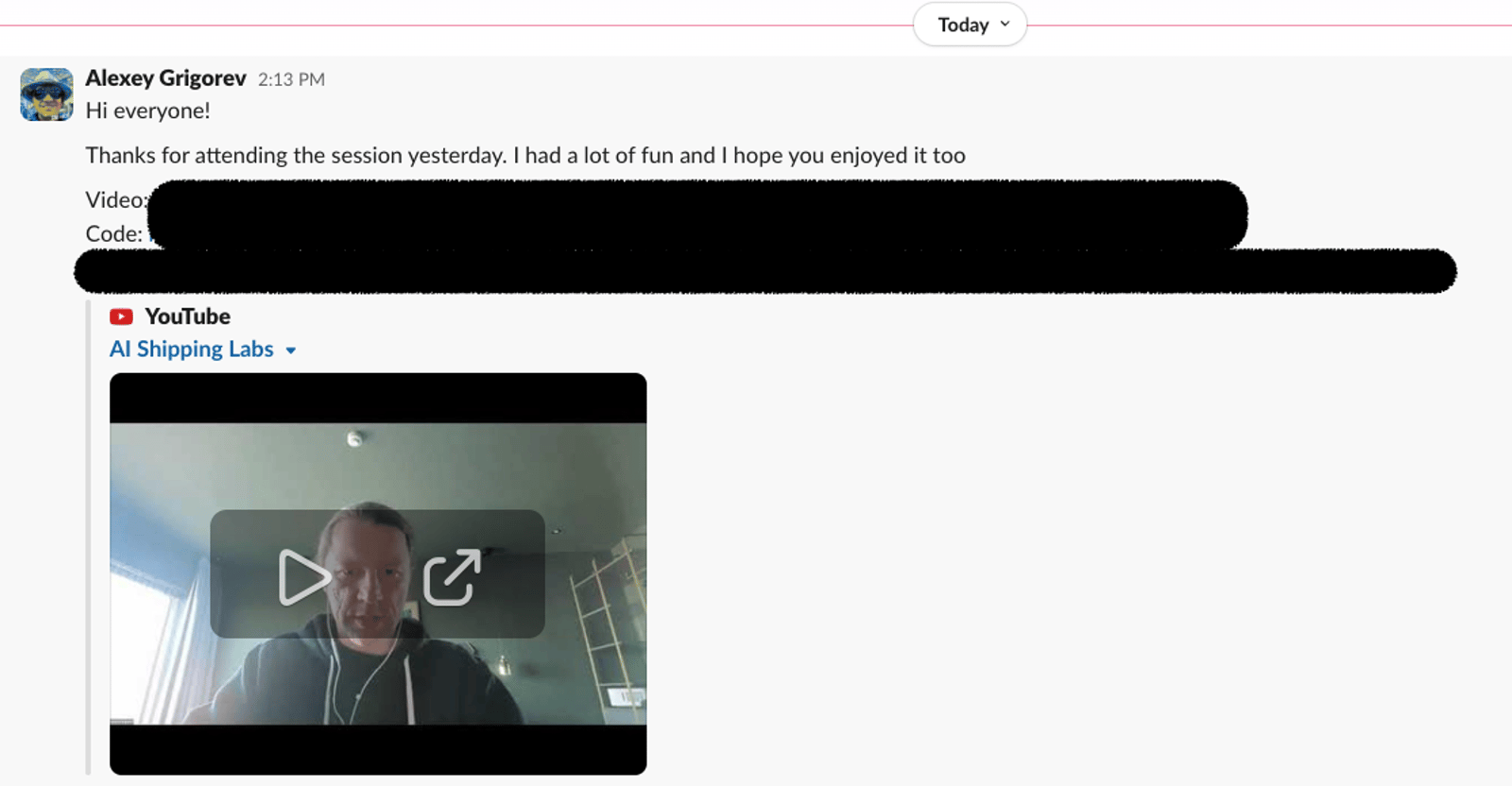
I ran the first workshop inside AI Shipping Labs: “Deploy Your AI Agent Project to Production with FastAPI and a Vector DB”.
In the session, we took an existing Telegram bot agent, built a frontend for it, packaged it as a Docker image, and deployed it on Render.
The format was more freestyle than usual. I prepared some parts in advance, but a lot of it was improvised because I wanted it to feel closer to real project work.
It ran for about two hours, longer than usual, but the feedback was good. Based on that, I want to do more sessions like this in AI Shipping Labs.
The recording and code are already available in the AI Shipping Labs Slack community, and I’m now turning the workshop into a step-by-step written tutorial for members.
If you’d like access to the materials, you can join AI Shipping Labs. Slack is included in the Main and Premium tiers.
2. PyConDE in Darmstadt
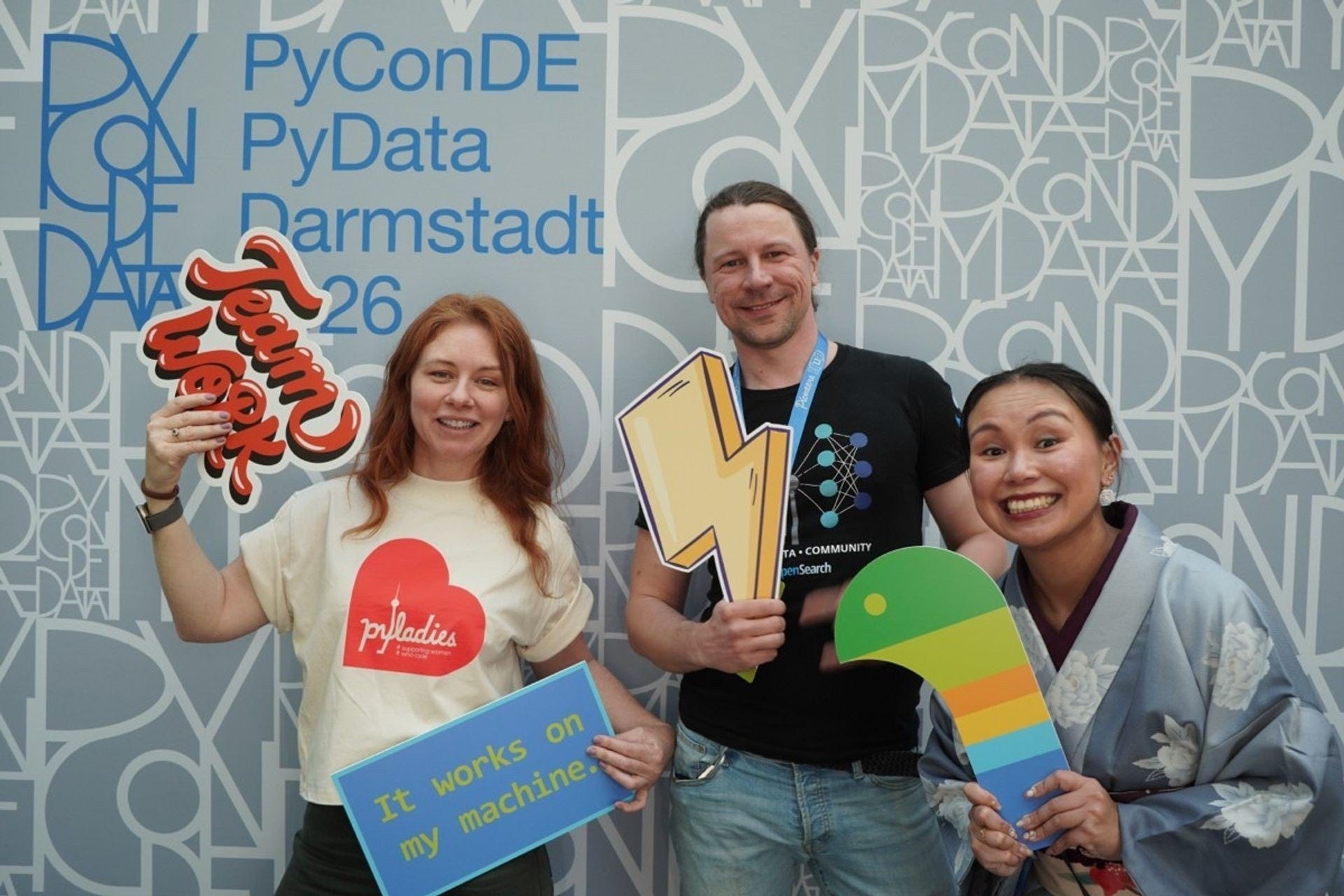
I was in Darmstadt for PyConDE, the Python and PyData conference, where I recorded a series of interviews.
I spoke with community leaders, educators, developer advocates, and Python tooling builders. A few themes kept coming up across the conversations: how Python is changing in the age of AI, how conferences help sustain technical communities, and why human connection, mentorship, and strong fundamentals still matter.
Among the people I spoke with were Jessica Greene, Cheuk Ting Ho, Sebastian Raschka, Kyle Into, Valerio Maggio, Tereza Iofciu, and Irina Saribekova.
Listen to the full recording here:
Tools


DeathByClawd is a joke tool, but it makes a real point. It tries to answer a simple question: if Claude got a bit more packaging, would this product still matter? Running it on DataTalks.Club produced a 12/100 SAFE score and a surprisingly accurate roast. The result is funny, but the underlying point is serious: communities are much harder to replace than interfaces.
Claude Memory Compiler is a practical implementation of Andrej Karpathy’s idea of an LLM knowledge base for personal work. It takes Claude Code conversations, extracts the useful parts, and organizes them into a searchable set of Markdown notes. What makes it interesting is that retrieval does not rely on vector search or a full RAG stack. Instead, it uses a structured index, based on the idea that at a personal scale, clean organization can work better than heavier infrastructure.
Resource
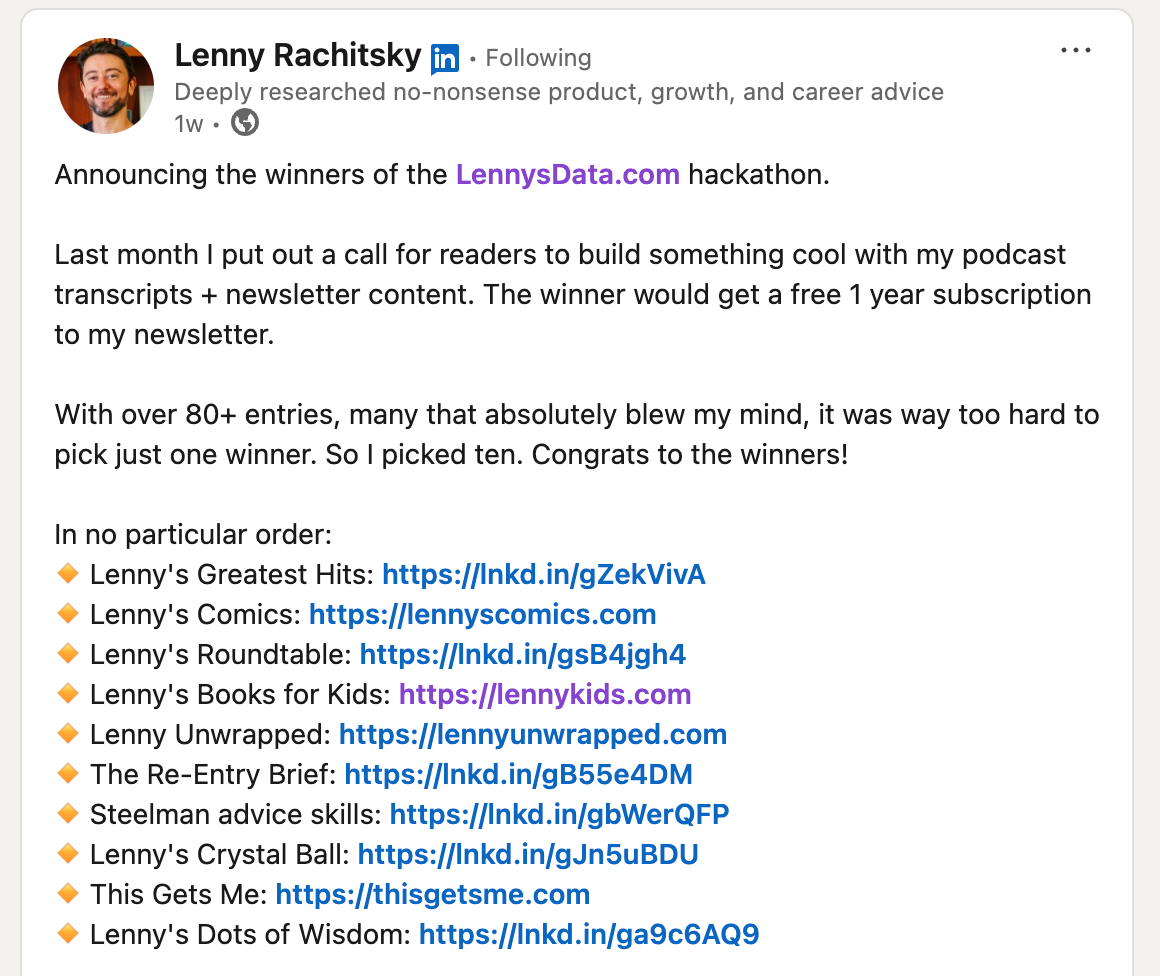
LennysData.com hackathon winners is a useful reference if you are looking for ideas for a personal project built on open content. The winning entries came from a hackathon based on Lenny Rachitsky’s podcast transcripts and Lenny's Newsletter archive, and included projects like Lenny’s Greatest Hits, Lenny’s Comics, and Lenny’s Dots of Wisdom. A good reminder that once content is available in a structured form, it can become raw material for many small products and experiments.
Edited by Valeriia Kuka
Thank you for this insightful information. It's so helpful to learn from others as they work through real pain points. It's also helpful to hear the intentions of each improvement - helpful reminder to breakdown large problems into smaller, manageable bits.