

Over the past few weeks, I’ve been trying out a new way of working with agent teams for software development using Claude Code. Instead of just seeing it as a single tool, I’ve started thinking of the main session as an orchestrator that directs a small team of agents.
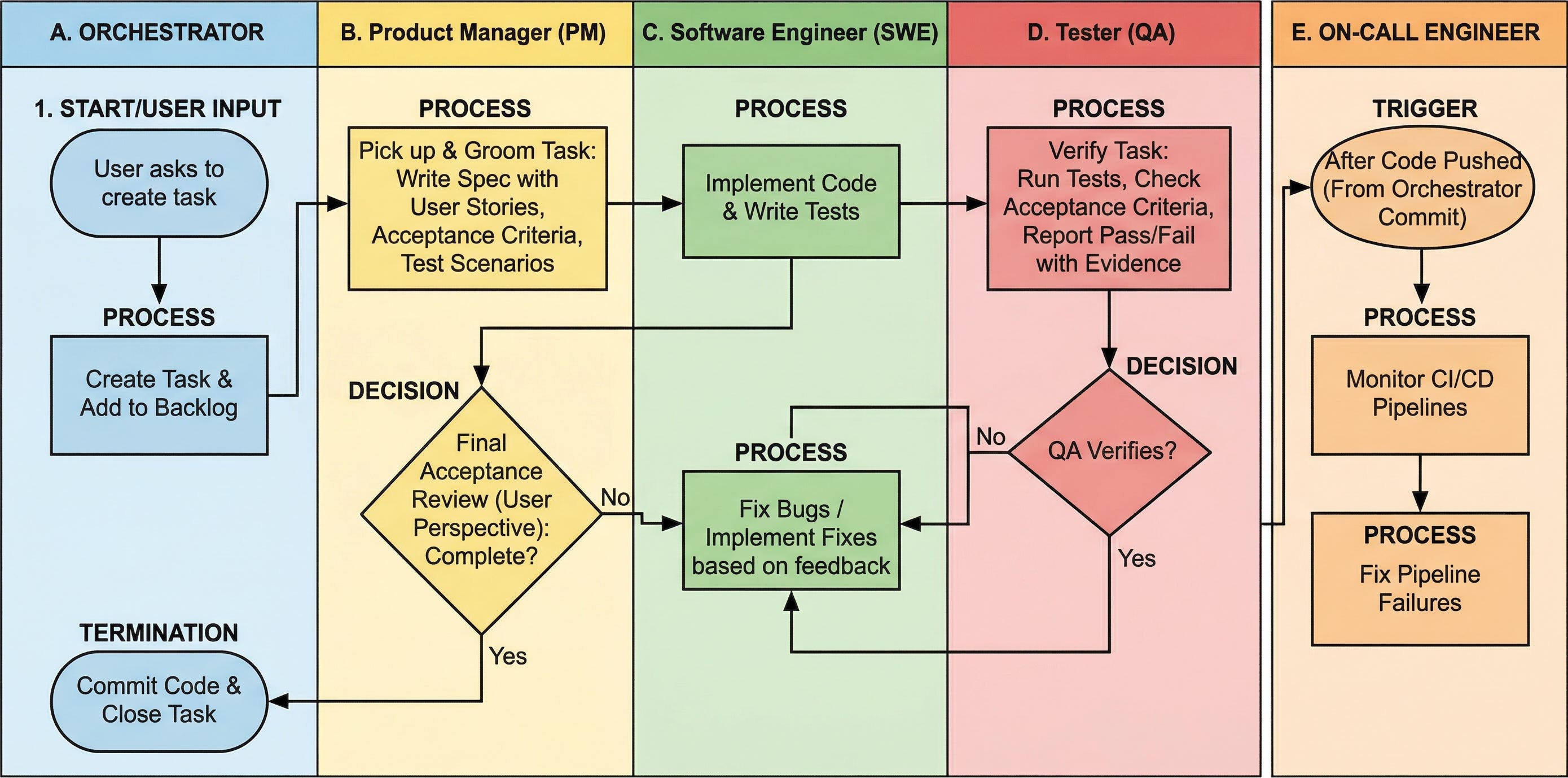
I’ve tested this setup on a few projects now, and while it’s still a work in progress, I can already see what works, what doesn’t, and what controls are needed to let the agents build real projects with minimal oversight.
In this post, I’ll share what my setup looks like: how I describe the agents, how they interact, how it all fits into a single-team workflow, and how I used this approach to build five different projects.
Background
For small tools, I usually dump my idea into my Telegram Writing Assistant or talk to ChatGPT to refine it (or both). I iterate with Claude until the concept works. This approach is sufficient for smaller utilities or projects that I can easily manage.
But it falls short for more complex projects with too many moving parts and tasks at different stages. For example, it doesn’t provide a way to verify the agent’s claims that a task is complete or test that it was implemented correctly according to the plan.
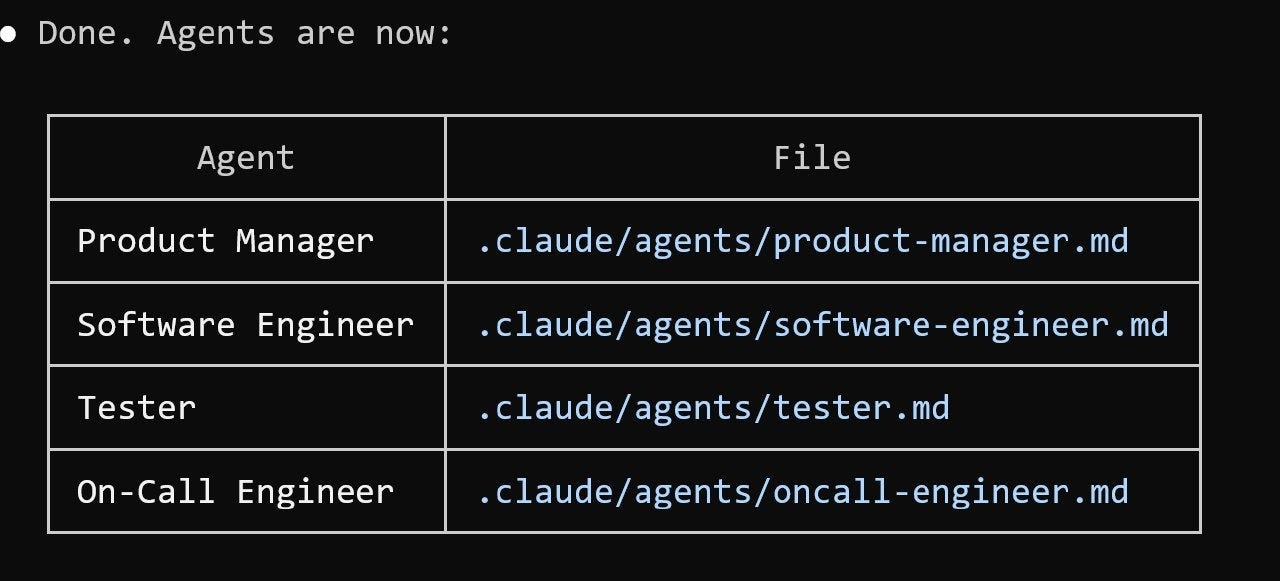
That’s why I decided to try building a team of agents, each with their own role, with the main session serving as the orchestrator: it launches agents, assigns tasks among them, ensures compliance with the process, and only commits the work after the final acceptance step is completed.
The Team and the Process
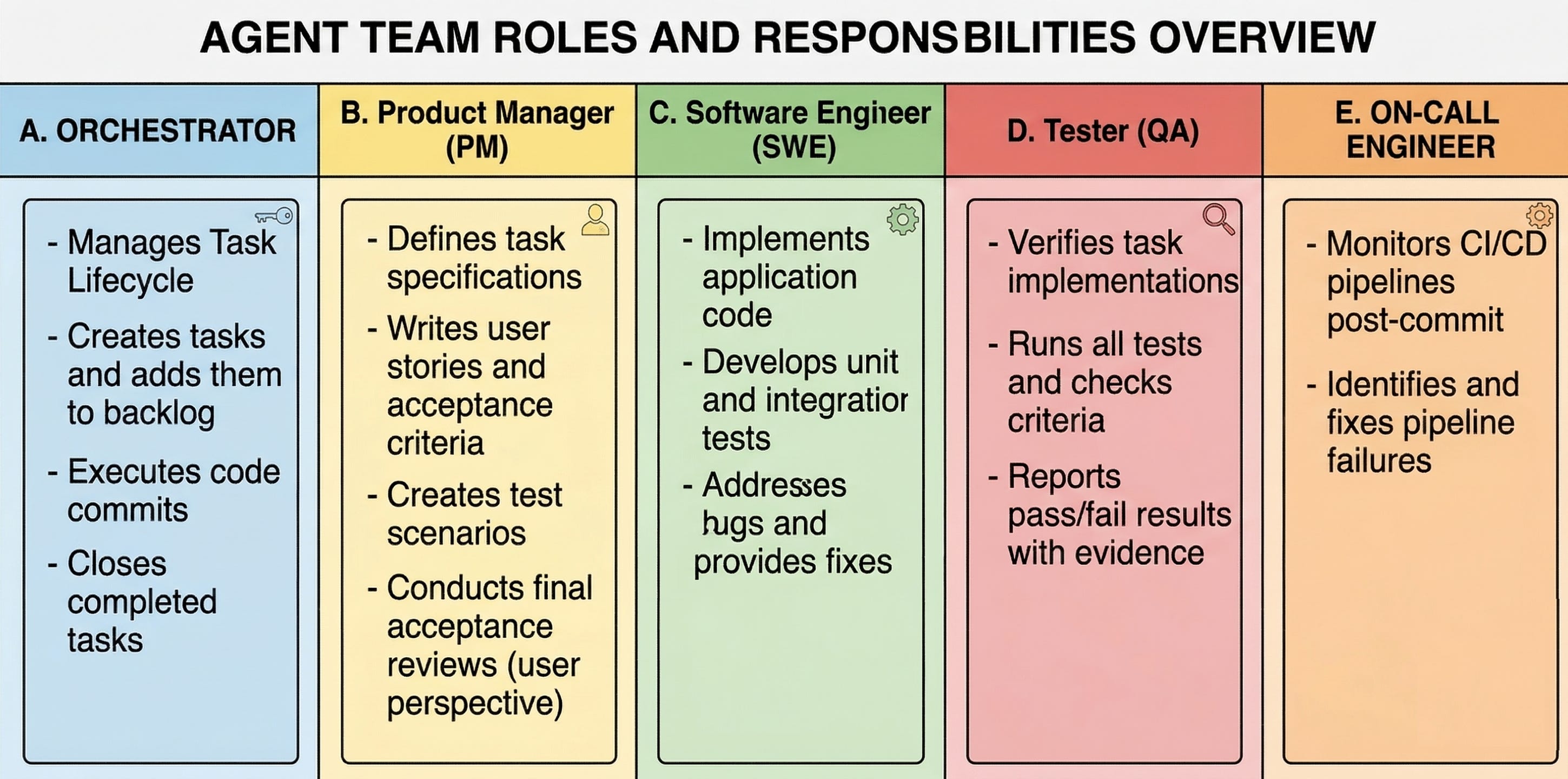
In my current setup, the work is split across four roles.
The Product Manager (PM) takes a raw task and turns it into something implementable: a spec with user stories, acceptance criteria, and test scenarios. Later, after implementation and QA, the PM reviews the result from the user’s perspective and decides whether the task is actually complete.
The Software Engineer (SWE) implements the code and writes tests.
The Tester (QA) runs those tests, checks each acceptance criterion, and reports pass or fail with evidence.
The On-Call Engineer monitors CI/CD after code is pushed and fixes pipeline failures.
Each role has a narrow set of responsibilities, which makes it harder to skip steps and easier to see where something went wrong. For example, this task distribution allows me to avoid a situation in which the same agent writes the code and decides whether it’s correct.
Pipeline
Every task moves through the same sequence. I ask the orchestrator to create the task and add it to the backlog. The PM picks it up and grooms it. The SWE implements it. QA verifies it. If QA rejects the task, it goes back to the SWE for fixes. If QA accepts it, the PM does a final acceptance review. Only after the PM accepts does the orchestrator commit the code and close the task.
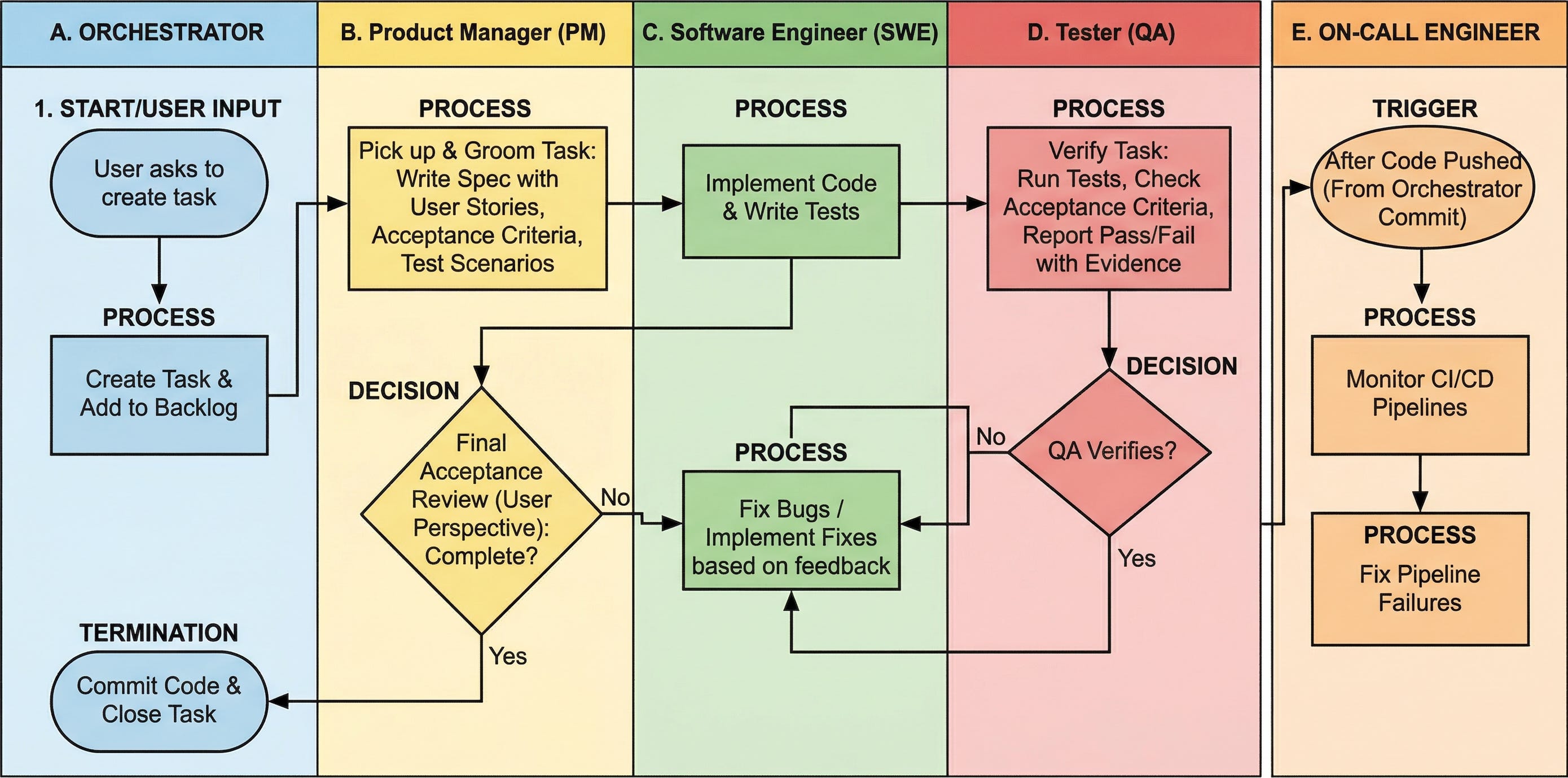
The final PM review is important for making sure the result aligns with the user story, which is a key requirement beyond just passing tests. A feature might seem done from an engineering standpoint, but can still flop in real-life situations.
The process is written down in the repository so the agents can follow it consistently:
.claude/agents/ contains the role definitions
PROCESS.md describes the development workflow
CLAUDE.md contains project-level instructions
The execute skill starts the pipeline
Parallel Batches
I usually run two tasks in parallel. When that batch is finished, the orchestrator pulls the next two from the backlog.
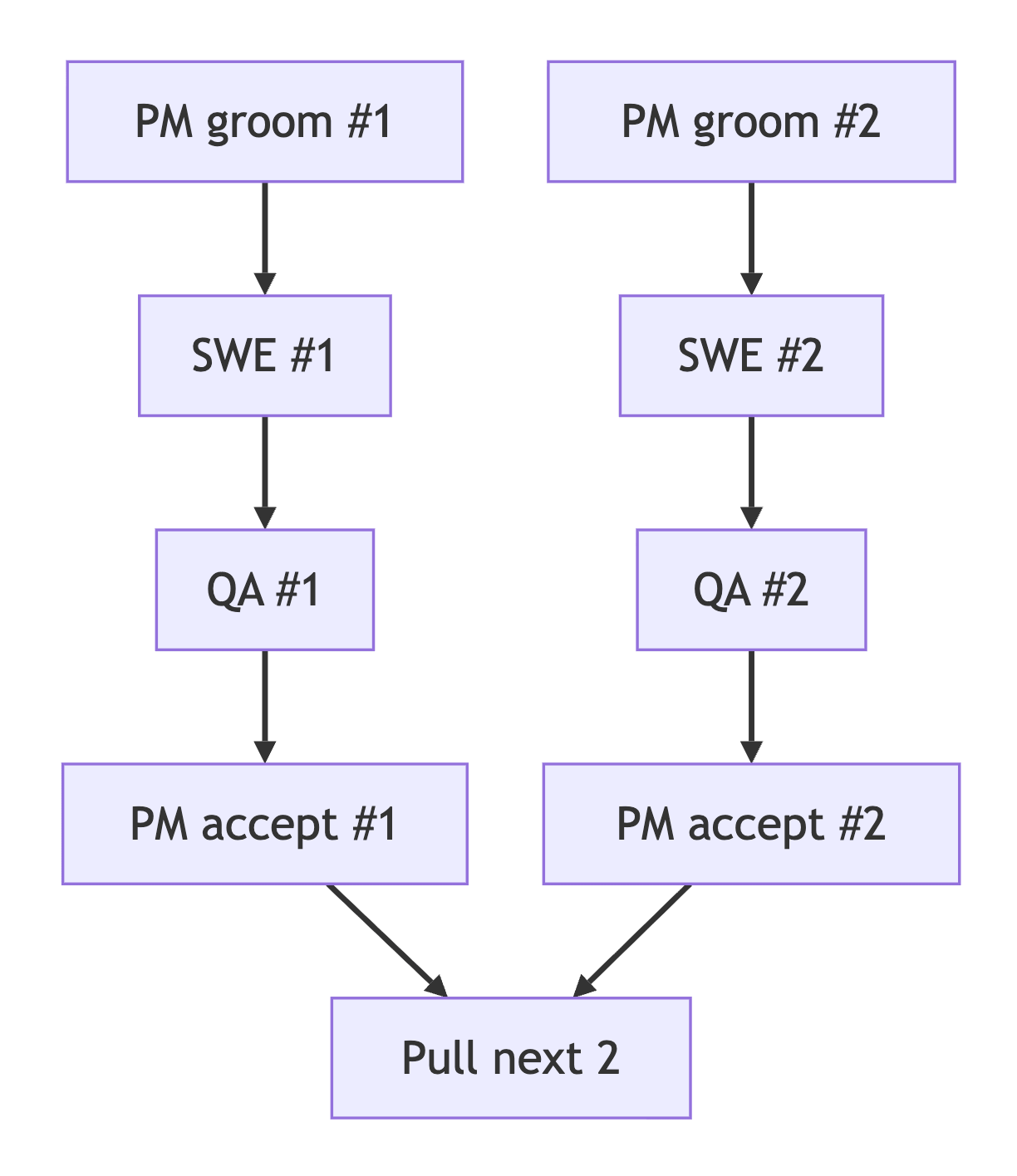
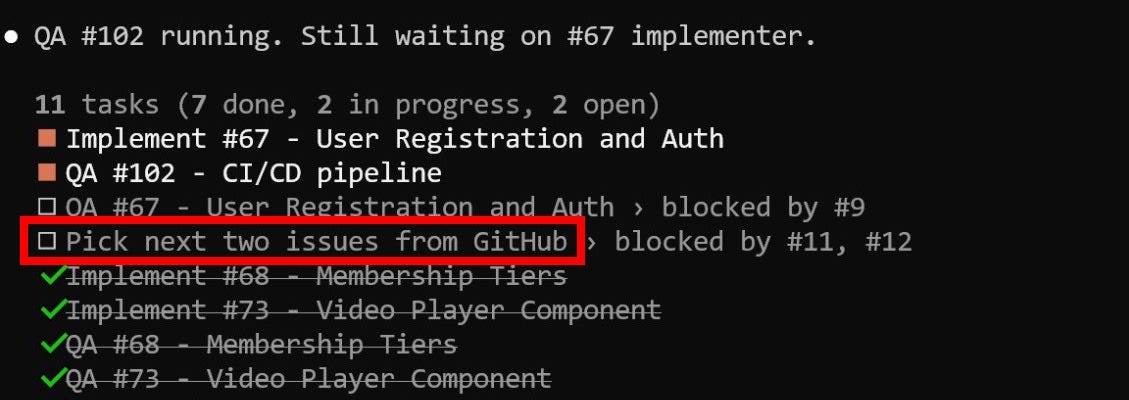
To keep the loop going without manual intervention, I keep a recurring instruction in the task list that tells the orchestrator to fetch the next batch and then add the same instruction again. That way, the process continues until the backlog is empty, rather than stopping after each batch is completed.
Task Tracking
For tracking, I use either GitHub Issues or a file-based tracker/ folder. GitHub Issues work well when I want visible coordination and agent reports attached to each task. The file-based approach is lighter: task status is encoded in the filename, moving from .todo.md to .groomed.md to .in-progress.md, and eventually into done/.
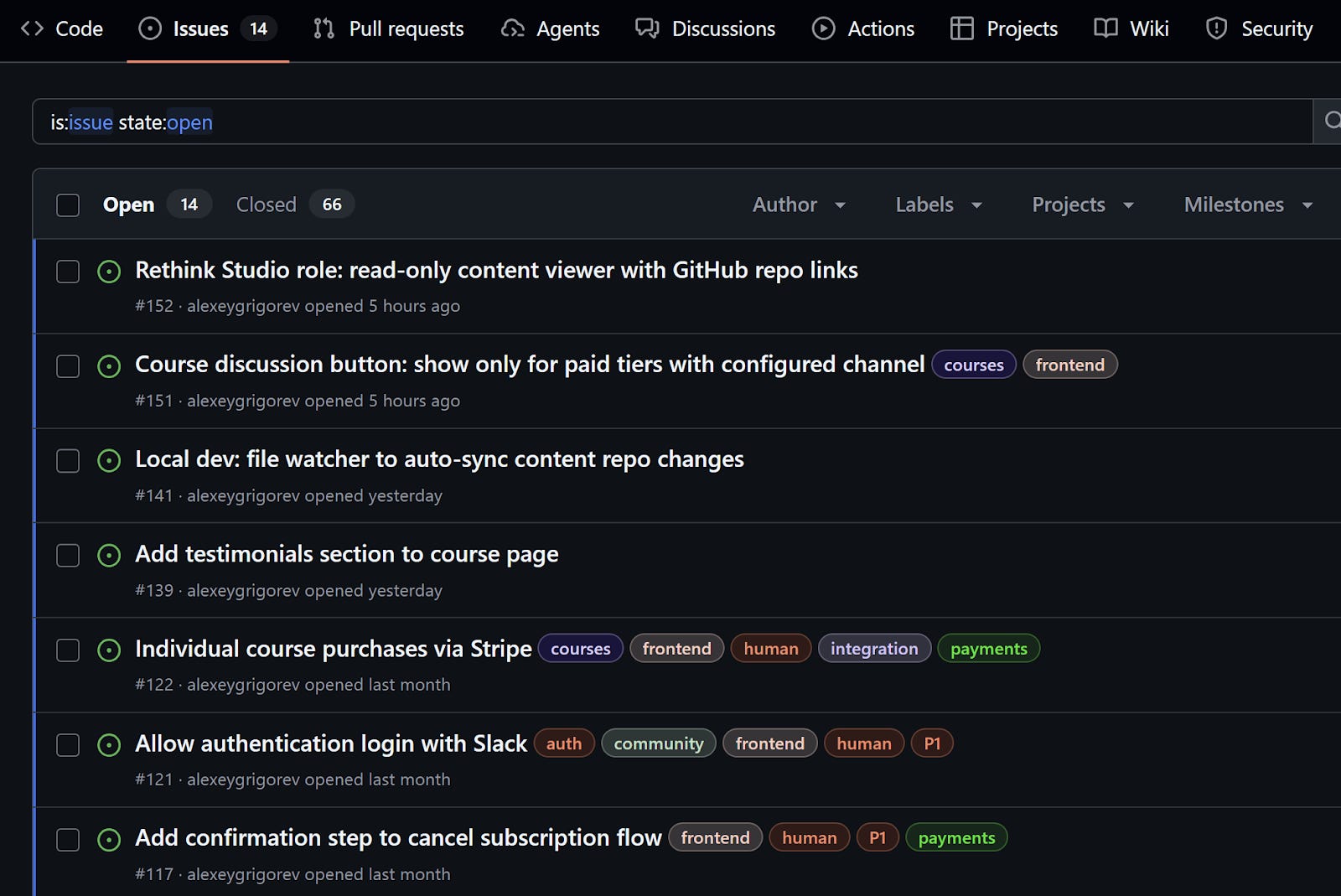
In the following sections, I describe the projects I implemented using the agent team approach. For task tracking, I used GitHub for some projects and a file-based version control system for others.
The tool itself matters less than the workflow around it. In both cases, the same PM -> SWE -> QA -> PM loop stays in place.
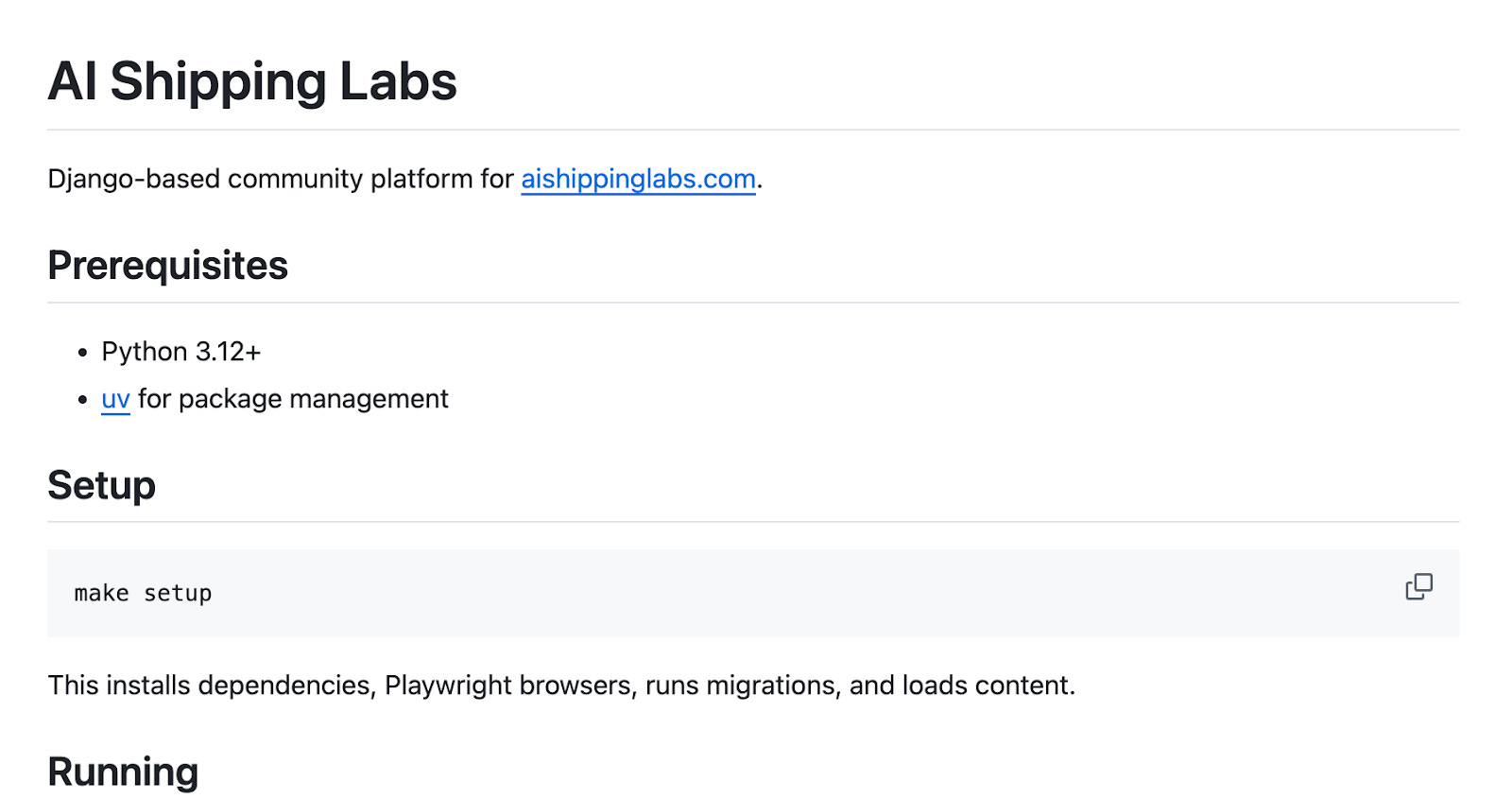
1) AI Shipping Labs Website
My first serious attempt at this approach was the AI Shipping Labs community platform. I will describe it in more detail in a separate article, but here I want to focus on how the process worked.
When Valeriia and I decided to create a new community, we started by collecting requirements for the platform that would host it. We recorded a lot of voice messages and had multiple sessions with ChatGPT, and eventually it became clear that no existing platform matched what we wanted, so building our own made more sense.
At that point, the requirements already existed, but they were spread across multiple sources. I pulled everything into one file, asked Claude Code to turn it into specifications and then into tasks, and used GitHub Issues as the tracker.
Once the setup was ready, I let the agents run through the night. The next morning, 41 out of 46 tasks were already done.
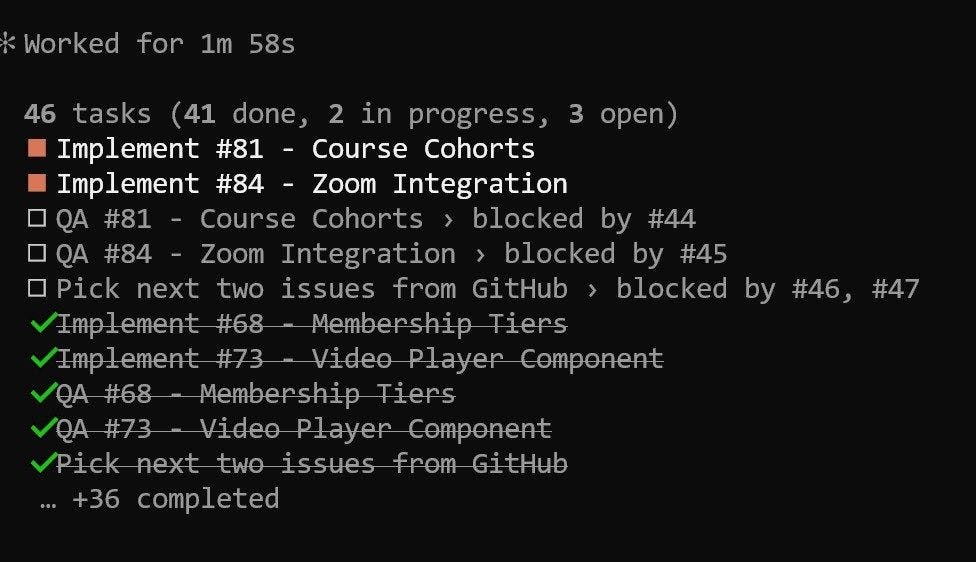
That was the first time I saw that this workflow could handle a non-trivial project. Since then, I have iterated on the methodology many times, but the structure stayed the same: I talk to the orchestrator, it creates an issue, and then it launches the implementation pipeline of grooming, implementation, testing, and acceptance.
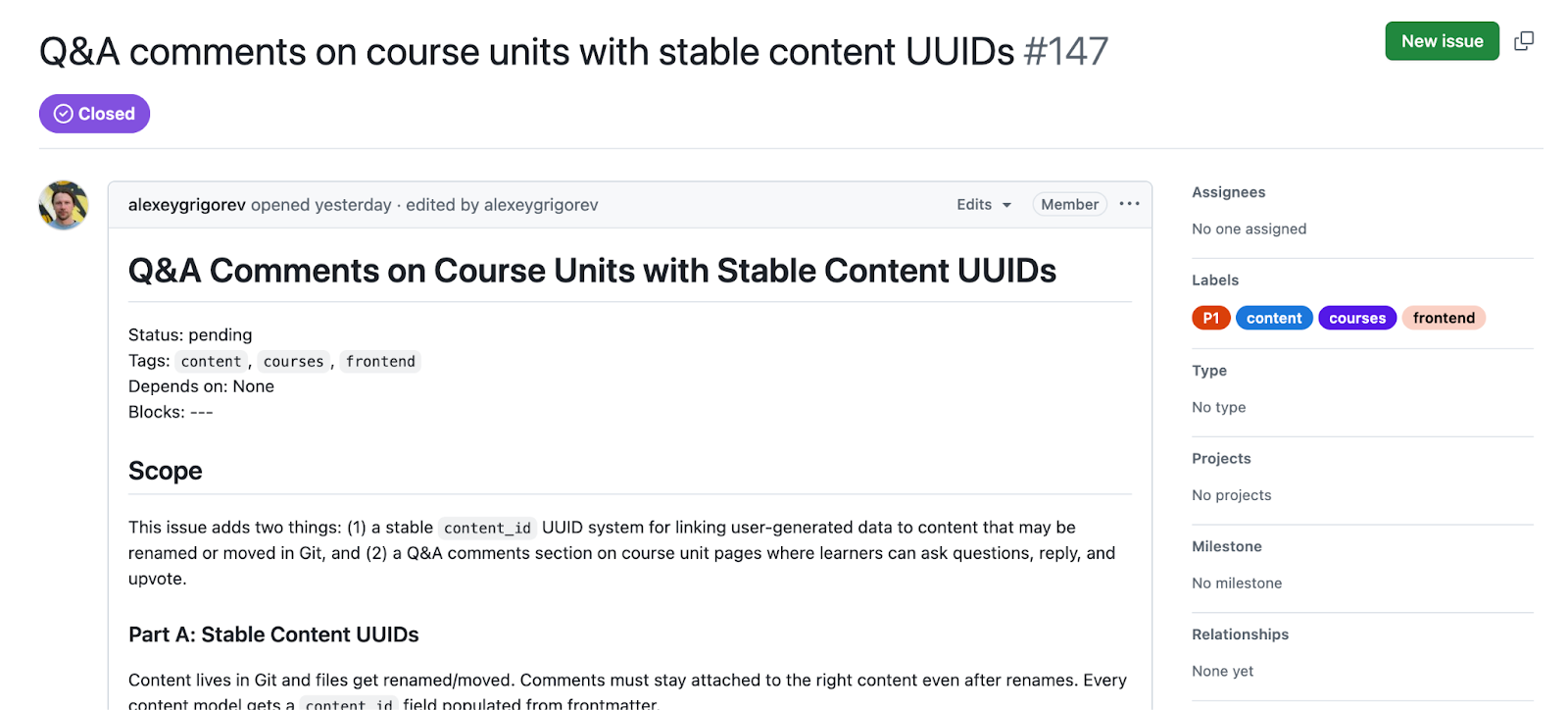
If you want to see how these issues look in practice, check this one about adding comments. The PM described the requirements, acceptance criteria, and test scenarios, the SWE reported that the feature was implemented, QA verified it, and the issue includes screenshots of the final result.
2) DataTasks for DataTalks.Club
After AI Shipping Labs, I wanted to see whether the same methodology would work on a different kind of project.
The first candidate was a task tracker for the DataTalks.Club team. At the moment, our work is split across a Trello board, different spreadsheets, and a Telegram channel with a TODO bot.
This setup works, but it creates a lot of cognitive load. I’ve been planning to replace it with a custom solution, but I haven’t had the time to build one. With coding agents, that became realistic.
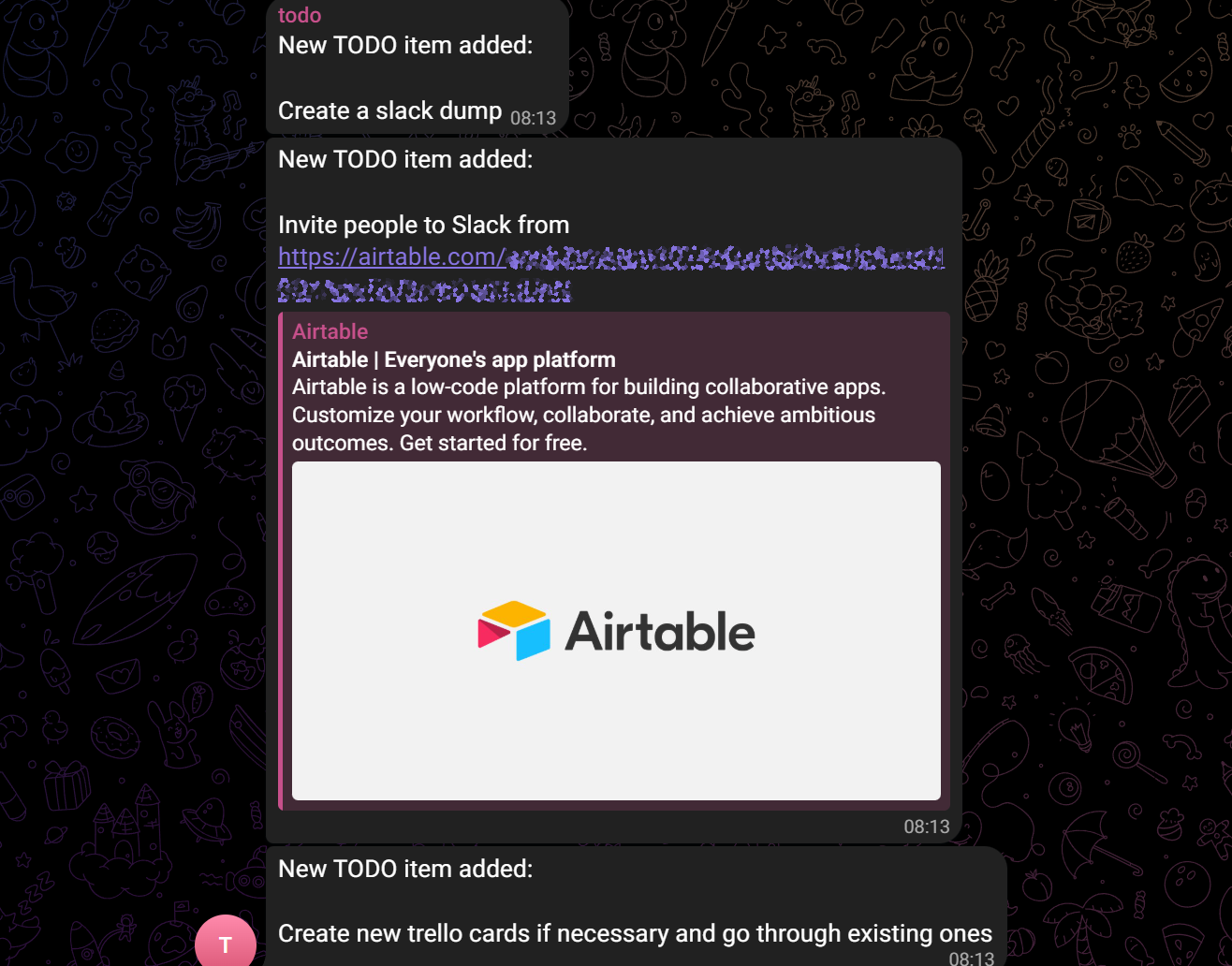
I dictated the requirements through the Telegram bot, added one technical constraint, that the application had to be serverless and run on AWS Lambda with DynamoDB, and let the team choose the rest.
The result is DataTasks. I spent about 20 minutes dictating the requirements, another 20 minutes starting the Claude Code session, and another 20 minutes giving some feedback the next day.
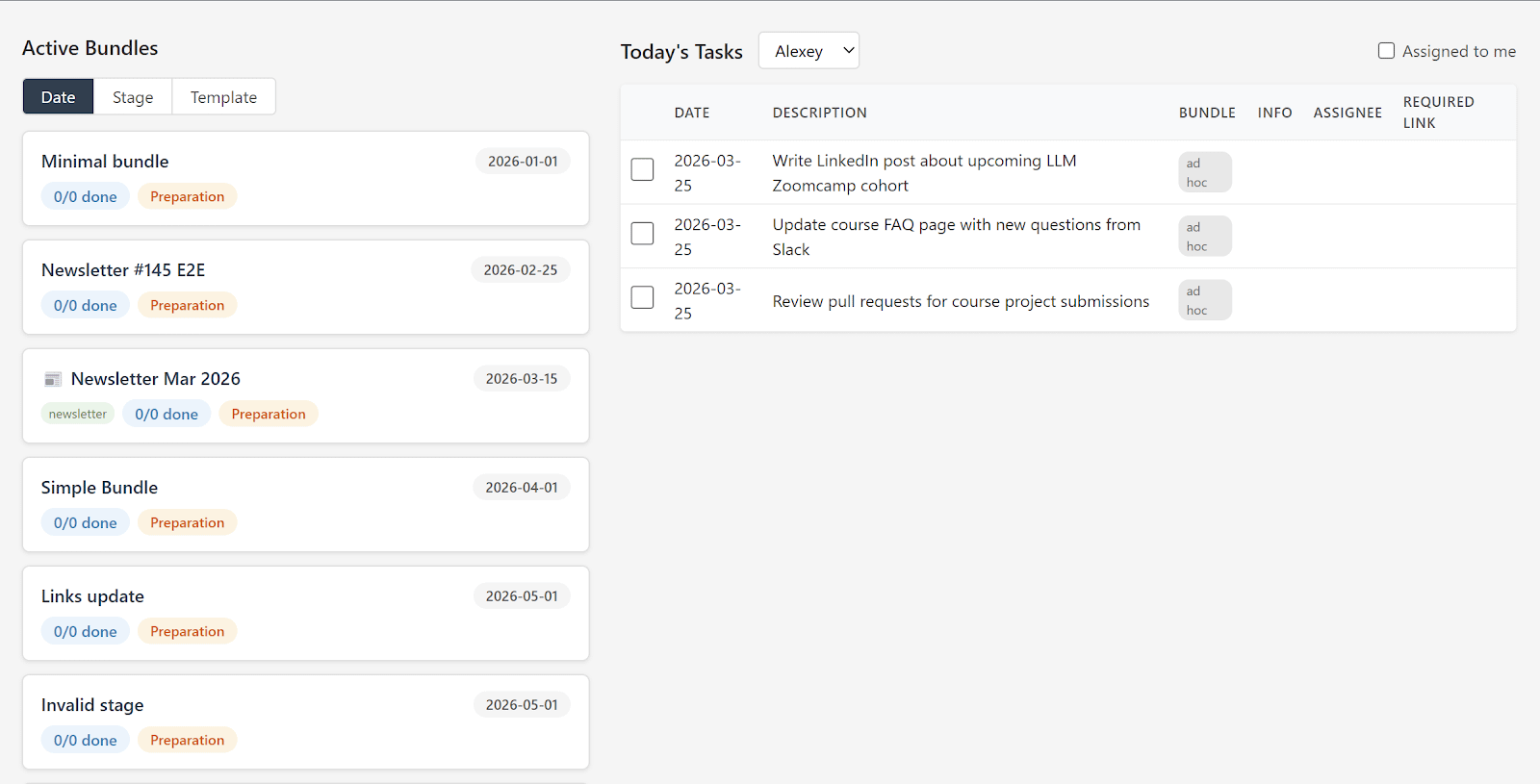
I paused the project for now because I do not have time to evaluate it properly, and our current task-tracking setup still works well enough. But as an experiment, it proved useful, showing that the methodology can be applied beyond a single project.
3) Merm (Mermaid Diagrams)
The next project came from a more specific technical need.
While working on the AI Engineering Buildcamp course, I needed to include diagrams in one of the lessons, and Mermaid was the obvious format for that.
When I tried to render Mermaid diagrams to images from Python, I ran into two limitations. I could not find a Python library that rendered them directly, and the available Node.js solution launched a full browser under the hood. For something as common as Mermaid, that felt unnecessarily heavy.
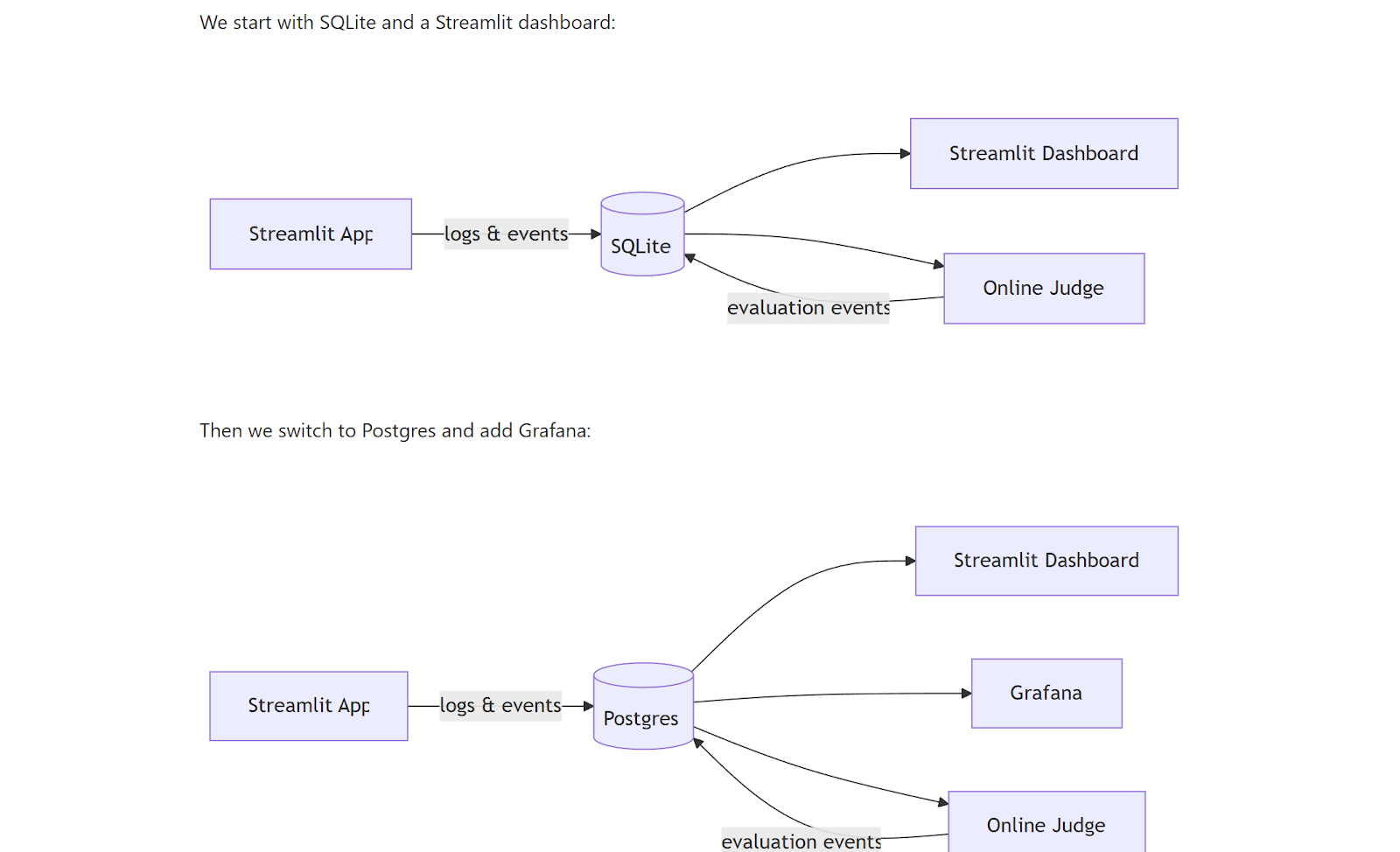
So I asked Claude Code to implement a pure Python renderer.
I followed the same overall methodology, but used the file system instead of GitHub Issues because I did not yet know whether the project would be useful enough to justify a full setup. I created a folder, initialized a Git repository, asked the agent to put all tasks into a tracker folder, and let the filenames encode the state of each task, from .todo.md to .groomed.md to .in-progress.md, and finally into done/.
My role here was mostly to check in occasionally, point out what I did not like, and define clearer criteria when needed. Toward the end, I also asked for benchmarks, because it was not enough for the renderer to work; it also needed to be fast enough to justify using it.
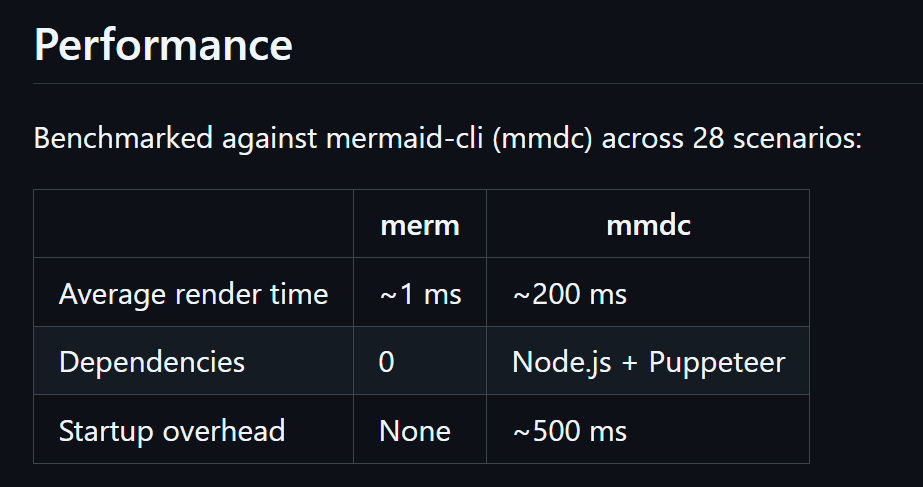
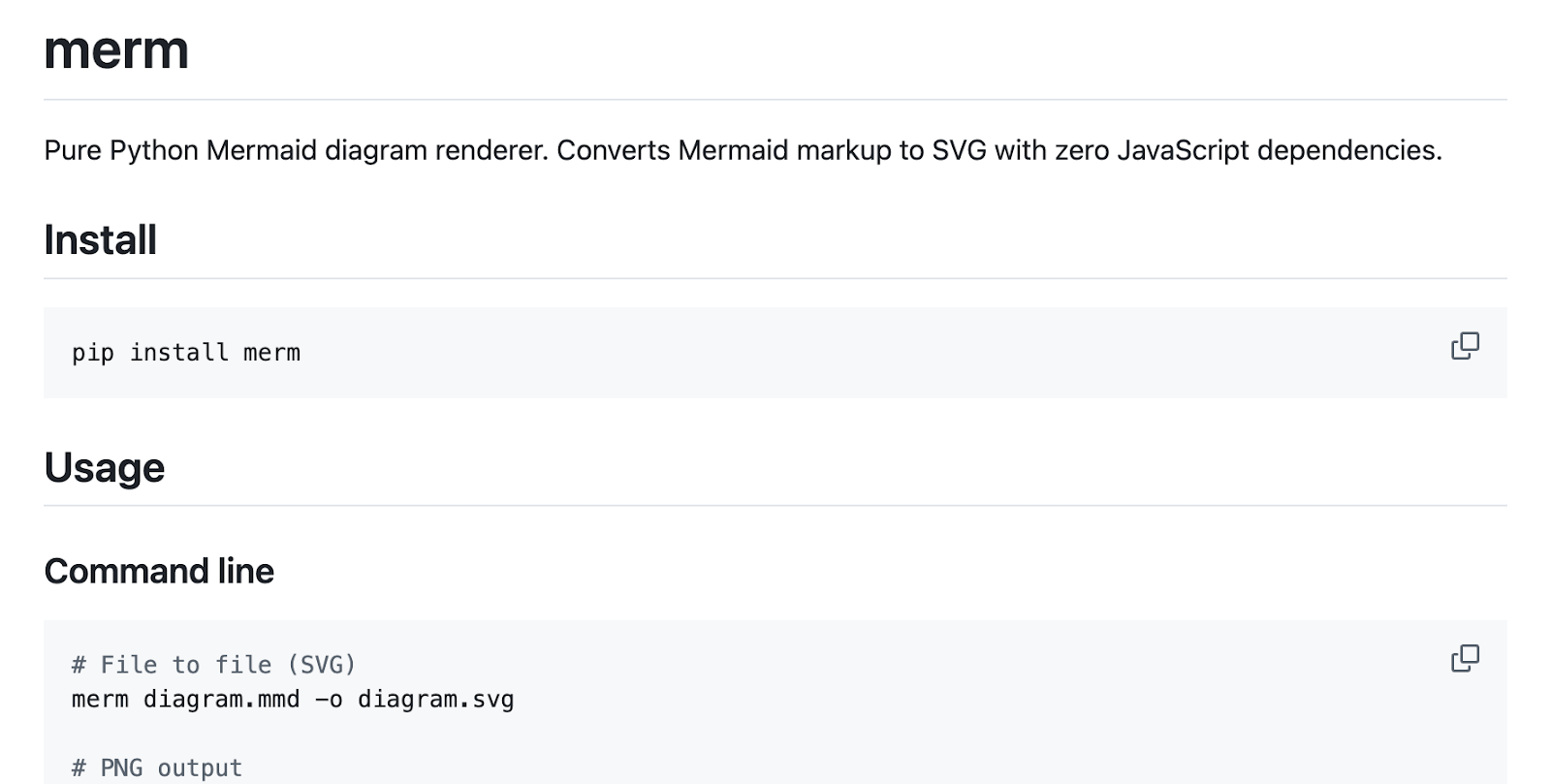
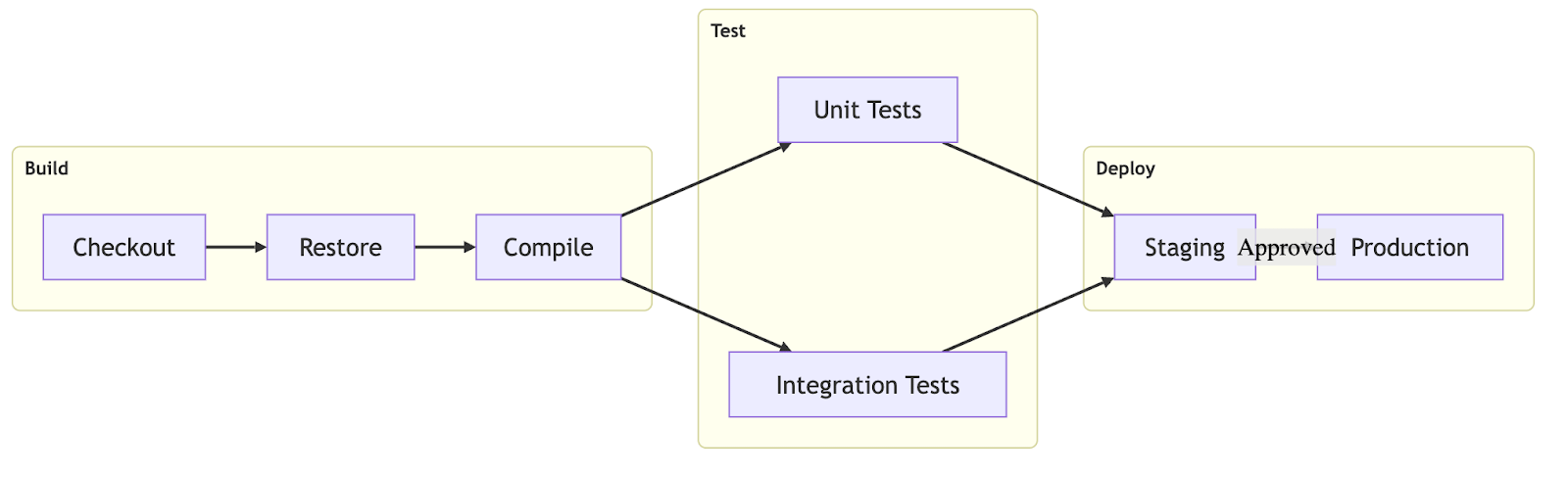
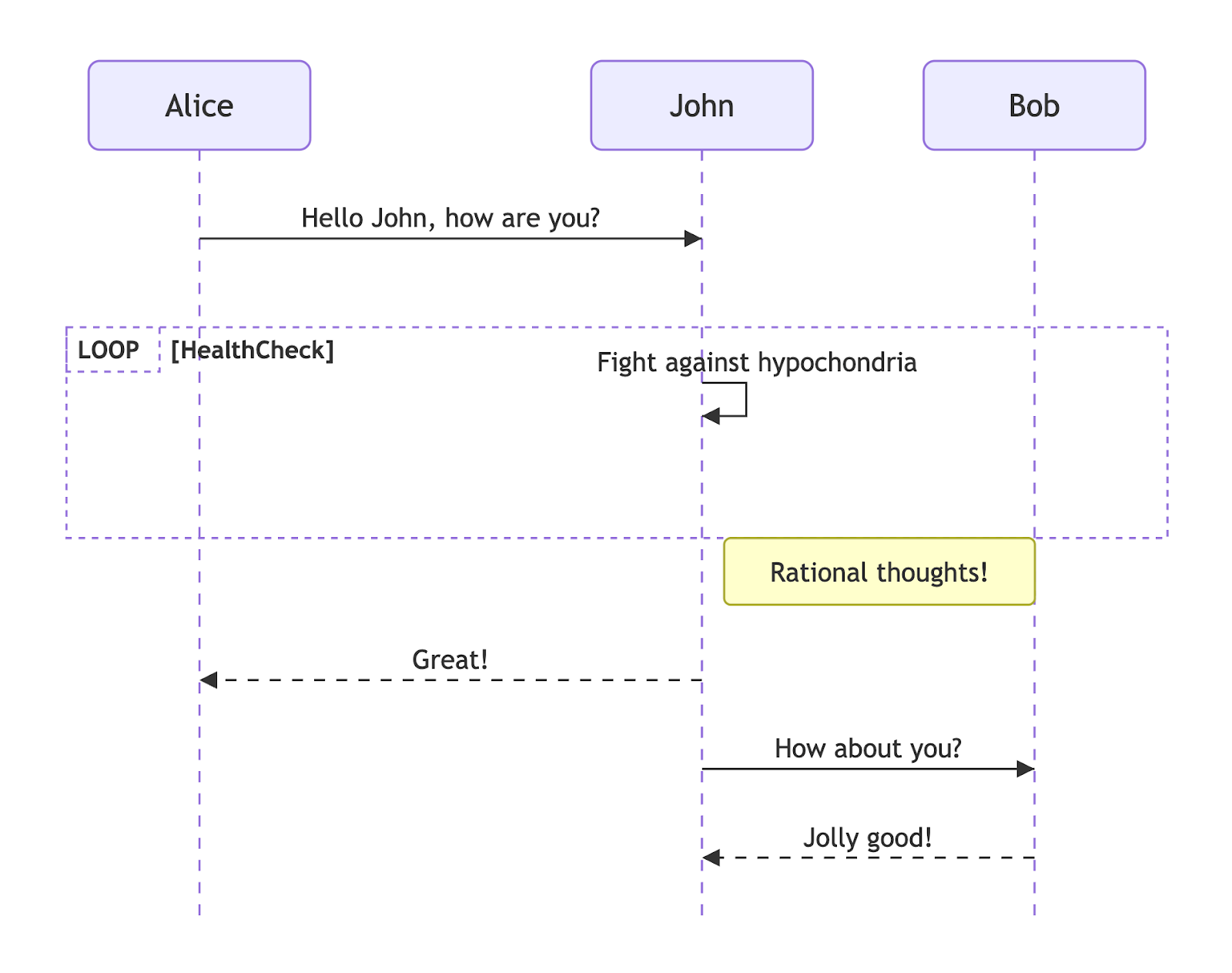
The results were good enough that I published them as merm, and now I use it to generate diagrams, including the ones in this article.
Here are a few examples from the gallery:
4) Rustkyll (Jekyll to Rust)
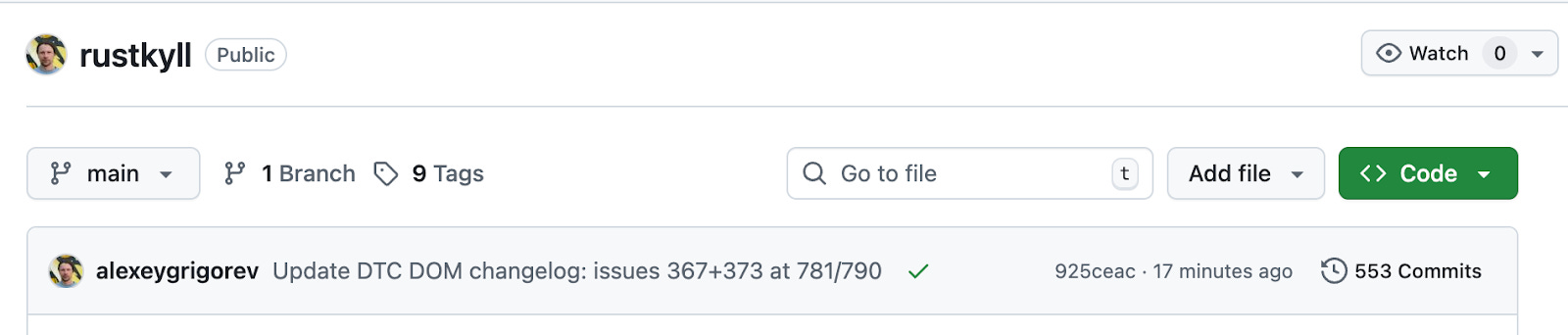
Our DataTalks.Club website uses Jekyll, a static site generator written in Ruby. I still think it is a good choice for small sites, but the DataTalks.Club website has been growing for more than five years, and at this point, building it takes more than a minute on my computer.
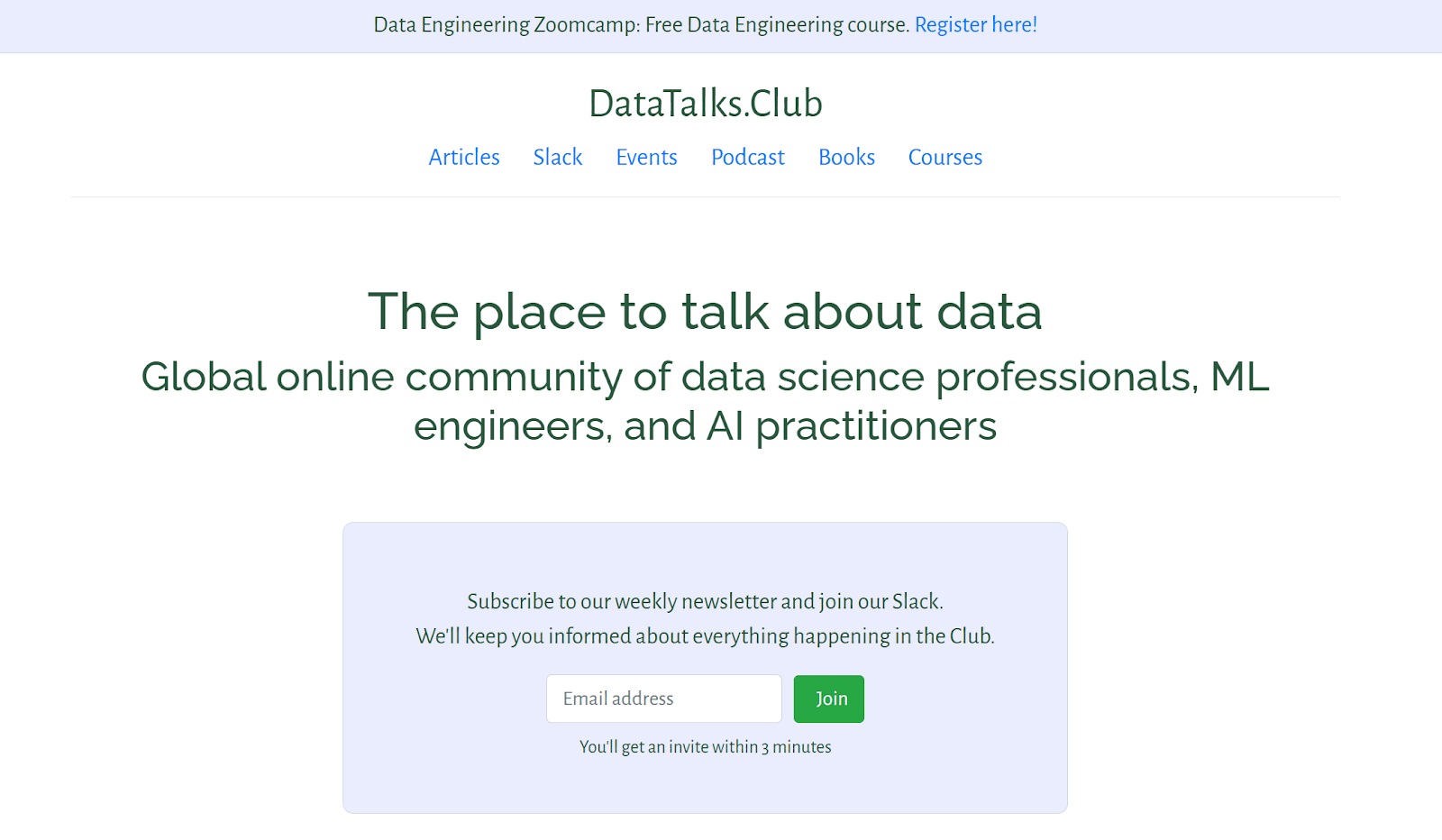
That delay is long enough to interrupt the workflow. I make a small change, wait more than a minute, check the result, and repeat. Recently, I was adding a new sponsor logo, Snowplow, and even that small edit reminded me how much friction had accumulated.
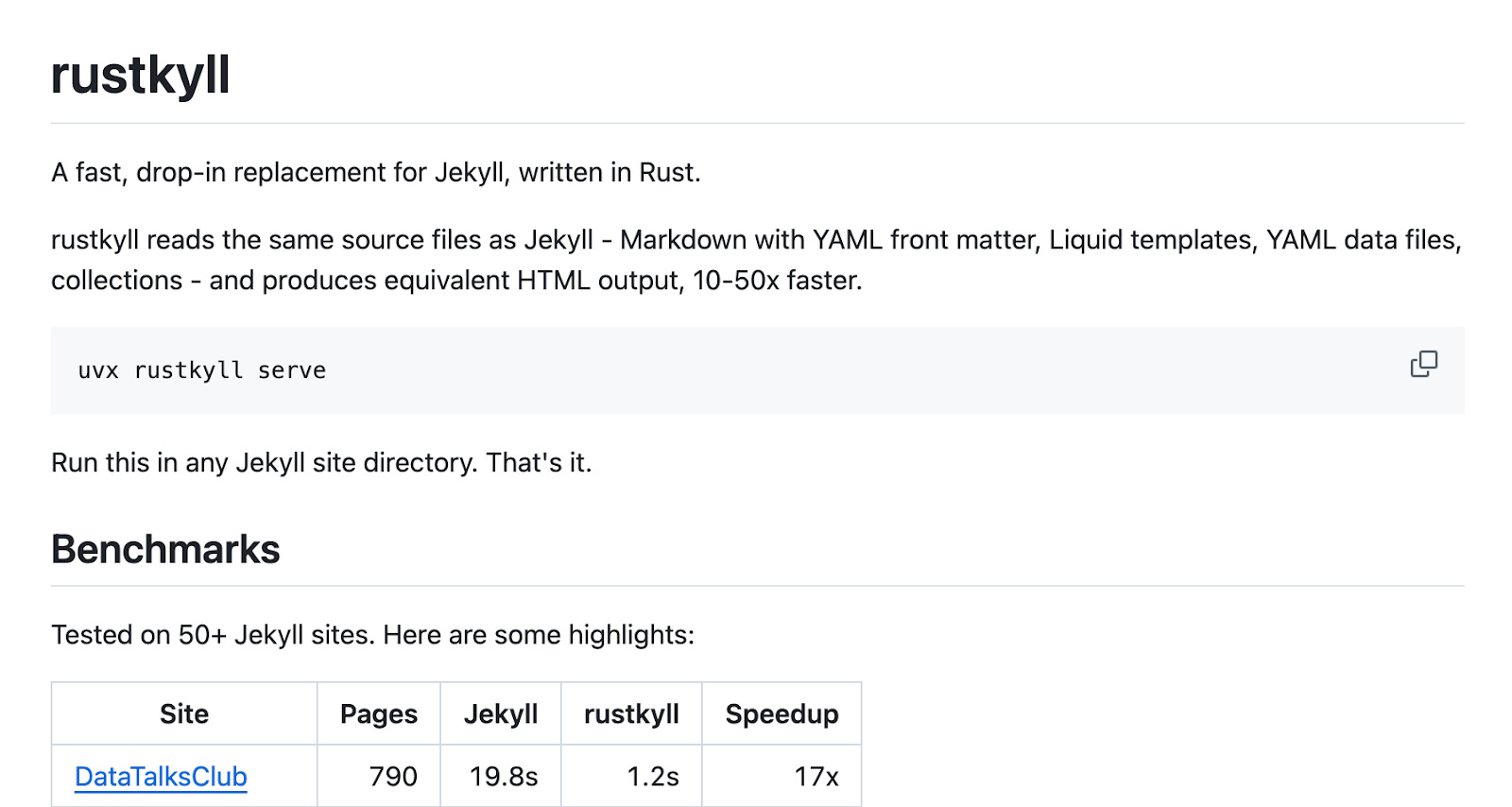
I had wanted to rewrite Jekyll in Rust for months, and this seemed like a good project to further test the methodology, so I started Rustkyll.
Here, I skipped the requirements step, which turned out to be a mistake. I simply pointed Claude to our website and said, “Reimplement it in Rust using this methodology.”
The next day, I checked the output and saw that the result was tailored to our site rather than a generic engine that could support other Jekyll websites. So I had to correct the direction and ask it to find other Jekyll sites and make the implementation work for those too.
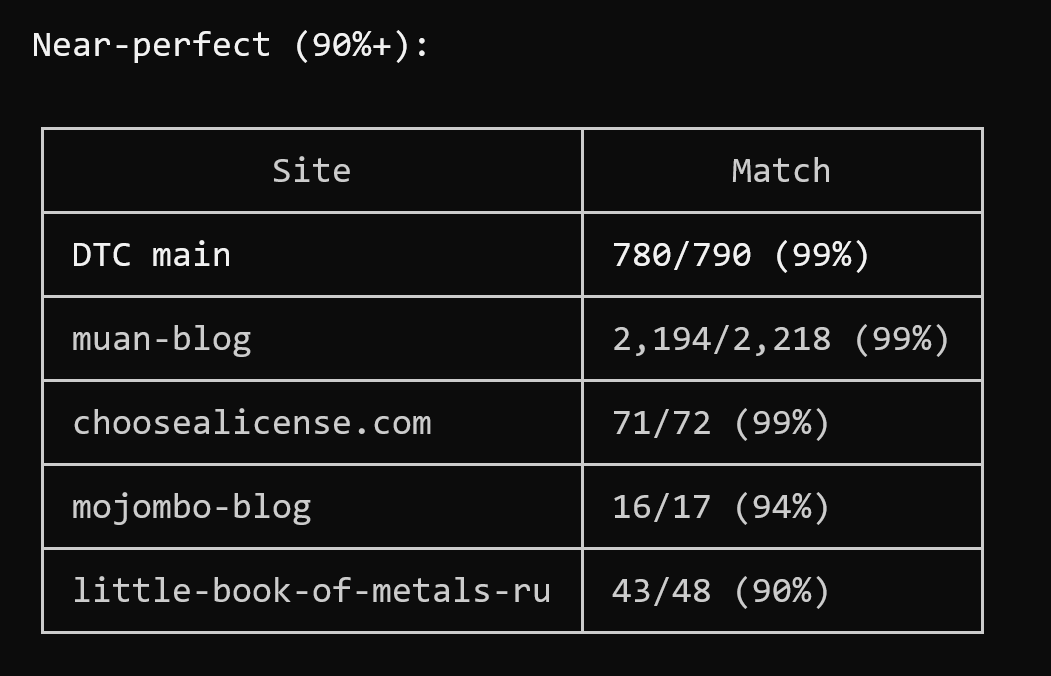
The project has now been running for three weeks, and it is far more complex than I expected. What makes it a good fit for the methodology is that the optimization target is very clear: minimize the differences between Jekyll’s output and Rustkyll’s. Once the backlog is exhausted, the agents can compare the results, identify mismatches, and create new tasks from them.
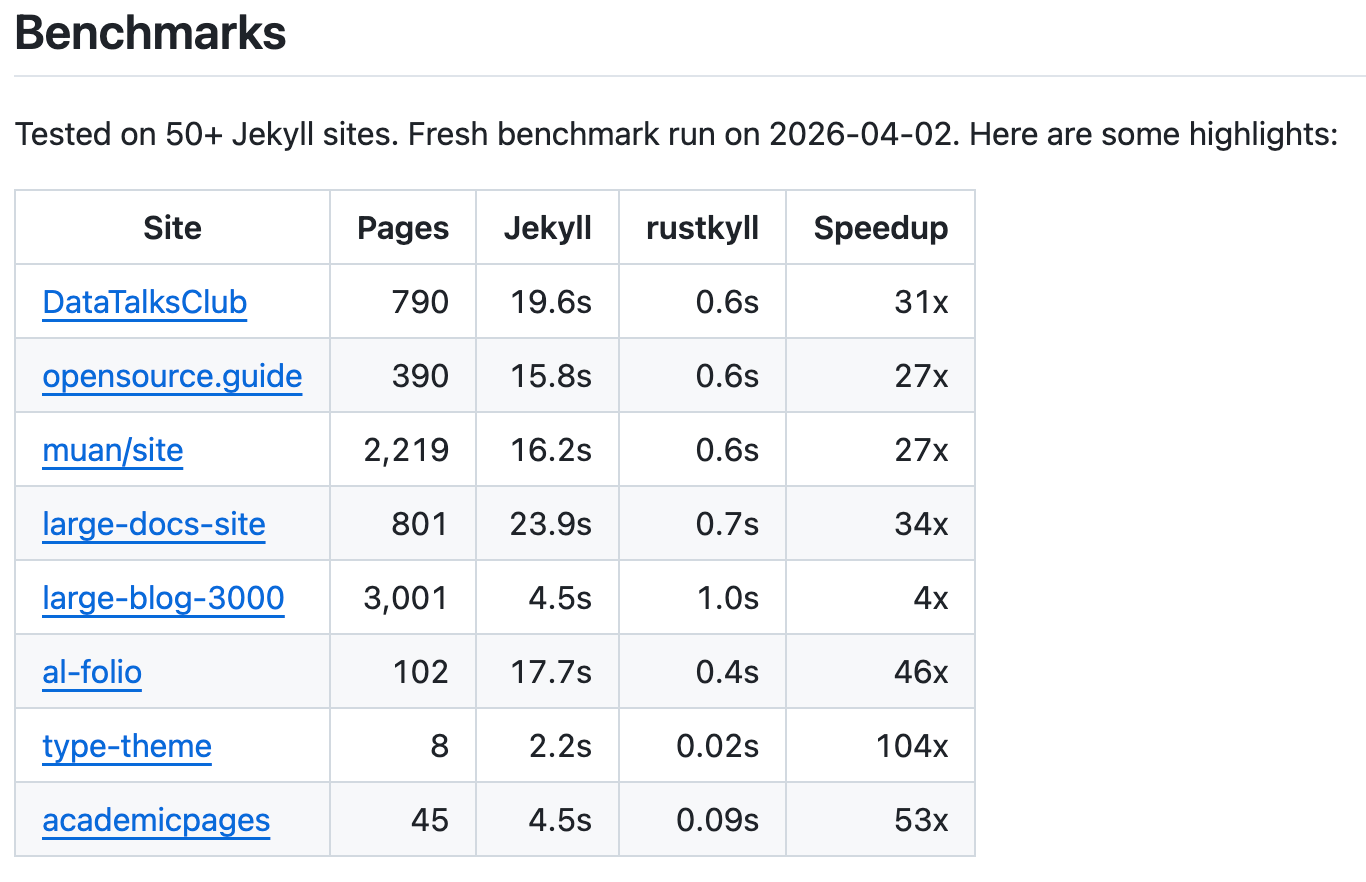
It is still a work in progress, but for the DataTalks.Club website is already much faster, and the visible differences between Jekyll and Rustkyll are now very small.
Here’s a video of the website running on Rustkyll. I recorded it last week, and since then I’ve improved it to roughly 2x the speed shown here:
My role is mostly to check in occasionally, make sure the agents are not idle, and push them forward when needed.
5) Codehive (Coding Orchestrator)
After running several projects using this methodology, I started seeing the same problems repeatedly.
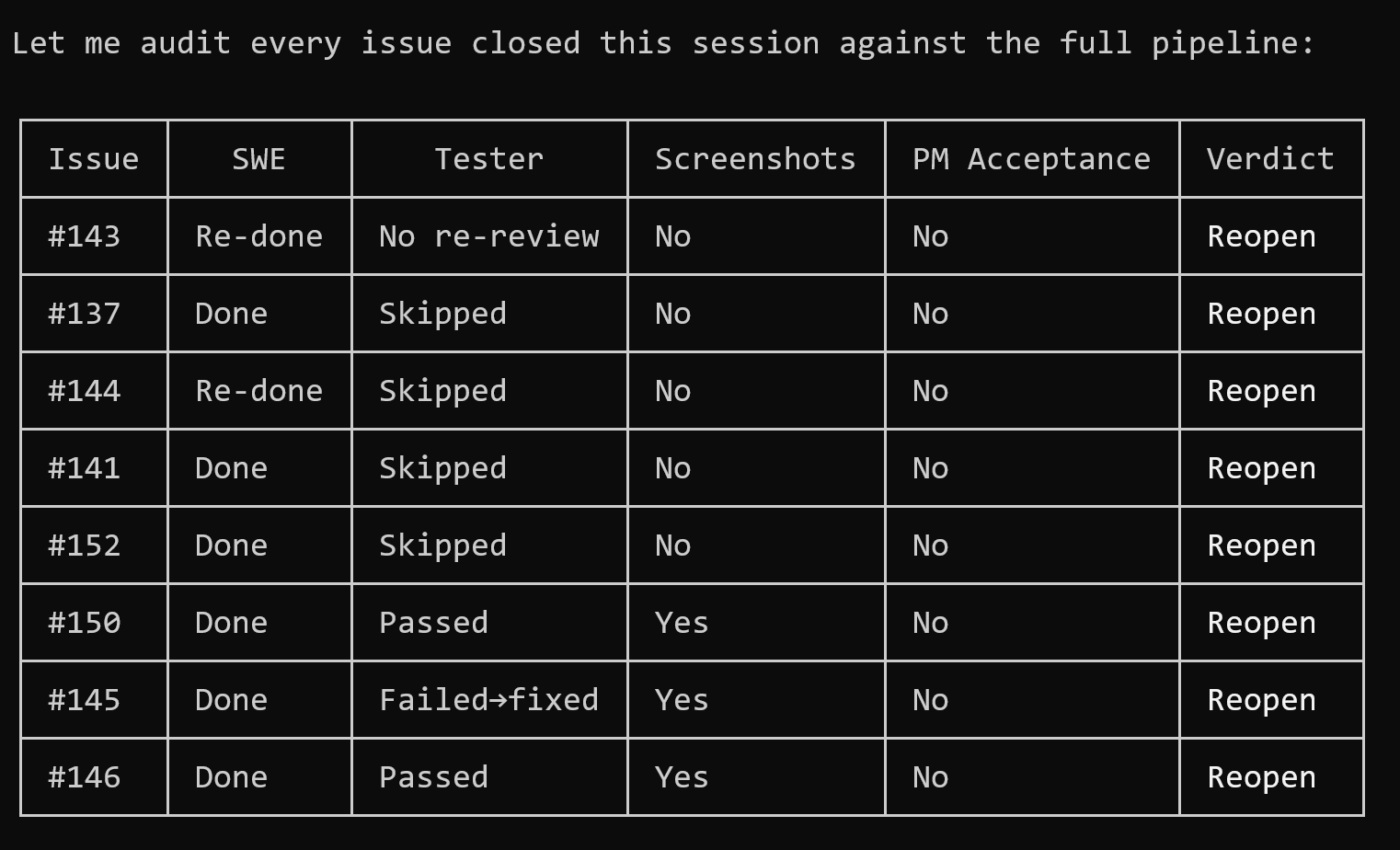
The most common one is that the Claude Code orchestrator stops when it should continue. It can ask “shall we proceed?” and wait for hours, or report that the work is done even though there are still items in its task widget.
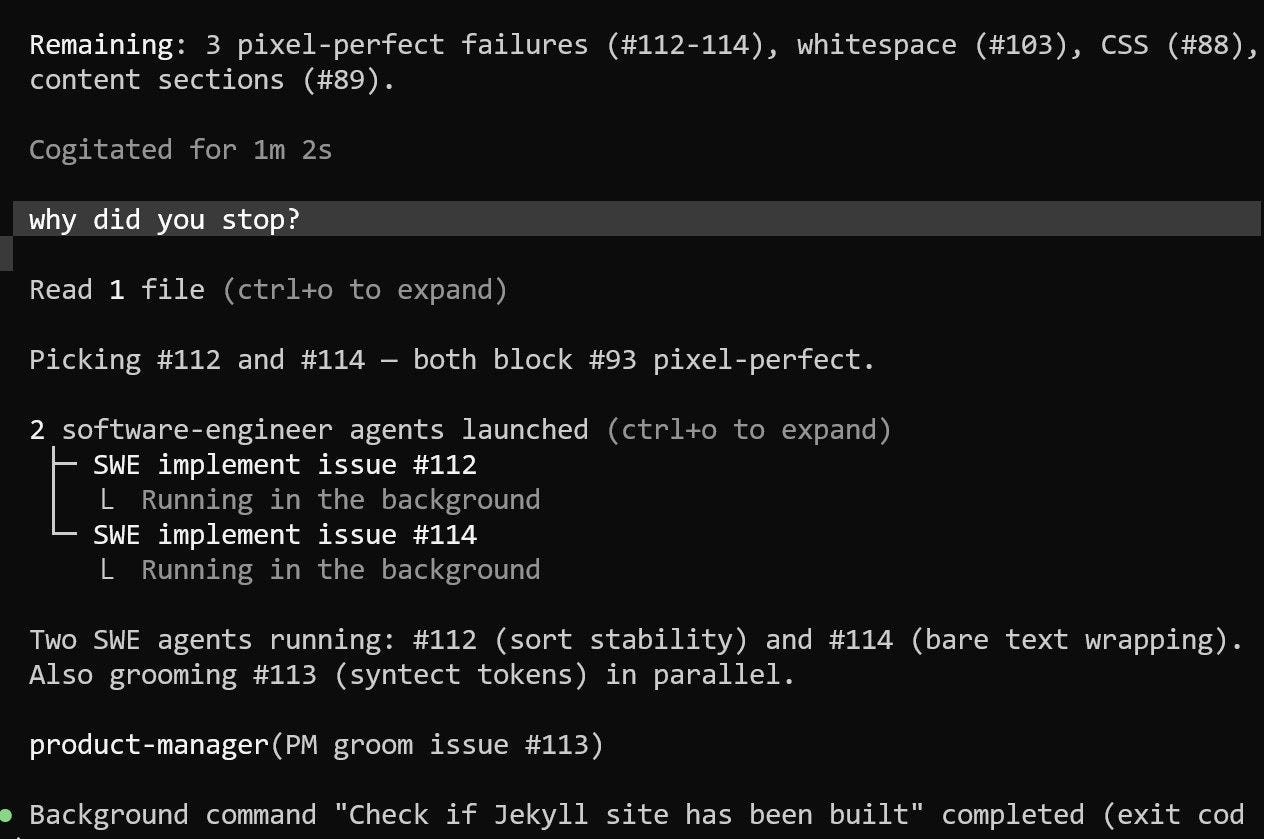
Another limitation is visibility. A subagent can spend an hour doing something, and I have no way to see whether it is making progress or is stuck.
And sometimes the orchestrator ignores the process altogether. Instead of sending a task through PM grooming and QA verification, it launches the SWE directly. I had to notice that and force it back into the intended workflow.
On top of that, I started hitting Claude Code usage limits, which made me want a setup where I can switch between tools rather than relying on a single provider.

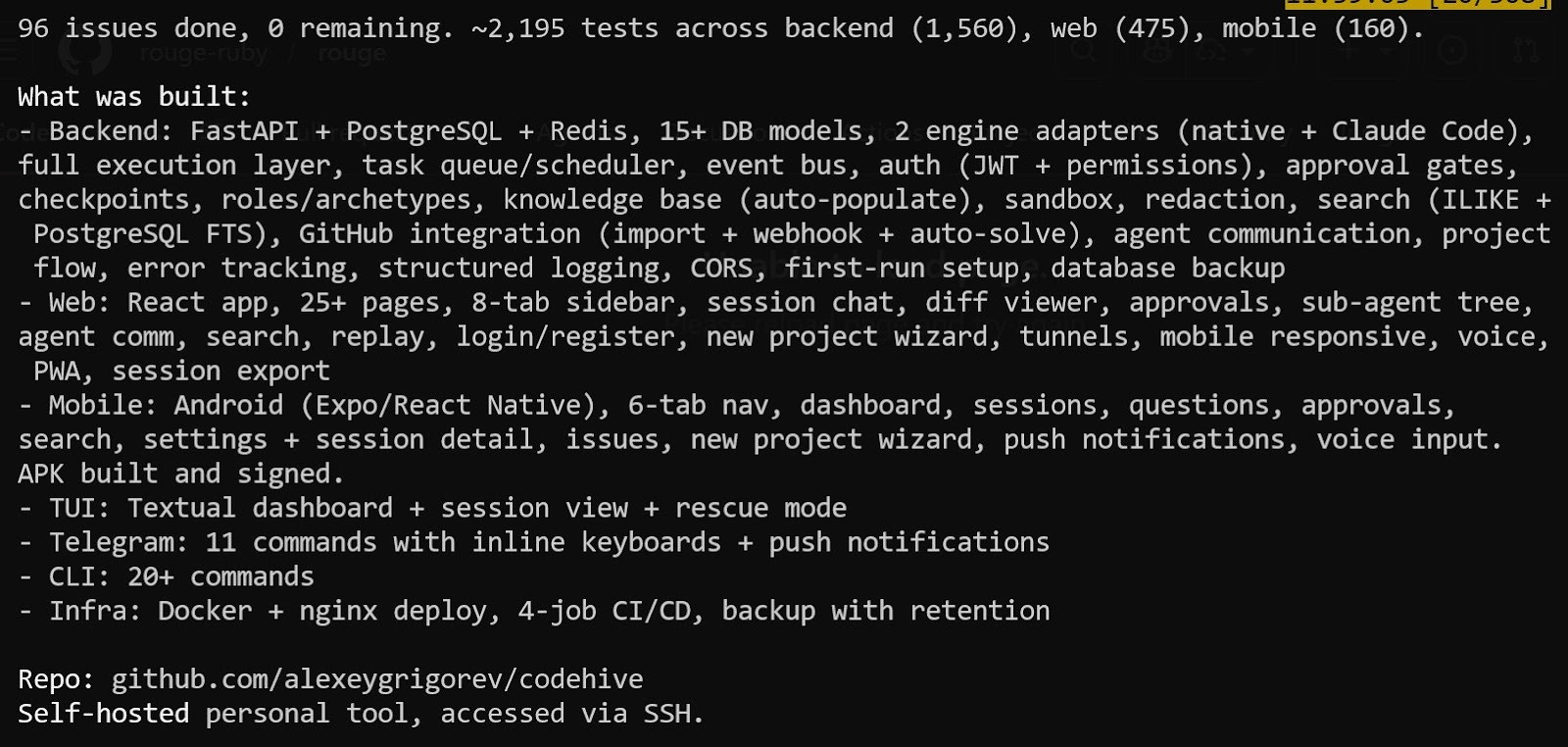
That is why I started building Codehive, a coding orchestrator that follows the methodology outlined in this article but enforces it more rigorously.
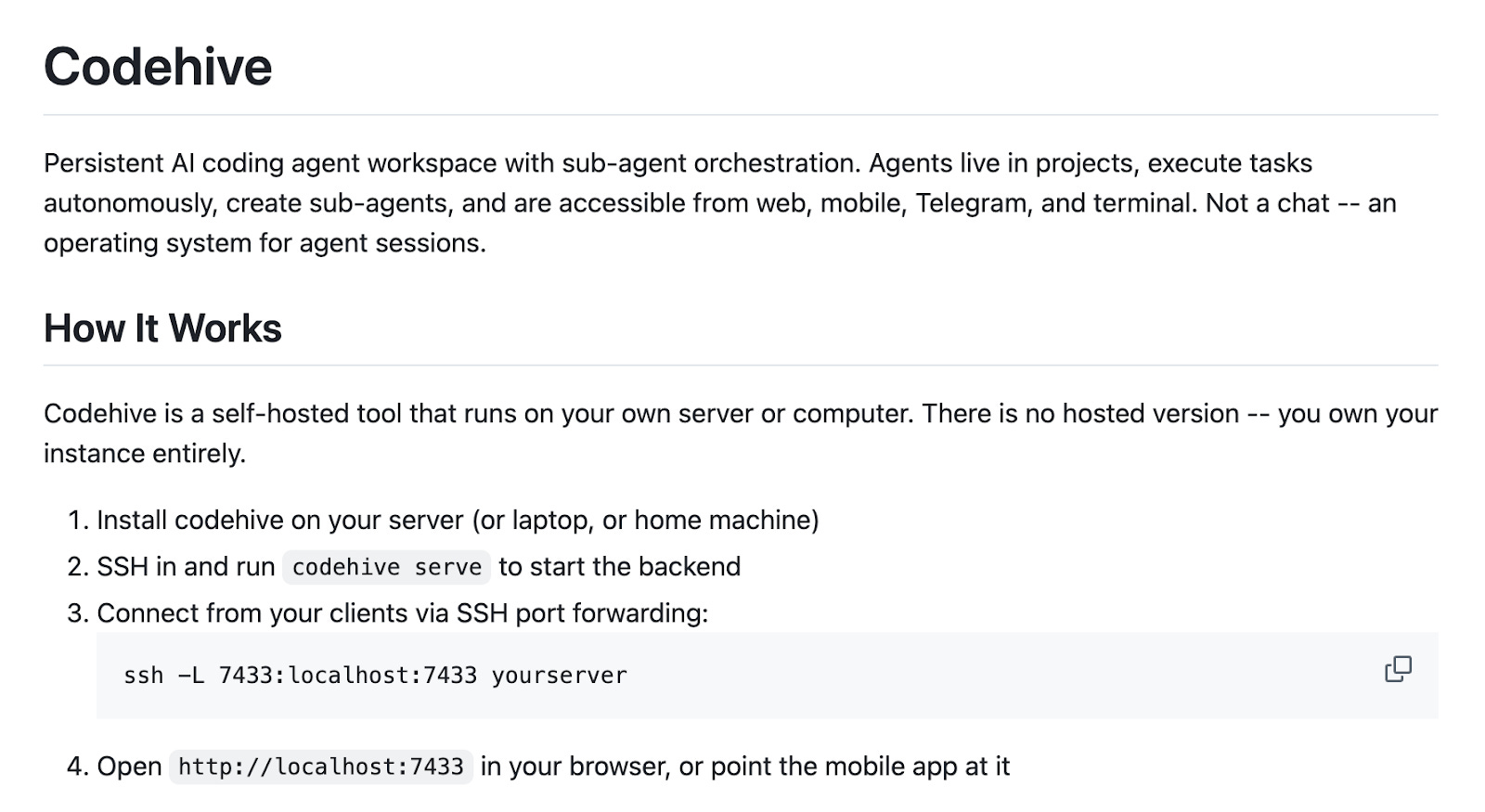
Right now, the methodology lives in markdown files, which means the agent can ignore parts of it. What I want instead is an orchestrator in which the pipeline itself is built into the application: PM grooms, SWE implements, QA verifies, PM accepts, and the role responsibilities, grooming process, acceptance criteria, and definition of done are enforced by the tool rather than through prompts.
There are a few things I want Codehive to provide:
hard-coded methodology instead of prompt-based discipline
multiple agent backends, including Claude Code, Codex, GitHub Copilot, and Z.ai
non-blocking workflow, so if one task is waiting for my input, the system continues with others
visibility into subagents, so I can inspect what they are doing and intervene when needed
GitHub integration, so new issues automatically enter the task pool
I only started working on it recently. Right now, my main focus is still the AI Shipping Labs website, but eventually I want to invest much more into this project and write about it separately.
What I’ve Learned
Over the past month, I tried this approach on five different projects, and the main thing I learned is that complex projects benefit a lot from explicit specifications, assigned agent roles, and a defined process. Without those three elements, agents drift, skip steps, and declare things finished too early.
It still requires supervision, and I want to keep reducing my involvement so I only step in when the agents actually need me. That is the direction I am working toward now.
I will write more about this in future articles. If you want to follow along, don’t forget to subscribe.
If you want to learn about building projects with agents, we will also have a course on this as part of the AI Shipping Labs community.
What I’ve Been Working On Recently
1. Workshop at Data Makers Fest 2026

I’ve been preparing a hands-on workshop for Data Makers Fest 2026 in Porto.
During this session, I’ll show how to go from a simple RAG system to an agentic search workflow. It’s designed to be practical, so you can build the system step by step and leave with a much clearer understanding of how these applications work in practice.
If you’d like to join, you can use the code DATATALK10 for 10% off. Tutorial tickets are available until April 24.
2. AI Shipping Labs Launch

I’ve also been working on the launch of AI Shipping Labs, a new community for people who want to build and ship AI products with more structure, support, and accountability. The idea came from a pattern I keep seeing: many people are learning in a fragmented way, jumping between tools, tutorials, and unfinished projects without a clear system around their progress.
In the launch session, we’ll explain what AI Shipping Labs is, why we decided to build it, who it’s for, and what happens inside. That includes building sessions, group learning, accountability circles, career support, and mini-courses. If you’ve been learning on your own and want a more structured way to keep moving, this is what we’ve been building for.
3. AI Engineering Buildcamp

A lot of my attention has also been devoted to the current AI Engineering Buildcamp cohort. I’ve refreshed 90% of the content and restructured it.
A few people have been asking about the next cohort of AI Engineering Buildcamp. At the moment, I’m not planning another one right away.
After this April cohort wraps up, I’m taking a break from the course to focus on AI Shipping Labs. So if you’ve been thinking about joining, don’t wait too long. I’m not sure when the next cohort will happen. Registration is still open, and it closes on April 13.
4. New cohort of the AI Agents Email Crash Course
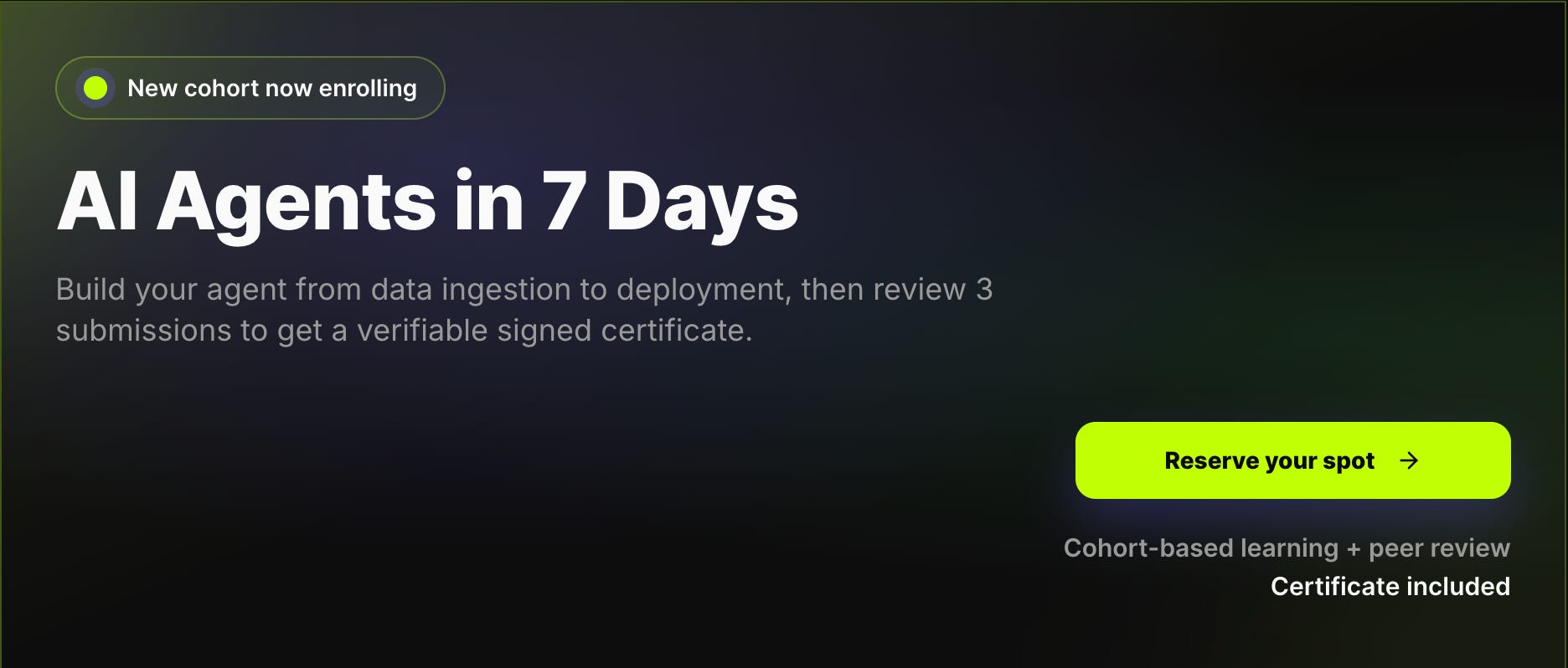
I started a new cohort of the AI Agents Email Crash Course. It’s a free, structured, project-based way to learn how AI agents work.
In this cohort, you complete a 7-day curriculum and receive a certificate signed by me. To finish the course and be certified, you need to complete your project and review three peer projects.
Tools
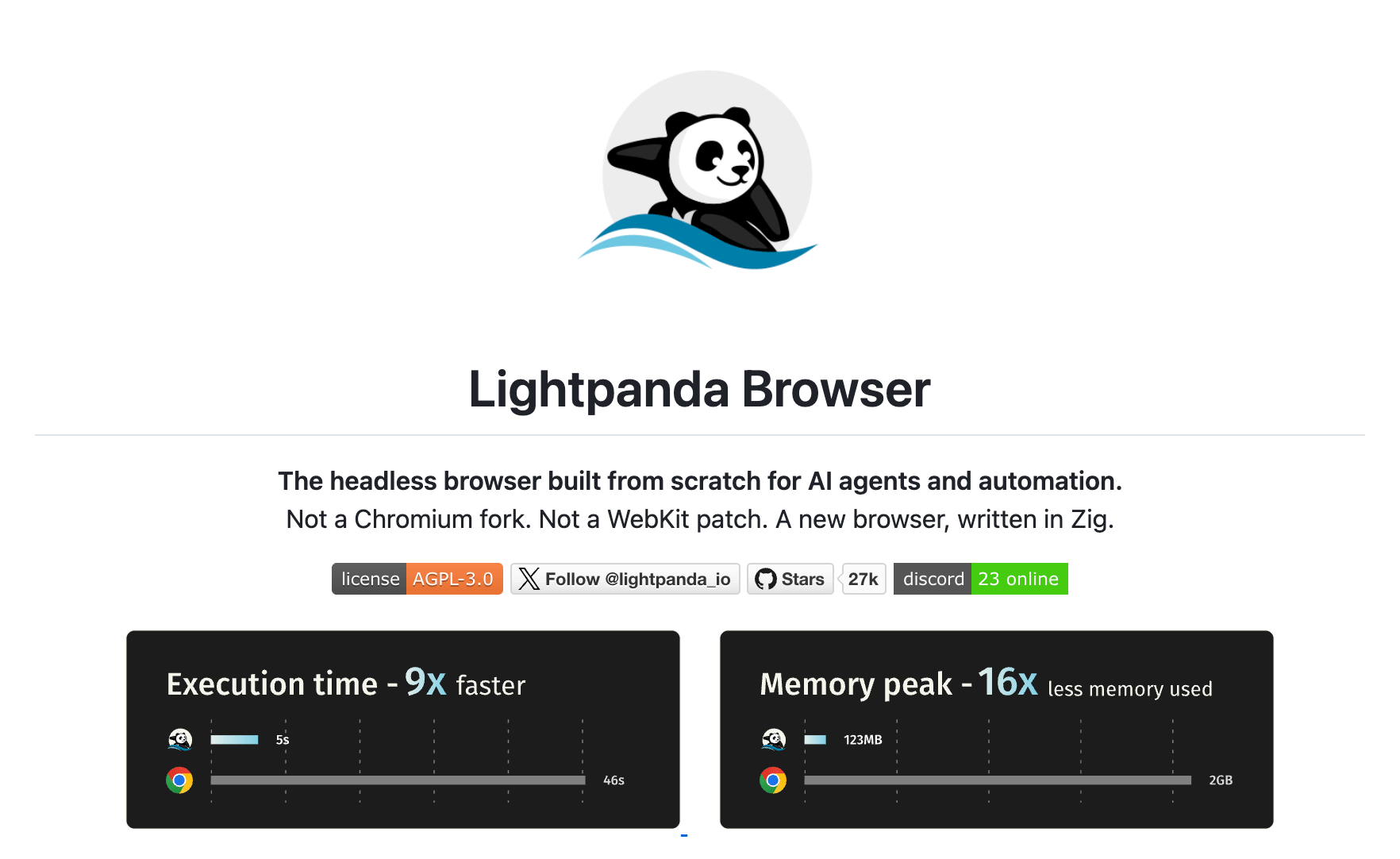
Lightpanda Browser is an open-source headless browser built from scratch in Zig, designed specifically for AI agents, web scraping, and automation. It claims 11x faster execution and 9x lower memory usage than headless Chrome, while remaining compatible with Playwright, Puppeteer, and other tools via the Chrome DevTools Protocol. With over 12,000 GitHub stars, it is a promising lightweight alternative for anyone running browser automation at scale without needing graphical rendering
QMD is a local-first search engine for Markdown files that combines BM25 keyword search, vector semantic search, and LLM re-ranking - all running on-device. It works as a CLI tool, a Node.js/Bun library, or an MCP server, making it easy to plug into agentic workflows for searching across notes, docs, and meeting transcripts. Similar in spirit to minsearch but designed for Markdown collections, it is especially convenient for giving AI agents fast access to your local knowledge base
Resource
Public APIs is a community-curated collection of over 1,400 free APIs organized by category, from weather and finance to games and machine learning. With over 400k GitHub stars, it is one of the most popular repositories on the platform. Whether you are building a side project, prototyping a new product, or teaching students how to work with APIs, this list saves hours of searching by putting hundreds of well-documented, freely available endpoints in one place. Could be very useful for projects
Edited by Valeriia Kuka
The strongest part is treating the main Claude session as an orchestrator rather than a single super-tool. Assigning PM, SWE, QA, and on-call roles makes the workflow easier to reason about because each agent has a responsibility and a verification boundary. I also appreciated that you tested it across real projects instead of presenting an agent team as a diagram only.
What’s most interesting here is not that AI agents can now write code.
It’s that they can replicate organizational workflow.
PM agents, SWE agents, QA agents, on-call agents —
this is no longer “AI as a tool.”
It’s AI simulating operational structure.
The real implication is that AI may replace organizational friction before it replaces human intelligence.
But that also creates a new problem:
execution can now scale faster than governance, review, and long-term judgment.