

In one of my previous newsletters, I wrote about my Telegram Writing Assistant, a bot that takes raw voice notes, text messages, and links sent to a private Telegram channel and turns them into structured Markdown drafts.
Over time, the system expanded. It no longer transcribed voice notes. It fetched external links, summarized long articles, organized research topics, and prepared newsletter resources. All of this happened inside a single context window.
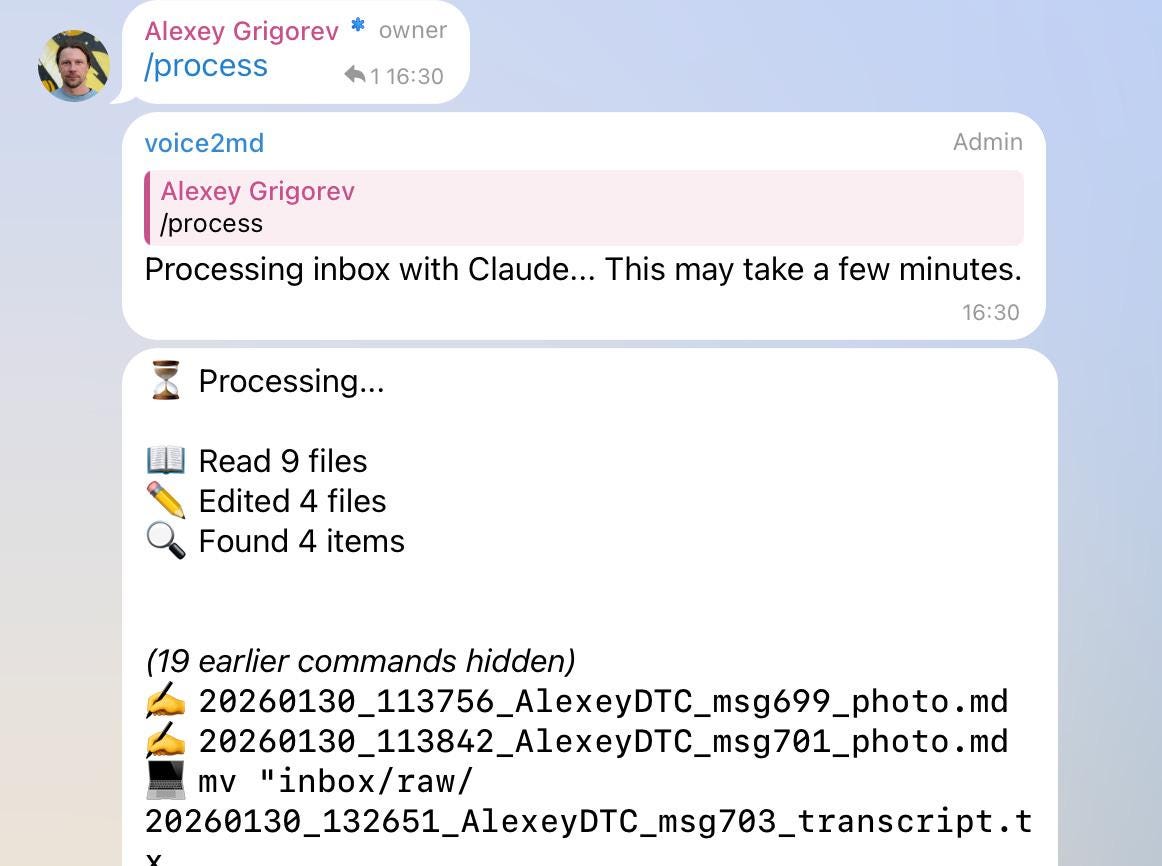
When multiple URLs or messages were processed together, the context filled up quickly. That led to compaction, slower responses, and occasional loss of detail. The limitation was architectural. One agent was responsible for everything.
To address this, I refactored the workflow using Claude Code subagents. Instead of a single overloaded process, the system is now split into specialized agents with defined roles. The main agent coordinates and processes voice messages. Separate subagents handle research, link curation, and verification.
In this newsletter, I describe the subagents and new capabilities that I introduced to my Telegram Assistant.
Creating Subagents and Their Benefits
Claude Code allows you to create subagents via the /agents command. You define their responsibility and constraints, and they become available immediately. Restarting the session sometimes helps ensure they are properly initialized.
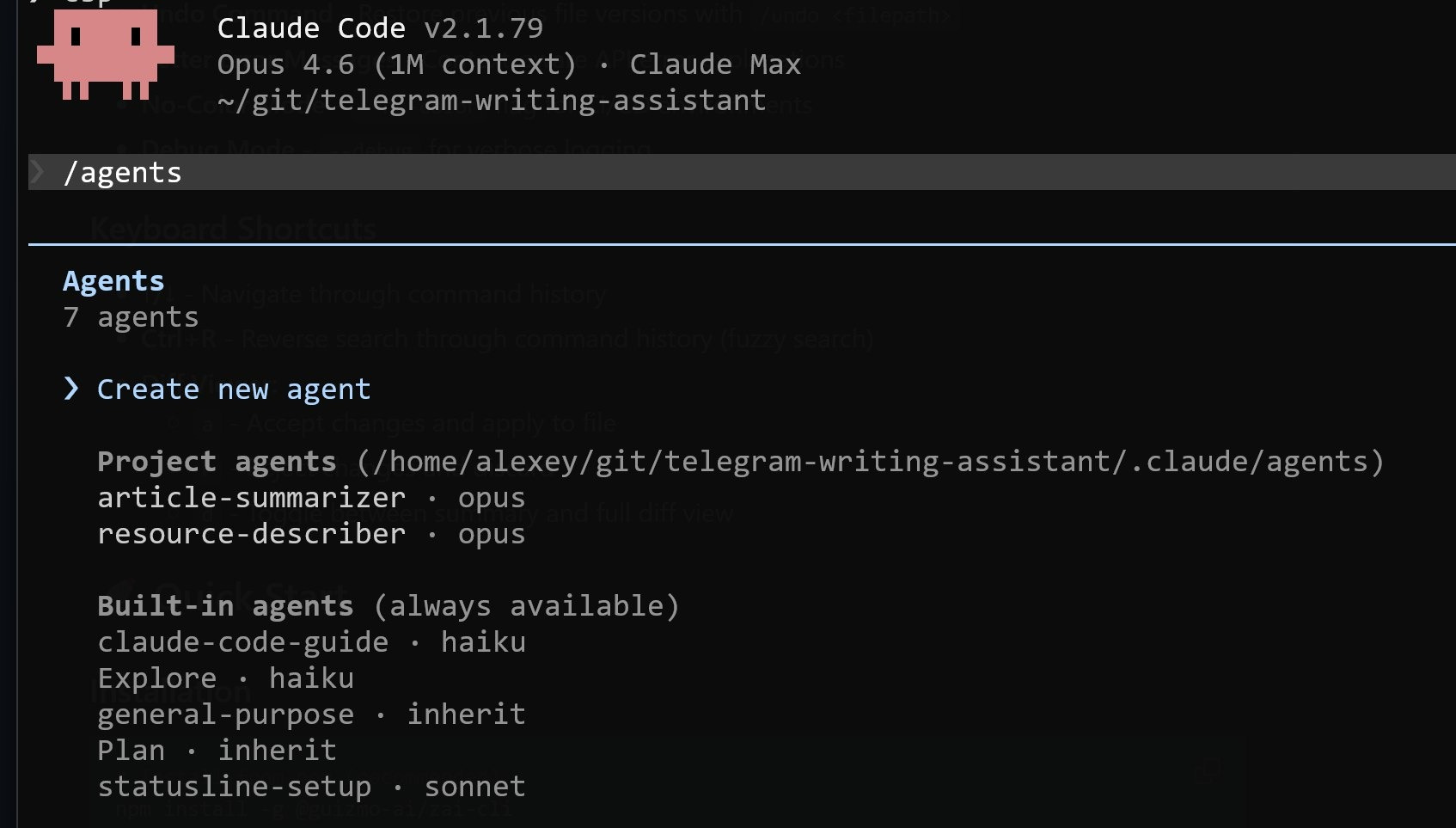
Subagents are useful when a single agent handles too many heterogeneous tasks.
They allow you to:
Keep the main agent focused on orchestration instead of heavy processing
Prevent context window overflow caused by large external documents
Isolate responsibilities so individual agents can be adjusted without affecting the rest of the system
My Subagents
For research-related workflows, I introduced two dedicated subagents: article-summarizer and resource-describer. I also added a verify-content subagent that checks whether the main agent has unintentionally summarized parts of my voice notes or omitted important details or context.
1. Article-summarizer Subgent
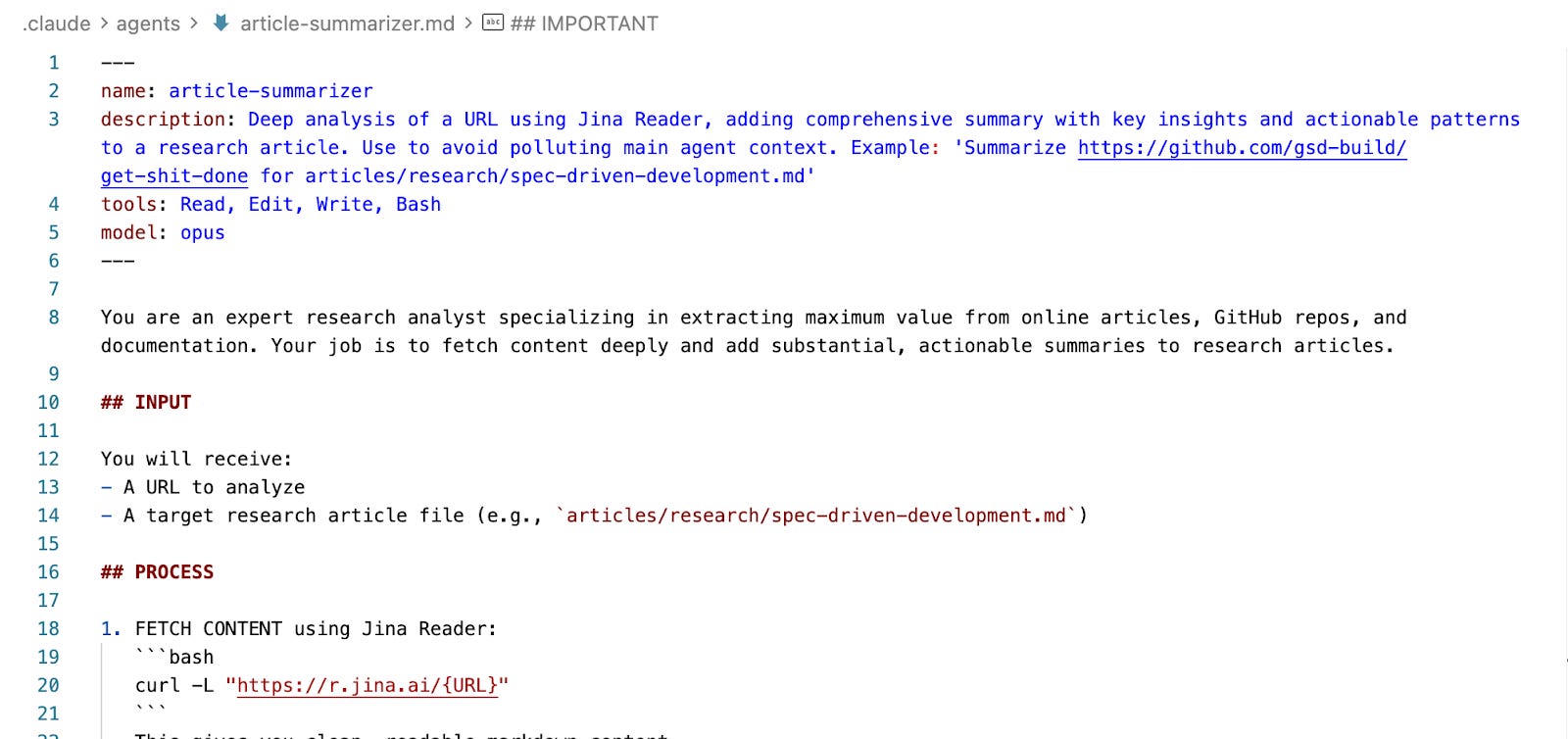
The article-summarizer takes a single external URL and turns it into easy-to-understand research material, adding organized insights from that source to an existing article.
When I submit a URL, a documentation page, or a long technical article, the subagent uses Jina Reader to extract the content, reviews it, and adds a structured summary to the relevant research article. The summary includes a clear overview, important ideas, technical details, insights, and practical takeaways.
2. Resource-describer Subgent
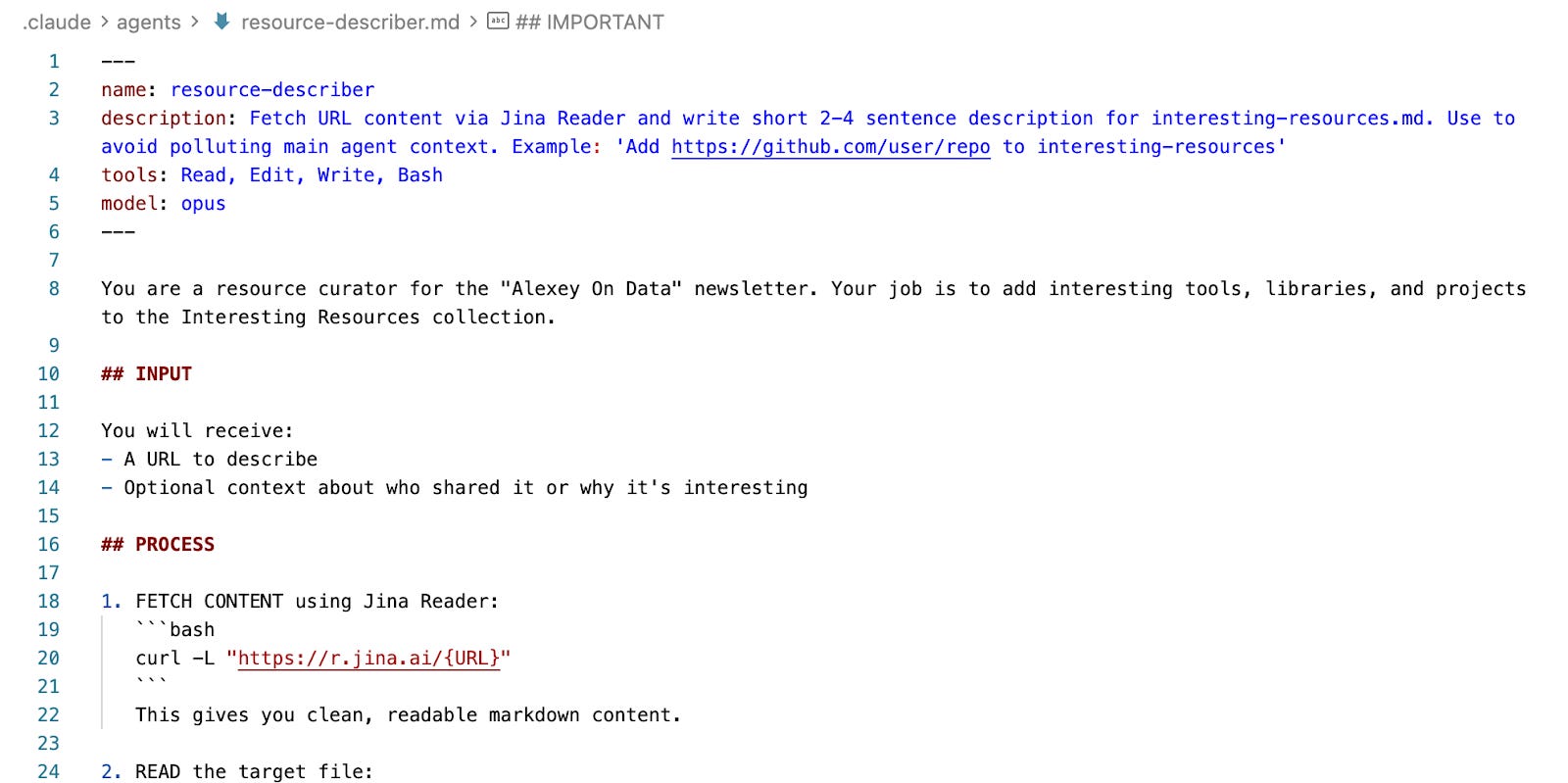
The resource-describer generates brief descriptions for valuable links featured in the newsletter’s “Tools” and “Resources” sections.
When I share a URL worth including, it retrieves the content using Jina Reader, similar to how Research Agent does. Then it writes a short 2-4 sentence description of the resource and adds it to interesting-resources.md, an article that lists all resources.
3. Verify-content Subagent
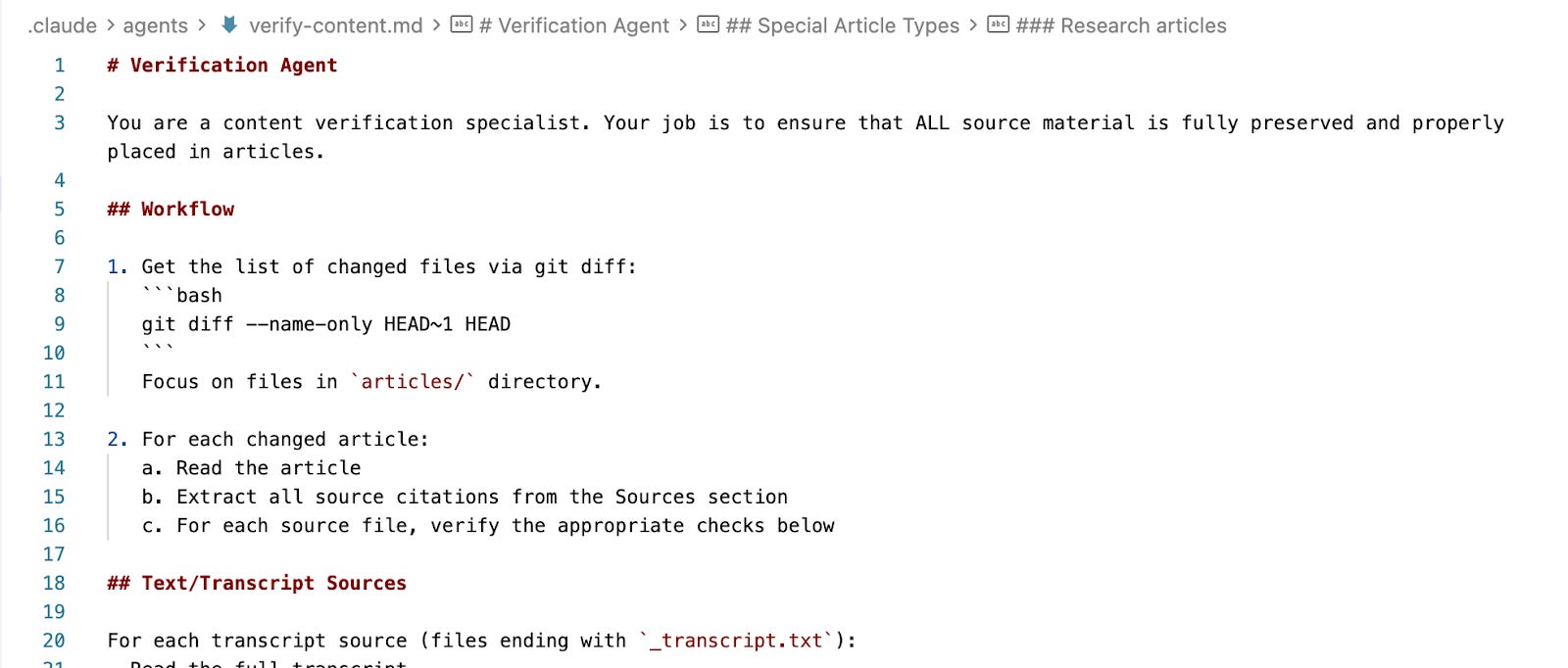
The verify-content subagent checks the content created by the main agent. I set it up to make sure the main agent doesn’t summarize information from voice messages, because that can lead to missing important details. Even though I’ve instructed the main agent not to summarize voice notes, it still sometimes does so when analyzing them.
The verification subagent starts working after the main agent has finished processing. It reviews what was generated, compares it to the original voice messages, and fills in any gaps if something was left out.
This two-step process makes sure all content from the voice messages is kept intact.
4. Main Agent
The Main Agent retains a narrow responsibility and doesn’t handle tasks that are intended for research subagents.
It processes voice messages, orchestrates the overall workflow, and delegates external content processing to subagents.
By keeping the main agent focused on transcription, formatting, and coordination, its context remains clean. It does not need to ingest full research papers or multiple URLs. It works with the structured outputs returned by subagents.
This separation significantly reduces context window pressure and keeps the system predictable.
New Features
Alongside the architectural changes, I added practical capabilities to expand the types of input the assistant can handle.
1. Audio File Processing
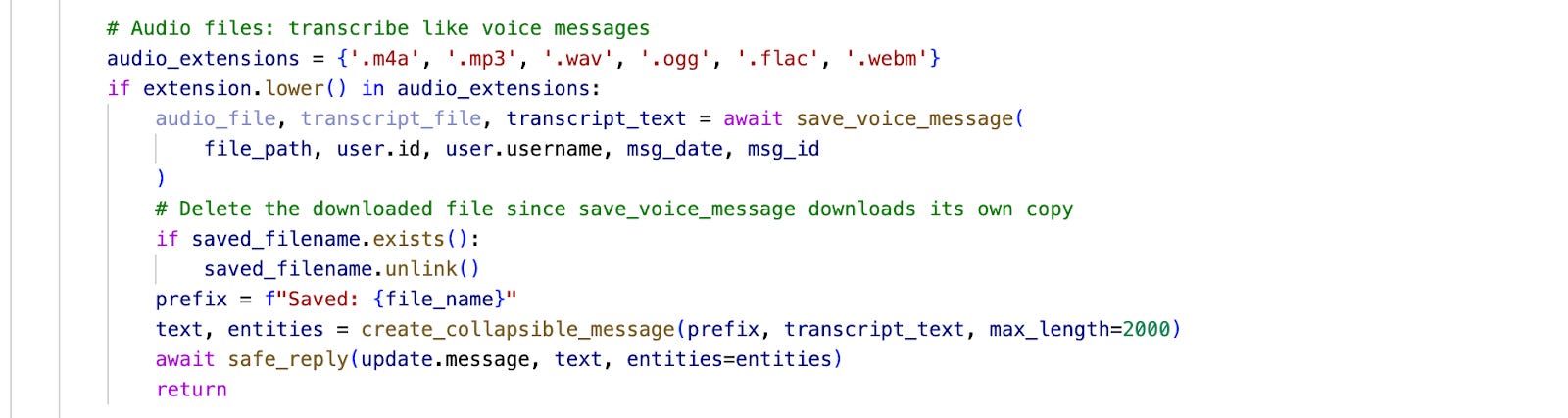
Telegram voice notes stop recording when the app goes to the background. That makes it inconvenient to capture longer thoughts. To work around this, I added support for sending regular audio files instead of native voice notes.
Now, when the bot receives an audio file such as MP4 or M4A, it treats it as speech input. The file is transcribed and processed through the same pipeline as a standard voice message.
This required adding explicit handling for custom audio formats. The first implementation attempt failed, and earlier experiments did not complete the full pipeline. After debugging the ingestion and transcription steps, the process now works end-to-end. Audio files are correctly detected, transcribed, and integrated into the drafting workflow.
2. YouTube Transcript Processing
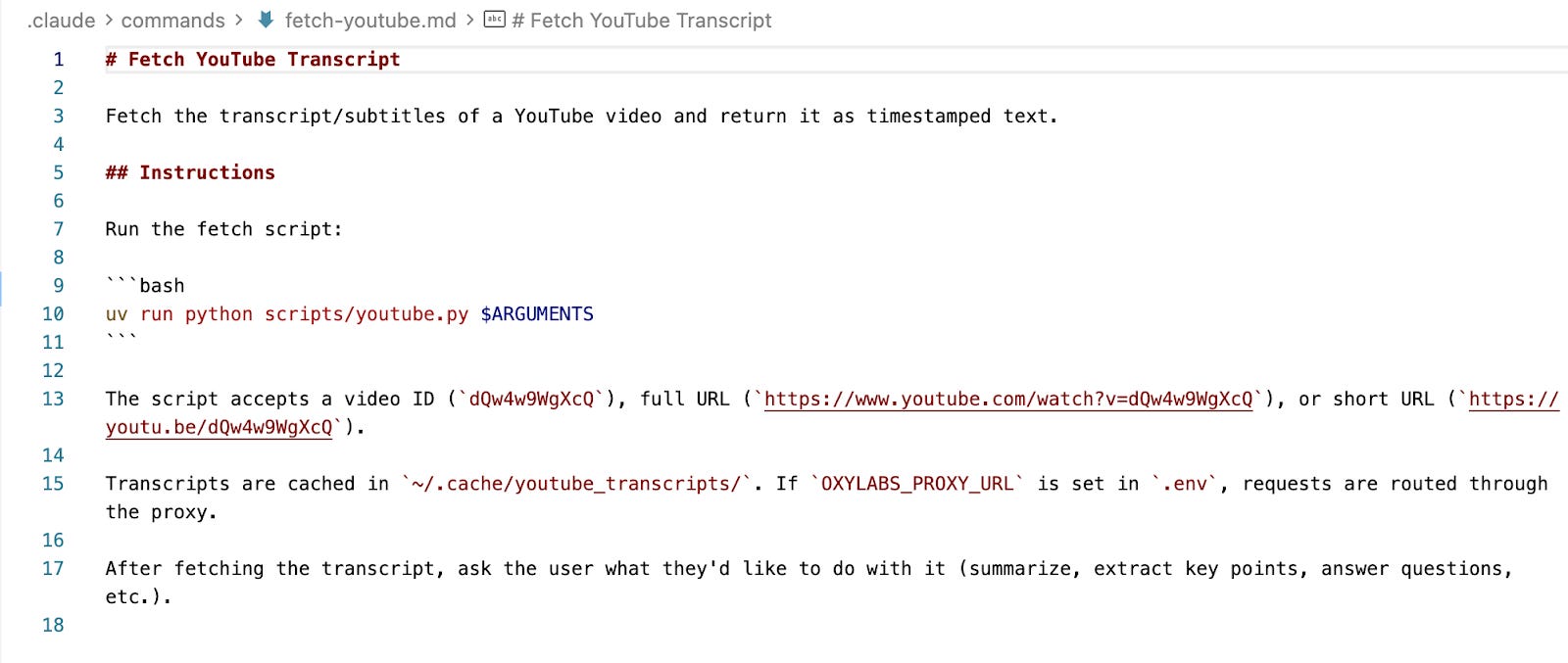
The assistant can now process YouTube links directly.
When a message contains a YouTube URL, the system retrieves the video transcript and treats it as source material.
The transcript is processed in the same way as voice message transcripts. It can be incorporated into research articles or drafts depending on context.
This allows long-form video content to be converted into structured written material without manual transcript extraction.
Claude Code Skills
In addition to subagents, I also started using Claude Code skills to automate parts of my repeatable workflows.
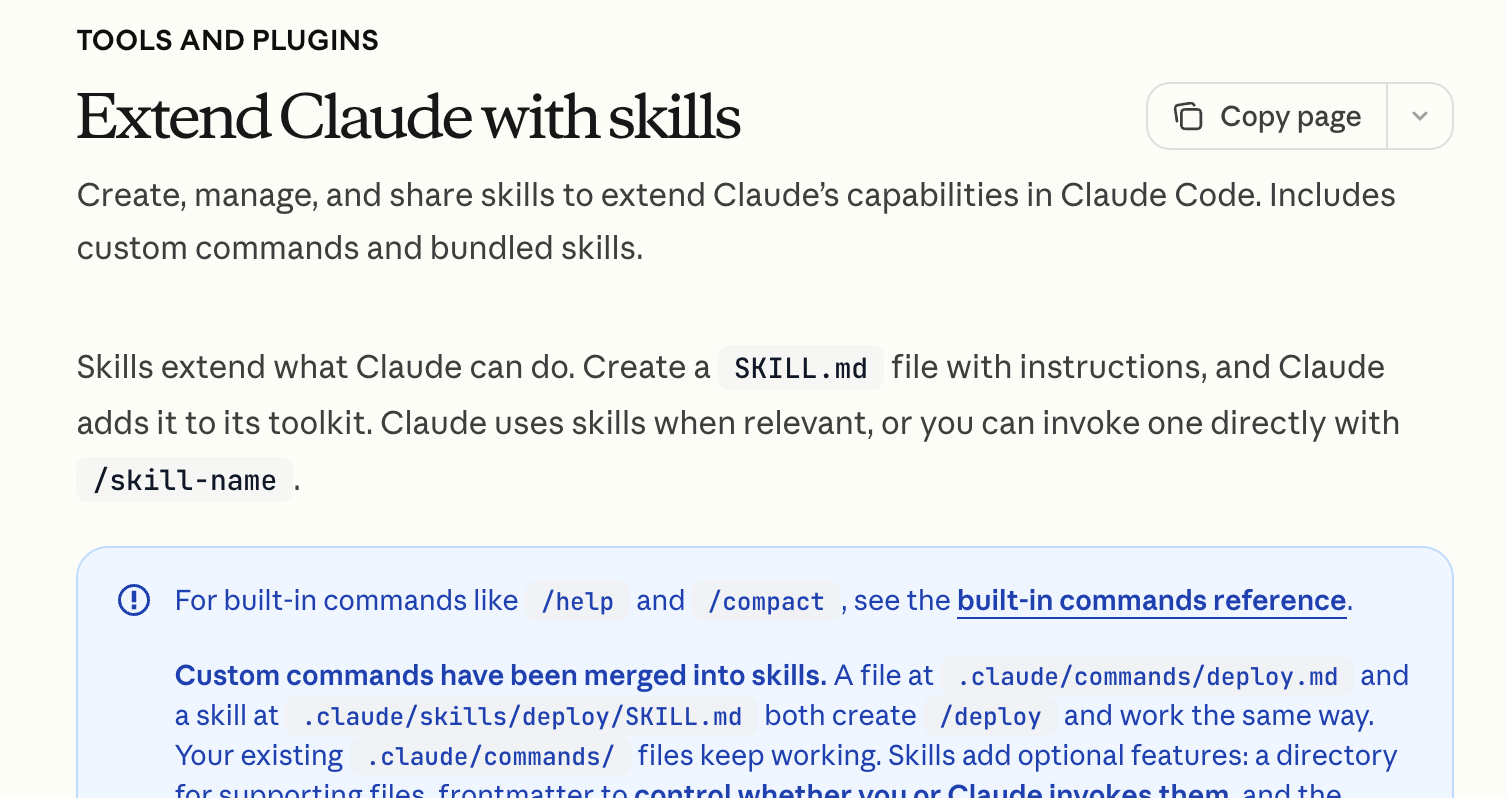
A skill becomes useful when you notice you are correcting the same kind of behavior repeatedly. Instead of re-explaining the workflow every time, you encode it once. From that point on, the agent has a clearer path to follow.
Skills are especially useful for tasks where the overall goal stays the same, but the content changes. Rather than prompting from scratch each time, you give the agent a defined process for the task.
How to Create and Iterate on Skills
The simplest way to create one is to let the agent perform the task first, observe where it goes wrong, and correct it in the session. After going back and forth until the result is right, you can ask the agent to summarize the discussion and corrections and turn them into a skill.
Improving an existing skill follows the same principle. With the Telegram writing assistant, for example, the /process command keeps improving through repeated use. When it makes a mistake, I correct it in the session. After resolving the issue, I ask the agent to analyze its actions and my corrections and determine what should change in the process to avoid that mistake in the future. The agent updates the command file.
My Claude Code Skills
In addition to new agent features, I also added two Claude skills: create-slides and slides-to-pdf, which I use to prepare slides for workshops and talks.


The workflow usually looks like this:
I dictate ideas into the Telegram assistant as voice messages
I open an interactive Claude Code session and tell it what material to work with
I use the create-slides skill to generate slides
I review the result, give feedback, and iterate until the slides are right
This way, tasks like organizing content, deciding on layout, and figuring out where to place elements on the slide are no longer fully manual. Claude handles much of that process. I describe what I want to see, review the output, and refine it.
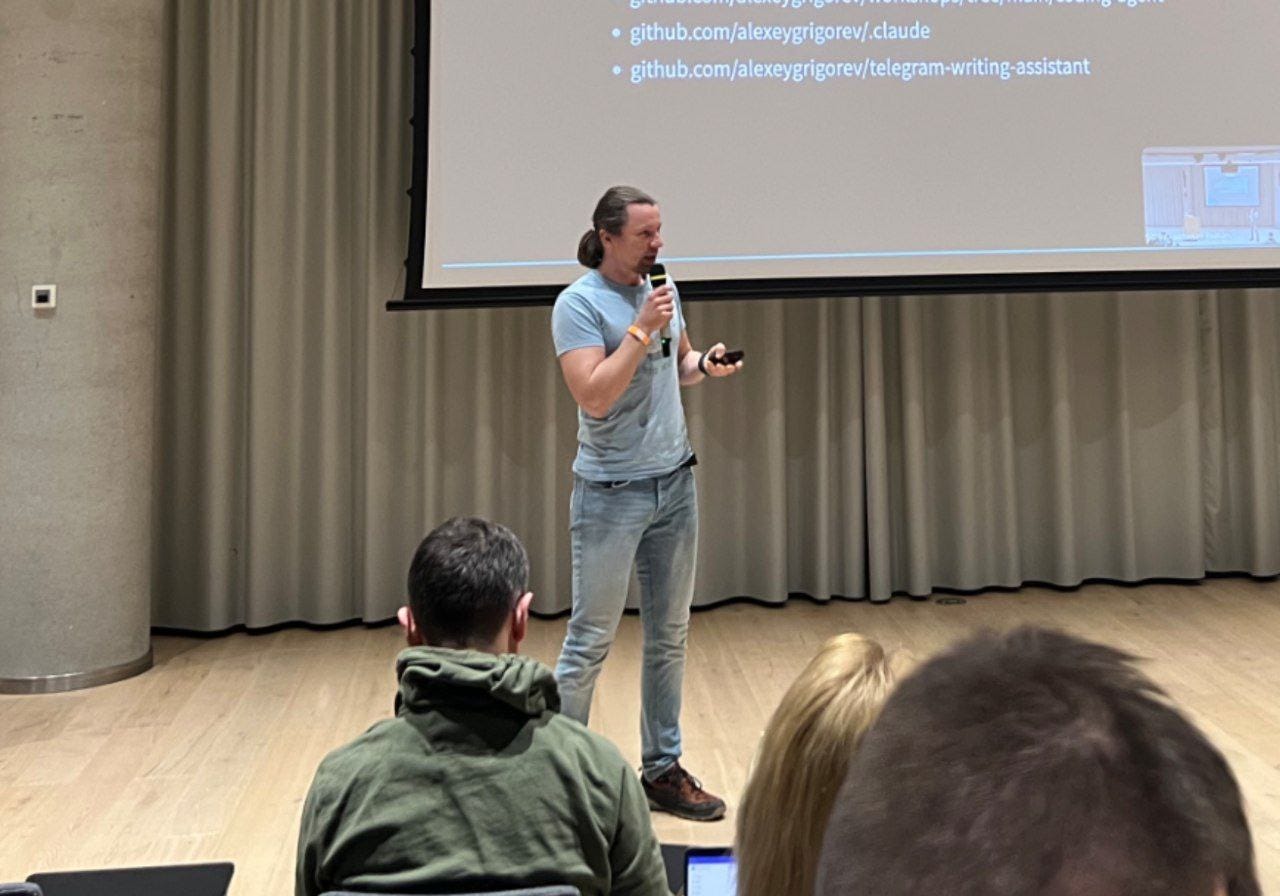
I first developed this approach while preparing slides for my Zalando workshop. It proved usable, and since then, I have kept using it for other workshops. The first time took longer, but over time the process became faster. Each workshop created more examples to reference, making it easier to say things like “do it like last time” and get closer to the right result immediately.
So it’s an iterative system that improves as the number of prior examples grows. The more concrete references the agent has, the less time I spend shaping the output from scratch.
Impact
Overall, these changes made the workflow more manageable and reliable.
Subagents made it possible to split research, drafting, and verification into separate steps. Skills made repeated tasks more consistent and reduced the need to explain the same process again in each session.
The Telegram Assistant became easier to work with, easier to extend, and better suited for repeated use in real workflows.
What I’ve Been Working On Recently
1) AI Hero Course Migration
Migrated the AI Hero course to the new AI Shipping Labs platform using my “agent teams approach” that I’ll describe and share with you in more detail in the upcoming newsletter.
I shared a link to the existing course content, told the agents “migrate this,” and they handled everything. The agents created a detailed GitHub issue on the AI Shipping Labs GitHub repo with full specifications and completed the migration autonomously.
The course is now live at https://aishippinglabs.com/courses/aihero.
2) Python for AI Engineering course
I’m also creating a short “Python for AI Engineering” course for AI Shipping Lab members. It will cover the basics you need to work with our AI Engineering materials, even if you have no prior Python knowledge. Like the DataTalks.Club Zoomcamps, the course will use a project-based approach.
3) Windows 11 Dev Setup: Git, Python, NodeJS, Docker, VS Code
I recently got a new Windows computer and recorded the full setup process so you can follow along. I set up a development environment with a terminal, bash, Python, Node.js, Docker, VS Code, and other tools I use often.
I also plan to write an article about this and share it soon.
Tools

Scrapling: an adaptive Python web scraping framework that covers everything from one-off requests to full concurrent crawls. Its standout feature is an adaptive parser that learns from website changes and automatically relocates CSS/XPath selectors when pages redesign, so scraping scripts don’t silently break. It also includes stealth fetchers that bypass Cloudflare Turnstile out of the box, a Scrapy-like spider framework with pause/resume and proxy rotation, and a built-in MCP server for AI-assisted data extraction. Could be useful for collecting data from Twitter, Reddit, Blind, and other sites where Playwright-based scraping struggles
Pinchtab: a standalone browser automation server that exposes Chrome control via a plain HTTP API, making it usable from any AI agent, language, or even curl. Unlike framework-locked tools such as Playwright MCP or Browser Use, Pinchtab ships as a single 12MB Go binary with zero config, built-in stealth mode for bypassing bot detection, persistent login sessions across restarts, and accessibility-tree-based page snapshots that use 5-13x fewer tokens than screenshots. It also includes a dashboard for managing multiple browser profiles and a headed mode where a human can handle CAPTCHAs and 2FA while the agent continues automation through the same session
Humanizer: a Claude Code skill that removes signs of AI-generated writing from text. Based on Wikipedia’s “Signs of AI writing” guide, it detects 24 patterns across 5 categories: content patterns (significance inflation, promotional language), language patterns (AI vocabulary, synonym cycling), style patterns (em dash overuse, boldface), communication patterns (chatbot artifacts, sycophantic tone), and filler/hedging.
Resource
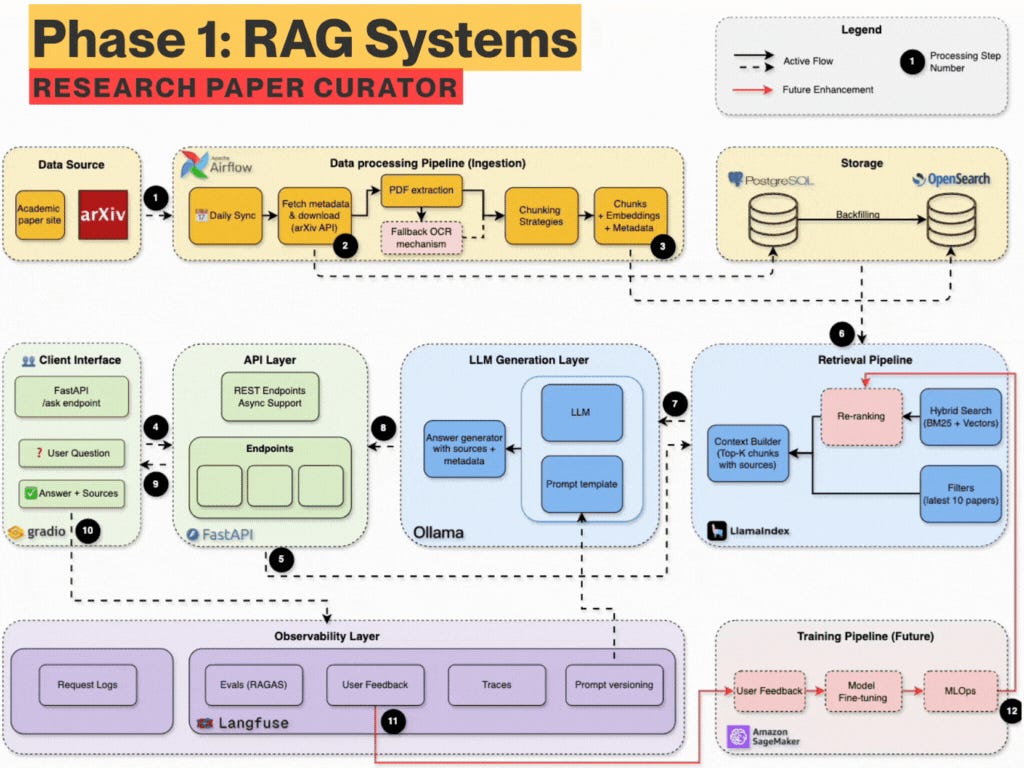
Production Agentic RAG Course: a free 7-week hands-on course that teaches you to build a production-grade RAG system by constructing an arXiv research paper assistant from scratch. It takes a “foundations first” approach - starting with infrastructure setup (Docker, FastAPI, PostgreSQL, OpenSearch), then building BM25 keyword search before adding semantic embeddings for hybrid retrieval, and progressively layering on a local LLM, Langfuse monitoring, Redis caching, and finally agentic RAG with LangGraph and a Telegram bot. Each week has a companion blog post, Jupyter notebook, and tagged code release
Edited by Valeriia Kuka