

I sometimes run offline workshops. These workshops require participants to have access to cloud resources such as AWS. This is okay when people come prepared, but often it’s not the case.
This happened when Exasol, a database company, asked me to run a workshop for them. They released a new version of their database, Exasol Personal. It’s normally a paid service, but this edition runs in your own AWS account. You need an account and a few permissions, then you can create a cluster and use it from your laptop.
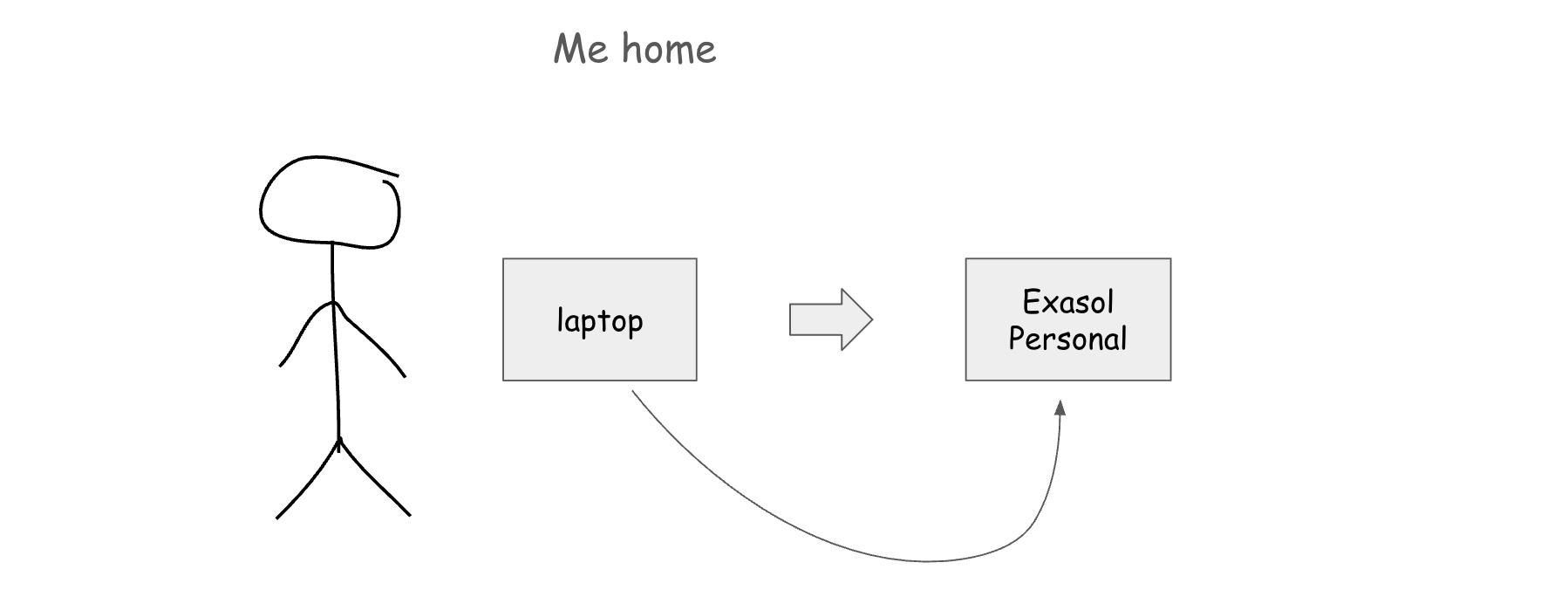
For me, it was very easy to set it up. But then I started thinking about how to make it scale to 50-60 workshop participants, who will most likely be unprepared.
So I needed to find a way for the participants to provision resources in my AWS account without giving them my AWS keys.
The solution I found turned out to be useful not only for workshops, but also for coding agents. I don’t want to give my agents permanent access to my main AWS account. Instead, I want to restrict them to a sandbox environment and decide when and for how long they can have access.
This article is based on the workshop that I ran at the Berlin AWS Group meetup. Watch the recording below and check out the slides from this talk.
The workshop problem
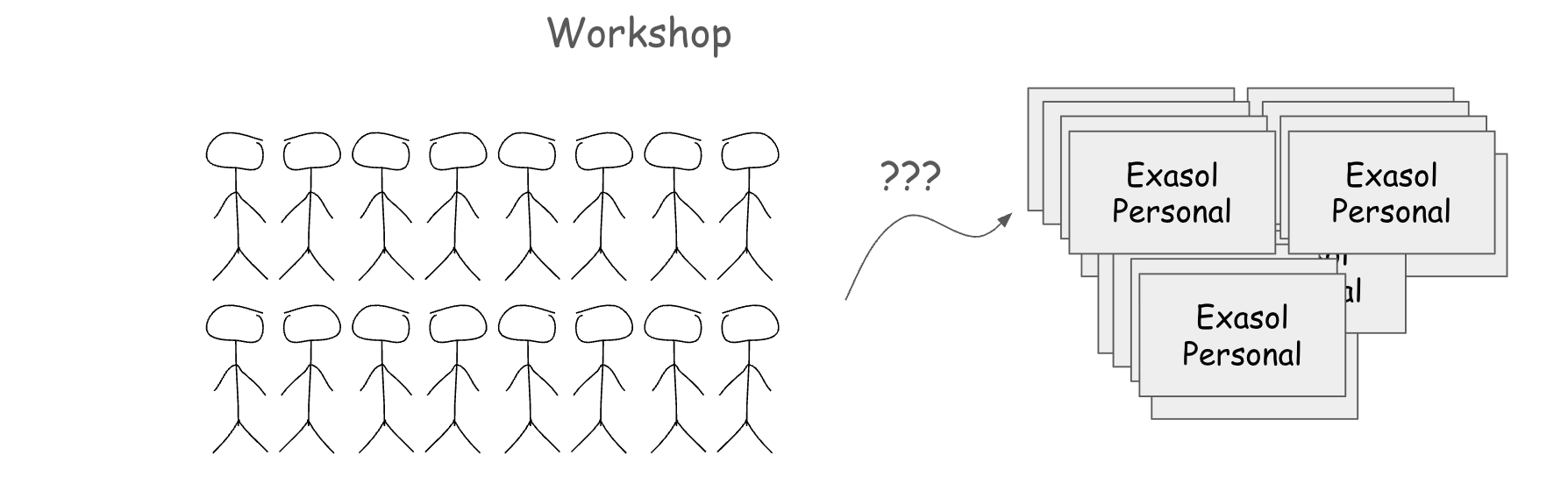
I needed to find a way to give 50 or 60 people in a room access to provision AWS resources from their own machines, with nothing to install and no keys to copy. You sit down, open the workshop environment, and it works.
I didn’t want to give the participants my AWS key. First, it’s a very bad idea for security reasons. Second, how do I even do it?
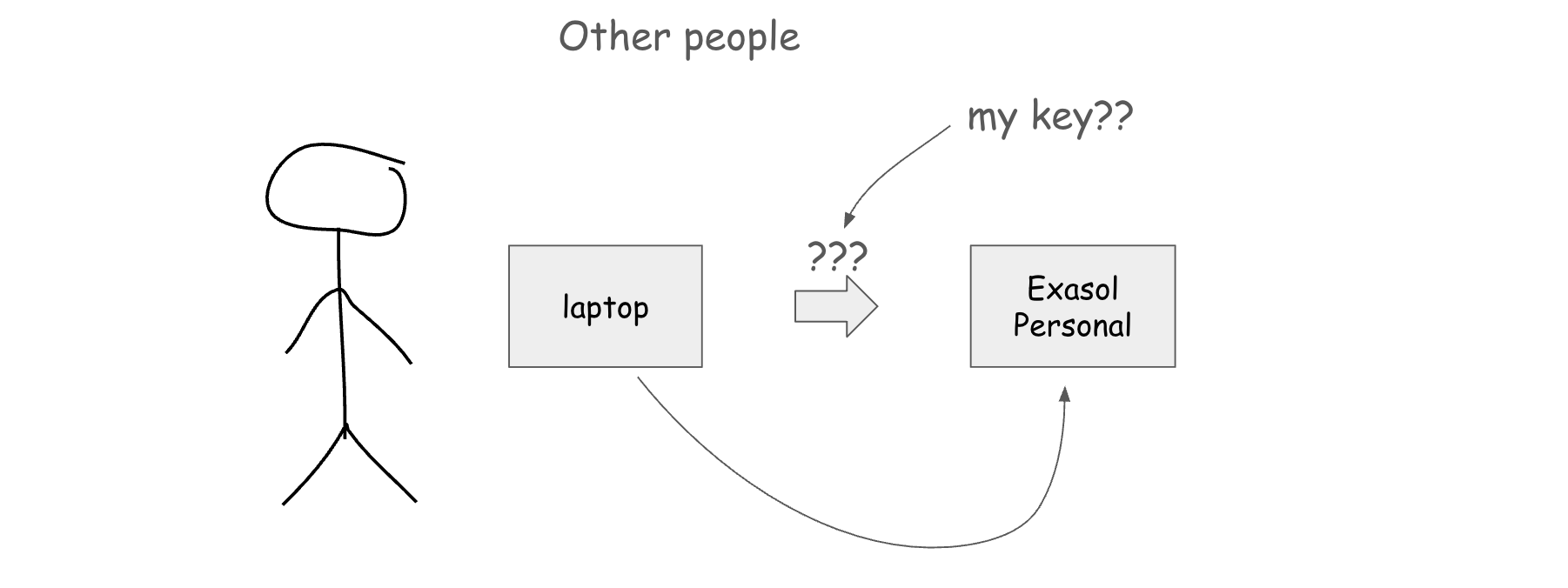
Type it on the screen, send it by email, drop it in a repo for a few minutes? Once a key is out, anyone who has it can provision whatever they want until I disable it. If somebody starts mining Bitcoin on my account, that’s my problem.
I also didn’t want to use my main AWS account. I’m not a security expert, and with 50+ people I don’t know (and don’t necessarily trust), things may go wrong.
And finally, I wanted to run in GitHub Codespaces. It’s very convenient, and I use it for all my workshops. You click a button and get a remote machine with everything installed and the same environment as everyone else. I didn’t know if it’d be possible for this workshop, but I wanted to find an equally convenient option.
EC2 instance profiles
The first thing I thought about was EC2 instance profiles.
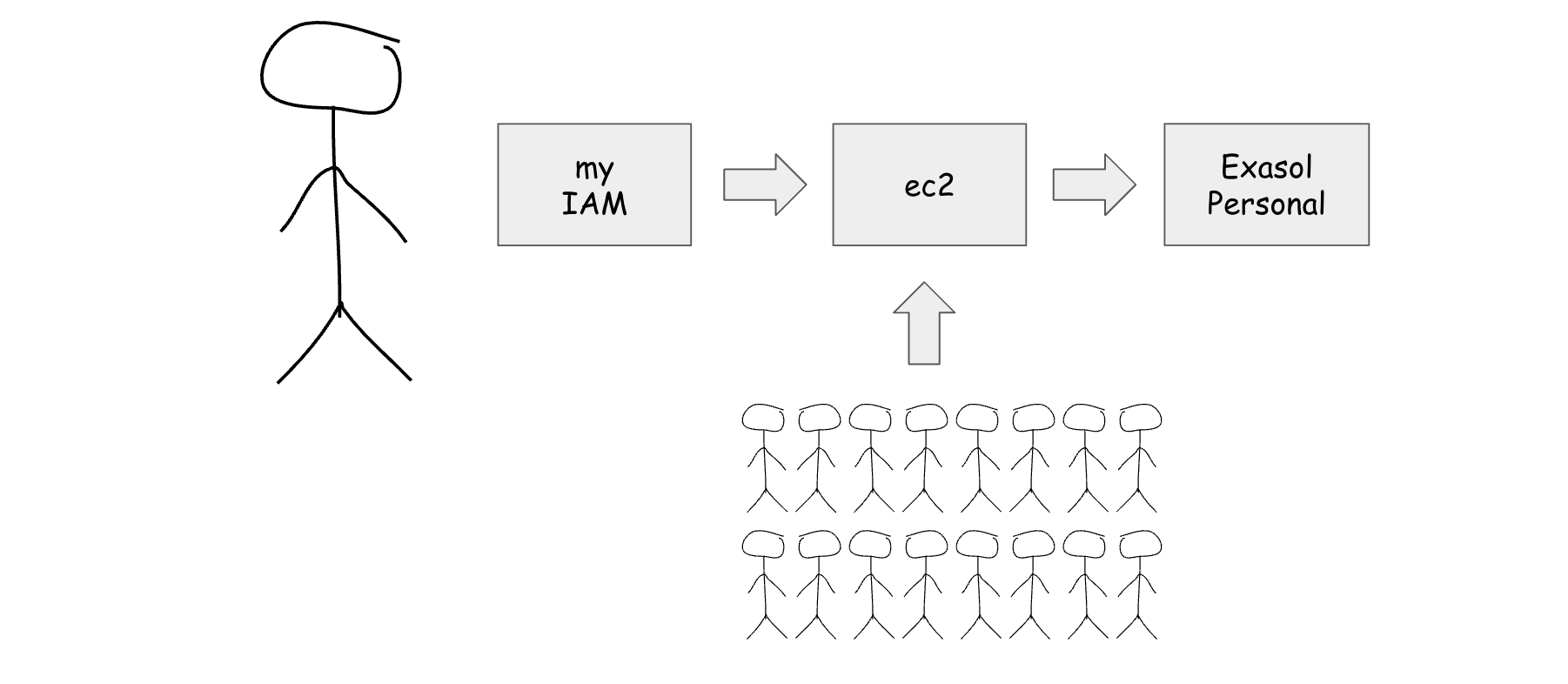
You attach a role to an instance, and when you start it, it gets access to all the resources you configured. You don’t need to worry about managing keys: EC2 does it for you.
But to create instances with the profiles, I’d need to distribute my key to the participants again, who would then use it to provision the instances.
So I wanted something that’s like EC2 instance profiles, but it would work without having to share my keys, and ideally outside of AWS – on GitHub Codespaces.
I needed to reproduce the way instance profiles work. The flow in EC2 looks like this:
You launch an EC2 instance with a role attached
EC2 calls STS and assumes that role
STS returns temporary credentials
Those credentials become available through the instance metadata service
The AWS CLI, boto3, and other SDKs know where to find them
When the credentials expire, AWS refreshes them automatically
If I could do something similar, but for Codespaces, it’d solve my problem: when the workshop is over, I just deactivate the profile, and my key is never used.
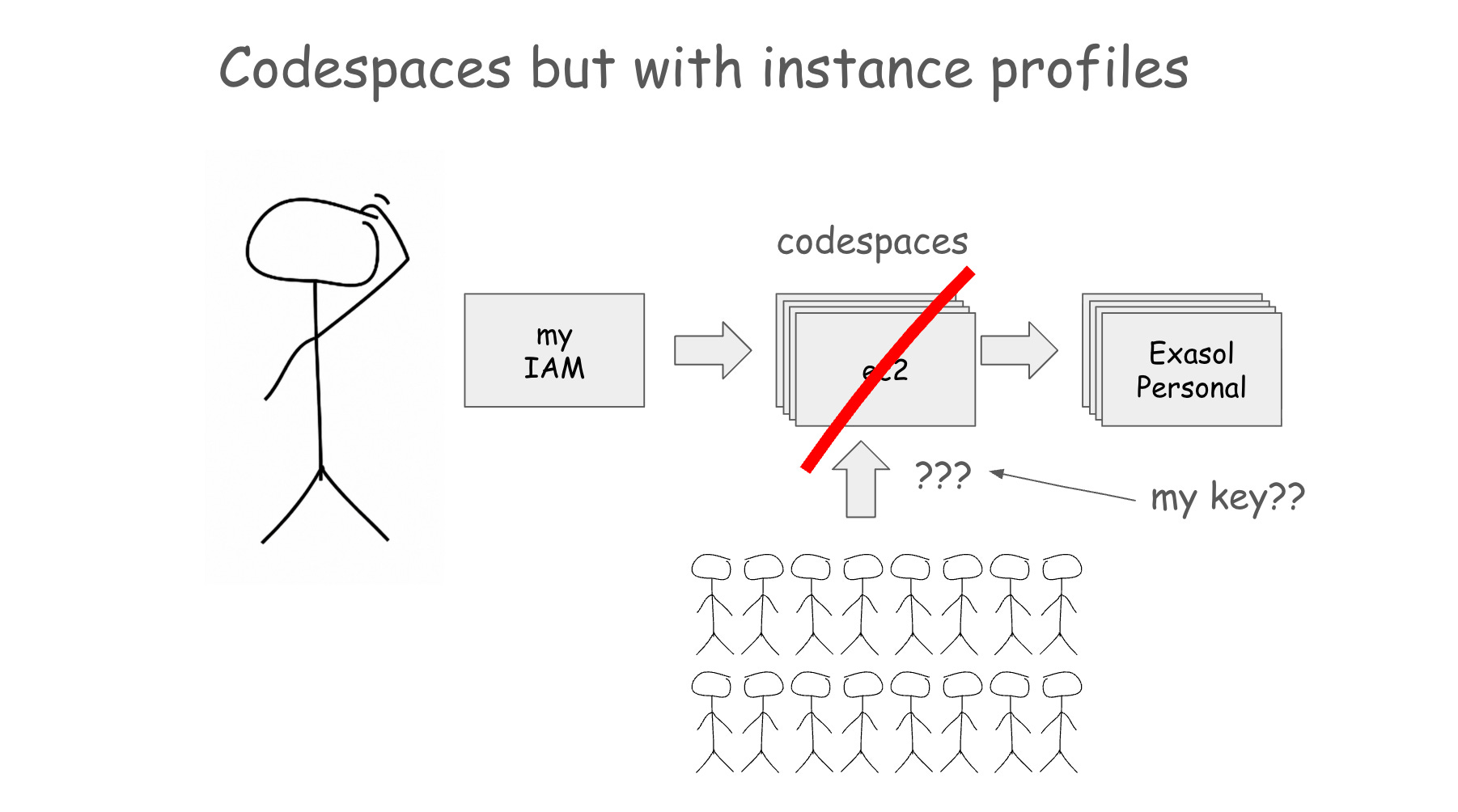
What I built: a credential endpoint I host
I started looking for alternatives and found this environment variable:
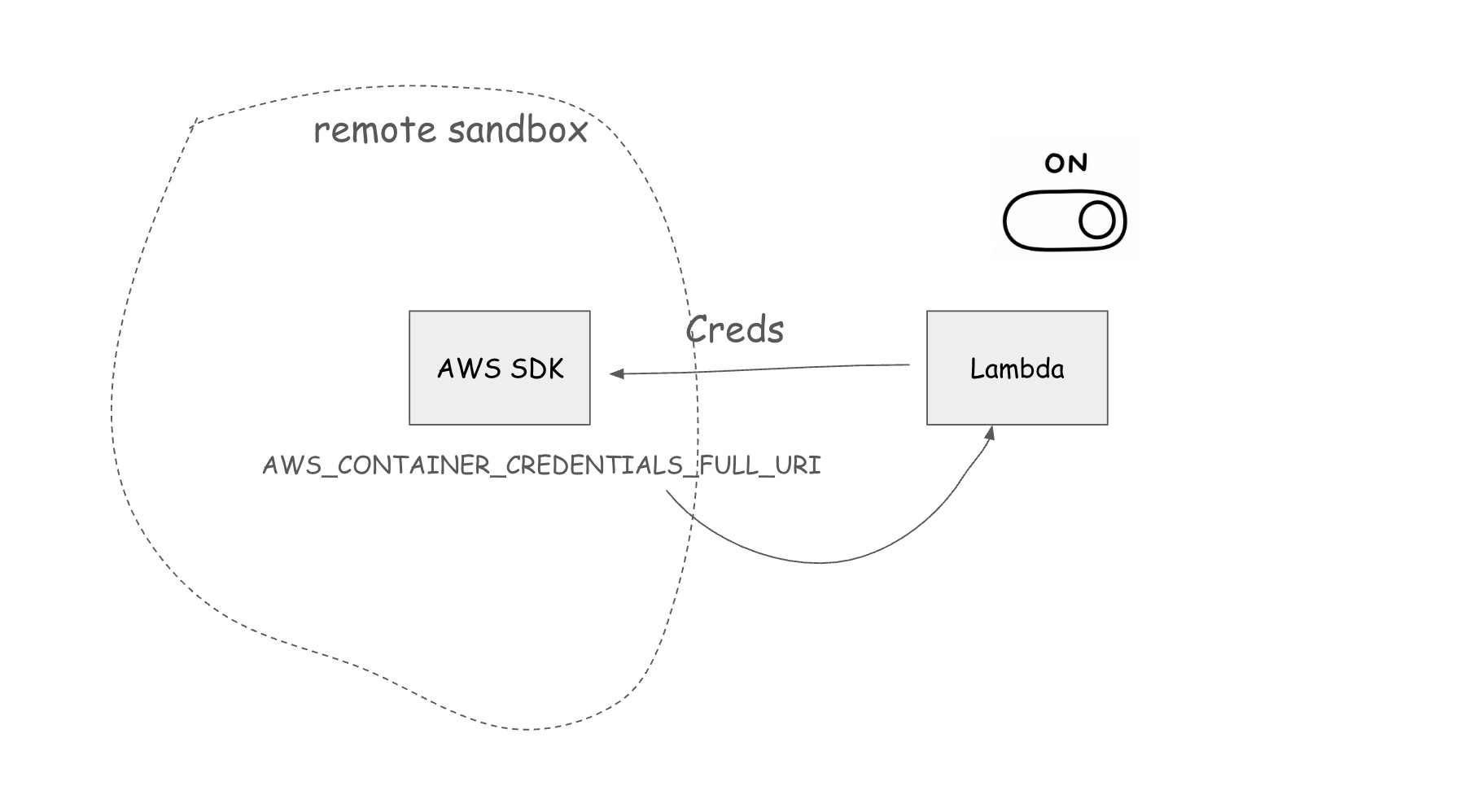
AWS_CONTAINER_CREDENTIALS_FULL_URIIt tells the AWS SDK where to fetch credentials. It is typically used in container environments, but it also works outside them. So I can point it to an HTTP URL and run a small service behind it. The service needs to create temporary credentials, and when they expire, the AWS SDK automatically asks for a refresh.
In my case, I created a Lambda that assumes an AWS role and returns temporary credentials in the format the SDK expects.
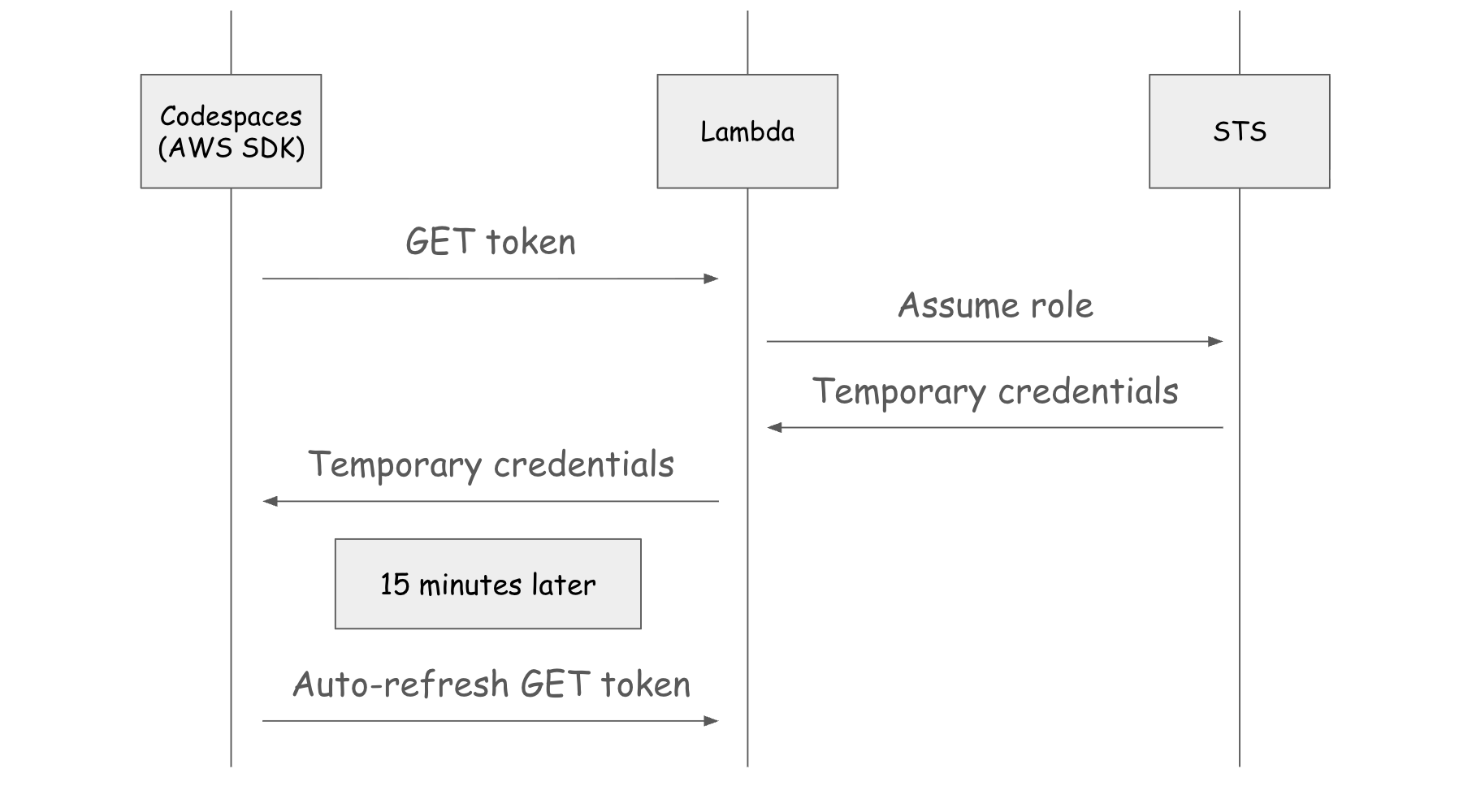
It’s the same flow as instance profiles, but I provide the endpoint instead of AWS doing it via the metadata service.
It moves the mechanism off EC2 and lets it run anywhere the SDK runs, including a Codespace.
Wiring it into Codespaces
I didn’t want this anywhere near my personal account. So I created a separate AWS sandbox account, put the Lambda there, and built a repository template for the workshop. The template carried a dev container, so when participants forked the repo and opened it in Codespaces, they got the right tools and the credential URL already configured. They opened a Codespace, ran the workshop commands, and the SDK pulled credentials from the Lambda. They never had to know the Lambda existed.
Second, the repo was public, so anyone with the URL could find the credential endpoint, and I didn’t want the Lambda handing out credentials to the whole internet. So I added a secret check and shared the secret offline during the workshop. I wrote it on the screen. I think it was something funny, like bananas.
You can check the code for this on GitHub:
aws-workshop-credentials for the credential-vending Lambda.
exasol-workshop-starter for the dev-container template.
The same problem with coding agents
The same pattern helps with coding agents.
Maybe you use Claude Code or Codex too, and sometimes they need AWS. I was running them on my laptop, where I also kept admin AWS credentials. And I am guilty of running them in skip-permissions mode, where the agent doesn’t ask before reading a file, running a command, or changing something. Approving every small step is annoying, so I told it to do whatever it wanted.
What could go wrong?
Plenty. One of the agents dropped my production database. I wrote about that here: How I Dropped Our Production Database and Now Pay 10% More for AWS. When you delete an RDS instance, the backups go with it. I thought I had daily backups to fall back on. I didn’t. I opened support requests, couldn’t recover anything, and recovery only became possible after I upgraded to business support.

This post isn’t about that incident. But that incident is the reason I now think about how agents get AWS access at all. The rule I took from it: an agent should never have a path to production.
My first step was to move agents to a remote sandbox server. If an agent decides to delete something, it can’t do that because it lacks access. The server itself is disposable. I can easily recreate it, so if an agent breaks it, that’s fine.
Second, real deployments go through CI/CD. When I need to apply a Terraform change, I let the agents write the files and push them to GitHub, then I apply the change from my laptop. On my laptop for infra work, I don’t use skip-permissions mode, so I stay in control of anything that touches real infrastructure.
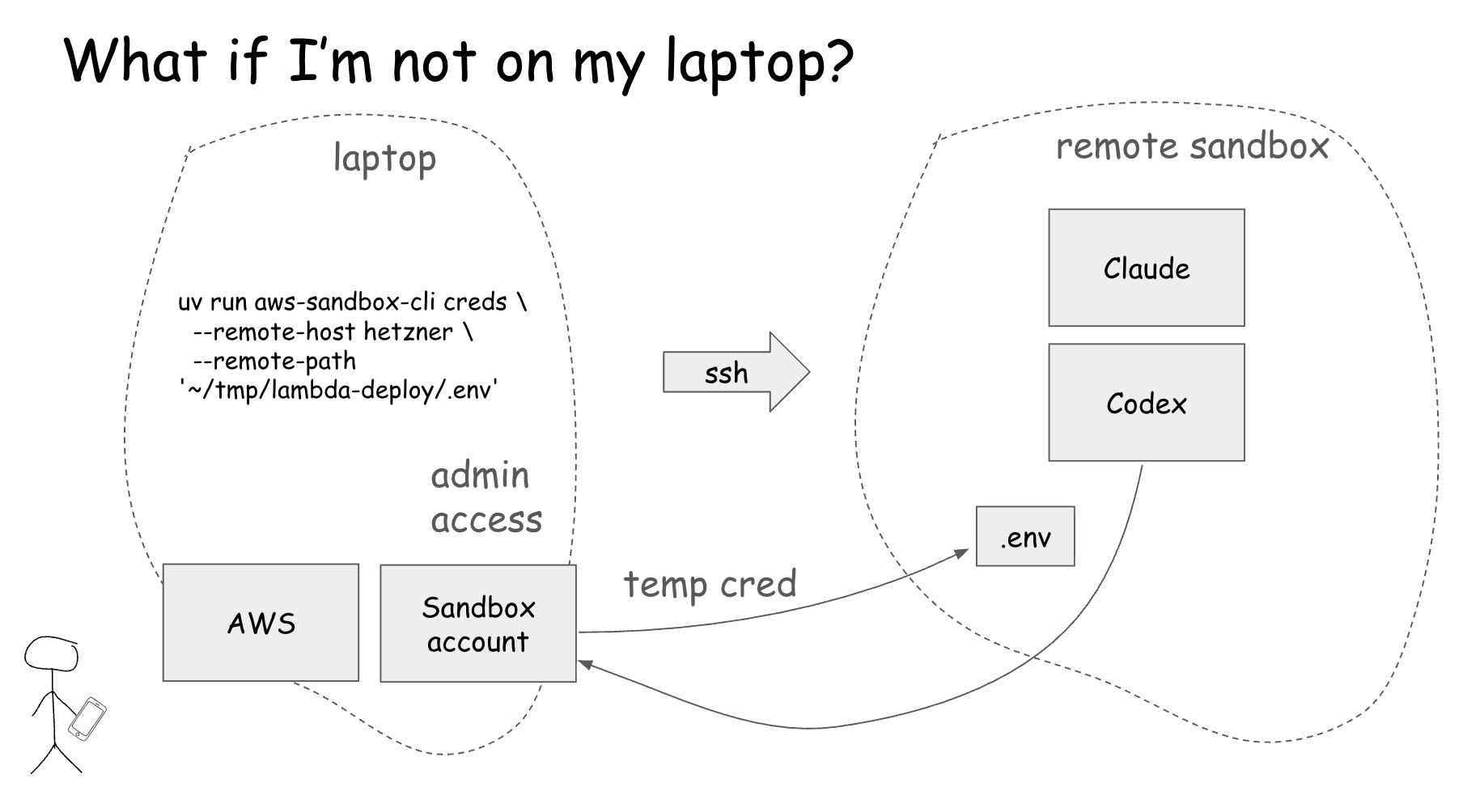
But sometimes I want my agents to experiment with infra on AWS. It happens when I need to work out how to deploy a new service, which resources it needs, and which permissions it requires. For this, I created a separate sandbox AWS account. When agents need access to it, I run a script that writes a credential file into the project folder the agent is working in, and the agent gets access for about an hour. The tool is aws-sandbox-cli.
The result is that agents have enough room to explore and break things, but only within the sandbox, and never on a path that reaches production.
Turning access on from my phone
But sometimes I’m not at my laptop, I’m on my phone, and I still want agents to work. I travel often, and now and then I want to let an agent figure out some inference work while I’m away from my desk.

I don’t have admin AWS credentials on my phone, and I don’t want them there. Reaching my laptop instead isn’t an option either. When I travel, it’s in my backpack, and when I’m out for the day, it’s at home behind a router, so SSHing into it isn’t trivial. And even when I can access the sandbox, I don’t want agents hitting AWS at will. They might provision ten GPU instances, and then I have a very expensive problem.
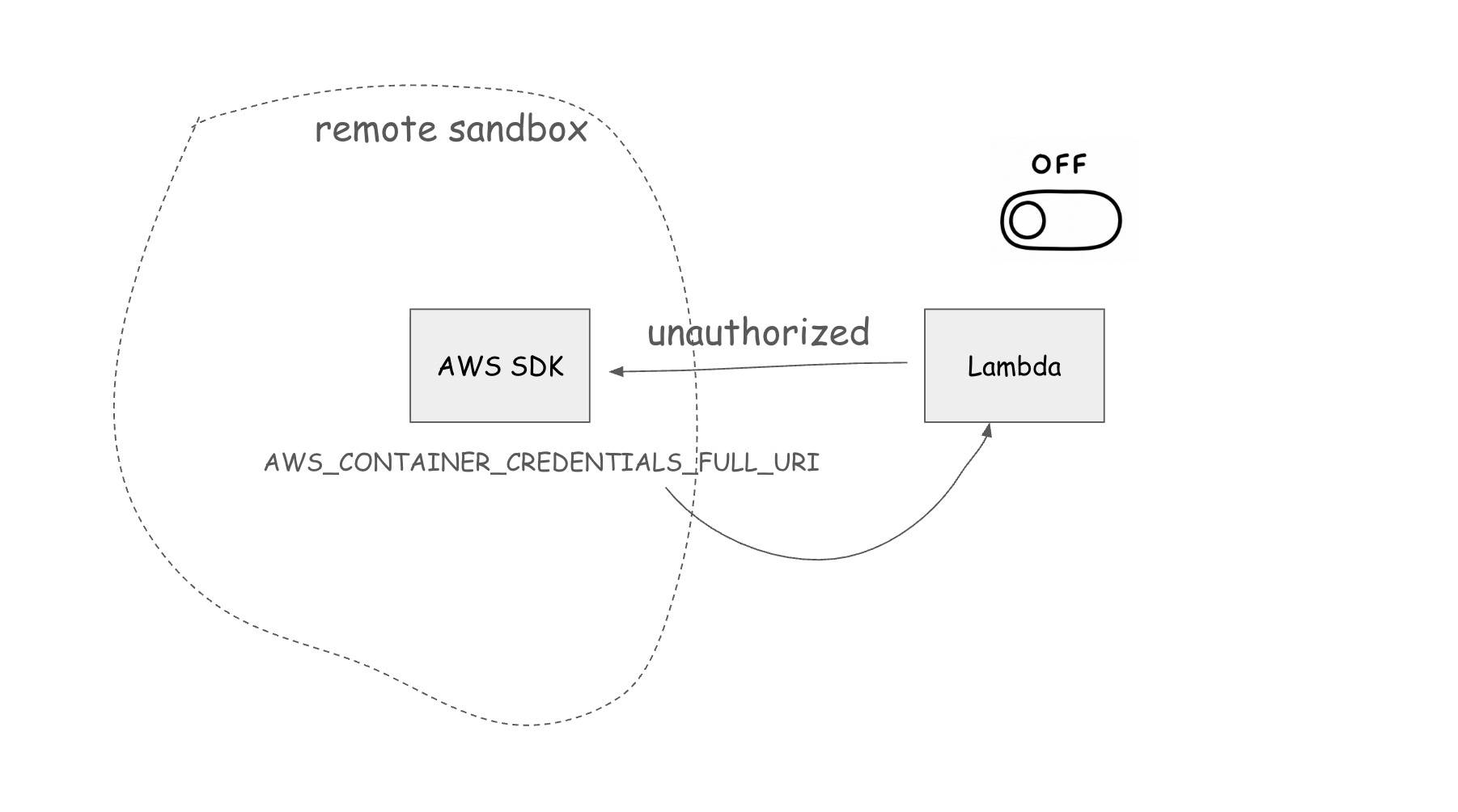
So I reused the credential URL. The remote sandbox already points its credential URI at a Lambda, so I built a phone app that toggles that Lambda on and off. When the toggle is on, the Lambda hands out credentials. When it’s off, the sandbox asks and fails. The access is temporary, and I can hold it for an hour. When I need an agent to run an experiment, I open the app, flip the toggle on, and flip it off when I’m done. The tool is phone-aws-gate. I connect to the sandbox from the phone with Termius, an SSH client for phones.
For example, when I connect to the remote server and run:
aws sts get-caller-identityIt fails because there is no AWS access. I flip the toggle on my phone; it asks for my fingerprint and grants access for 15 minutes, with a timer running. Now get-caller-identity works. I flip the toggle off, and the access is gone.
Where I use it now
It started as a workshop problem: how do I let 50 or 60 people use AWS without handing out long-lived keys? The answer was a credential endpoint I control. The same endpoint now does two more jobs. It gives coding agents temporary access to a sandbox account and sits behind a toggle on my phone, so I can turn that access on and off from anywhere.
One mechanism covered all three because the underlying need was the same each time: temporary, revocable AWS access with no long-lived keys sitting on a machine.
I run the credential endpoint now, so its security is mine to get right, and the access is only as locked down as I make it. The workshop ran behind a word I wrote on a screen. That was a deliberate trade for a setup I could throw away the same day, not a pattern I’d reuse for anything that had to last.
The rule I follow now is the one the dropped database taught me. Before anything gets AWS access, whether it’s a room full of strangers, an agent, or a script, I ask the same questions. Is the access scoped to a sandbox? Is it temporary? Can I revoke it? And can it reach production? If the answer to that last one is yes, I stop and fix it first.
What I’ve been working on this week
Sprint prep with Codex
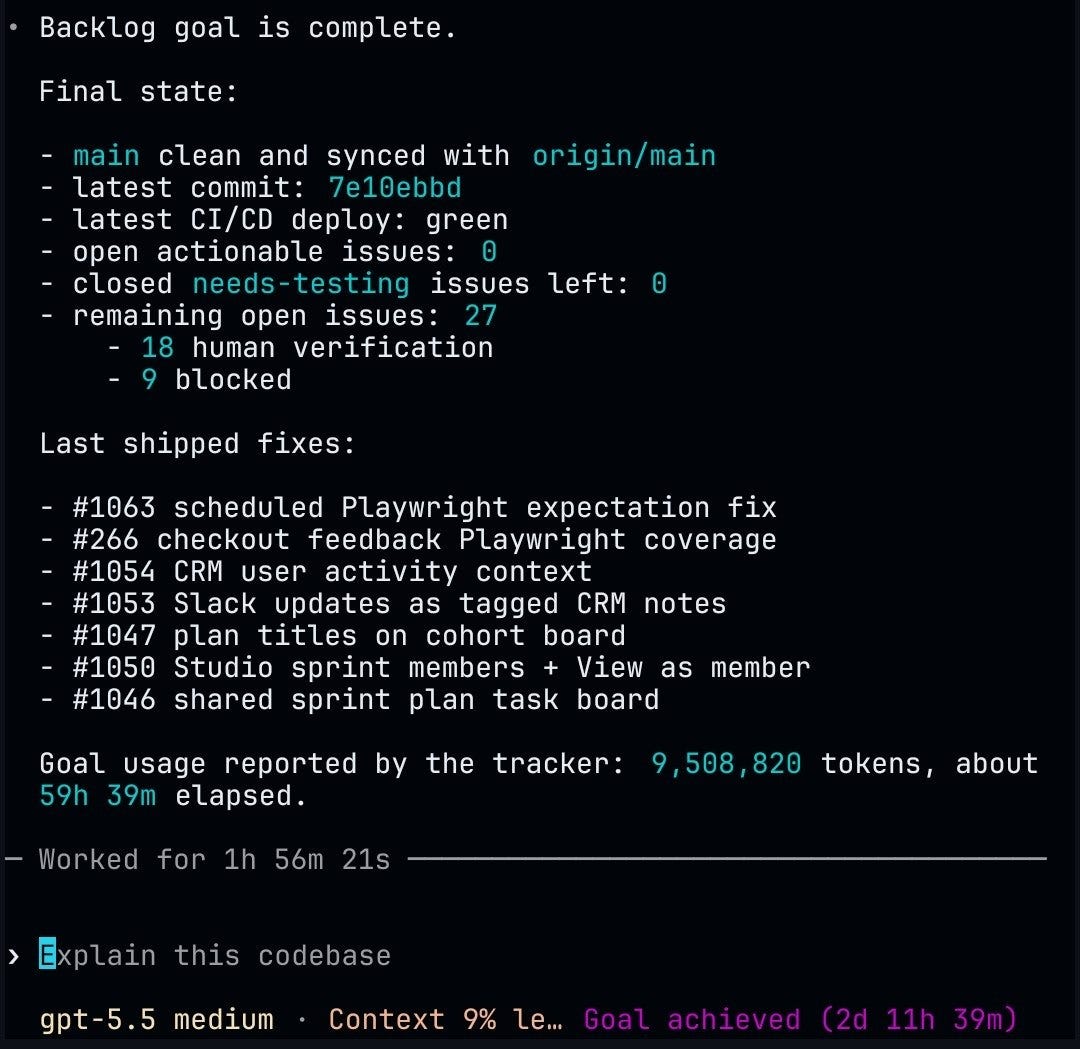
I spent a lot of the week getting AI Shipping Labs ready for the next sprint. Codex ran for over two days on platform features, and I gave it a lot of feedback along the way. Most of it was fixes and polish of existing features, making what already exists look and work better. It kept going until everything on my list was done.
Cloudflare Workers workshop
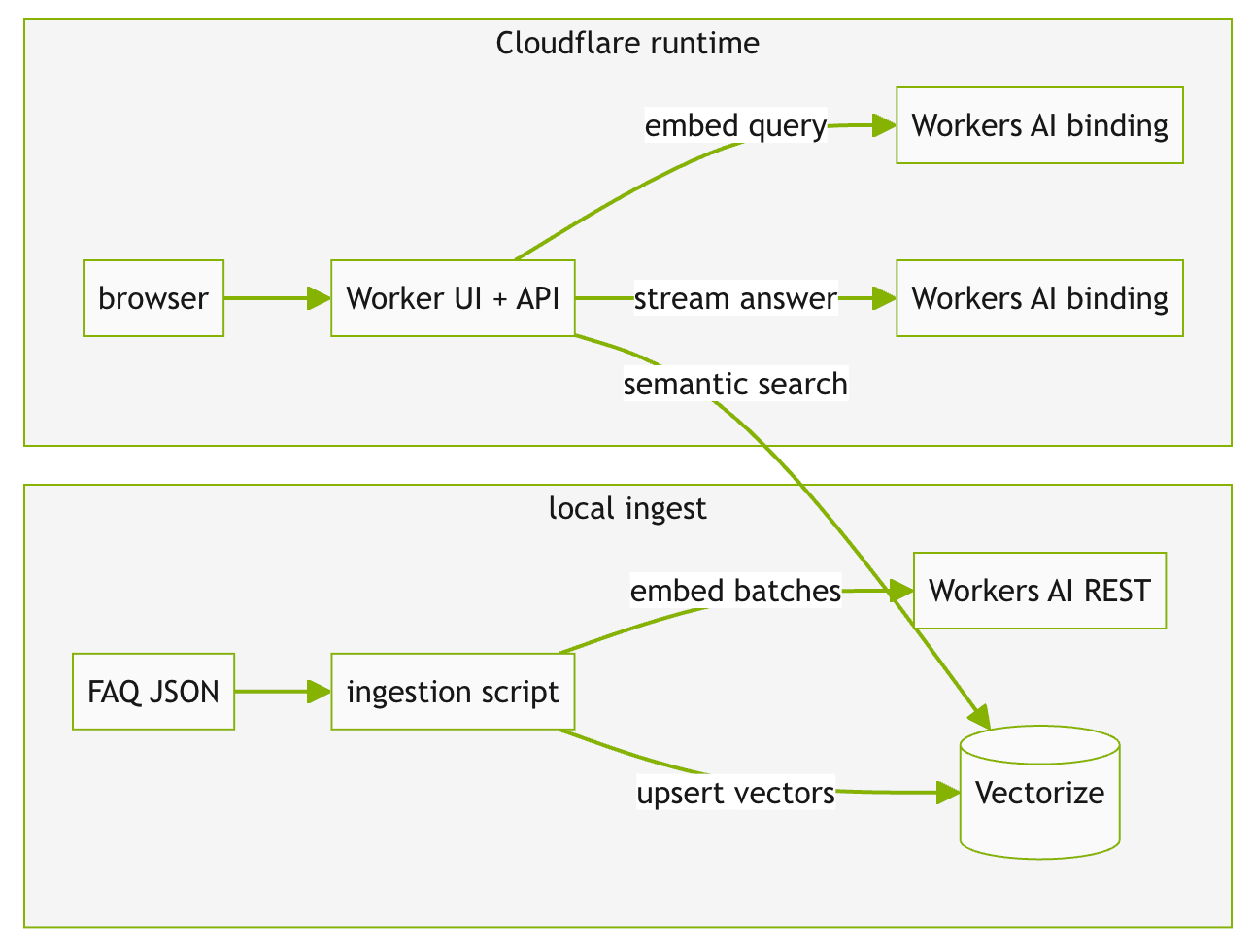
On Wednesday, we ran an AI Shipping Labs workshop on Cloudflare Workers, and it was more interesting than I expected. The idea was to take the FAQ agent from our earlier deployment workshops and move its whole online path onto Cloudflare.
The question we wanted to answer was whether Cloudflare could replace the usual stack for a small FAQ agent: a FastAPI server, a separate vector database, and a paid always-on host.
It mostly can. Cloudflare runs the full online path, with one caveat: ingestion still runs locally as an operator command rather than as a public endpoint, so you load the FAQ into Vectorize yourself when you need to.
We built that path end-to-end, creating credentials and a Vectorize index, ingesting the FAQ, running the Worker locally against the real Cloudflare services, then deploying it and cleaning it up. We also tried a Python Worker rewrite. Workers are still cheap, and for small pet projects, they're close to ideal.
If you want the notes from this workshop, join AI Shipping Labs. The Basic plan includes notes, and the Main plan includes recordings.
A lighter FAQ assistant, and zerosearch
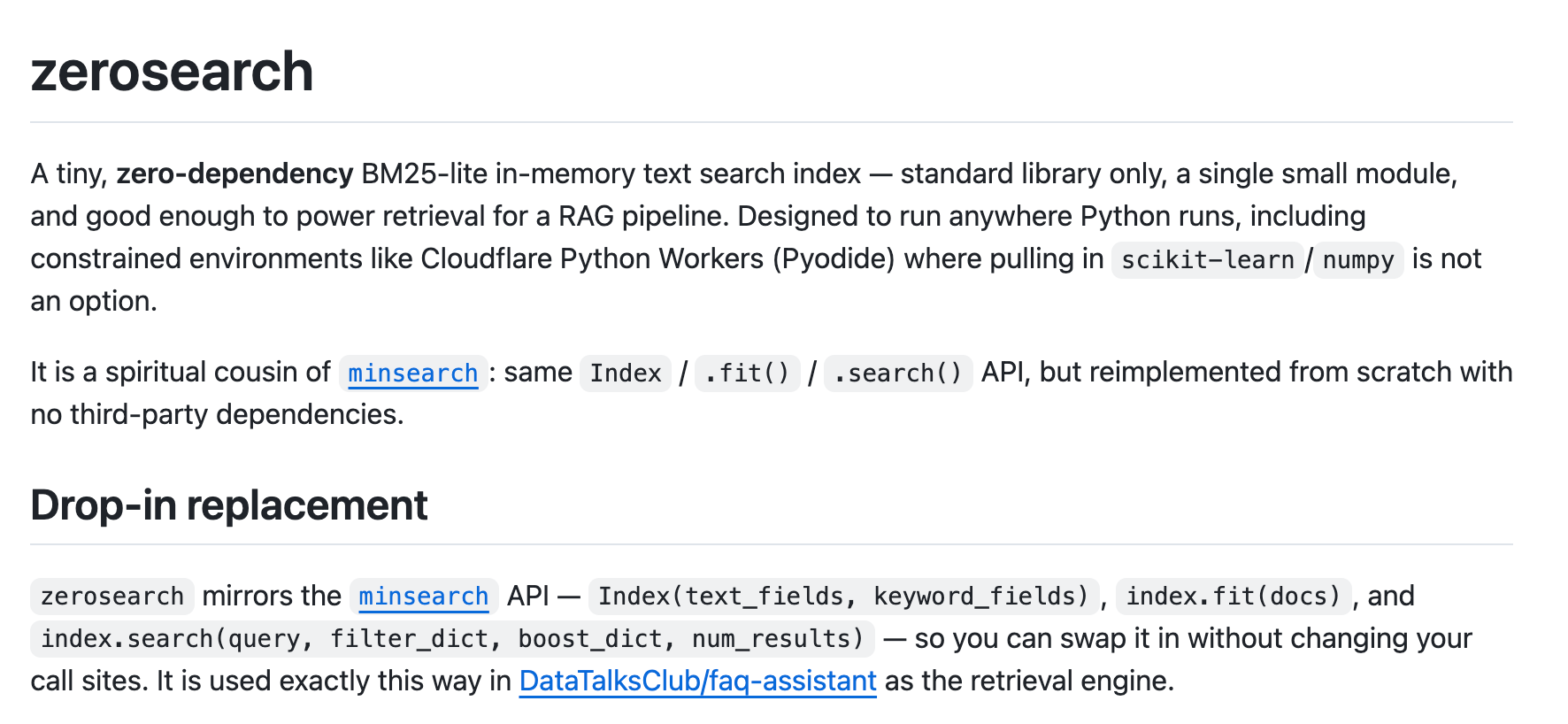
After that workshop, I tried to port the DataTalks.Club FAQ assistant to Cloudflare Workers and make it as small as possible. The Python layer on Workers doesn’t support extra libraries, so I rewrote MinSearch as a zero-dependency, pure-Python library called zerosearch.
A shared email service for the course management platform
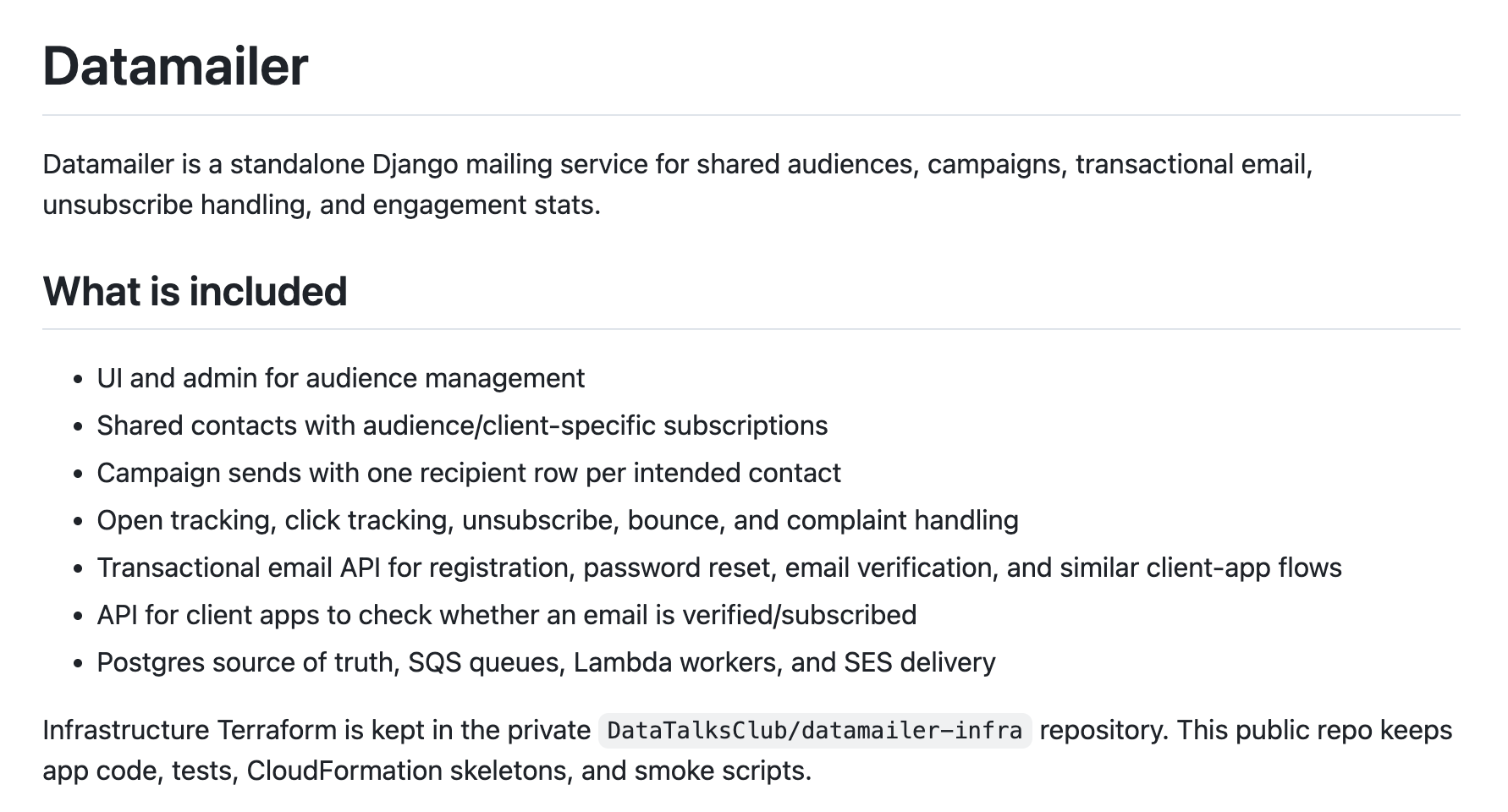
I started wiring email into the course management platform, which wasn’t possible before. It uses Amazon SES to send mail tailored to our setup, starting with the course management platform.
Emails already work in AI Shipping Labs, which I finished a few weeks ago, but I want to pull the logic into a separate service, DataMailer, so all our platforms can share it. My current goal is to get the course management platform emails working first, then move the AI Shipping Labs emails over, and maybe the weekly emails after that. If it ends up replacing MailChimp, great. If not, that’s fine, and we keep MailChimp. But that’s the direction.
I plan to write more about DataMailer in one of my future newsletters. Subscribe to stay updated!
Interesting Tools
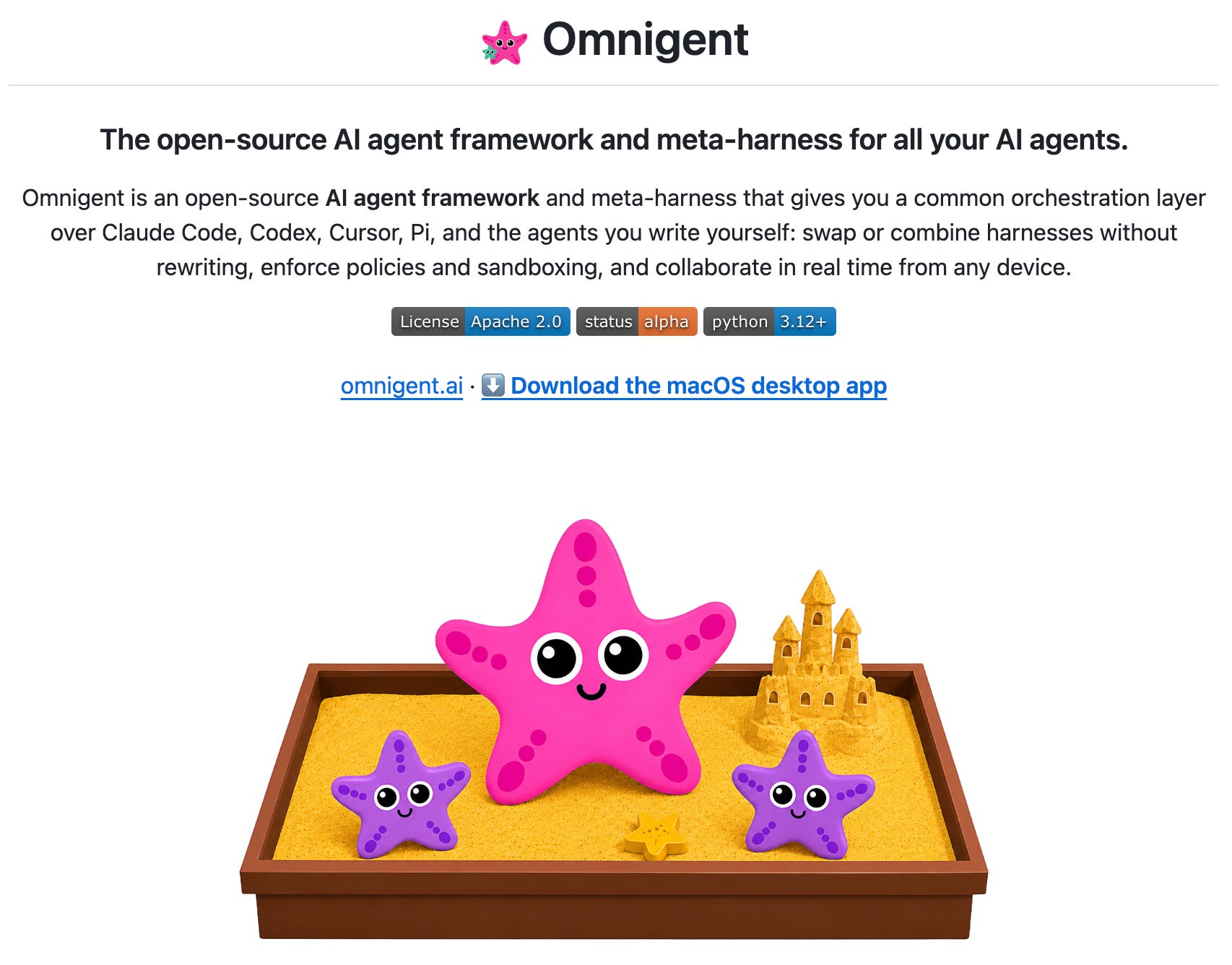
Omnigent is an open-source meta-harness from Databricks. It sits above the coding agents you already use (Claude Code, Codex, Pi, the OpenAI Agents SDK, or your own YAML-defined agents) and makes them work together as one system. You can run several agents in a single session, for example, one vendor’s agent reviewing another’s code. Policies like spend caps and approval gates are enforced at the harness layer instead of through prompts, and tools run inside an OS sandbox with an egress proxy that injects secrets the agent never sees. Sessions follow you across the terminal, web, mobile, and a macOS app, and you can share a live one by URL so teammates can watch or co-drive. It’s released under Apache 2.0.
Ponytail is an AI agent skill that pushes coding agents to write the least code that does the job, what its author calls “the laziest senior dev in the room,” replacing fifty lines with one. Before writing anything, the agent works down a ladder: does this need to exist, does the standard library or a native platform feature already cover it, can it be done in one line? It builds only the minimum that works, but never cuts validation, error handling, security, or accessibility. It installs as a plugin for Claude Code, Codex, and a dozen other agents. On agentic benchmarks, it cut code by around 54% while staying cheaper and faster than the unassisted baseline.
Resources
Ivan Brigida ran a workshop on building a Stock Research Agent. He had clearly prepared a lot, and I liked how he presented it.
Edited by Valeriia Kuka