

The third cohort of my AI Engineering course wrapped this summer, and in this post I want to share what we built.
The projects are real-life and include an exam questions generator, a chess coach, a RAG pipeline, job tools, and research assistants.
This is not the first post about the projects that AI Buildcamp graduates built. I wrote about the previous two cohorts earlier:
First cohort: 5 ideas for AI agents
Second cohort: 9 Real-Life AI Projects from AI Engineering Buildcamp Graduates
In this post I want to describe some of these projects.
Some of the course participants presented their projects live on Demo Day, so we’ll start with them.
Let’s start!
1) Exam Questions Generator by Salma Bouzid
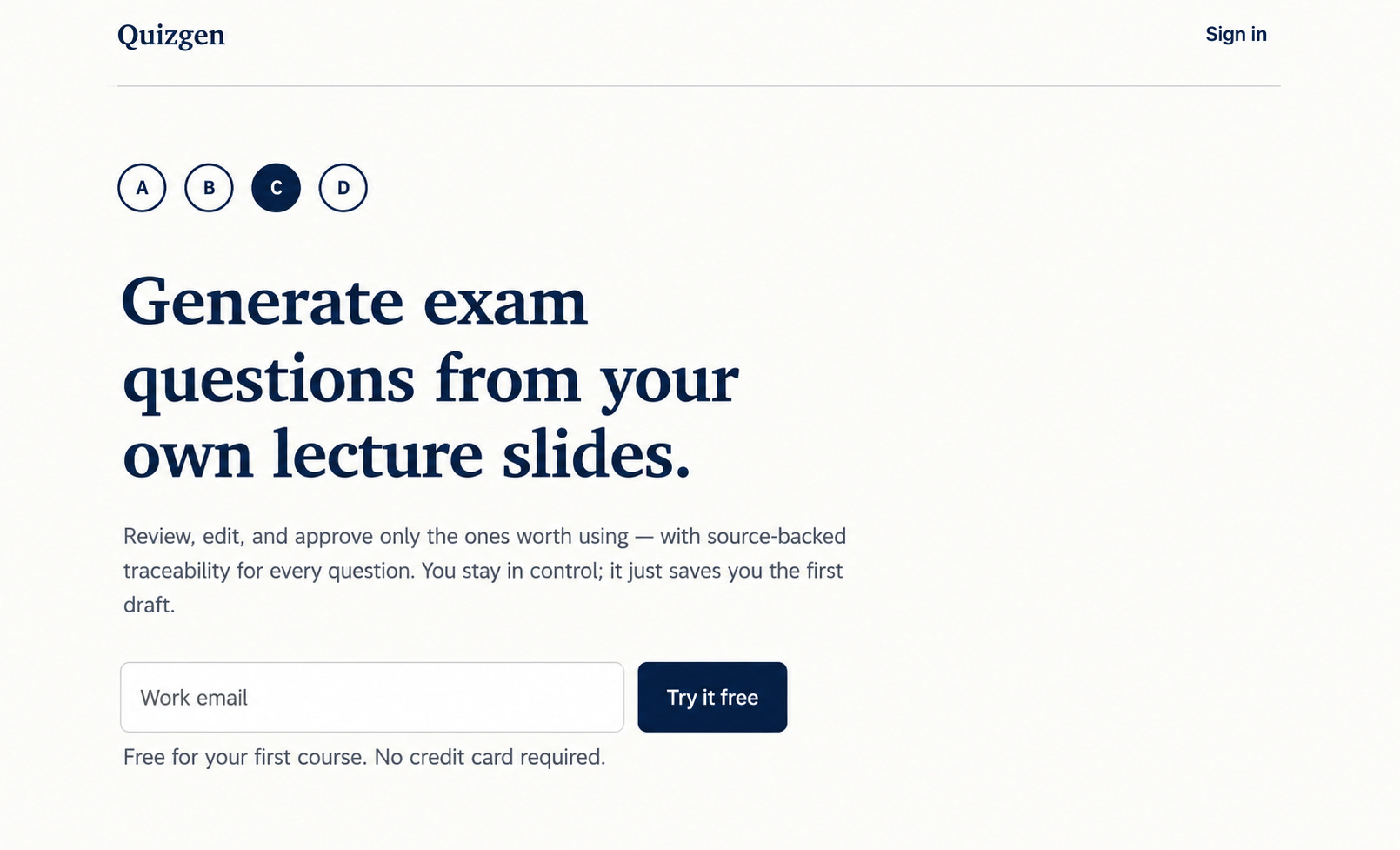
Salma is a data analyst who took the course to get better at building an AI app. She’s leaving her job to work as a founder. Her project helps university professors generate exams from their own slide decks.
You upload a course PDF and pick how many questions you want. You also choose a mix of case studies, theory, and applied-concept questions. A professor can approve, edit, or reject each question, then export the exam. In the live demo she asked the model to tailor an HR-management exam to a business student in Berlin.
The frontend is Next.js
Supabase stores user actions plus API cost, PDF size, and regeneration prompts
She started with Claude and later moved to OpenAI
An LLM judge checks that a question is grounded in the course and not answerable without it
2) ATS Gap Analyser by Amar Agrawal
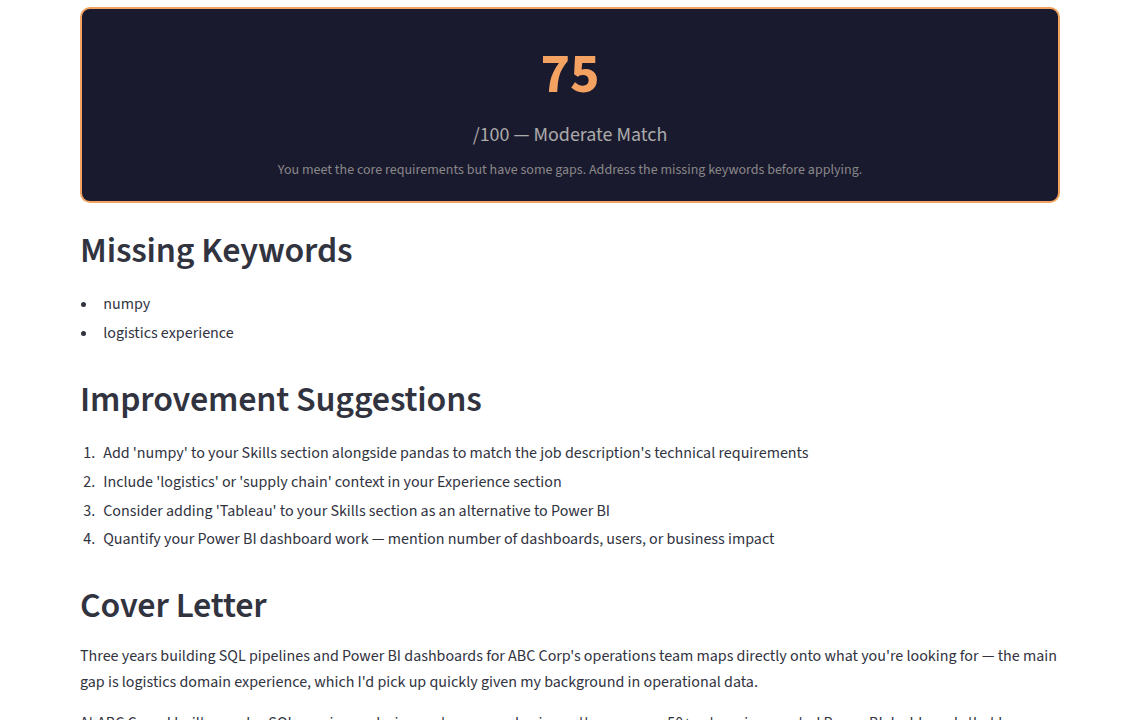
Amar’s ATS Gap Analyser is for people who apply to jobs and never find out what went wrong.
You paste a job URL and your CV. The app returns a match score out of 100, missing keywords, improvement suggestions, and a three-paragraph cover letter.
The app is live on Streamlit. It doesn’t store the CV or the job description, not even in the logs.
The agent has four tools.
Extract job requirements
Score the CV
Suggest improvements
Generate the cover letter
Suggestions retrieve from 50 ATS best-practice documents with minsearch.
Eval used 50 manually written cases.
Version 1 had 60% recall and 30% accuracy, and version 6 reached 88% recall.
Amar kept accuracy lower on purpose: he would rather flag a missing skill than miss it.
3) Chess Coach Agent by Leo Cabibihan
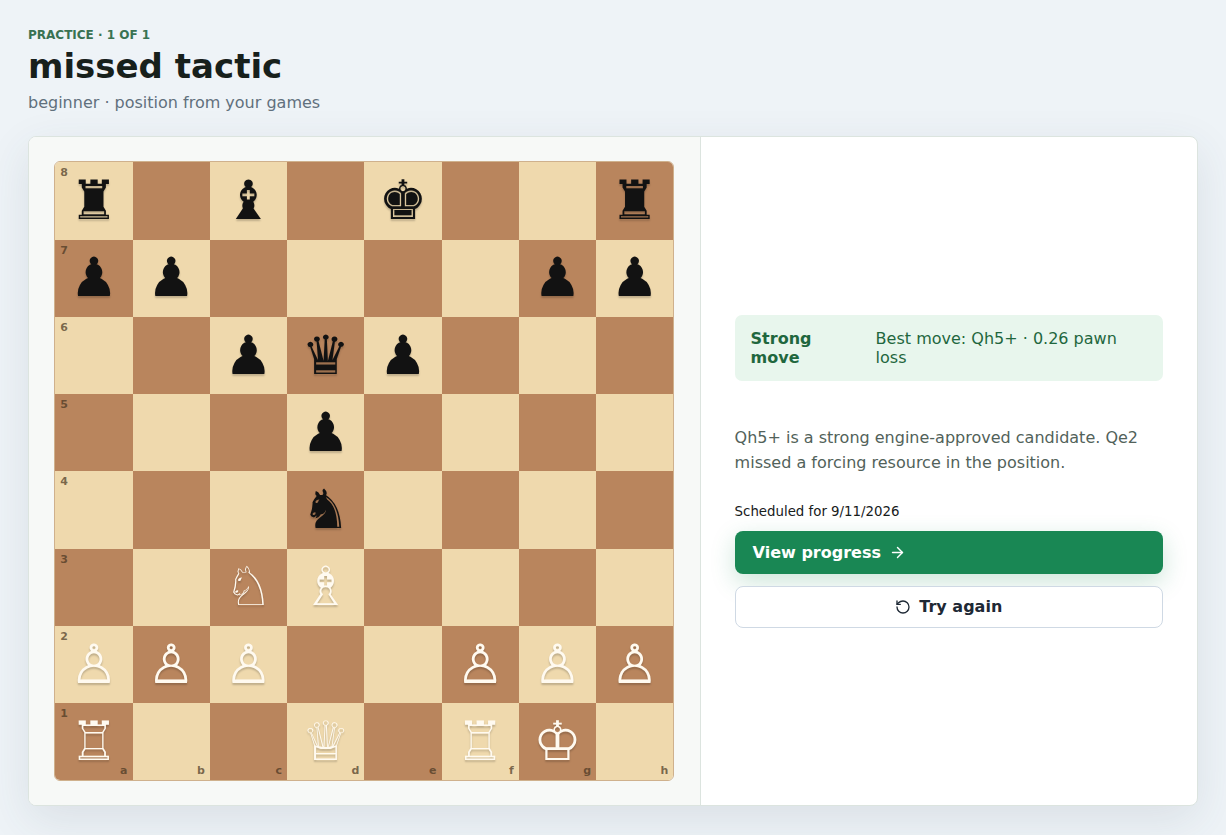
Leo’s first project was a chess-coach chat, but it wasn’t useful. Chess Coach Agent starts from your real games instead. You import Lichess, Chess.com, or a PGN file. The app finds weak moments, explains them, and drills those positions.
Leo imported about 2,700 of his own Lichess games for the demo.
The stack includes FastAPI, React, Postgres with pgvector, and PydanticAI. It also uses Stockfish, BM25 lessons, Logfire, and it’s deployed on Render.
Practice uses spaced repetition at 1, 3, and 7 days, doubling up to 30. If there’s no API key, deterministic templates still run. CI uses a TestModel so tests stay offline.
4) Document Preparation Agent by Paulien Out and Alena Fojtik
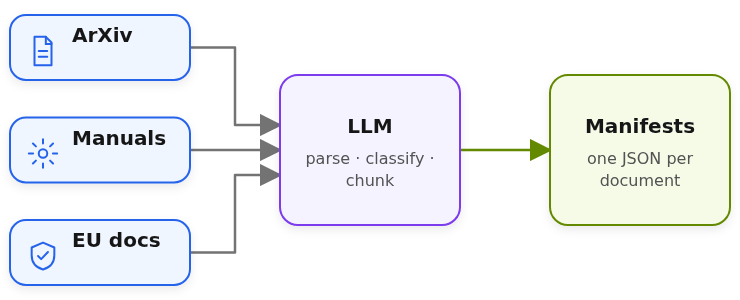
Paulien and Alena build on-premise AI systems. They created Document Preparation Agent, which is RAG with extra metadata. This metadata is needed for filtering: their clients often want to add query qualifiers like “only the latest documents” or “only files written by person X”.
Because the customer data is private, the demo they used public arXiv papers, manuals, and EU documents. For v1 they focused only on PDFs only. There’s also no UI, only CLI.
Each manifest has author and document type, plus a summary, keywords, and numbered chunks.
Paulien’s LinkedIn and Alena’s LinkedIn
5) Research Radar by Hana Ben Ali
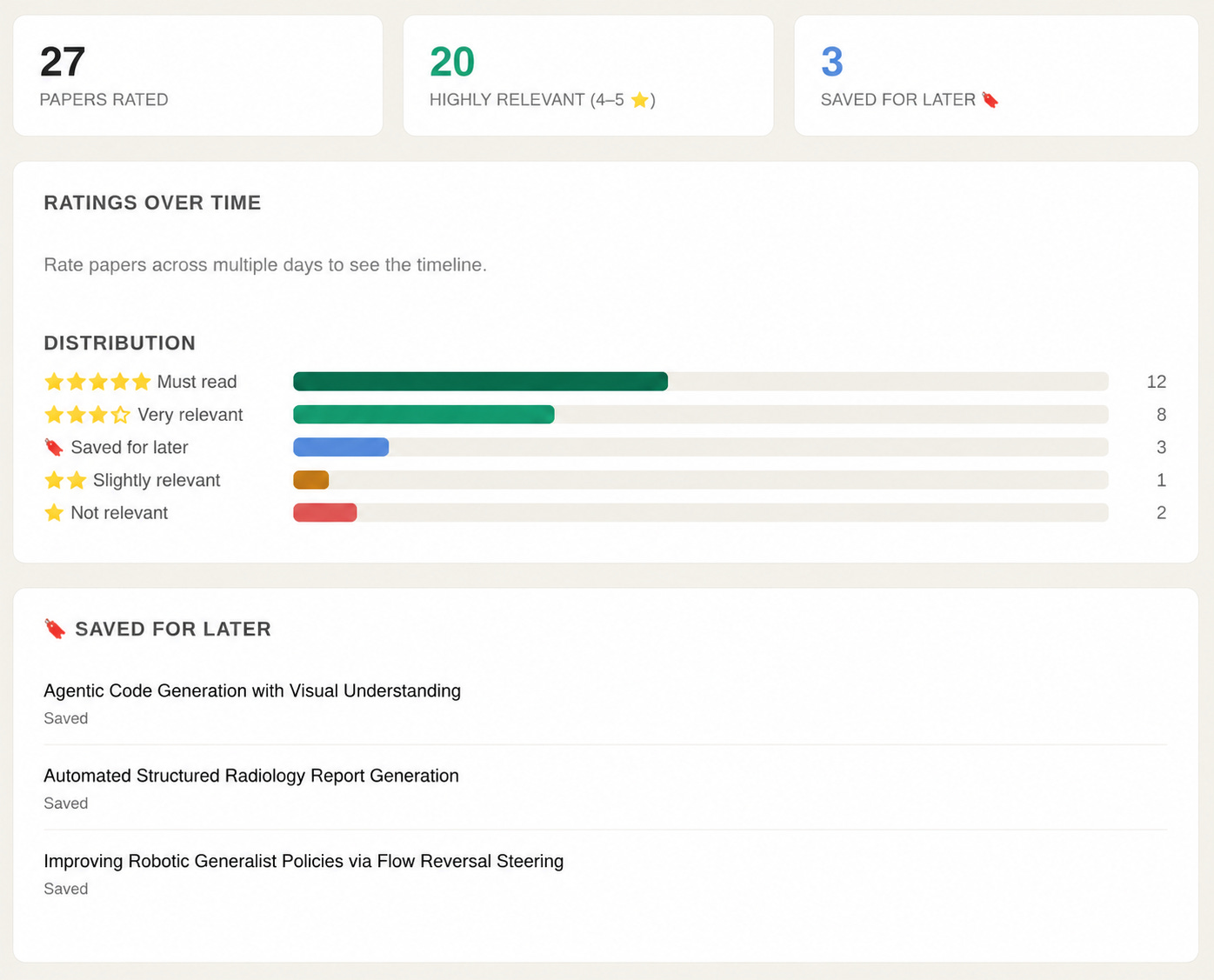
Hana is a structural engineer and a PhD student. She needs to stay of top of new research, but it’s very difficult: there are 100–300 new papers per day on arXiv. Scanning all the titles and abstracts manually takes hours, and relevant work is easy to miss.
Her Research Radar solves this problem. It fetches the new papers every morning, ranks them against her interests, and emails her the best matches.
The app also builds her interest profile based on the papers she already read, and the new recommendations are based on it.
It works in two stages:
Semantic search with cosine similarity and an author boost, keep top 15.
Re-rank with an LLM ranker to get top 5.
The top 5 go out by email through Resend.
Stars from the email write back to ground_truth_papers.csv, which is both the knowledge base and the eval set.
She started from 26 papers she had rated herself. After tuning a 0.6 semantic / 0.4 LLM blend, NDCG@5 went from 0.871 to 0.923. A Streamlit dashboard shows timestamps, average score, and ratings over time. The hardest part was making the ranker get better each morning.
The other submissions weren’t presented live. Here they are.
6) AI Diet Coach by Thet Su Win
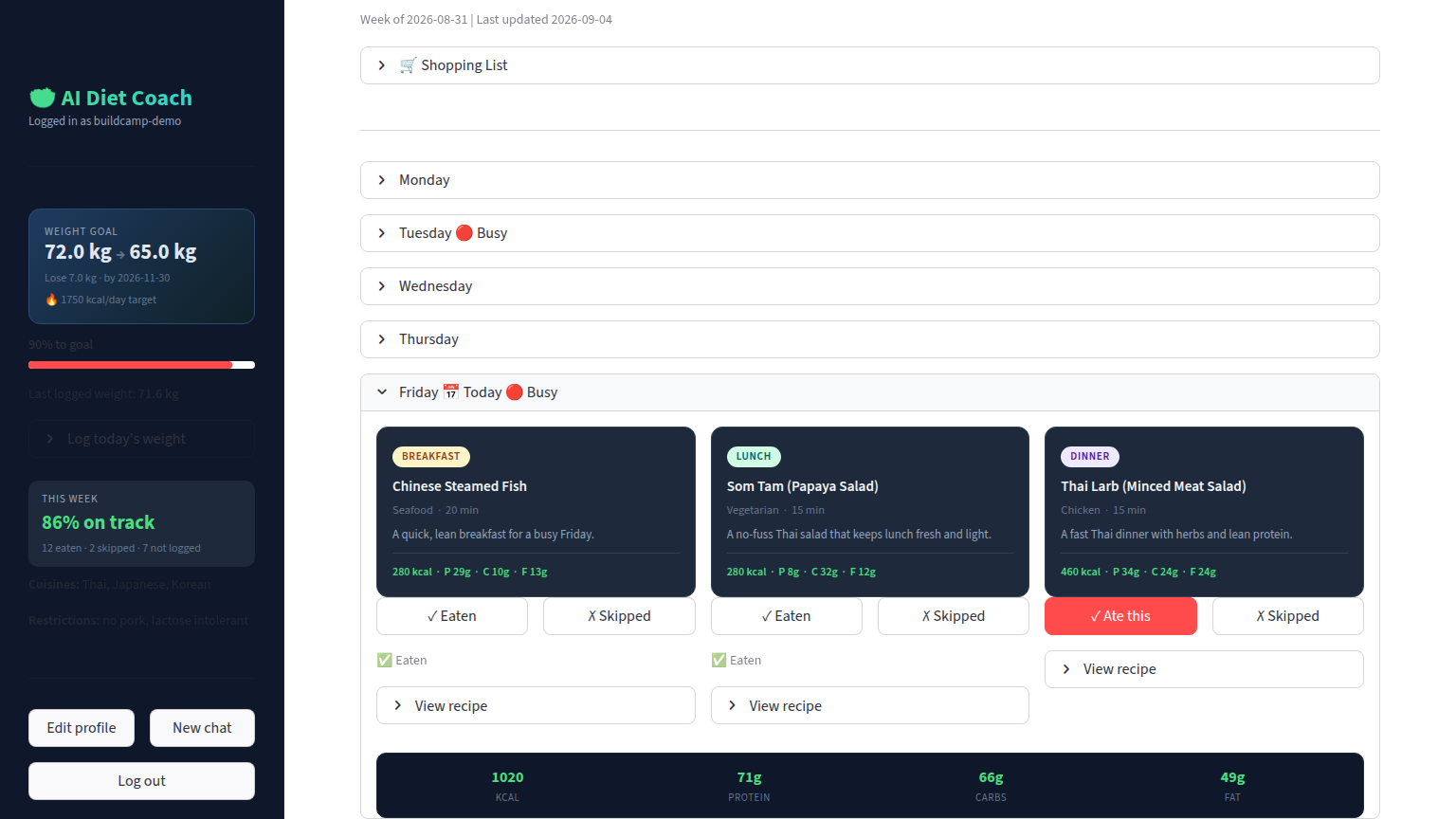
AI Diet Coach is a meal planner for Southeast Asian users. Most Western diet apps ignore this group, that’s why Thet decided to create an app.
You set goals, restrictions, cuisines, and location. The agent builds a 7-day plan from 256 recipes: 201 from TheMealDB and 55 Asian dishes added by the author. It tracks meals and weight, swaps meals, and builds a shopping list.
It also looks up USDA nutrition data and suggests nearby restaurants through Google Maps. The app is live on Streamlit.
A judge went through four versions on 88 labeled answers, and accuracy moved from 46.6% to 73.9%.
7) AI Learning OS by Wesley Tan
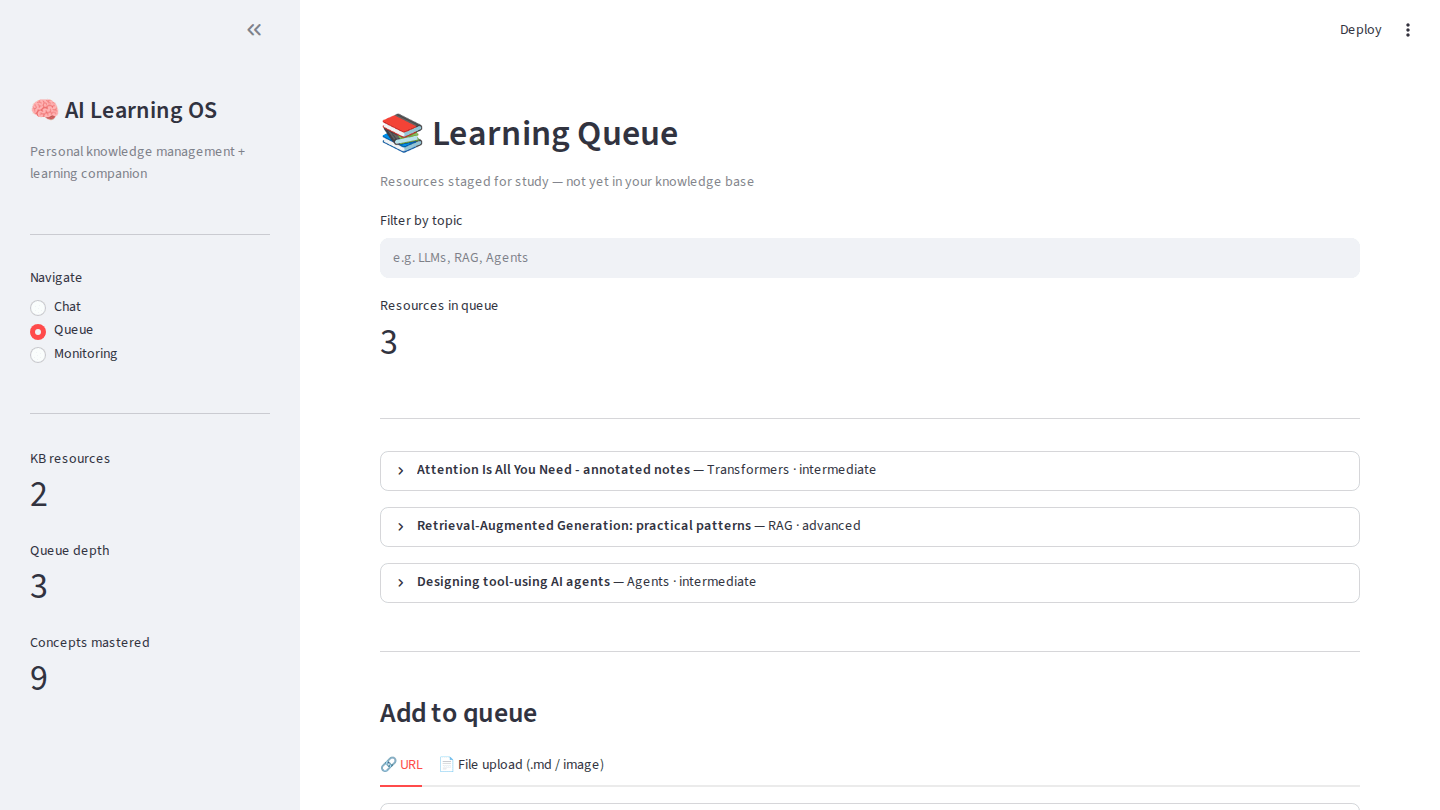
Wesley wanted to solve the watch-later graveyard problem. Self-learners save dozens of videos and articles across YouTube playlists, browser bookmarks, and note-taking apps, but most of this material is never used.
They do finish some content, but it rarely becomes structured knowledge that’s possible to use later.
To solve that, Wesley created AI Learning OS.
It separates saved content from learned content. You queue YouTube videos, articles, markdown, and images. After a learning walkthrough, the system writes only what you actually studied into a knowledge base. Chat search cites that base and reports progress.
The agent has six tools
Add to queue
Browse queue
Load for learning
Consolidate to the knowledge base
Search
Get progress
Retrieval is hybrid BM25 plus dense vectors with reciprocal rank fusion. A 400-word chunk size with 5 results scored 15/15 on the tuning set. 600-word chunks with 7 results scored 12/15. An empty-knowledge-base test checks that the agent doesn’t invent content.
8) Applied ML Teaching Copilot by Marco Teran
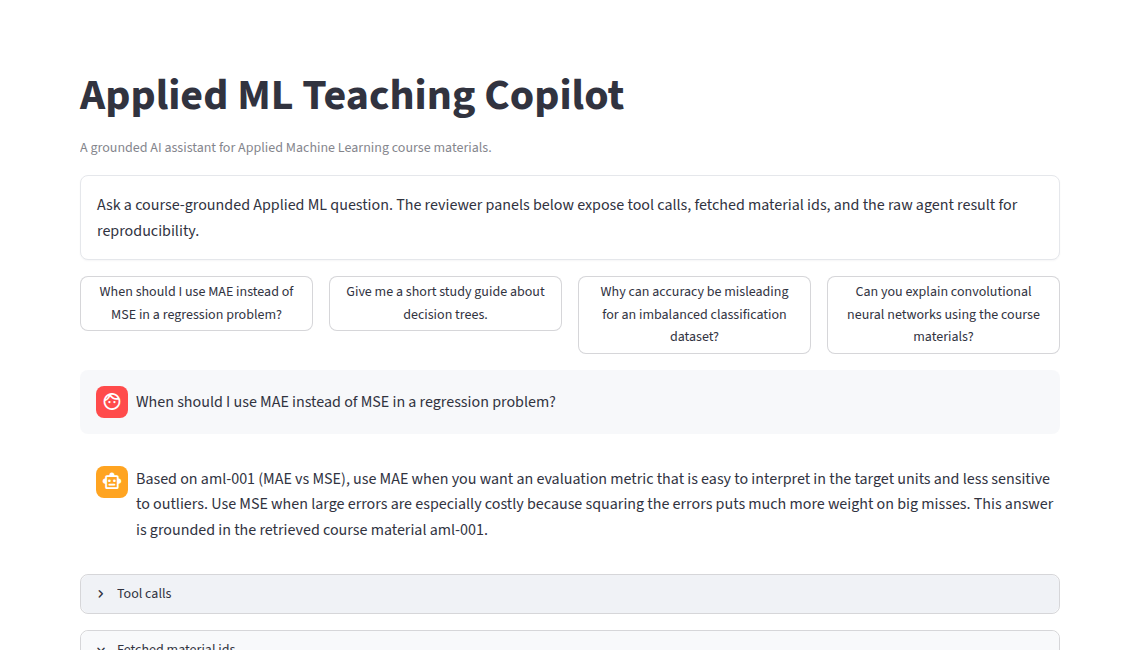
Marco’s Applied ML Teaching Copilot answers questions based on the Applied ML course materials. You can search, fetch a record by id, and get citations.
The stack is Streamlit, OpenAI, minsearch, PydanticAI, and Logfire. There’s a Streamlit demo.
The first judge scored 0.727 accuracy. The calibrated judge reached 1.0 on 33 labeled cases.
9) Datawarehouse Agent by Lars van Asseldonk
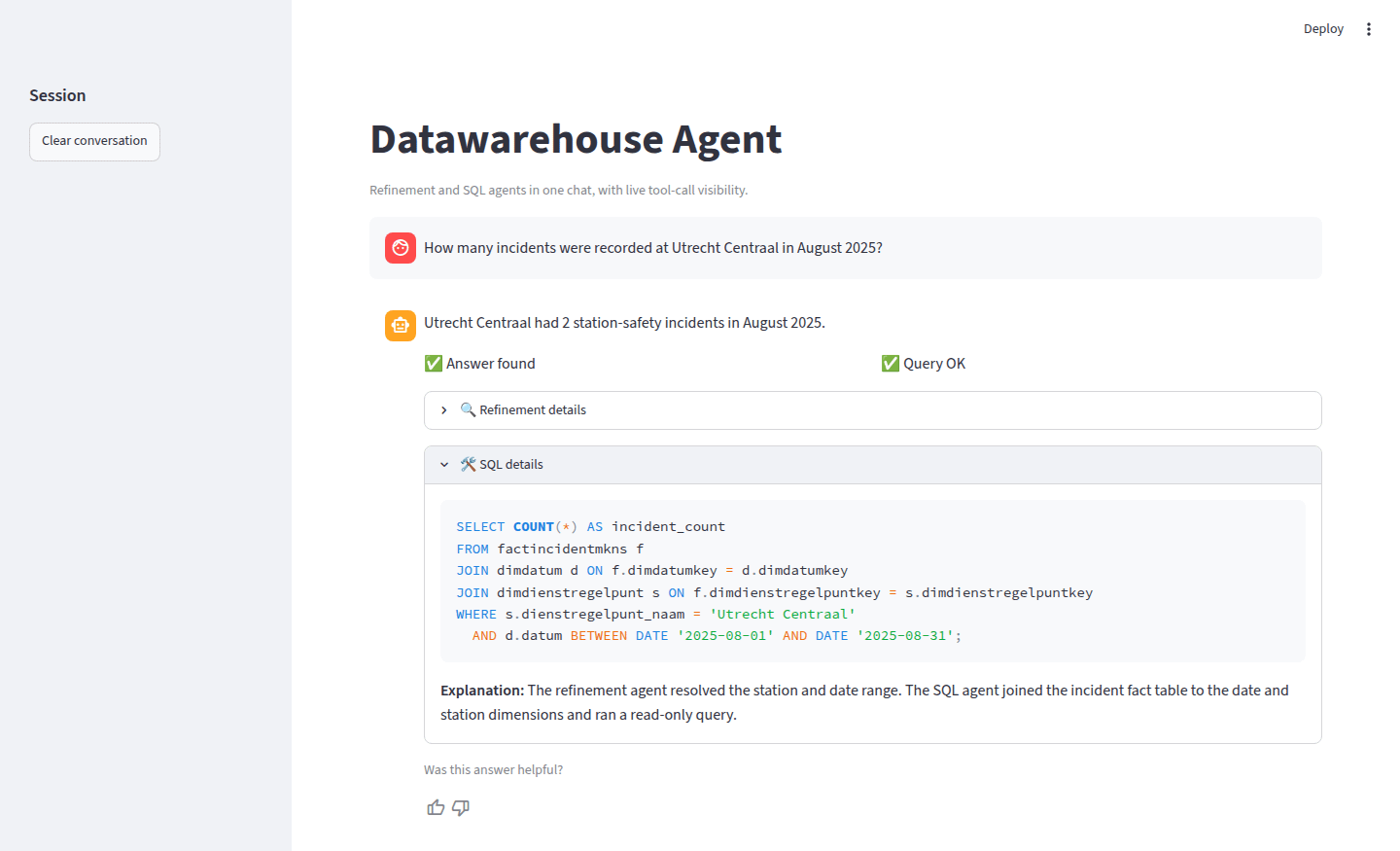
Lars’s Datawarehouse Agent is a natural-language-to-SQL assistant over Dutch Railways (NS) station-safety incidents. Non-technical staff ask a question and get a plain-language answer plus the SQL.
Lars used PydanticAI, OpenAI, DuckDB, and Streamlit. He also used Logfire, minsearch, and Plotly, and he recorded a demo video.
10) WorkerChronicle by Miki Foster
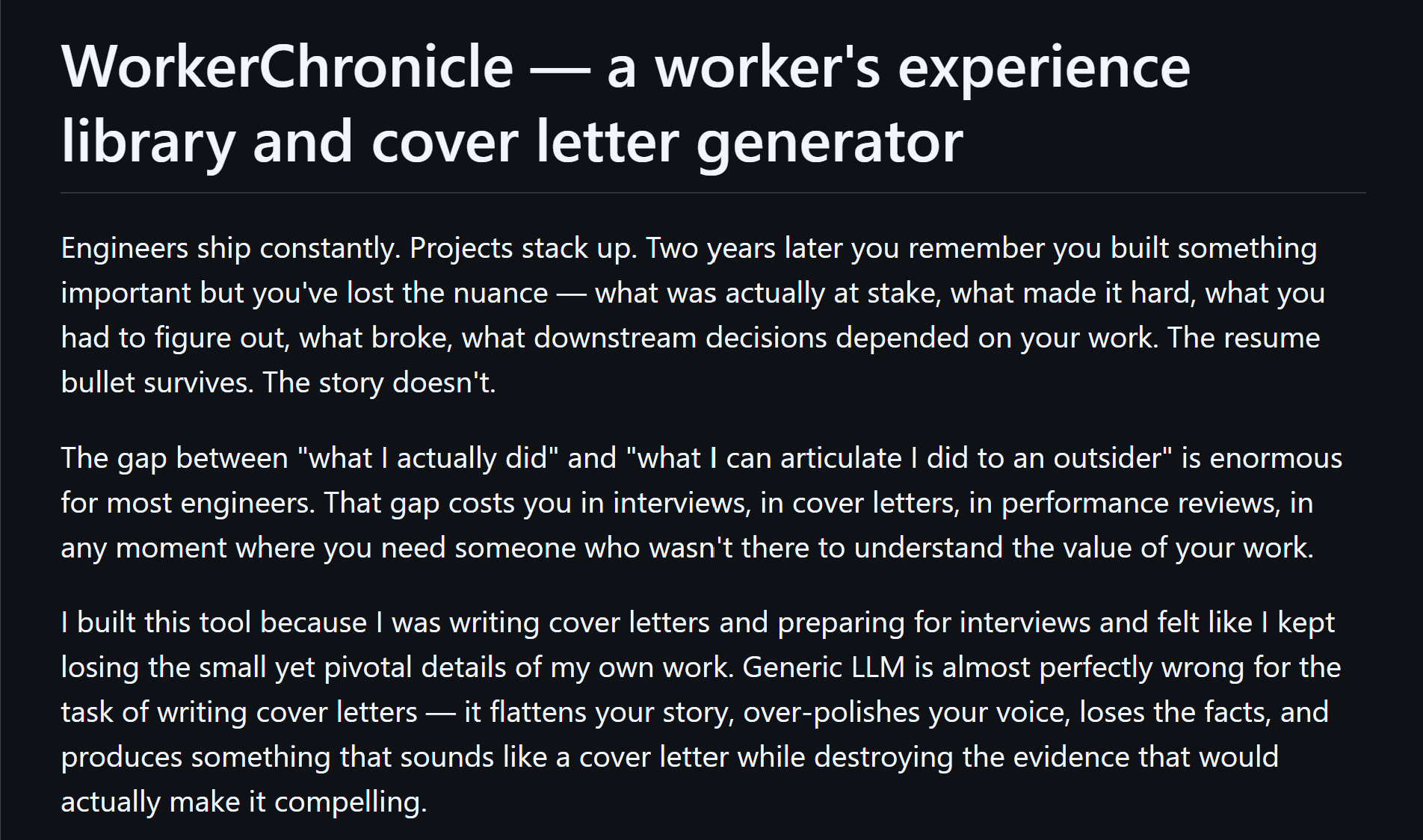
When applying for jobs, people often struggle to remember concrete examples from their past work and adapt them to each role. Miki built WorkerChronicle to help with this.
You use can use it when applying for jobs:
Before applying, you import your resume, previous cover letters, and raw notes to build a library of projects and accomplishments.
When you find a job, you give it the job description. The app finds relevant examples from your library, shows where evidence is missing, and creates an editable cover-letter outline.
Before an interview, it uses the same material to prepare likely questions and remind you which examples to discuss.
11) Multi-Agent Software Development Platform by Nitesh Mishra
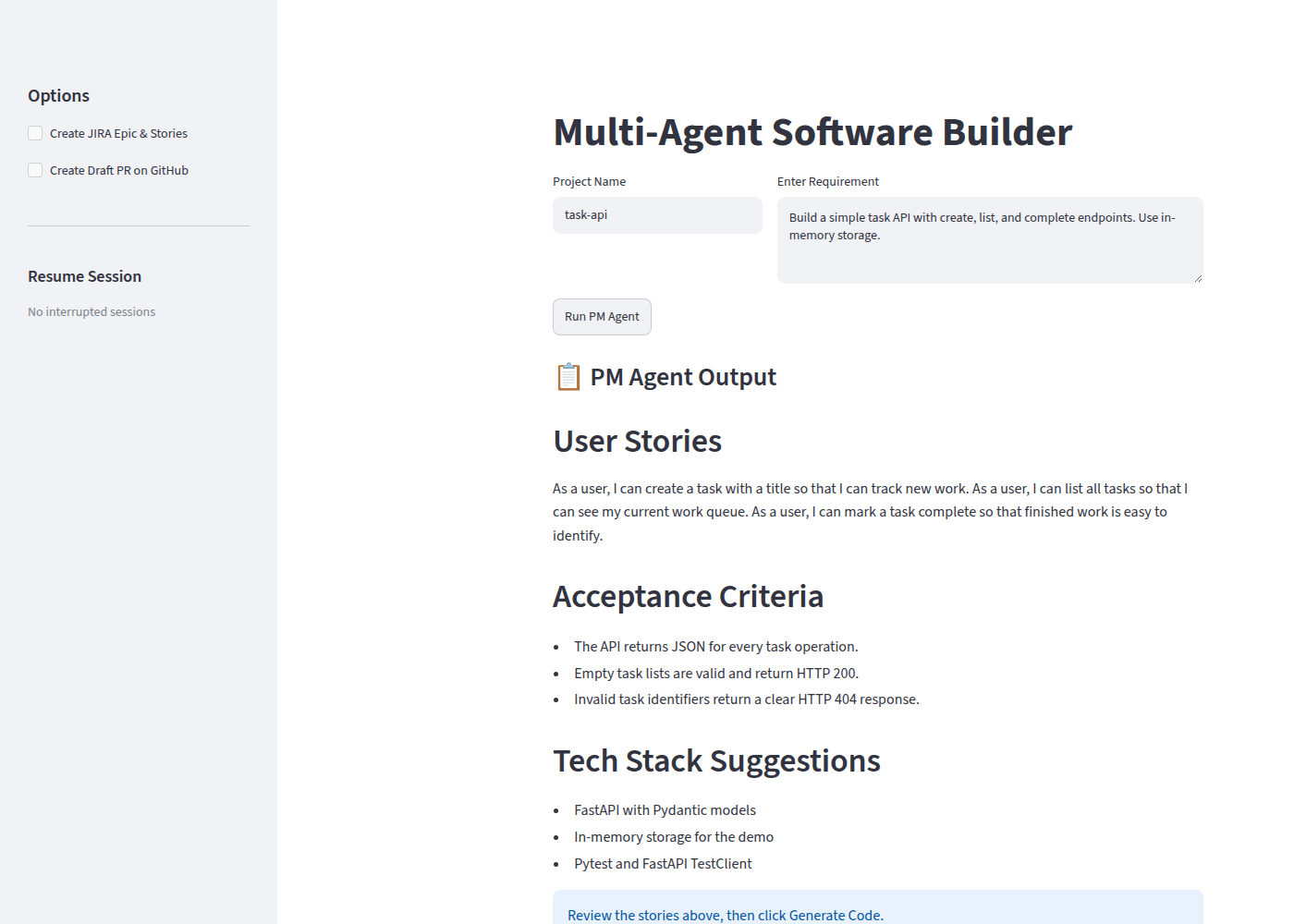
Nitesh’s Multi-Agent Software Development Platform turns a plain-English requirement into user stories, architecture, and backend code.
It also writes tests, reviews the generated code, and packages the result. Optionally, it can create a JIRA epic with stories and tasks, or open a draft GitHub pull request.
Each requirement goes through the same steps:
PM agent creates user stories and acceptance criteria.
Human confirmation approves the plan before code generation.
Architect agent designs the system and creates a Mermaid diagram.
Developer agent uses RAG to generate the backend code.
QA agent writes the tests.
Review agent uses RAG to find problems in the code.
Artifact generation packages the code, tests, architecture, and README into a ZIP file.
12) LearnMate AI by Dianne Bronola
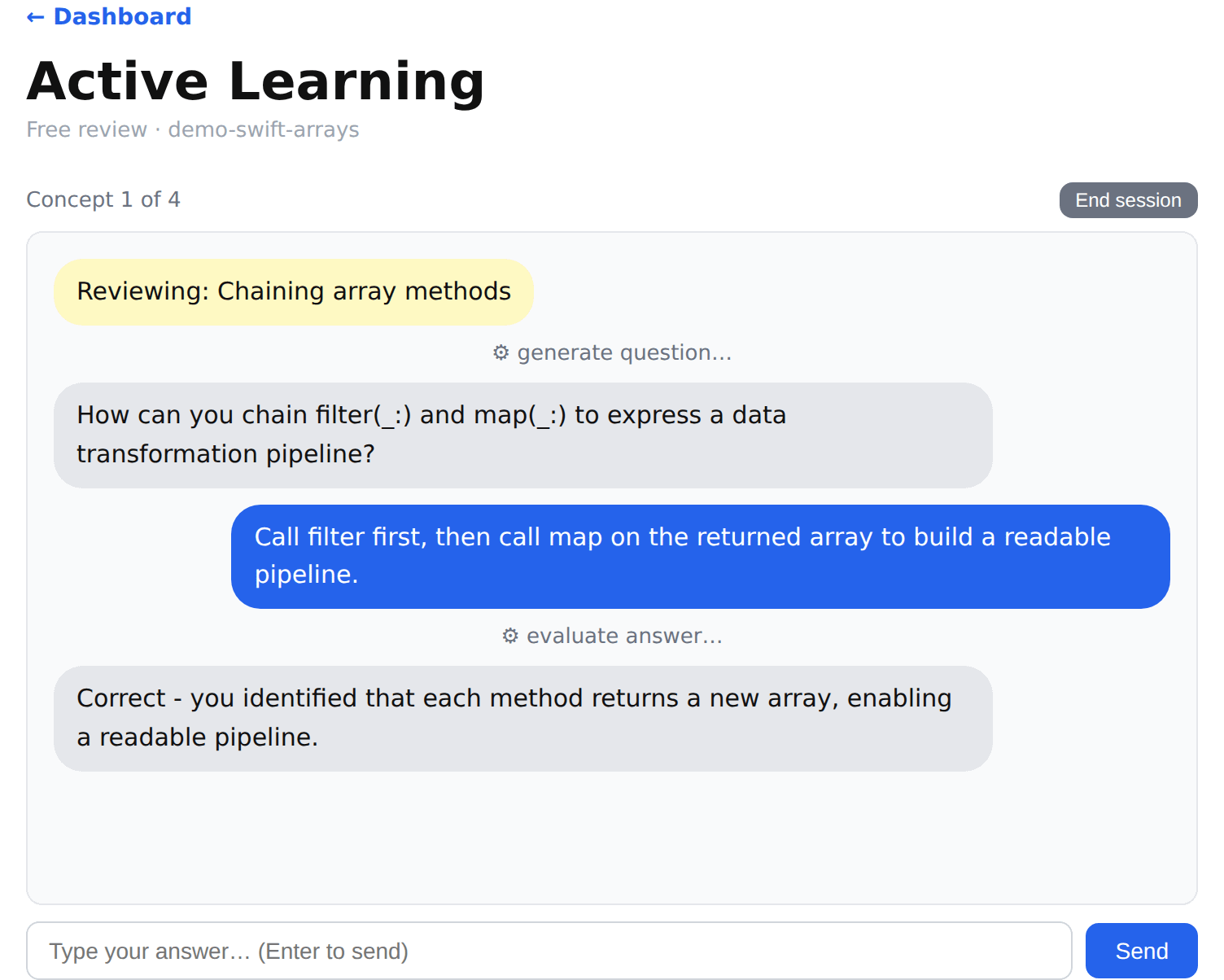
Dianne built LearnMate AI to help her learn better from YouTube videos.
Many of us have this problem: you watch a tutorial, understand it at the time, and forget most of it a week later. You can rewatch the video to refresh that knowledge, but it’s slow and ineffective. LearnMate helps with that problem.
You give it a video, it extracts concepts from it, connects them into a knowledge map. When the map is ready, it asks you questions about each concept, gives hints when you get stuck, and generates coding exercises if you need.
The stack includes FastAPI, React, PydanticAI, SQLite, ChromaDB, and OpenAI.
13) GapFinder by Katja Weber
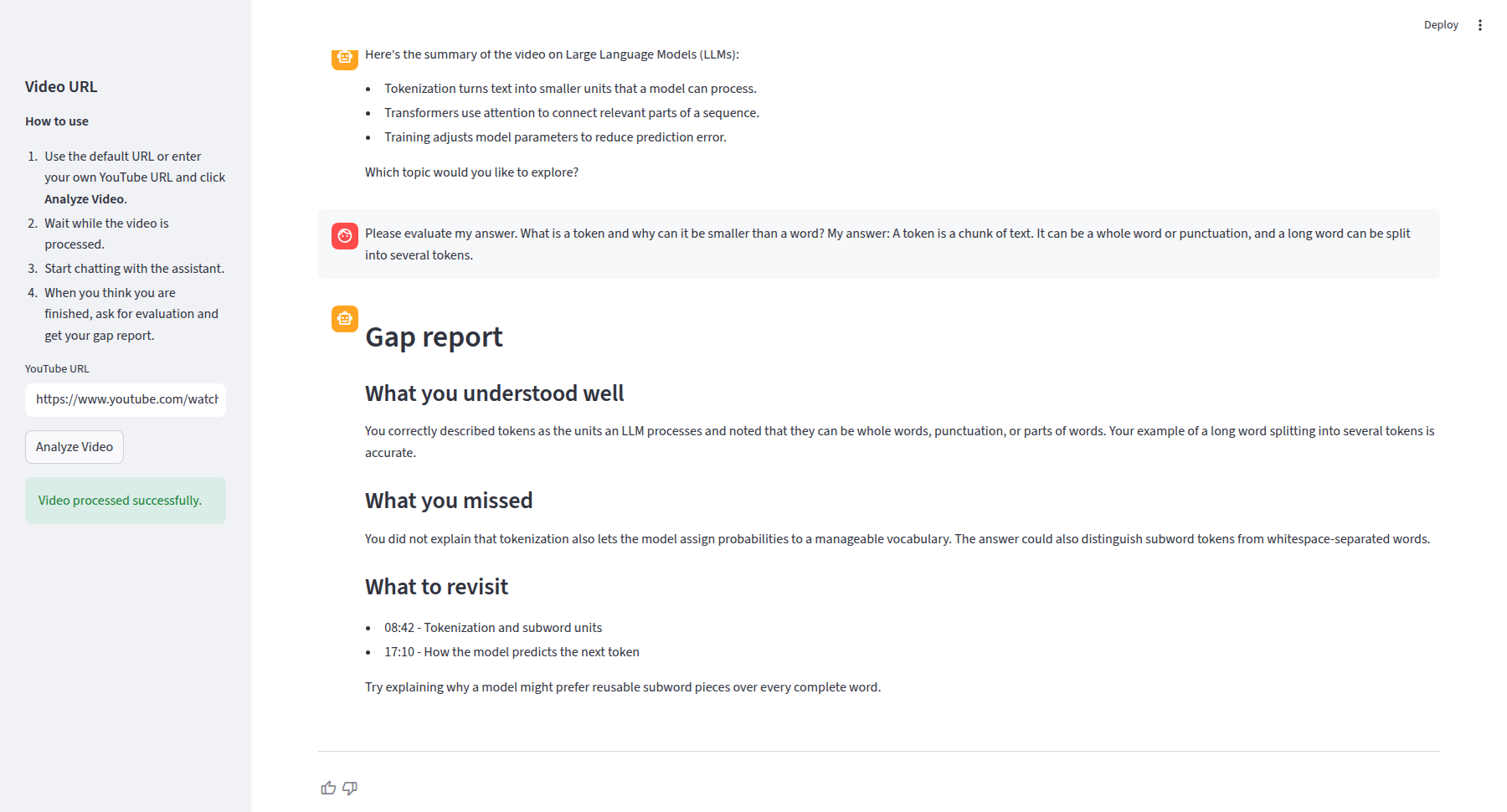
Katja’s GapFinder is another tool to help with studying. You give it a link to a YouTube tutorial, it fetches the transcript, chunks it, and asks diagnostic questions.
Then it grades your answers against the video and reports:
what you understood vs what you missed
which sections you should rewatch
The stack is PydanticAI, OpenAI, Streamlit, Logfire, and minsearch.
New Cohort
I’m happy to see all these projects. At the same time, I want more participants to make it to the finish line and graduate with a completed project.
This is one of my main priorities for the next cohort. I’m actively researching what helps learners stay on track and finish with ambitious projects. I’ll apply what I learn to the course. You’ll see the results in the upcoming cohort.
The next cohort of the AI Engineering Bootcamp starts on September 21.
If you want to build a system like these, join us. Use code “SUBSTACK” to get 20% off.