

This is the first article in a series based on AI Dev Tools Zoomcamp, the free course we run at DataTalks.Club.
Part 1: AI-Native Development: Specifications, Loop and Graph Engineering (this article)
Part 2: Build and Ship a Full-Stack App with AI Coding Assistants
Part 5: TBA
I start with AI-native developer workflows. We will see how to turn a raw idea into a specification, give coding agents the right context, and verify what they build.
Subscribe to receive the next article in the series.
Coding agents now write code faster than I can read it.
When we give an agent a task, it can quickly implement it. But if a task is vague, the agent fills the gaps with its own assumptions. A weak agent that misunderstands us writes fifty lines of broken code. A strong agent that misunderstands us creates eight files, wires them together, and adds tests that pass. The code works, but it isn’t what we needed.
We no longer spend most of our time typing. We spend it saying precisely what we want and checking what came back.
In this article, I show how to make the request specific so the agents don’t need to guess. Then we decompose the request into tasks and assign them to a product manager, a software engineer, and a QA engineer. Finally, we implement all the tasks in a backlog through a loop.
We cover topics like:
Spec-driven development
Context engineering
Loop engineering
Graph engineering
We’ll use a deliberately vague project idea: a tool for weekly feedback for projects. It doesn’t say who gives the feedback, who receives it, or what “projects” means.
You can see the final result in the retroloop repository.
Specs before code
We need to understand what we want to build before the agent produces the first line of code. We have to think it through in detail and give explicit instructions. If we do that, the agent will produce something close to what we want.
We call this “spec-driven development”. We start with the specification, make sure it aligns with our vision, and only then write the code from it.
In our example, “a tool for weekly feedback for projects”, many things aren’t clear.
Who are the users for this tool?
What problem will they solve?
How are they going to use it?
If we don’t specify these things and give the idea directly to a coding agent, it’ll fill the gaps.
When I asked Claude Code to implement this project, the only prompt I gave was “a tool for weekly feedback for projects”. It came up with weekly-feedback, a command-line tool for tracking weekly project status. It records wins, issues, blockers, and next steps. It also created documentation and covered the app with 62 tests, all of which passed.
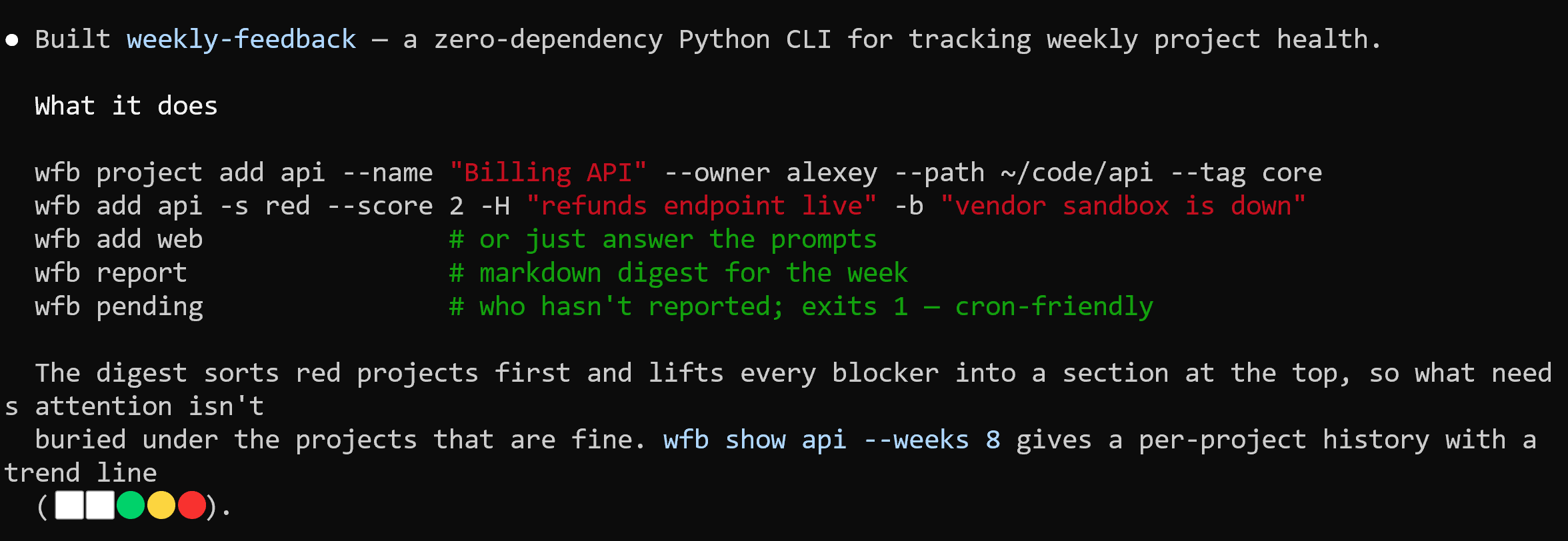
It all works perfectly, but that’s far from what I needed. I needed a web tool for a team retrospective that captures feedback from teams in the form of “Start/Stop/Continue”. It was my fault for not telling Claude that.
Start in a chat assistant
Instead of giving a prompt directly to the coding assistant, I start in a chat application and talk the idea through. I use ChatGPT in dictation mode for this.
I begin with the same vague idea:
I want to build a tool for weekly feedback for projects.

Help me set the scope for this project precisely. I want to brainstorm with you
and understand how the tool should work. Give me options.

Ask me one question at a time and keep your output short.
This way, we can use AI as our brainstorming partner and find out precisely what we want:
Who contributes feedback? All team members.
What format do they use? Start/Stop/Continue.
Is the feedback anonymous? Names appear by default, but contributors can choose to remain anonymous.
What can people see before the reveal? Only their own cards.
How does the facilitator reveal the feedback? All cards appear at the same time.
What happens next? The team clusters the cards, then each person casts three votes for the topics to discuss and can give multiple votes to one topic.
What does the team record? Decisions and action items from the discussion.
Can the facilitator add a recording? They can upload audio, video, or a transcript after the meeting, but built-in recording isn’t part of the first version.
When we finish, I ask for a file with all the specifications:
Save everything to a markdown file that I can download.Download the file and save it as plan.md.
Bootstrapping a project
Create a project from this specification:
mkdir project-name
cd project-name

git init
Copy the plan.md file:
mkdir -p _docs
mv ~/Downloads/plan.md _docs/plan.md
git add _docs/plan.md
git commit -m “Add project plan”
You can find the plan.md file from this project in the Retroloop repository.
I try to commit as often as possible, after every meaningful decision. With those commits, we can review what the agent changed. If something isn’t working well, we can easily return to the last good state.
Choose the stack and architecture
During the brainstorming session, we didn’t choose the tech stack.
Ask the coding agent to come up with several options:
Read _docs/plan.md. Propose multiple options for the tech stack and
explain each option.

Don't write code yet.
It proposes multiple options and explains the tradeoffs of each one.
I choose Django because I know it well enough to review. In your case, you can select any technology you’re comfortable with. It’s also okay not to have a preference and to let the agent select what it thinks will work best.
Turn the decisions into a backlog
Now that we’ve settled on the tech stack, we can ask the agent to decompose the specifications into a backlog with tasks:
Create a backlog with tasks in _docs/tasks.md.

Each task should be small enough to finish in one session, and
independent enough that I could hand it to someone who has not read
the others.

Use this template for each task:

## <number>. <title>
Goal: <one line>
Description: <two or three sentences on what the task involves>

The first task should be setting up an empty project with a passing test.

Don't write code yet.
It created these tasks.md.
Review the tasks and ask the agent to merge tasks that are too small or split tasks that don’t fit into one session. We want to create an MVP - the first version of the app. If something is out of scope for your vision of the MVP, remove it.
When we’re happy with the tasks, move them to a task tracker. I use GitHub issues for that.
Ask the agent to do it:
Create a public GitHub repo for this project.
Move each task from _docs/tasks.md into a GitHub issue.
For that to work, we need the gh CLI tool authenticated and the repo connected to the GitHub remote.
From this point on, GitHub issues are the canonical tasks and the only active backlog. We no longer need _docs/tasks.md.
Context engineering
The repository has a backlog now. When we start a new session, however, the agent doesn’t know which task we mean. It must figure that out every time.
These details go in AGENTS.md, which coding agents like Codex or OpenCode read when they start a new session.
Claude Code reads CLAUDE.md, while I use multiple coding assistants and want my workflow to be tool-agnostic.
That’s why I also create CLAUDE.md with a single line:
@AGENTS.mdIt tells Claude to read AGENTS.md.
This is called context engineering. With prompt engineering, we control one message in one session. With context engineering, we control what agents know when they start a new session and what information they can find while they work. We include useful facts and working rules they would otherwise have to rediscover.
AGENTS.md
To make this context available in every new session, create AGENTS.md:
Commands

- `uv sync` - install dependencies
- `uv run pytest` - the whole suite
- `uv run pytest tests/test_home.py` - one test file

Rules

- Dependencies are added in `pyproject.toml`. Do not add one without
  asking
The other documents
In addition to AGENTS.md, I usually have a few other Markdown documents in my projects.
The main one is process.md, which I use to describe how work is organized. It could live inside AGENTS.md, but I keep it separate.
Create _docs/process.md:
- Tasks are GitHub issues, one at a time
- Read the acceptance criteria before starting and before closing
- Commit regularly
As I continue working on a project, I may create other documents, such as:
testing-guidelines.mdfor testingdesign-system.mdso the UI doesn’t drift every sessionapi.md, which describes what the API should look like
I keep them together in _docs/ and link them from AGENTS.md:
Documents

- `_docs/process.md` - how work is organized
- Before writing tests, read `_docs/testing-guidelines.md`
- For anything touching the UI, read `_docs/design-system.md`
The agent reads AGENTS.md at the start of every session, so it knows where to find the process, testing, and design rules if it needs them.
This way, it will load the design system only for a UI task and the testing guidelines only for a testing task. By loading each document only when it’s relevant, we keep AGENTS.md short while we continue adding written context to the project.
These documents are living documents, and I update them often. If I need to correct an agent during a coding session, I can ask it to modify the documents. Next time, it knows what I need, so I don’t have to correct it again.
You can use a prompt like this:
Based on the corrections I made, find the relevant documents and update them.
Commit the current work before changing the documents.
This is the first article in a new series based on AI Dev Tools Zoomcamp, the free course we run at DataTalks.Club.
This year, I’m publishing the course notes as standalone articles, with one article for each module. Subscribe to receive the next article in the series.
Bootstrap the first task
With AGENTS.md and process.md in place, we can start a new session and ask the agent to implement the first task:
Implement task 1.For this project, the agent creates the Django app, dependencies, and a passing test.
Grooming: the product manager agent
We have a backlog of tasks, but they’re not precise enough.
We discussed this problem already: if the task isn’t specific, the agent will fill in the gaps during implementation. We risk spending time and tokens on something we don’t need.
Instead, we should ask the AI assistant to fill these gaps before writing any code. Then we review the specification, correct it, and give it to the coding agent to implement.
This process is called “grooming”: we groom a task to make it more specific. Then an engineer can implement it without asking a single question.
In real teams, product managers usually do this work. Here we’ll create a team of agents, and the first role we’ll define will be a PM.
Create a document:
_docs/team/
  pm.md
Inside, write the description for the product manager agent:
You’re a Product Manager

You groom a task before anyone implements it.

- Read the issue as written
- Rewrite it using the template in `_docs/task-template.md`
- Make the acceptance criteria checkable - someone should be able to
  point at the screen and say yes or no
- Think about the edge cases the person who filed it did not consider
- Do not write any code

Definition of done:

- The issue has all four sections filled in
- Every acceptance criterion can be checked by looking at the result
- Everything moved out of scope links to a follow-up issue
- An engineer who has never spoken to you could implement it from the
  issue and the documents it links

If something does not belong in this task, do not silently drop it.
File a follow-up issue and list it under out of scope with a link to
that issue, so it is clear what was moved and where it went.
A groomed task has four sections:
Goal - one or two sentences on what should be true afterwards.
Acceptance criteria - checkable statements.
Out of scope - what this change must not do.
Constraints - files it should stay inside, libraries it should or shouldn’t use, prior decisions it has to follow.
We save the issue template as _docs/task-template.md:
## Goal

One or two sentences on what should be true when this is done.

## Acceptance criteria

- [ ] A statement you can check by looking at the result
- [ ] One line per case, including the awkward ones

## Out of scope

- Something that does not belong in this task, moved to #TASK-NUMBER

## Constraints

- Files this should stay inside
- Libraries to use
- Guidelines to follow
We’ll need to groom every task, so we’ll add it to process.md:
Roles

- PM - grooms a task before anyone implements it, follows _docs/team/pm.md
We can now start a new session and ask the agent to groom an issue:
Groom issue #4After it finishes, review the result.
We can catch a misunderstanding most cheaply while grooming: the issue is a paragraph, and correcting it costs one sentence. If we catch the same misunderstanding after implementation, we need a rewrite.
Loop engineering
After grooming one issue, we can ask the agent to groom the rest:
Groom all GitHub issues. Process one issue at a time.This will mostly work, but the agent may eventually stop. It might say, “I’ve groomed issues 1, 2, and 3. Do you want me to proceed?”
The answer is almost always “yes”, but the agent has stopped and is waiting for us to say that explicitly. In many cases, I want the agent to continue automatically.
To do it, we can give the agent a goal:
/goal groom all issuesThe /goal command will prompt the agent to continue, so we won’t need to do it manually. Instead, we delegate that responsibility to the harness: the system around an agent, such as Claude Code or Codex. When the agent stops, the harness checks whether the condition has been met. If it hasn’t, the harness resumes the work.
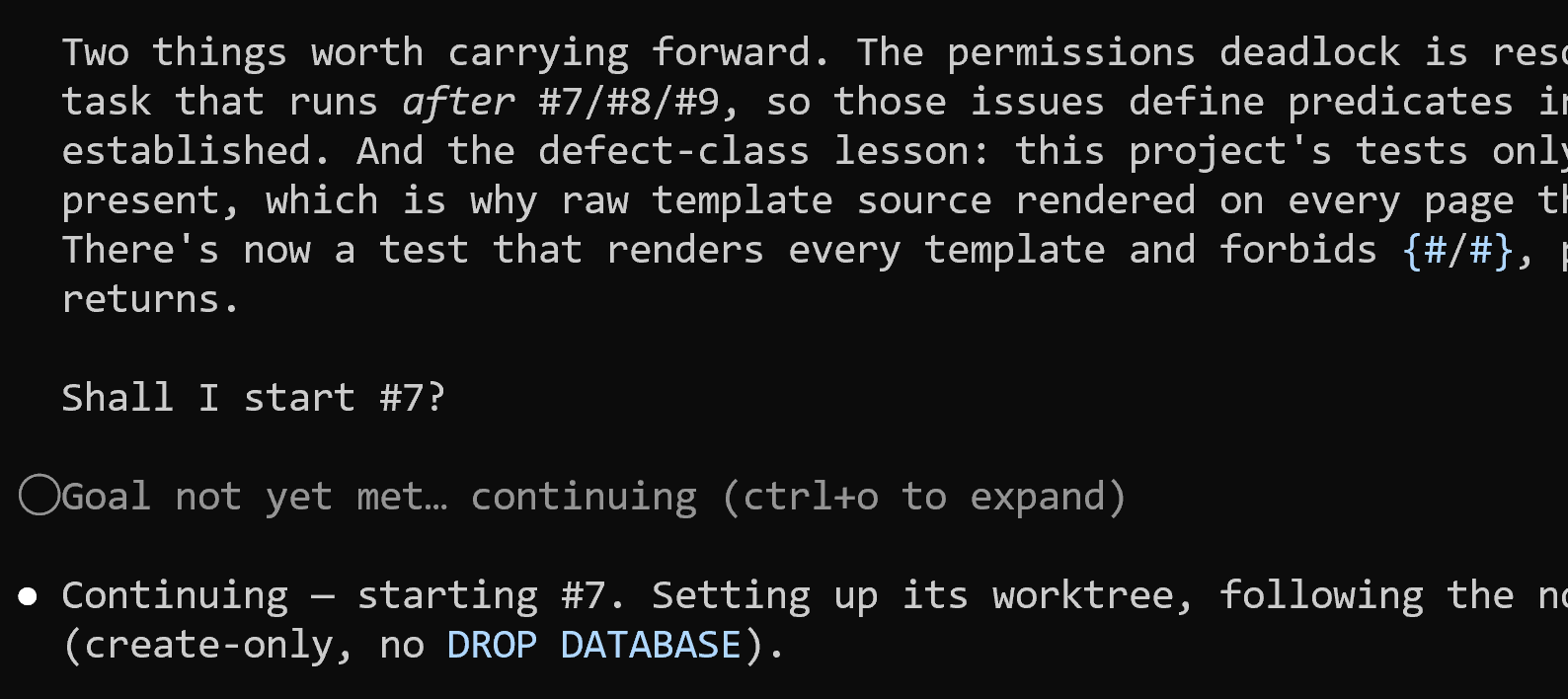
This approach is called “loop engineering”. It’s similar to a while loop: we repeat the work until a condition is met.
With loop engineering, the system runs a coding agent repeatedly instead of having us drive it manually, prompt by prompt.
There are multiple “engineering” levels when we work with coding agents:
Prompt engineering - what we say when we interact with the agent
Context engineering - what the agent knows before it starts and what it can get during the session
Loop engineering - when it stops working
Graph engineering - who does what when there’s more than one agent (we’ll discuss it later)
In June 2026, Addy Osmani published the Loop Engineering essay that gave it a name, and Peter Steinberger compressed the idea into one tweet:

A loop needs a stop condition: a checkable statement that tells the harness when to stop.
For /goal groom all issues, the stop condition is “all issues are groomed”. After each agent run, the harness checks whether that condition is true and resumes the agent if it isn’t.
The stop condition must be something the model can evaluate. “All issues are groomed”, “all tests pass”, and “no file is over 200 lines” are checkable, but “make the code better” isn’t. If the stop condition isn’t checkable, the agent can stop too early or run forever.
Claude Code and Codex provide the /goal loop by default. If your harness doesn’t provide it, you can implement it yourself using stop hooks.
Implementation: the software engineer agent
After grooming the issue, we can give it to a software engineer, the agent who will write the code.
Define the second role:
_docs/team/
  software-engineer.md
Put this definition inside:
You’re a Software Engineer

You implement one groomed task at a time.

- Read the issue and implement what it describes
- Implement against the acceptance criteria, do not change them
- Stay inside the files and constraints the issue names
- Write tests for what you built
- Do not close the issue
- Commit regularly

Definition of done:

- Every acceptance criterion in the issue is implemented
- Tests are written for the new behaviour, and the whole suite passes
- The work is committed
- The issue is still open, with a comment saying what you did

If an acceptance criterion is wrong, impossible, or contradicts
another one, create a comment on the issue about it.
Add one more line to process.md:
Roles

- PM - grooms a task before anyone implements it, follows _docs/team/pm.md
- Engineer - implements one groomed task, follows _docs/team/software-engineer.md
Then ask the agent to implement a task in a fresh session:
Implement issue #2The engineer stops when the code is written and its own tests pass. It’s still too early to say that the task is properly implemented, so we need to test it.
Testing: the QA engineer agent
When the same agent writes and judges the code, it’s grading its own homework.
If we ask, “Is this correct?” we’ll get a definite “yes”, but the agent might have missed many edge cases.
In the real world, we ask other people to validate our work. We have code reviews, and many teams have designated QA engineers whose focus is making sure the code is reliable.
That’s why we’ll also add a QA engineer to our team.
Add the third role:
_docs/team/
  qa-engineer.md
The description:
You’re a QA Engineer

You check finished work against the issue that specified it.

- Read the acceptance criteria from the issue
- Check each one against what the code actually does
- Run the tests, and say which ones you ran
- Look for the cases the criteria describe but the tests do not cover
- Do not fix anything you find. Report it by creating a comment

Your output is a verdict: PASS or FAIL. It is FAIL if a single
acceptance criterion fails. Post it as a comment on the issue:

## QA: FAIL

- [x] A visitor can create an account with a username and password - PASS
- [ ] A duplicate username shows a visible error - FAIL
      Submitted an existing username and received an unhandled error

Tests: `uv run pytest`, 18 passed, 0 failed

Definition of done:

- The comment starts with PASS or FAIL
- Every acceptance criterion has a verdict against it
- Every FAIL says what you did and what happened
- The test command and its result are included
- Nothing in the code was changed

Ignore what the implementation says it does. Only the acceptance
criteria and the running code count.
Note: you may need to adjust this role for your project if you don’t use uv and pytest.
And the last line in process.md:
Roles

- PM - grooms a task before anyone implements it, follows _docs/team/pm.md
- Engineer - implements one groomed task, follows _docs/team/software-engineer.md
- QA - checks the result against the acceptance criteria, follows _docs/team/qa-engineer.md
Then, in a new session, ask:
Test issue #2If we get a PASS, that’s great. If we get a FAIL, that’s also useful: we caught a regression. So we start a new engineer session, use the QA comment as input, and ask the engineer to fix it.
We iterate until QA says PASS.
Graph engineering
We have three roles:
Product manager grooms an issue
Software engineer implements it
QA engineer tests it, outputs
PASSorFAIL
If QA says FAIL, the engineer will need to reimplement it. Otherwise, the task is done.
We can visualize this process as a graph:
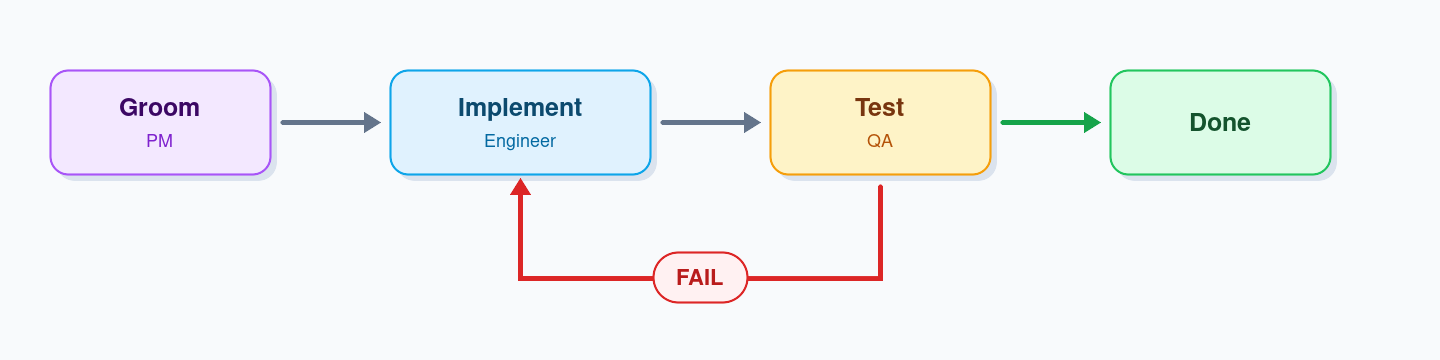
If we have an orchestrator that launches these agents automatically instead of us doing it manually, we get “graph engineering”. We define a graph with specialized agents as nodes and describe how the work moves from one to another.
The earliest explicit use of the term I found in the article from Josh C. Simmons (July 4, 2026): The Graph Engineering phase.
Peter Steinberger sparked a wider discussion in a July 18 post by asking whether the conversation had shifted from loops to graphs. A few hours later, Hamel Husain used “graph engineering” in an article headline.
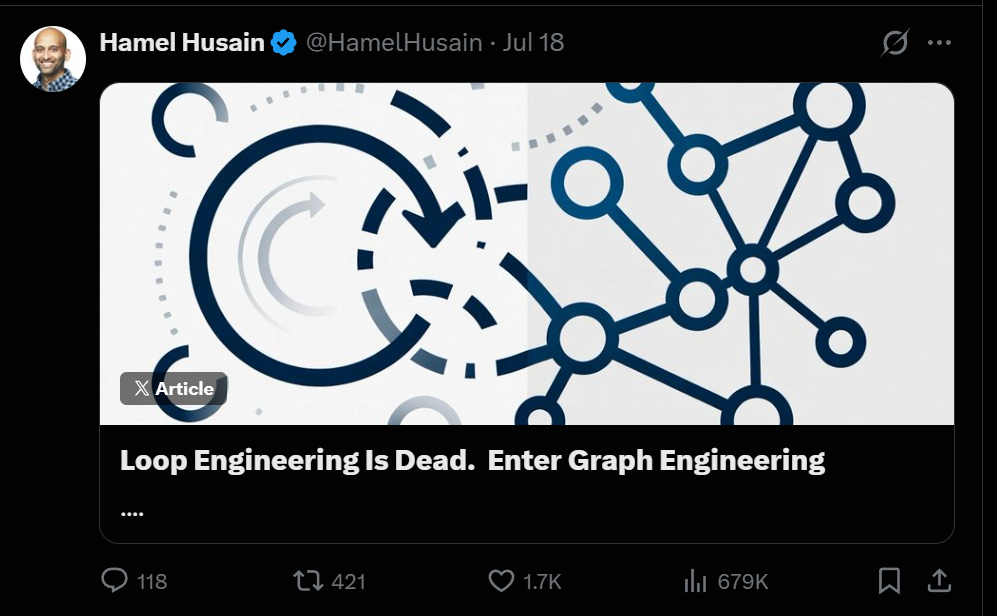
Hamel put just a GIF saying “stop it” in the article, but people liked the term and started using it for multi-agent orchestration.
I wouldn’t call it a new idea, though, and loop engineering is definitely not dead. Even with graphs, we still need a loop to drive the work and orchestrate it across multiple agents with different roles.
The orchestrator
To implement it, we need an orchestrator.
Describe it in process.md:
Orchestrator

The main session is the orchestrator. It launches the PM, the engineer
and QA as subagents. It does not groom, implement or test itself.

Lifecycle

1. Pick the next open issue from the backlog
2. PM grooms it
3. Engineer implements it
4. QA verifies it
5. On FAIL, back to step 3 with the QA comment as input
6. On PASS, close the issue
7. Repeat until the backlog is empty

Rules

- Do not skip step 2
- The engineer does not close the issue
- QA does not fix the code, only outputs PASS or FAIL
- The orchestrator closes the issue only after QA outputs PASS
We can now start a fresh session and launch the loop:
/goal work through the backlogThe agent reads AGENTS.md, finds process.md, follows the lifecycle, and dispatches the agents according to the documents in _docs/team/.
Because we combine it with a goal, the orchestrator runs until the condition holds.
You can see the result in retroloop.
Note: this approach takes significantly more time and tokens than a direct loop with only a software engineer. In many cases, you don’t need this complexity. Often, a simple prompt or loop is enough.
I’ve followed this approach on many projects, including the AI Shipping Labs website.
I describe it in I Built an AI Agent Team for Software Development. Here, I distill that article into a tutorial.
Next in the series
We have now finished the first module. It’s theoretical, but the next modules are very practical.
We will implement an application from the specification to making it production-ready in 3 steps:
Subscribe to receive the next article in the series.
Your point that a strong agent can build the wrong thing more efficiently is exactly why I see specifications as context infrastructure, not preamble. One extension I would add is provenance: every acceptance criterion should retain the decision, source, or user signal that created it. That gives the PM agent something to challenge, the engineer a boundary to respect, and QA a reason behind the check. Otherwise a well-groomed issue can still preserve a stale assumption with impressive precision. The graph becomes much safer when its handoffs carry both requirements and their evidence.
This was really cool, thank you! As someone who worked as a software engineer before, it's incredible how fast you can get a project set up with this AI-native workflow. I can also see it removing many of the long grooming meetings with the product team.