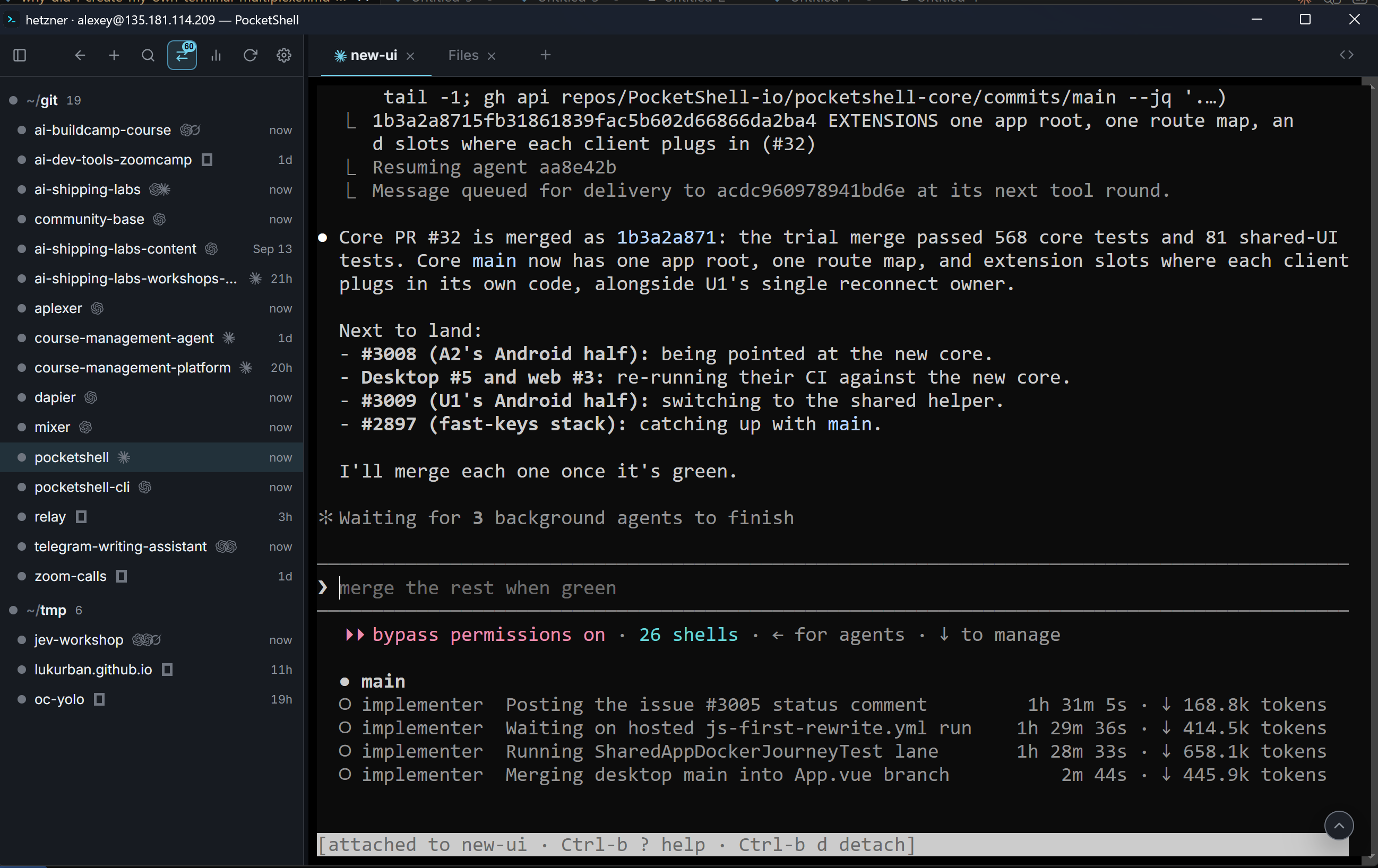
tmux is a terminal multiplexer that I use to run agents on a remote machine. I wrote about using it in my article The System I Built to Ship Code From a Phone.
When you connect to a remote machine with SSH, the processes you launch are bound to your SSH session. That means when you disconnect, or the connection drops, the processes die together with the session.
A terminal multiplexer is a tool that detaches the processes you start from the SSH session, so they can keep running after the disconnect. Screen and tmux are the most well-known terminal multiplexers, but tmux is more modern and generally preferred among developers.
I’ve used tmux for ages, but with agents running 24/7 on my remote dev box, it no longer works for me. To replace it, I created aplexer. In this article I’ll tell you why.
In particular, we’ll cover:
What tmux is and how it works
What’s PTY and how it’s related to SSH connections
OOM killers and cgroups
Aplexer as the solution to my current problems with tmux
Let’s start!
Terminal multiplexer
The tmux README says:
tmux is a terminal multiplexer: it enables a number of terminals to be created, accessed, and controlled from a single screen. tmux may be detached from a screen and continue running in the background, then later reattached.
It’s a layer between you (your SSH session) and the processes you run.
After I ssh into my dev box, I can start a tmux session:
tmux new-session -s ai-shipping-labsUnder the hood, multiple things happen:
My terminal starts a tmux client process
The client connects to a tmux server
If the server is not running, the command starts it
The client connects to the server through a socket. The server creates a session and a PTY for that session.
A PTY is a pseudo-terminal created by the kernel. It has two sides:
the master (user side) - sends the input from the user to whatever is running in the terminal.
the slave (shell side) - receives the input from the master and sends it to the shell or whatever program is running in the terminal.
When we start the standard terminal emulator app on any Linux, it creates a PTY. The master side connects to the terminal app, and the slave side connects to a shell (usually bash). It’s a bit more complicated than that but I won’t go into more details here.

When we start a process from a PTY, it gets attached to the shell. When the PTY stops, the shell stops too, and all the connected processes follow.
If we take the terminal app in Ubuntu, each tab in the app is a PTY. When I start a process in a tab, and then close that tab, the PTY closes too, and the process follows.
A similar thing happens when we use SSH. The SSH client on our computer connects to the SSH server (sshd) on the remote machine, and sshd creates a PTY. The master is on the sshd side, and the slave is on the shell side.
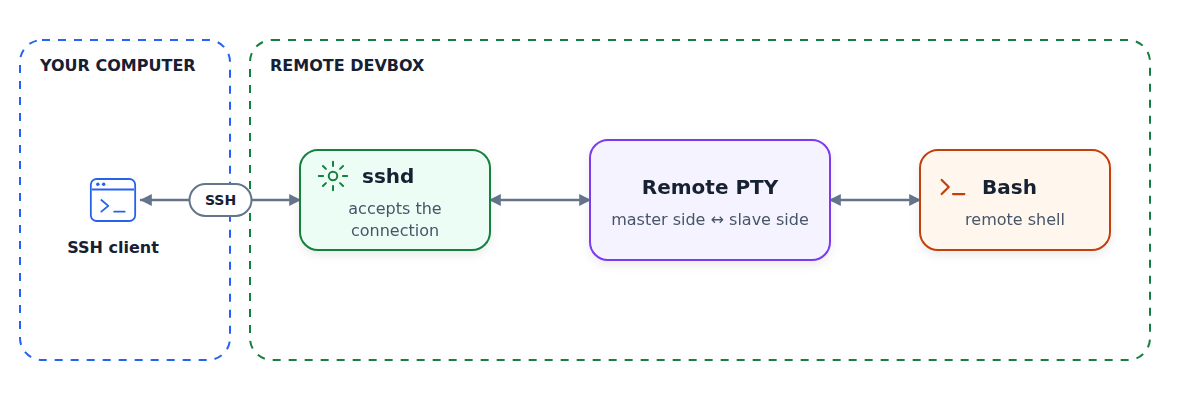
When SSH disconnects, sshd stops the PTY that was created for this session, and all the processes die with it.
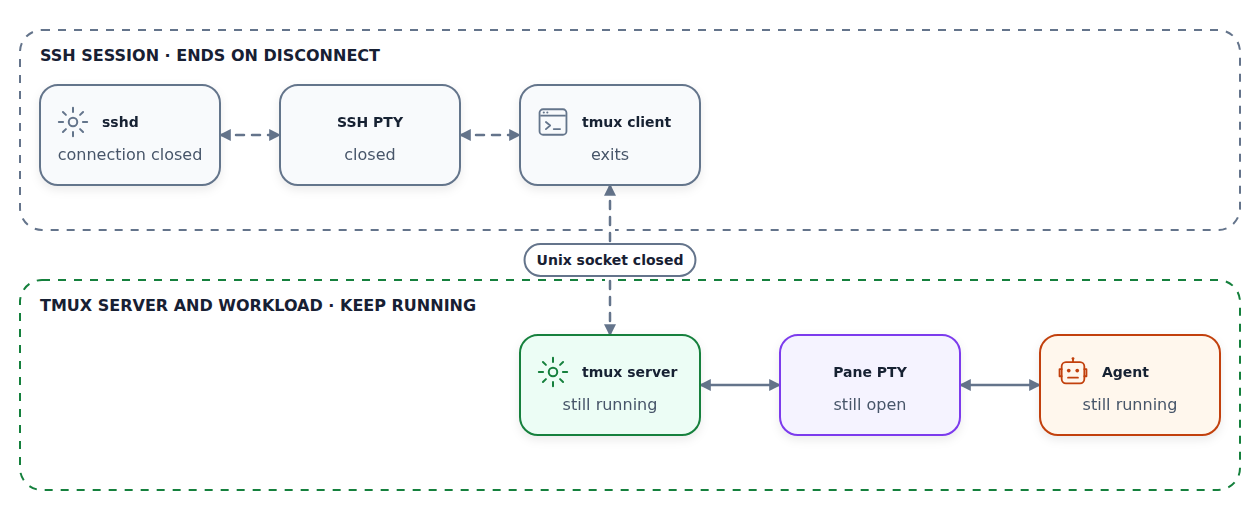
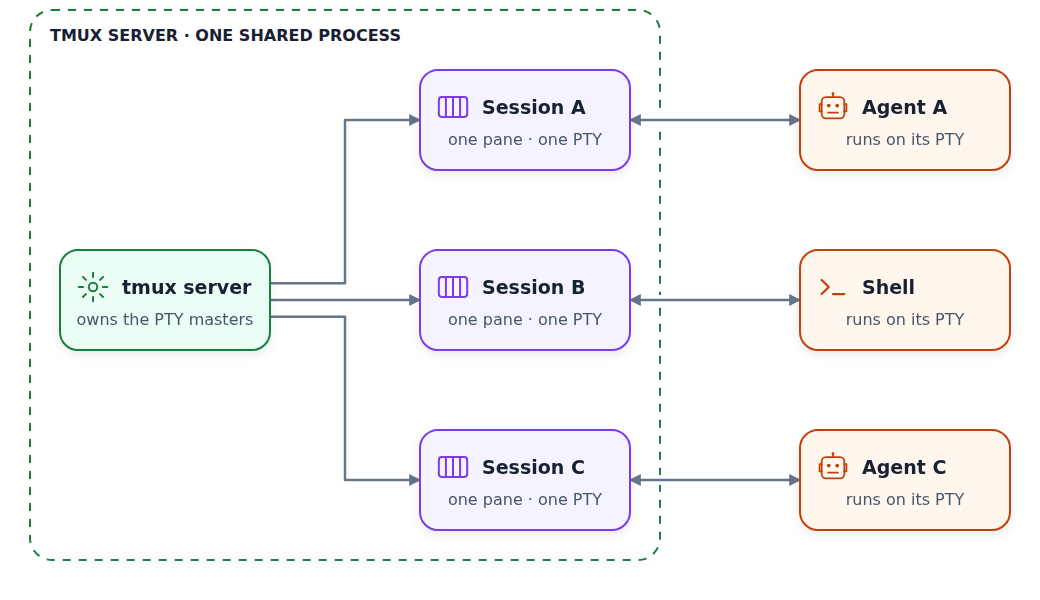
Terminal multiplexers add one more hop: tmux server creates another PTY, and the shell that’s connected to that PTY is the parent for all these processes.
That’s why the processes that we start in tmux continue running - they are attached to tmux server’s PTY. Only the tmux client dies when the SSH connection drops.
There are multiple important organizational primitives in tmux:
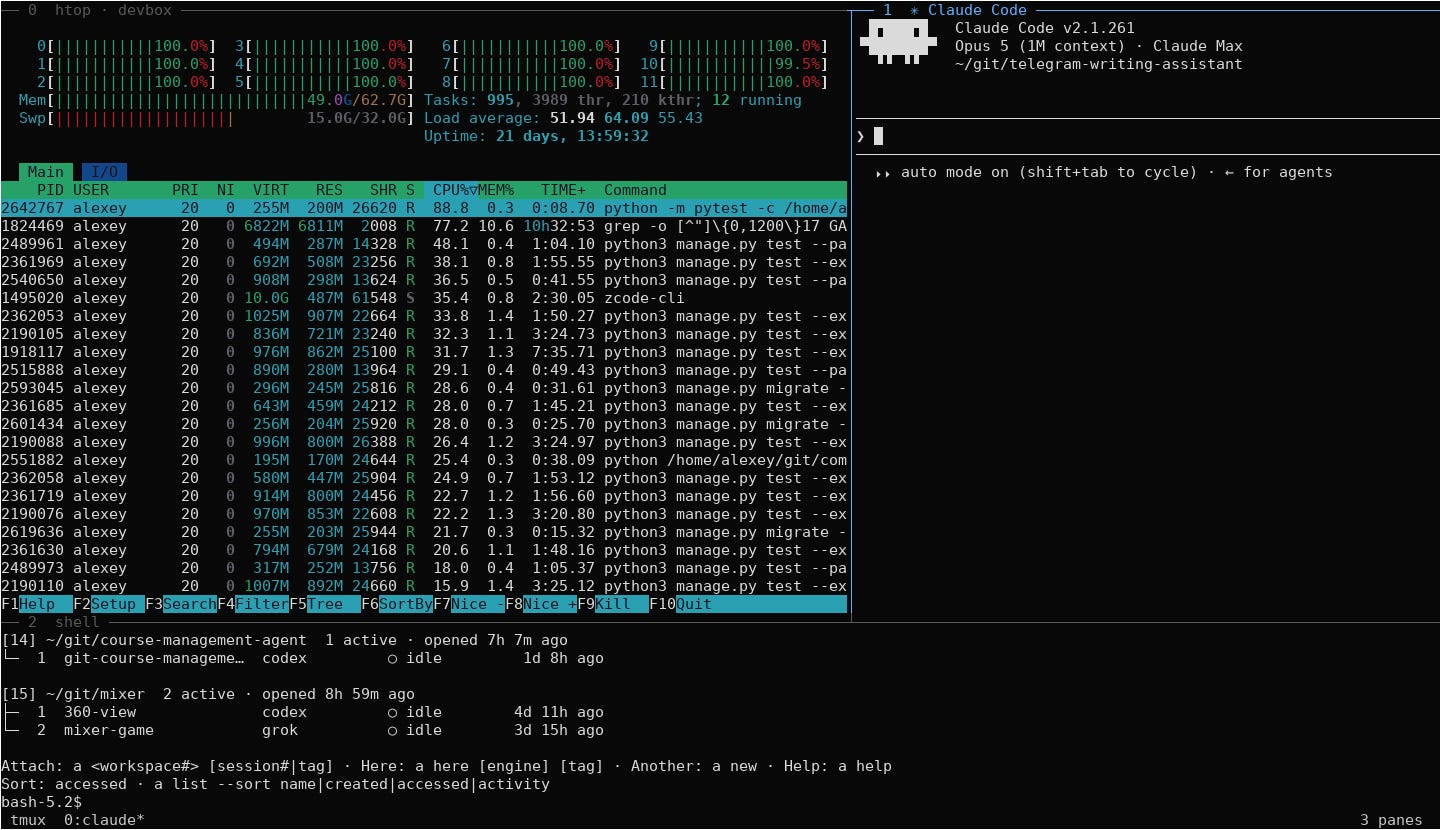
A pane is the basic unit of tmux. Each pane has its own PTY.
A window has one or multiple panes.
A session holds one or multiple windows.
The tmux server can have many sessions.
When I create a new session with a command like this:
tmux new-session -s ai-shipping-labsIt creates a session with one window with one pane inside it, and this pane has a PTY. I can add a new window or split the current one horizontally or vertically into multiple panes, and each pane would be a separate PTY.
I usually don’t do that, though. I use tmux mostly for keeping my agents running when I disconnect, so I don’t need any window arrangement capabilities. For me it’s always one session - one PTY, and different agents are running in different sessions.
We can do a lot of things programmatically with tmux. We can create all these windows and panes using the tmux CLI, or we can send input to any of the panes as if it was typed by a human. In fact, the earlier screenshot with three panes was created by this script.
Because of that, with a bit of scripting, you can teach agents running in different tmux sessions to talk to each other.
Problems with tmux
I like tmux, but as I started running more and more agents, session management became more difficult.
I really struggle with the CLI. The commands are:
tmux new-session -s ai-shipping-labs
tmux list-sessions
tmux attach-session -t ai-shipping-labs
I always forget these commands. Typing all that, even with autocomplete, is always complicated. I never seem to remember what to type and need to look it up.
Also, you have to remember that -s is for new session and -t is for attach. To make it even more confusing, new-session also has the -t parameter, but it’s not the same as -s.
Eventually I solved this problem with tmuxctl - a wrapper around tmux.
I created an executable tmuxctl and an alias t for it to save typing time. With it, I can simply run
t -It will:
create a tmux session in the current directory
name the session after the directory
if a session already exists, attach to it
If I run just t without any arguments, I’ll see a numbered list of recent sessions:
IDX  SESSION               CREATED
1    codex                 2026-04-03 15:56:59
2    backend-worker        2026-04-03 15:22:10
3    docs                  2026-04-03 14:10:31
And if I want to connect to any particular session from that list, I simply run
t 2That made the process more convenient and also saved a lot of time when jumping between sessions.
OOM and cgroups
But there’s another problem with tmux - its server is the single point of failure.
On my dev box, I run many things in parallel.
At the same time, it could be:
Compiling a project in Rust (like Codex-ZCode bridge)
Running Android emulator tests for PocketShell
Running e2e tests with Playwright for AI Shipping Labs
If I’m unlucky and all these things run at the same time, my machine runs out of memory.
It’s usually not a problem for Android emulators or Playwright - they are simply killed when it happens. But if I run something like cargo clippy (a linter in Rust), it’s more dangerous.
OOM can not only kill the linter process, but also bring down the agent that’s running it, the shell that’s running the agent, the session that’s running the shell, and the tmux server too. When the tmux server dies, all the other sessions go with it.
So an OOM in Rust can wipe out all the tmux sessions on the machine. All of them.
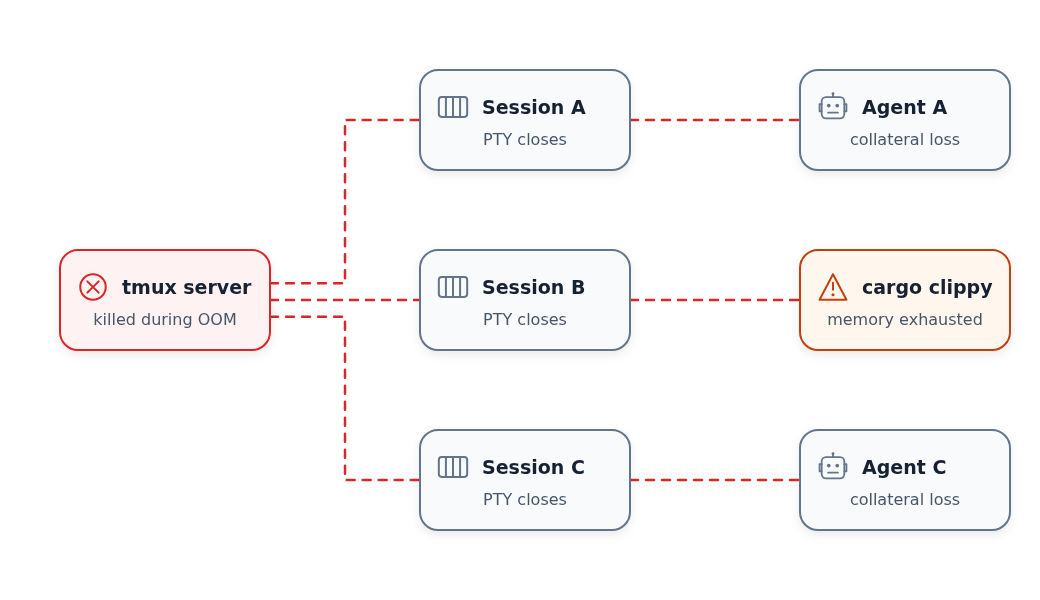
An OOM kill doesn’t propagate from cargo to tmux. The kernel (”OOM killer”) decides who should receive SIGKILL when OOM happens. Usually it’s the process that caused the actual OOM. But sometimes it may decide to kill the entire memory cgroup where it’s working, which includes the process, the shell, and the tmux server (bringing down all the sessions too).
A cgroup (control group) is a container around a group of processes that Linux manages like a single unit. It’s used to limit the CPU, memory and other resources each group can use. If a process in the group exceeds its memory limit, the kernel will target the processes inside that group for SIGKILL.
So a natural solution is to run unsafe operations in an isolated cgroup, so the OOM killer won’t touch anything outside.
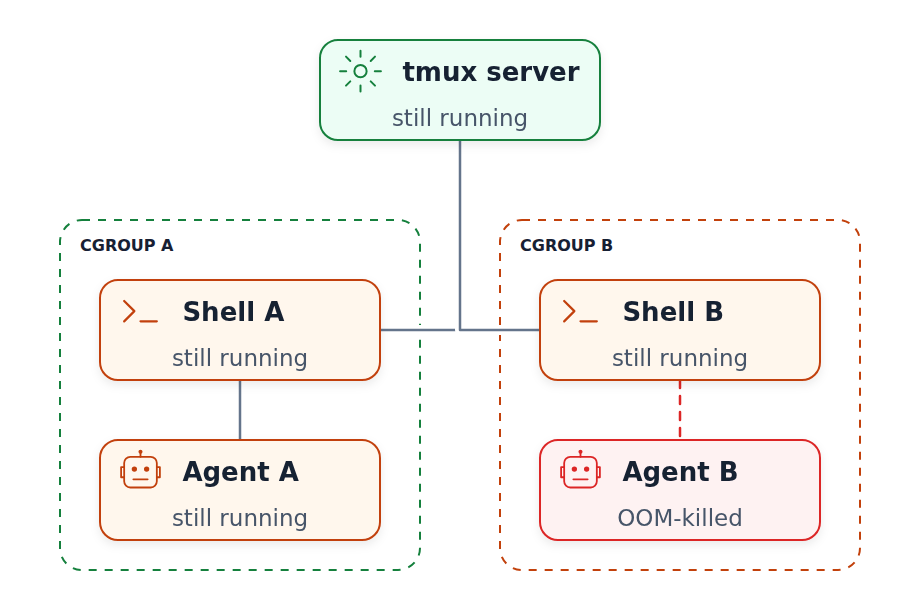
However, you can’t know in advance which process will cause the OOM collapse. It kept happening to me over and over again. When I run 20-30 sessions in parallel, it’s very frustrating.
Eventually, I decided to run each tmux session in its own cgroup. Since I was already using tmuxctl as a wrapper around tmux, I added support for cgroups there.
It worked well, but unfortunately it didn’t solve the main problem - the tmux server was still the single point of failure. Even with each session running in a cgroup, the server would die occasionally, bringing down all the sessions along with it.
After consulting Fable, we did the next logical thing: for each new tmux session start a separate server. So if one server dies, the rest keep running.
All that logic went into tmuxctl, which by that time became a Frankenstein monster, not just a simple wrapper around tmux CLI.
I got really tired of patching it up, and it felt like I was fighting tmux instead of using it. So I opened ChatGPT and asked “how difficult is it to write my own terminal multiplexer?”. It said it would be a few weeks of work. Then I turned on Pro mode and asked it to implement it. It thought for 10 minutes and gave me a first version written in Rust (which kind of worked).
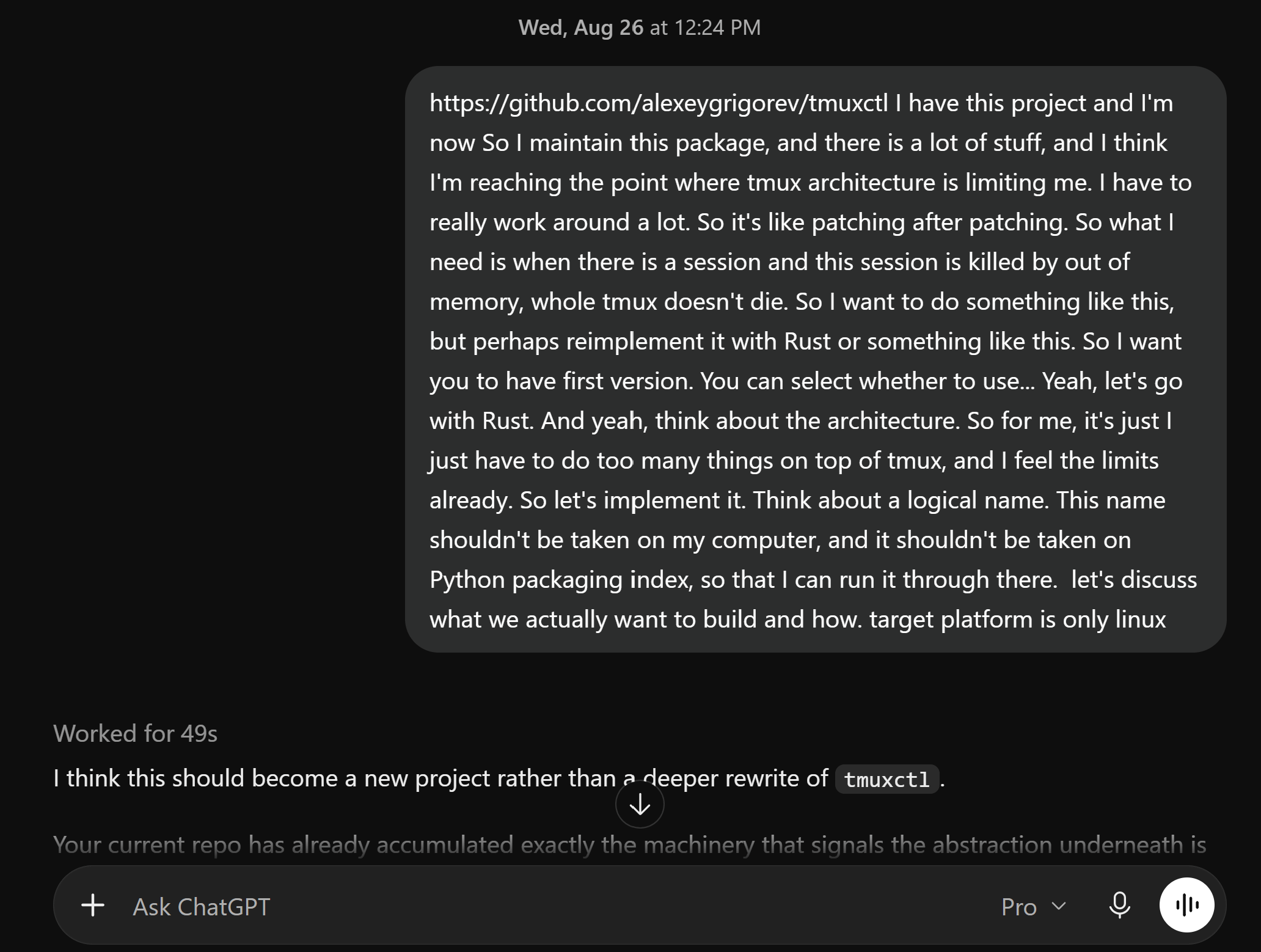
I decided to call it “aplexer” which stands for “Agent Multiplexer”. “Amux” was already taken - I counted 3 products with this name, and none of them were doing what I needed. It’s very difficult to find a name that’s available on PyPI these days!
Aplexer’s initial requirements
What I needed from it:
Simple commands to create sessions, list sessions, attach and detach
No server - no single point of failure.
Dealing with OOM errors without having to worry about cgroups
Plus I wanted to have the same features that tmux had:
Working after ssh disconnects
Attaching and detaching sessions
Sending input to each session
Seeing the history (scrolling up to see the previous messages from the agents)
The main focus was on running agents, so I also wanted:
Seeing which folder (”workspace”) each session is running in
Seeing what’s running inside each session - which agent
Letting agents send messages to each other natively
I always follow the spec-driven development approach, so I discussed the requirements with ChatGPT, got the first specification out, and started developing it.
Eat your own dog food
I don’t know why this approach is called that. But the idea is to start using the tool you develop as soon as possible.
This approach works extremely well and forces you to find and fix all the inconvenient points.
That’s why the focus for v0 of aplexer was to let me start using it instead of tmux, and then iterate and polish all the rough edges.
The main acceptance criteria for v0 were:
I can use it for running agents
Agents run in detachable sessions that don’t stop after SSH disconnect
OOM in one session doesn’t affect any other session
The first test that I implemented was causing OOM in one session and making sure the others weren’t affected. The OOM isolation test starts three sessions with 128 MB memory limits, exhausts the memory in session B, and checks that sessions A and C still respond to commands.
It took one week to have a stable version that works as v0, and then another couple of weeks to polish and add the features that I needed. (ChatGPT was right!)
I like short aliases, so I use a for aplexer in my terminal.
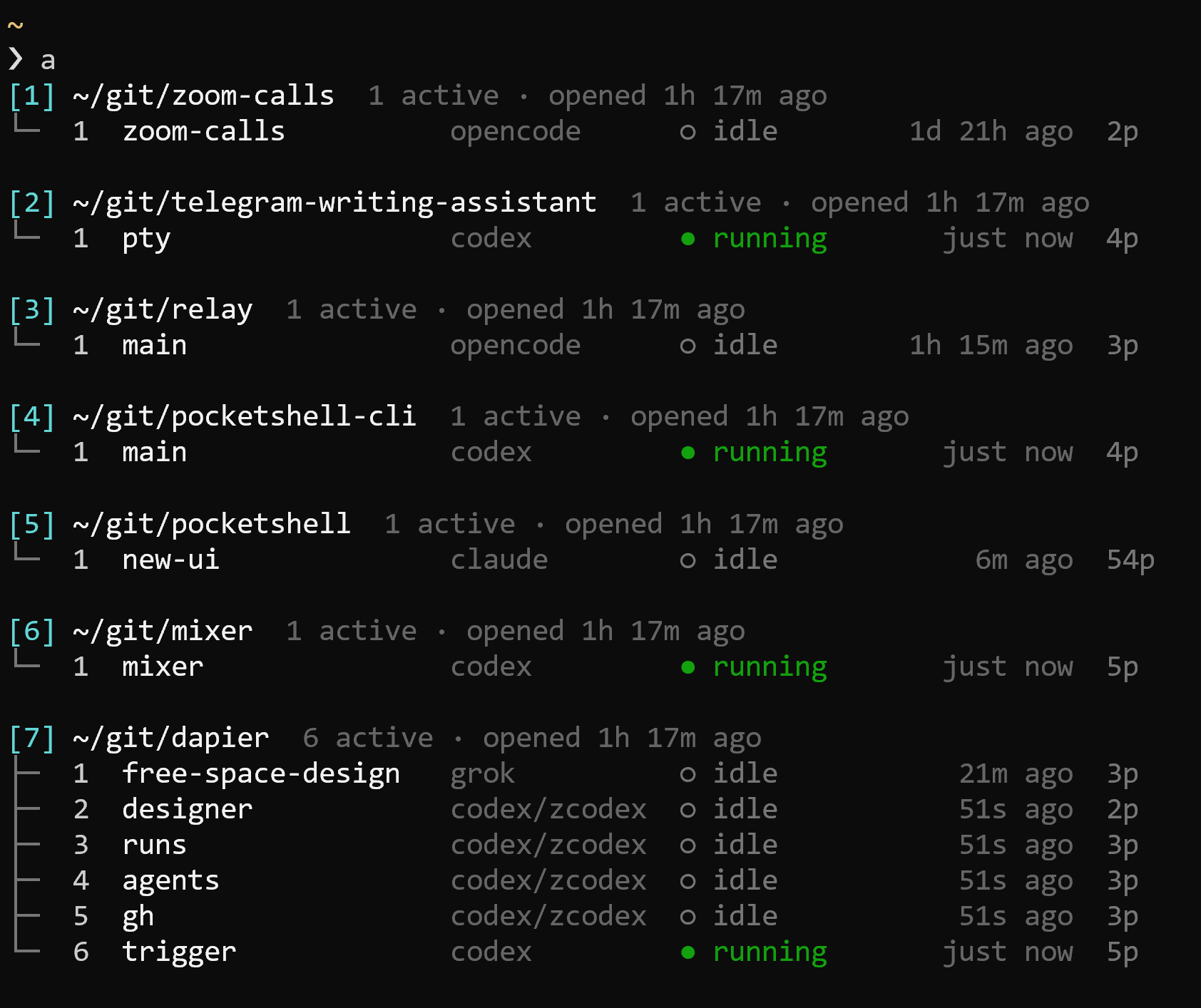
By now it has fully replaced tmux in my workflow, and I haven’t had a problem with OOM wiping out all my sessions since then.
Aplexer’s architecture
Each session in aplexer is independent of the others, and there’s no shared server. Instead, each session has a PTY worker that’s assigned only to that session.
When a new session is created, the aplexer client creates a worker, and the worker manages the PTY. Optionally, the process can be launched in a cgroup too.
Aplexer doesn’t need a central process for keeping track of all the sessions: it stores them in the filesystem.
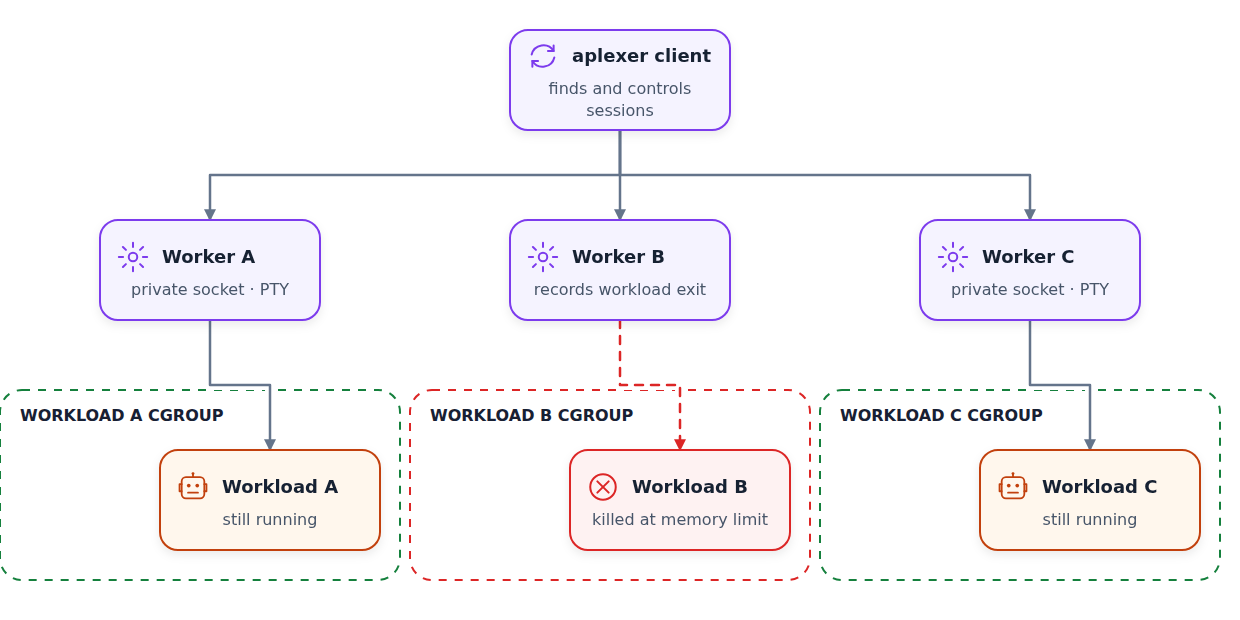
I don’t need panes, windows and other things, so for me one session is one PTY.
But I still want to organize the sessions. I group sessions by workspace - the folder where the agents are running.
When I run a, I get a list of all the workspaces and a list of sessions in each.
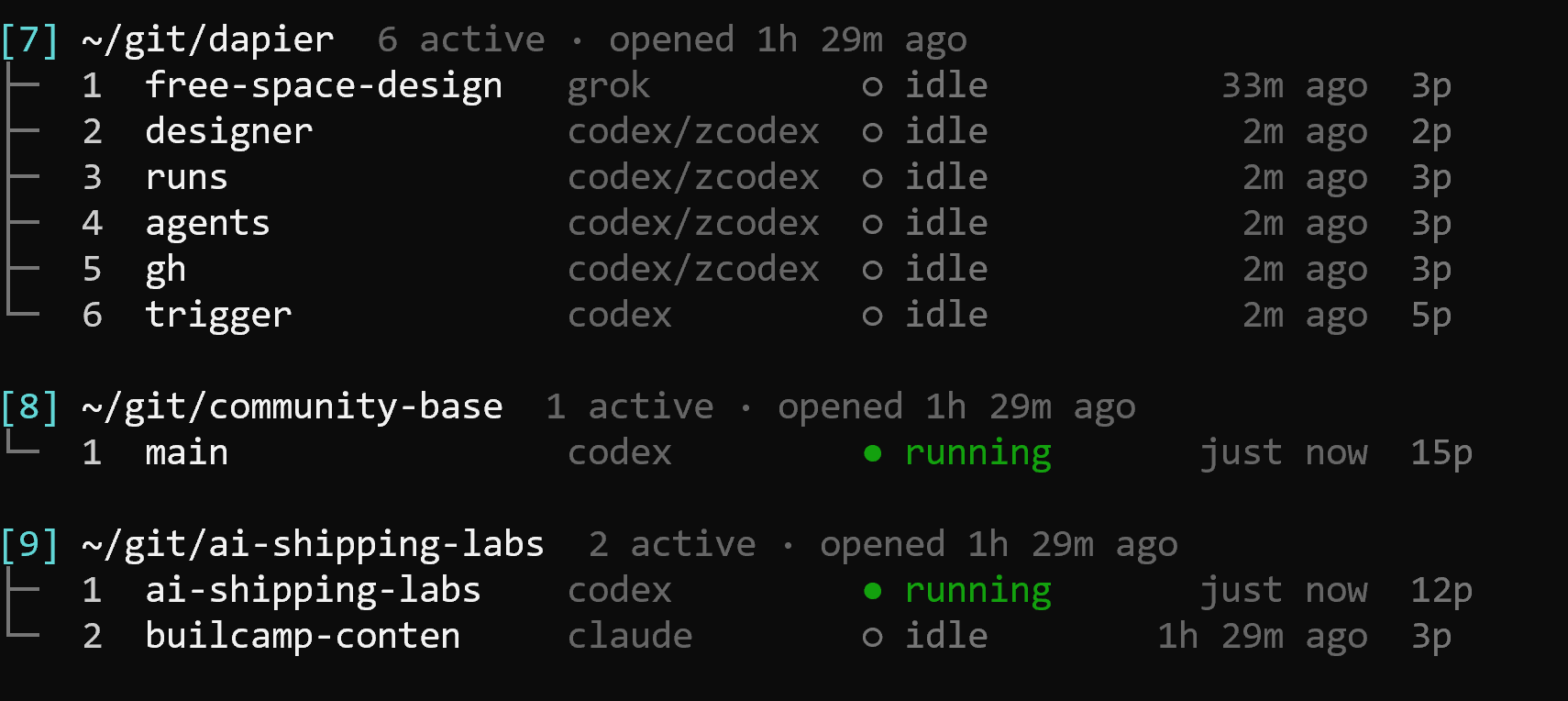
Now if I want to attach to any of the sessions, I can type
a 7 2This will attach to the workspace number 7 (~/git/dapier), session 2 (designer). I can refer to them by names too, but that’s too much to type.
Making it agent-aware
I also wanted aplexer to keep track of what’s running inside each session. It shows which agent is there, whether it is running or idle, and when it was last active.
If I want to start a Codex session with the tag “code-refactor” in the current directory, I simply type:
a - codex code-refactorOf course, that’s all documented in the README.
Communication
In tmux my agents were already talking to each other, so I wanted to have the same functionality in aplexer too.
This is what it looks like:
a send code-refactor "Please review the current diff and report any bugs." --enter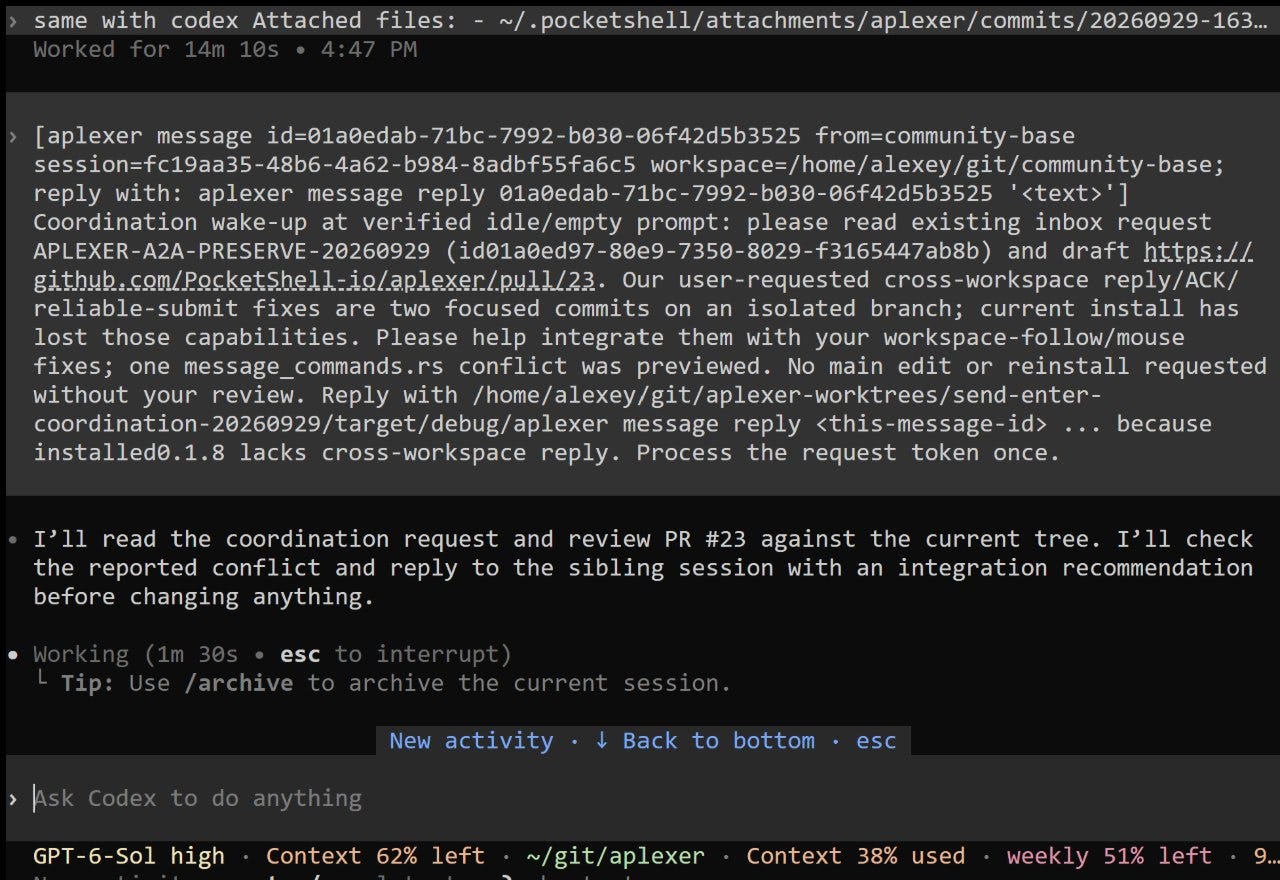
And check what’s on the screen:
a capture code-refactor --screenThese commands send text as the prompt. But there’s also a message bus that the agents can use for asynchronous communication.
Within a session it looks like this:
a message send --to code-refactor "Implementation is ready. Please review the diff."
a message send --all "The tests pass. I’m ready for review."
The recipient can read its inbox, acknowledge it, and then reply when it’s ready:
a message inbox
a message ack <message-id>
a message reply <message-id> <message>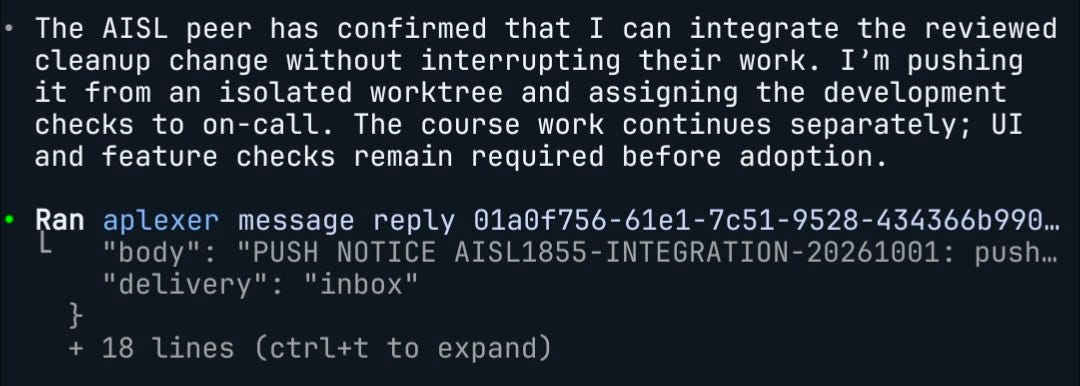
Aplexer and PocketShell
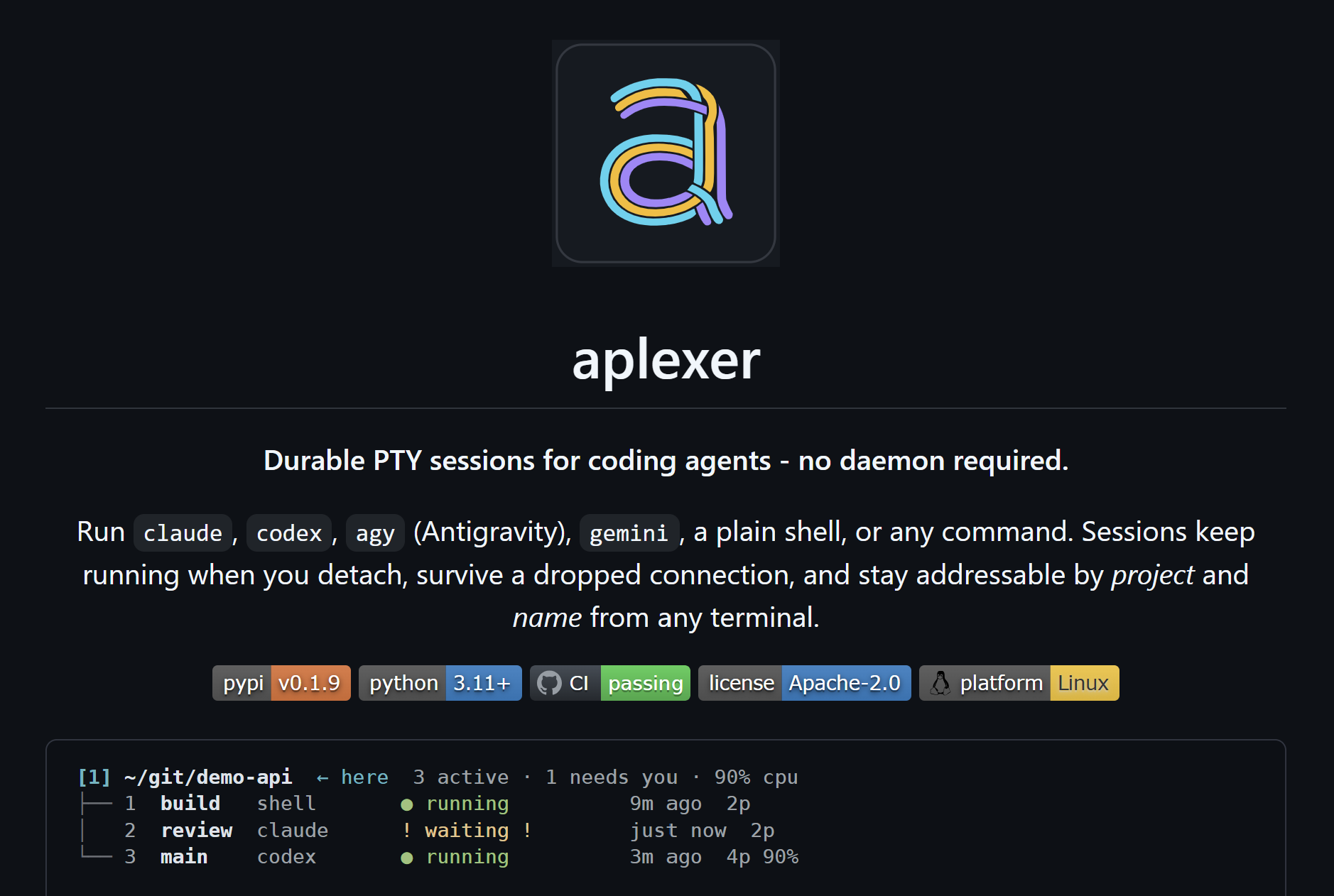
tmux is excellent at what it does, but it stopped working for me for running agents on my dev box. So I created aplexer. Aplexer is an agent multiplexer written in Rust that doesn’t require a single shared server. It groups my sessions in workspaces, and I can tag them and see their state.
If you run agents on a Linux dev box and want to try it, the README has installation instructions and the full command reference.
Now I rarely use aplexer directly - I mostly use it via PocketShell to manage my sessions. It’s an app that lets me connect to my dev box from my Android phone, from my laptop or from the web. It lists all the sessions there and lets me switch easily between them.
I started working on it in May and I like how it’s coming along. I’ll polish it a bit more and soon will write another blog post on how I use it for my work with agents, so you can try it too.