

The 2026 cohort of AI Dev Tools Zoomcamp starts today (August 31). The course is free, and registration is open for the next few weeks.
In this course, we use AI coding tools across the full software-development lifecycle.
Part 1: AI-Native Development: Specifications, Loop and Graph Engineering
Part 2: Build and Ship a Full-Stack App with AI Coding Assistants
Part 5: Coding Agent Building Blocks: Reusable Skills and Specialized Subagents
In this course we give you a tool-agnostic way to work with any coding agent and increate your productivity as a developer.
Watch the launch stream:
Start Here
Use these links to join the course and find the materials:
Register for the course. Registration is free.
Open the course platform to see deadlines, submit homework and projects.
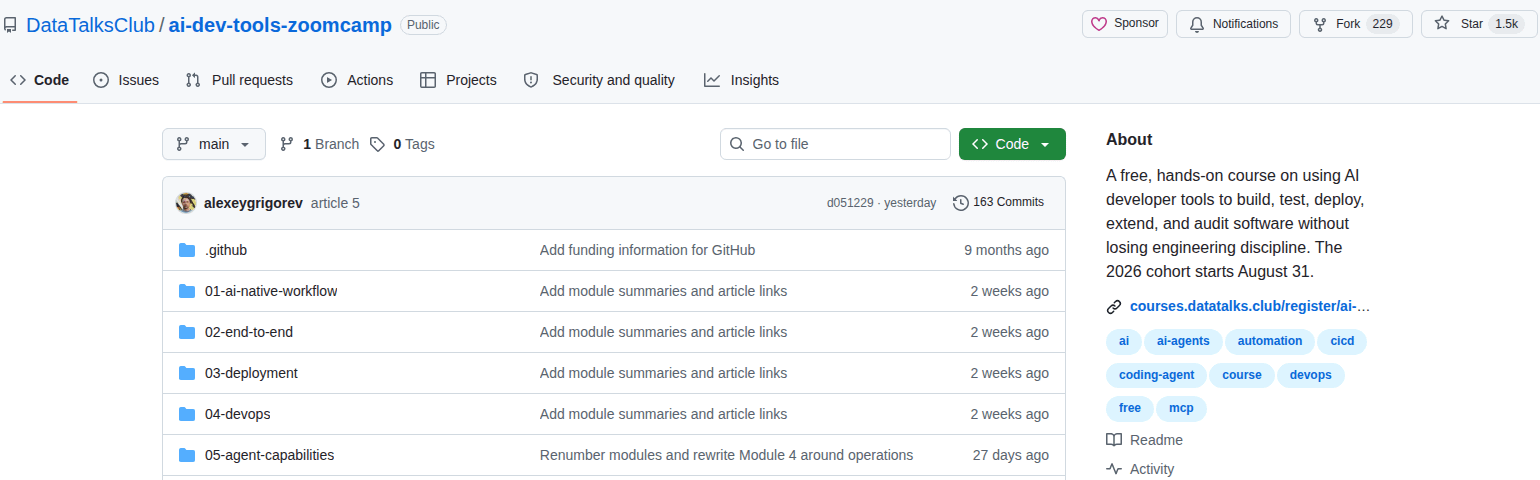
Star the course repository. It contains the module materials, recordings, homework, and final-project requirements.
Read the course documentation for prerequisites, setup, logistics, and detailed guidance.
Join the DataTalks.Club Slack for talking to your peer course participants and join the
#course-ai-dev-tools-zoomcampchannel.Join the Telegram channel for announcements and deadline updates.
Course Curriculum
In this course, we use AI coding tools across the full software-development lifecycle.
Part 1: AI-Native Development: Specifications, Loop and Graph Engineering
Part 2: Build and Ship a Full-Stack App with AI Coding Assistants
Part 5: Coding Agent Building Blocks: Reusable Skills and Specialized Subagents
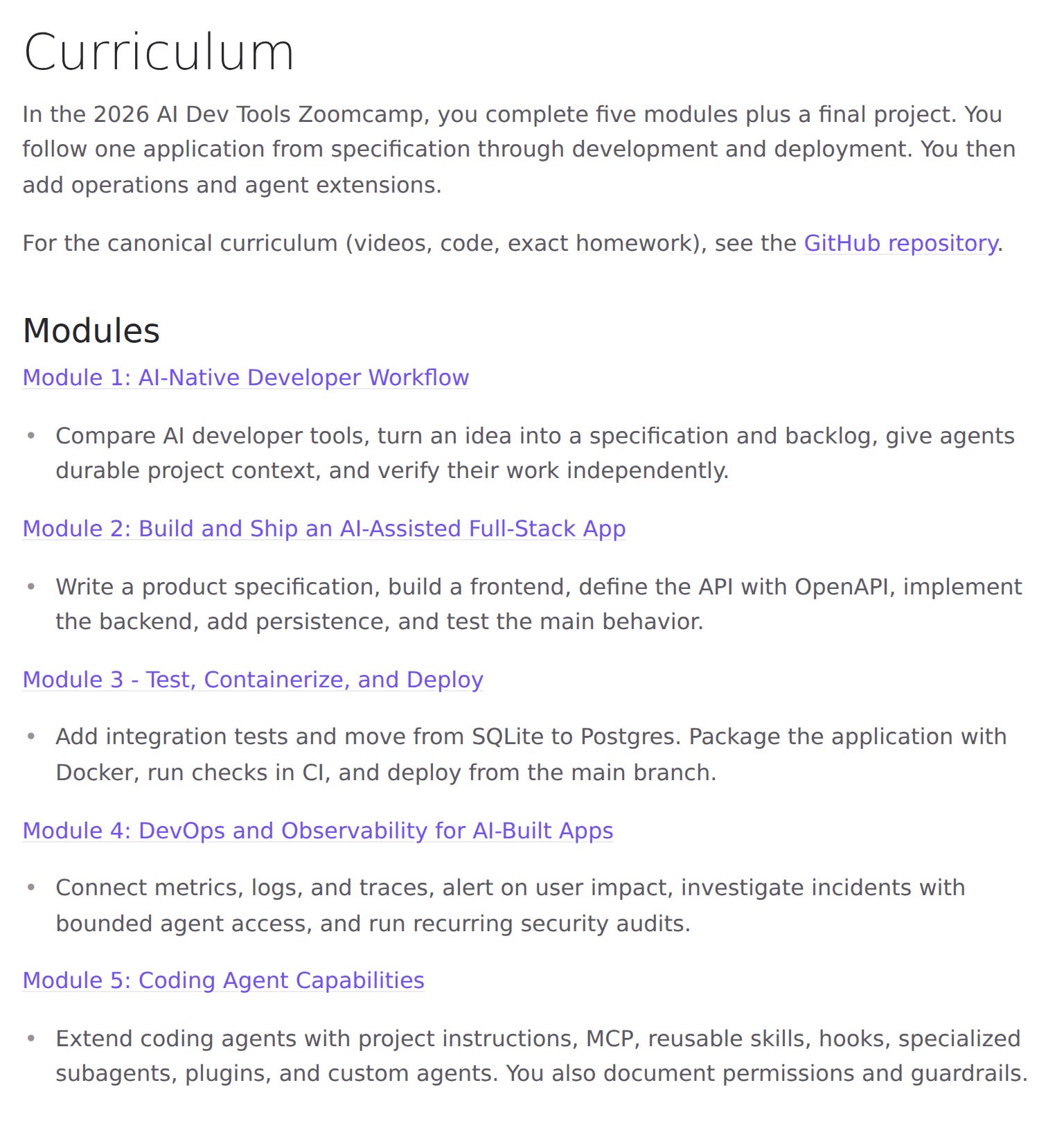
Module 1: AI-Native Developer Workflow
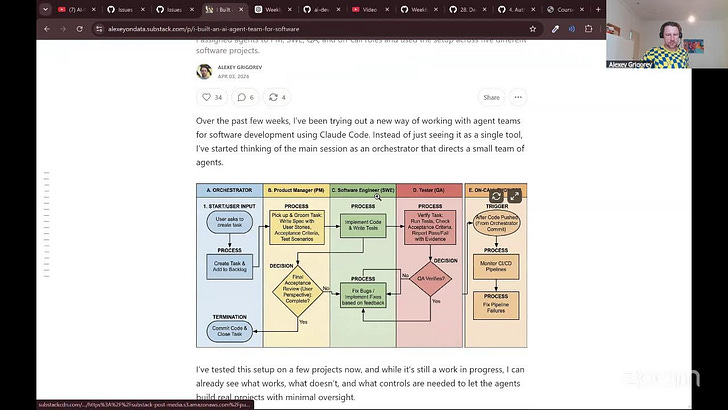
Giving a coding agent a vague request often produces a plausible application that doesn’t solve the problem you had in mind. We begin by improving the instructions and context we give it.
You turn a product idea into a specification and a backlog of small tasks. You create durable project context, then separate product management, implementation, and QA into focused sessions. You also learn how agent loops and multi-agent workflows can help with larger backlogs without removing your responsibility for review.
By the end of the module, you have a repeatable way to direct an agent and verify its work independently.
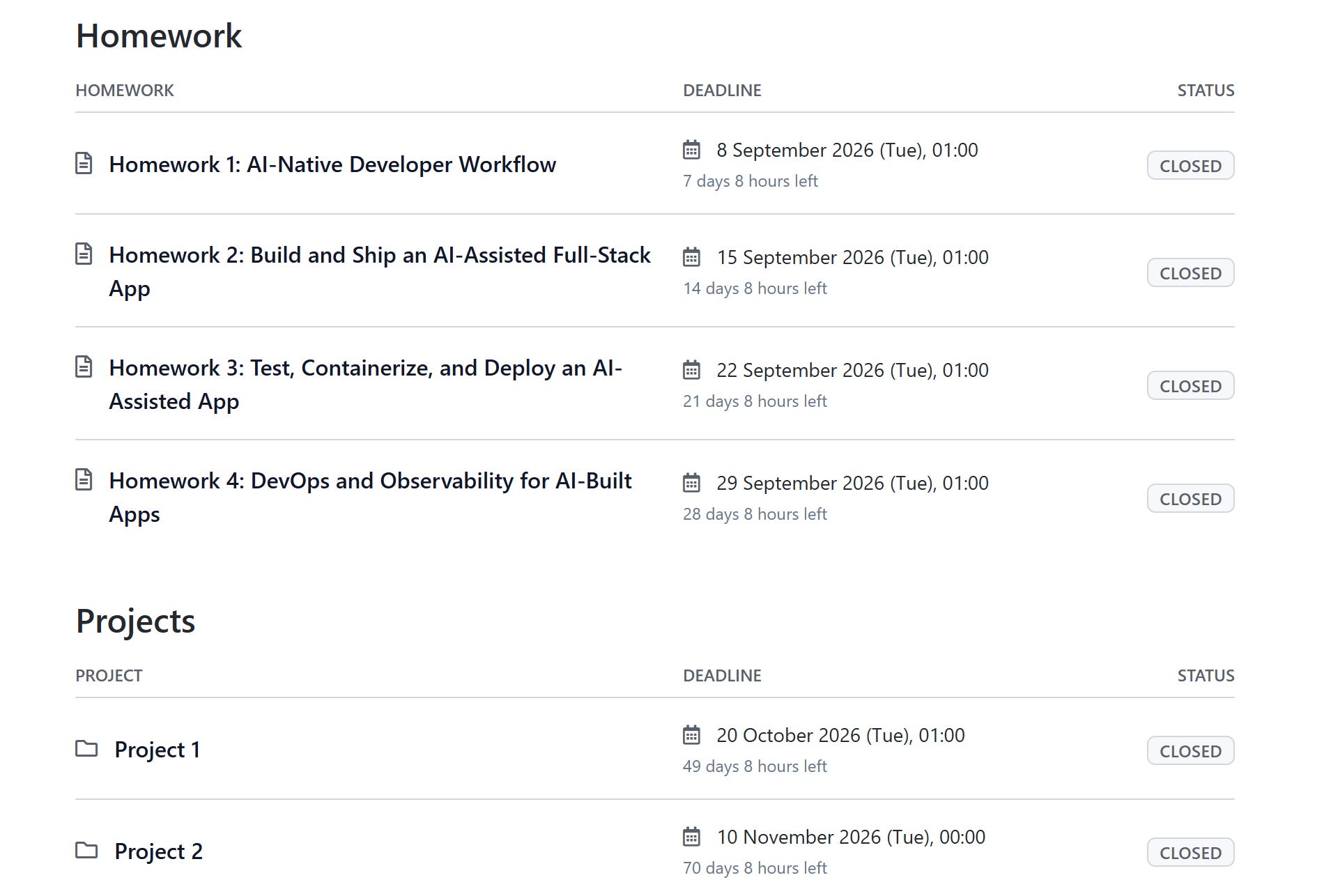
Homework: Instructions · Submit — due 2026-09-07
Module 2: Build and Ship an AI-Assisted Full-Stack App
Next, you use that way of working to create a complete application. You write a product specification and build a frontend. Then you describe the API with OpenAPI, implement the backend, add SQLite persistence, and test the main behavior.
We use AI tools to produce the first version of each part, but we don’t accept generated code because it looks reasonable. We look at the code, run it, compare it with the specification, and write tests for the behavior we expect.
You finish with a tested full-stack application that runs locally and follows a documented OpenAPI specification.

Homework: Instructions · Submit — due 2026-09-14
Module 3: Test, Containerize, and Deploy
A working local application is only the beginning. In this module, you test the seams between the frontend, backend, and database. You add integration tests, move from SQLite to Postgres, package the application with Docker, and run the checks automatically in CI.
Then you deploy the application to a public URL and connect deployment to the CI pipeline. When you merge a change that passes the required checks, the pipeline ships it.
You finish with a containerized application that other people can use and a documented way to test, deploy, and roll it back.

Homework: Instructions · Submit — due 2026-09-21
Module 4: DevOps and Observability for AI-Built Apps
When the deployment command exits successfully, you know only that the command finished. You still need to check whether people can use the application.
You instrument an important request with OpenTelemetry and connect metrics, logs, and traces in Grafana. You write an alert for sustained user impact, collect a bounded evidence packet, and give a coding agent read-only access to that evidence. The agent can investigate and propose an action, while code outside the model enforces which actions are allowed.
You also run recurring security audits and record enough information to reconstruct an incident from the first alert to recovery.

Homework: Instructions · Submit — due 2026-09-28
Module 5: Coding Agent Capabilities
In the final module, you look inside the coding-agent workflow and extend it around your project.
You work with project instructions, MCP, and reusable skills. You also explore hooks, specialized subagents, plugins, and small custom agents. We focus on each capability rather than one product’s name for it, so you can apply the ideas across modern coding agents.
You finish by packaging reusable instructions and a repeatable way to review changes in your application. You also include a specialist agent, an MCP tool or server, guardrails, and documented permissions.

No homework
Office Hours + AI Shipping Labs Membership
As a part of the course, we will also have office hours. During these office hours you can ask questions about the course (and beyond).
There will be 4 sessions on Tuesdays at 18:30 Berlin time (Sep 08, Sep 15, Sep 22 and Sep 29).
Joining office hours requires a paid membership on AI Shipping Labs.
This course is completely free and there are no sponsors for this course, so I’m not earning anything by running it. If you want to support me, and also get more out of it, consider becoming an AI Shipping Labs member and joining office hours.
You will also get a personalized onboarding: we will discuss your current situation, your goals, and build a development plan for you.
Cohort Format
The lectures are pre-recorded, so you don’t need to attend a class at a particular time. In a live cohort, we move through the course together with shared deadlines, graded homework, and community support. You can also join the leaderboard, review peer projects, and work toward a certificate.
For each module:
Open the module folder in the course repository.
Watch the recording and follow the materials.
Complete the homework in your own public repository.
Submit your answers through the course platform before the deadline.
Ask questions and share what you learn in Slack.
Homework is optional for the certificate, but I recommend doing it. It gives you a smaller task for each module, helps you keep pace with the cohort, and prepares you for the final project. On-time homework and learning-in-public contributions also give you leaderboard points.
You can follow all the materials without joining the live cohort. If you study at your own pace, you can watch the same recordings, complete the homework for practice, and build a portfolio project. We offer graded submissions, peer review, and certificates during the live cohort.
For more information, read the guides to course work, homework, and joining a cohort after it starts.
Leaderboard
The leaderboard is optional: it doesn’t affect certification. It gives you a way to track your progress alongside the cohort and recognizes contributions beyond homework. You can earn points for submitting homework on time, learning in public, contributing to the FAQ, completing projects, and reviewing peer projects.
The screenshot below shows the AI Dev Tools Zoomcamp 2025 leaderboard. Your leaderboard profile is anonymous by default, but you can make your name, bio, and links public from your enrollment profile.
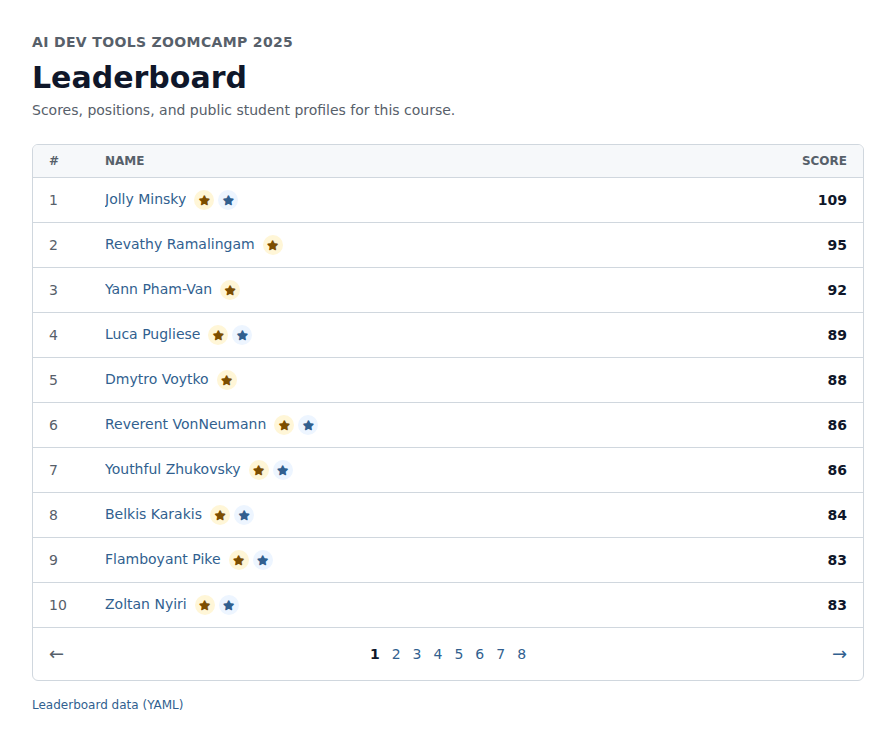
For more information, read the leaderboard documentation for the point categories, timing, and profile options.
Learn in Public
As you work through the course, share what you build and learn. A short post about a useful idea, a problem you solved, or a screenshot of your project reinforces the material and creates a public record of your progress. It can also bring feedback, new connections, and opportunities.
After publishing a post, submit its link through the course platform with your homework, project, or peer review. Each accepted link earns a leaderboard point.
For more information, read the learning-in-public guide for the submission process, post ideas, and examples.
FAQ and Questions
Start with the AI Dev Tools Zoomcamp FAQ when you run into a course-specific or technical problem. It collects answers from previous cohorts, so you may find the exact error or question already covered.
If the FAQ doesn’t answer your question, ask in the #course-ai-dev-tools-zoomcamp Slack channel. Include what you tried, the result you expected, the result you got, and enough context for someone else to reproduce the problem. When you find a useful answer that is missing from the FAQ, send it through the FAQ proposal form. Accepted FAQ contributions earn leaderboard points.
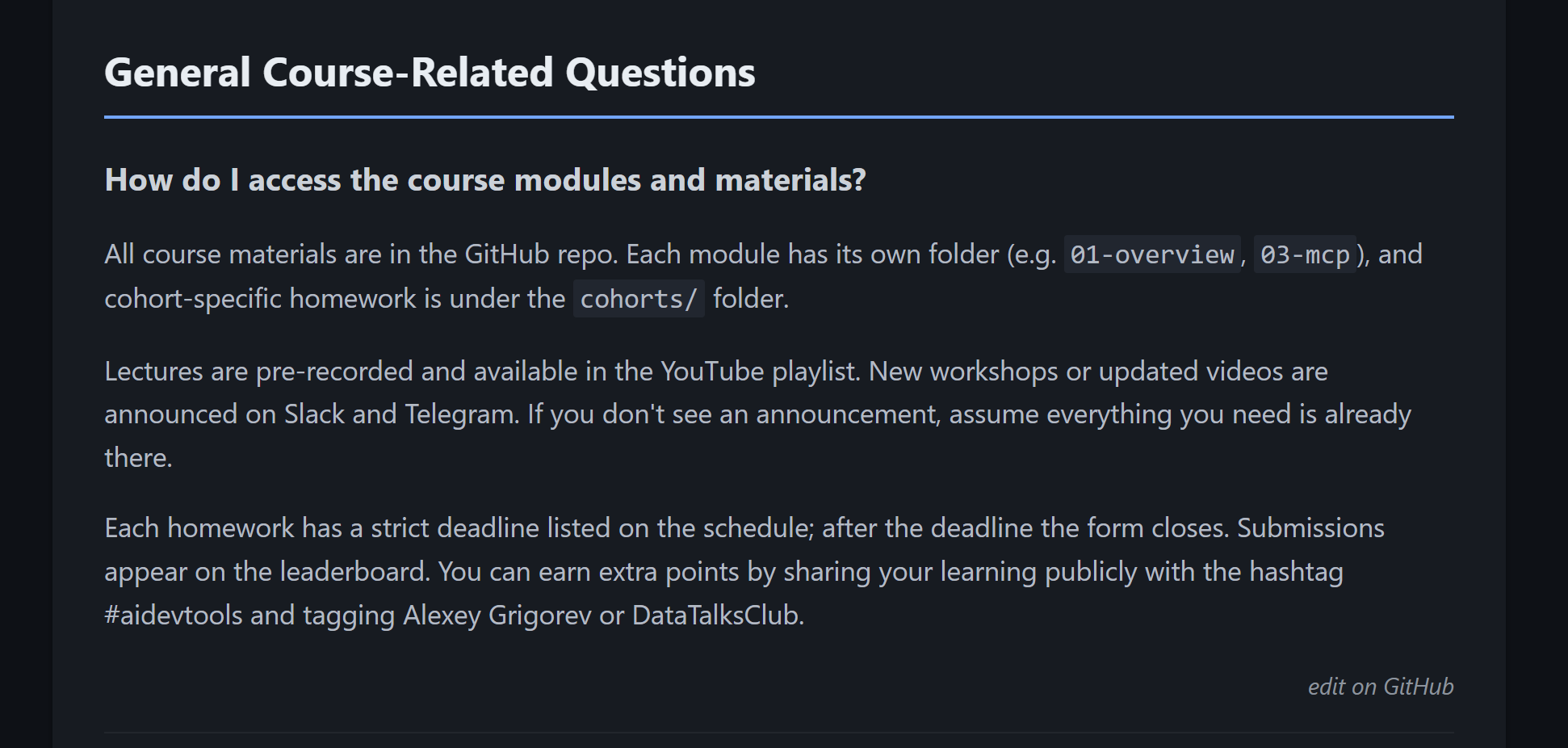
For more information, read the guide to asking questions for examples and troubleshooting guidance.
Final Project and Certificate
For the final project, you choose your own idea and build a complete application with AI assistance.
Your project should include:
a frontend and backend
an OpenAPI specification
persistent storage
automated tests
containers and a public deployment
clear instructions for running the application
You also document how you used AI. Show how you described tasks and gave the agent context. Explain how you reviewed generated code, tested the result, and handled permissions. In the later modules, you add operations, security, and agent-extension work around the application.
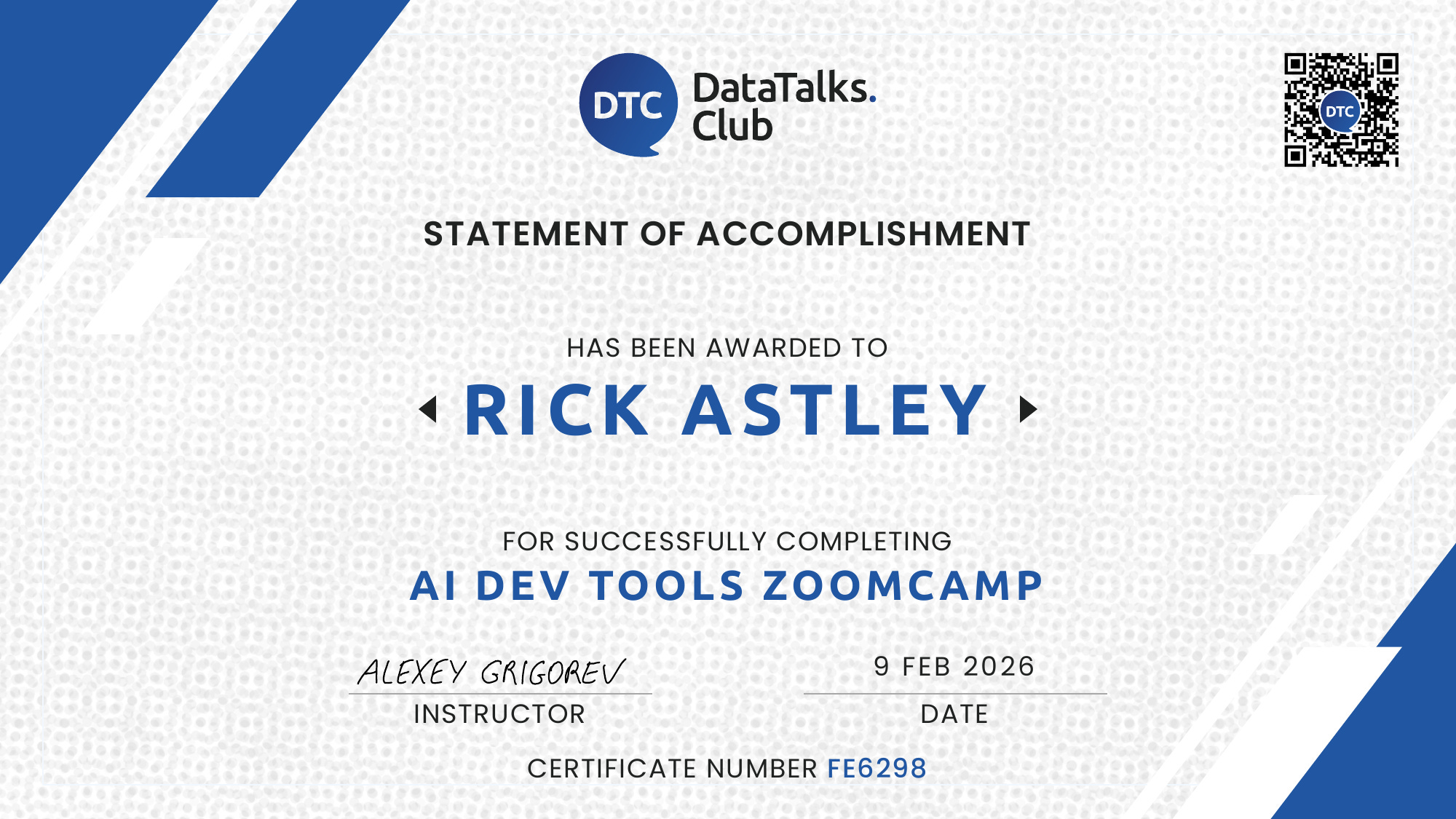
Homework isn’t required for the certificate. To earn the certificate, you need to submit a passing final project during the live cohort and complete the required peer reviews on time. Check the course platform for the exact project and review deadlines.
Project 1: submit by 2026-10-19 and complete peer reviews by 2026-10-26.
Project 2: submit by 2026-11-09 and complete peer reviews by 2026-11-16.
For more information, read the course-specific project requirements, the peer-review guide, and the certification guide.
Course Links
You don’t need to remember every link, but it helps to know where to go for each part of the course.
Use the course platform for the schedule, deadlines, submission forms, scores, project, and certificate.
Use the GitHub repository for module materials, recordings, code, homework, and project requirements.
Use the course docs for setup and detailed guidance, and the Zoomcamp logistics docs for the shared rules.
Use the course Slack channel for questions and discussion.
Use Telegram for announcements.
Use the YouTube playlist for recordings.
Start the Course
Open the course platform, star the course repository, and join Slack and Telegram. Then begin with Module 1.
You can still join after August 31. Check the platform for the deadlines that remain, and start working through the materials.
Thank you for all of the content that you make freely available!